Cloud Computing: Concepts, Service Models, Evolution and a Worked Capacity Plan
Learn what makes a service a cloud, how its two classification axes differ, and how elasticity changes compute and storage capacity.
KnowledgeGate Team
Exam prep & CS education
Updated 9 Sep 20266 min read
Cloud computing is more than resources delivered over the Internet: it combines pooled infrastructure, on-demand provisioning, elasticity and measured use. IaaS, PaaS and SaaS classify who manages each layer, while public, private, hybrid and community cloud classify the deployment boundary. Consider an exam-practice system whose load rises from 100 to 240 requests/s and whose stored data grows by 32 GiB/day. Its design exposes the differences among provisioning, scaling, capacity and responsibility. For exam-specific inclusion or marks distribution, use the current official notification.
Related reading: cloud storage and databases and cloud deployment models.
Cloud computing concepts: what makes a remote resource a cloud
Cloud computing gives on-demand network access to pooled configurable resources that can be provisioned and released with little manual setup. A remote file is only remote access. Cloud design adds pooling, programmable provisioning, elasticity and measured use.
Five characteristics make this practical:
Self-service provisioning: users or applications request capacity directly.
Standard network access: documented interfaces expose services.
Resource pooling: tenants share capacity while logical controls separate workloads and data. Pooling alone guarantees neither security nor performance isolation.
Rapid elasticity: capacity expands or contracts with demand.
Measured use: monitoring records consumption.
Our exam-practice system has DNS, TLS, a load balancer, stateless instances, a relational database, object storage and monitoring. Load rises from 100 to 240 requests/s; each instance sustains 75 requests/s. Learners add 16,384 daily files of exactly 2 MiB each. These inputs determine the system's capacity and storage requirements.
Cloud computing evolution: time-sharing to elastic services
The ideas overlapped rather than replacing one another. Time-sharing contributed shared access; client-server split interfaces from central services; distributed and grid systems added coordination; virtualisation added isolation and flexible placement; utility computing framed measured consumption. Cloud platforms joined them with service interfaces, self-service and elasticity. Containers, serverless and edge computing later changed packaging or placement.
Virtualisation enables cloud but is not its synonym; one manual VM may lack self-service and elasticity. A grid divides work across participants, while a cloud exposes pooled services. Edge computing moves selected processing nearer users or devices, often with central cloud coordination. The scheduling, isolation and memory foundations behind virtualisation are developed in Operating Systems for GATE: Deadlocks, Scheduling, Memory.
IaaS, PaaS and SaaS: classify by who manages each layer
Service models divide management responsibility. Here, “organisation” means the customer.
Layer | On premises | IaaS | PaaS | SaaS |
|---|---|---|---|---|
Physical hardware | Organisation | Provider | Provider | Provider |
Virtualisation | Organisation | Provider | Provider | Provider |
Operating system | Organisation | Organisation | Provider | Provider |
Runtime and middleware | Organisation | Organisation | Provider | Provider |
Application | Organisation | Organisation | Organisation | Provider |
Data and access policy | Organisation | Organisation | Organisation | Organisation: users, permissions, configuration and entered data |
Renting VMs and installing a runtime is IaaS. Deploying code to a managed runtime is PaaS. Opening the finished app is SaaS. Its owner may use IaaS or PaaS to deliver SaaS, so the labels can coexist.
Managed does not mean unowned. PaaS leaves code, authentication, permissions and retention with the application team. SaaS leaves accounts, roles, configuration and entered data with the customer.
Public, private and hybrid cloud: classify by deployment boundary
Deployment models answer a different question. Public cloud is provider-operated shared infrastructure. Private cloud is cloud-style infrastructure dedicated to one organisation. Hybrid coordinates private and public environments. Community cloud serves organisations with a common requirement. Ownership, location and tenancy remain distinct; a server room is not automatically private cloud.
Multi-cloud uses multiple providers and may be entirely public. Our app is hybrid when public compute serves pages while private identity records return only a controlled authentication result. Backups at a second public provider, without a private environment, make it multi-cloud instead. Control, latency, fault domains, skills and data rules decide outcomes; labels guarantee nothing.
Cloud elasticity worked example: compute instances and storage growth
At normal load, ceil(100 / 75) = 2 instances. They provide 2 x 75 = 150 requests/s, leaving 150 - 100 = 50 requests/s headroom at 100 / 150 x 100 = 66.7% utilisation, rounded to one decimal.
At peak, ceil(240 / 75) = 4 instances provide 4 x 75 = 300 requests/s at 240 / 300 x 100 = 80% utilisation. One failure leaves 3 x 75 = 225 requests/s, a 240 - 225 = 15 requests/s shortfall. Failure tolerance needs 5 provisioned instances (5 x 75 = 375 requests/s). After one fails, 4 x 75 = 300 requests/s remains with 300 - 240 = 60 requests/s headroom.
Storage is 16,384 x 2 MiB = 32,768 MiB/day = 32 GiB/day. Without compression or deduplication, 30 days need 32 x 30 = 960 GiB; 90 need 32 x 90 = 2,880 GiB = 2.8125 TiB.
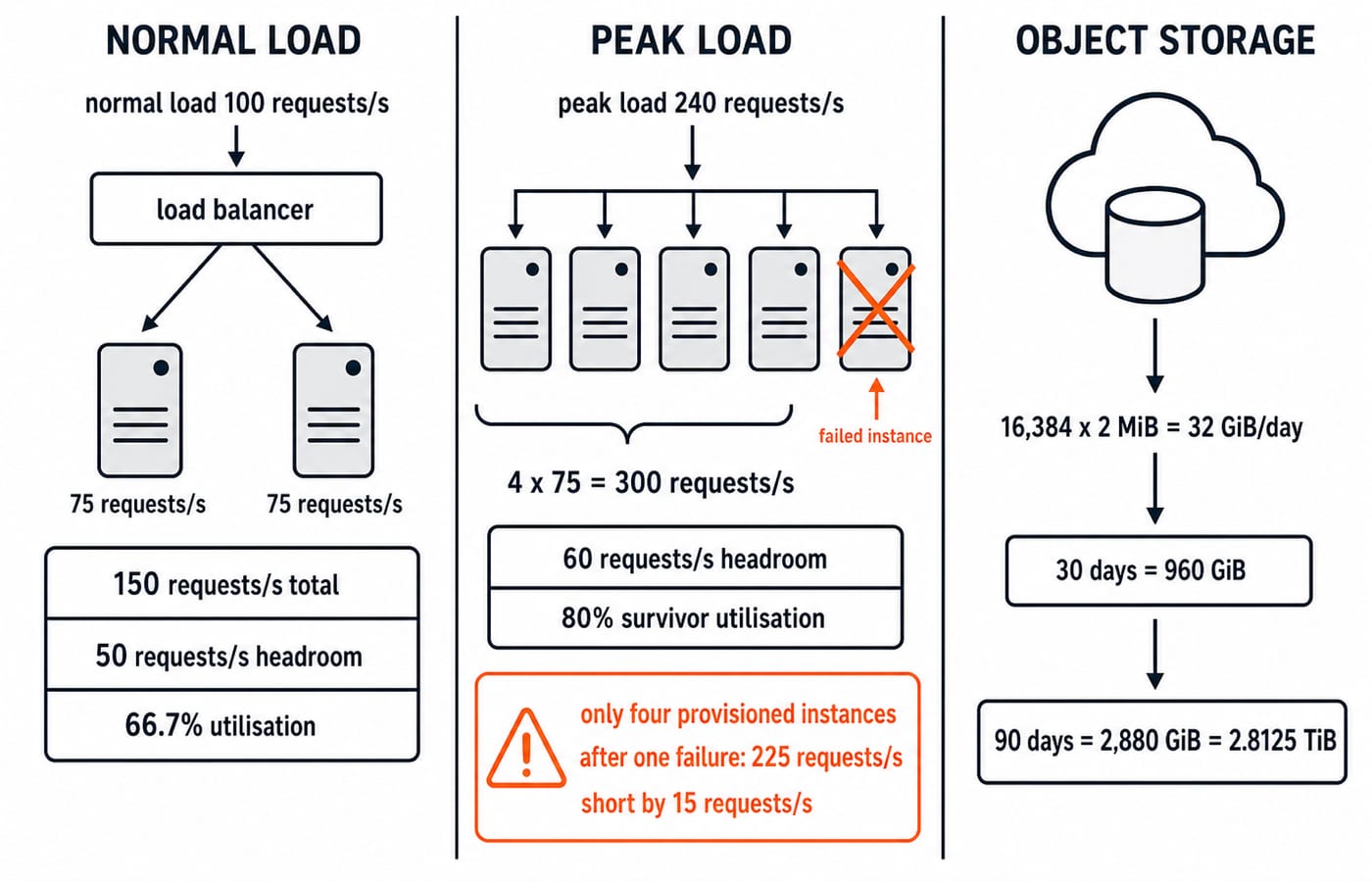
Elasticity changes active capacity with demand; scalability handles growth; measured service supplies signals. This simplified model assumes equal instances and a working load balancer. It does not predict latency, fix stateful bottlenecks or replace retention rules.
Cloud architecture: follow one request and place every responsibility
A browser resolves the name through DNS, establishes a protected connection and sends a request through the load balancer to a stateless instance. It reads attempt data from the database and sends answer files to object storage. Monitoring records rate, errors, latency and health. Application Layer Protocols: DNS and HTTP Guide separates DNS and application messaging from the cloud model.
Stateless compute lets any healthy instance handle the next request. Durable session and attempt state belongs in a shared service, not only instance A. The application still has state.
Multiple instances improve availability but do not back up data. A backup aids recovery but does not keep service live. Identity, encryption, network rules, logs and tested restoration solve other problems. Shared responsibility changes who operates each layer, not whether it matters.
Cloud computing questions: tested distinctions and common traps
Practise four moves: identify scale-out as elasticity, classify service or deployment models, order the evolution, and calculate capacity from 240 requests/s, 75 requests/s per instance and 32 GiB/day.
Repair the traps: cloud is not merely the Internet; virtualisation is not automatically cloud; elasticity responds while scalability supports growth; service and deployment models are different axes; hybrid is not multi-cloud; SaaS leaves identity and data choices with the customer; availability is not backup.
For IT-officer preparation, IBPS SO IT Professional Knowledge: Subject Topic Map places cloud computing beside the networking, databases, operating systems and security areas that compete for revision time. This section, by contrast, stays on cloud-model distinctions and capacity reasoning.
Cloud computing in short: redraw, recompute and choose the next step
Recall the chain: pooling exposes services; self-service provisions them; elasticity adjusts capacity; service models divide responsibility; deployment models define boundaries; measurement guides decisions. Cloud joined time-sharing, distributed systems, virtualisation and utility ideas into an on-demand service model.
At 310 requests/s, ceil(310 / 75) = 5 instances provide 5 x 75 = 375 requests/s at 310 / 375 x 100 = 82.7% utilisation. One failure leaves 4 x 75 = 300 requests/s, a 310 - 300 = 10 requests/s shortfall, so tolerance needs 6 instances. At 32 GiB/day, 45 days need 32 x 45 = 1,440 GiB = 1.40625 TiB.
For IT-officer study, the IBPS SO IT Mains Preparation Course provides a structured route through cloud computing and the surrounding IT subjects. If your priority is GATE CS, GATE CS Exam Preparation is the broader subject map; use the official GATE notification for the current syllabus and weightage.
Keep learning
Computer Networks Hardware Basics: Devices, Domains and Worked Examples
Learn what hubs, switches, routers, gateways and access points actually do, then count network domains and trace frames through a two-LAN topology.
Updated 6 Oct 20266 min readComputer Networks
Data Link Layer Framing Explained: Byte Stuffing, Bit Stuffing and a Cross-Concept Numerical
Frame one four-byte payload in two ways, decode it, and then reuse the verified frame sizes in link-load and Stop-and-Wait calculations.
Updated 1 Oct 20266 min readComputer Networks
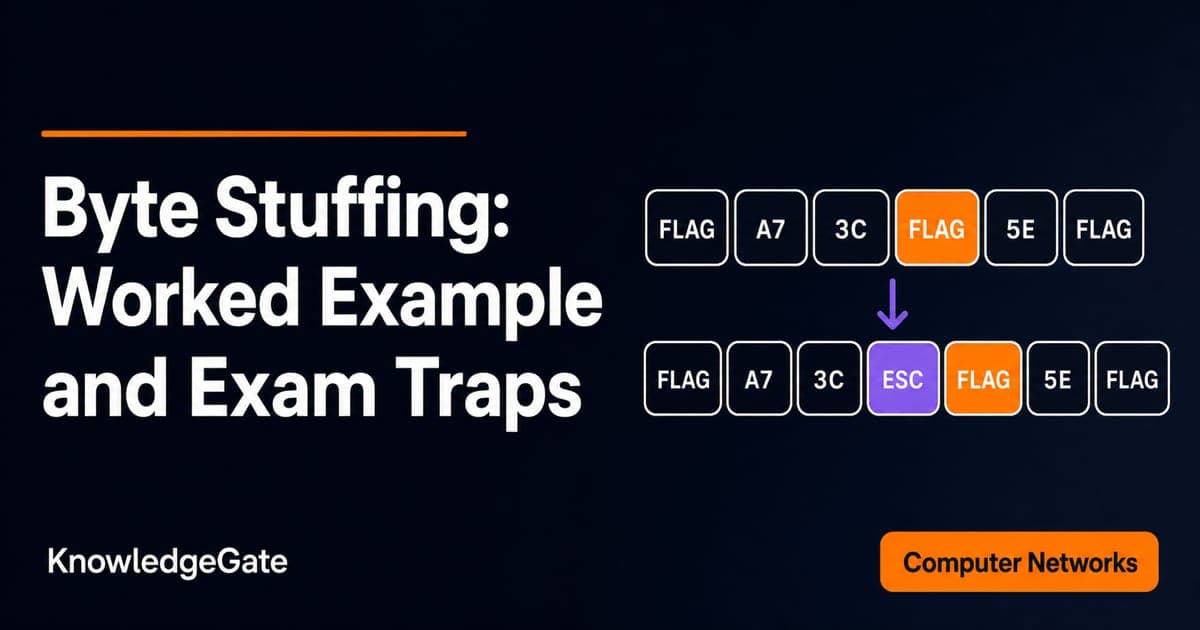
Byte Stuffing in Computer Networks: Worked Framing Example and Exam Traps
Learn a precise byte-stuffing convention, trace a payload containing both FLAG and ESC, reverse it safely, and calculate frame overhead and transmission time.
Updated 26 Sep 20266 min readComputer Networks
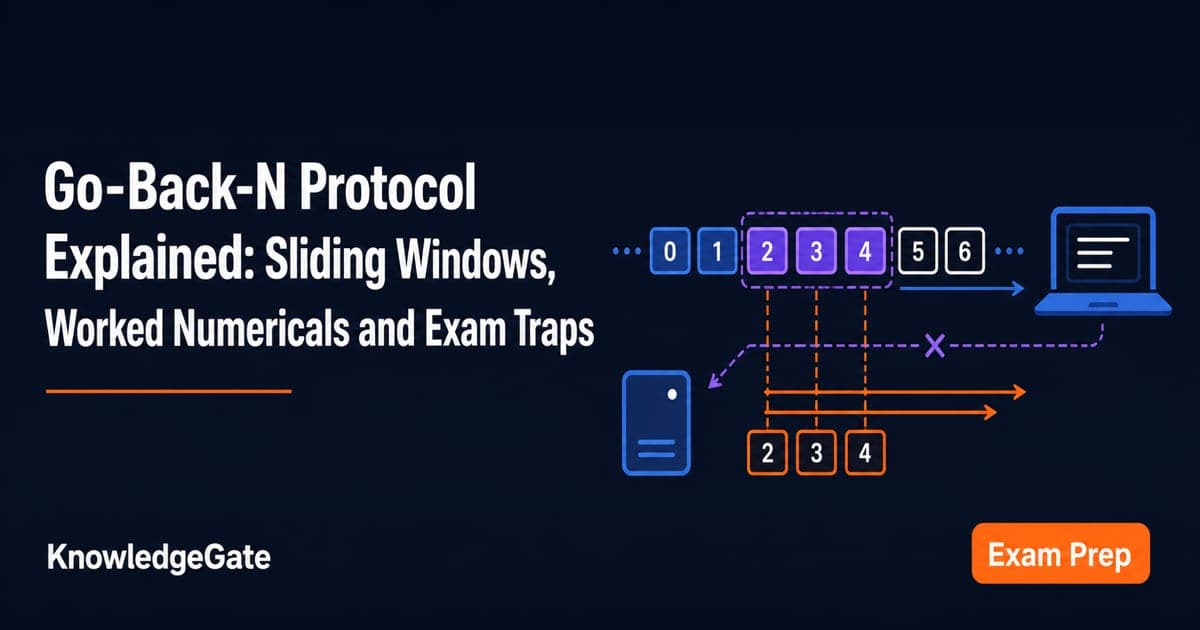
Go-Back-N Protocol Explained: Sliding Windows, Worked Numericals and Exam Traps
Trace Go-Back-N through a lost frame, calculate its legal window and link utilisation, and avoid the ACK and wrap-around traps that spoil numericals.
Updated 24 Sep 20266 min readComputer Networks