SQL Window Functions Explained: ROW_NUMBER, RANK, and DENSE_RANK with Interview Problems
See why window functions preserve rows, then calculate three ranking columns on the same tied-score table.
KnowledgeGate Team
Exam prep & CS education
Updated 3 Aug 20265 min read
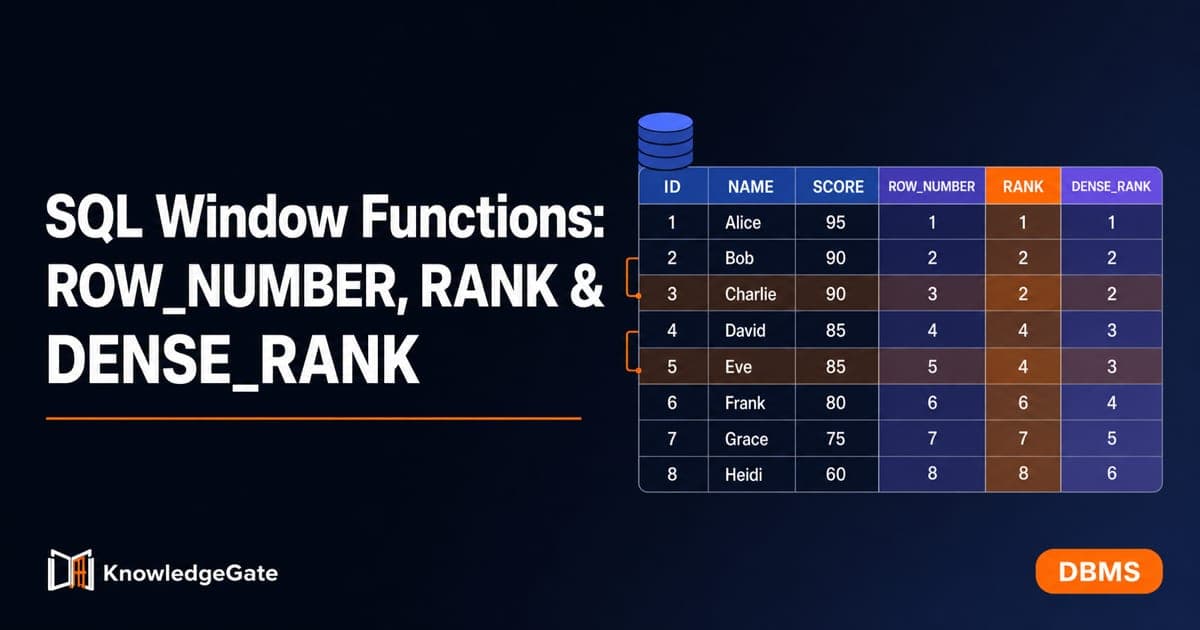
Candidates who can write a clean GROUP BY query still stall on “second highest in each department” or “all top scorers per subject”. Those questions need a value calculated for every row while every original row remains available. Window functions do exactly that, and the difference among the three ranking functions comes down to ties.
Why GROUP BY is not enough
GROUP BY subject combines all rows for one subject into one result group. It is ideal for a question such as “what is the maximum mark in each subject?”
SELECT subject, MAX(marks)
FROM scores
GROUP BY subject;
The result has one row per subject, so the individual students are gone. You cannot directly retain both students who tied for the maximum or attach a rank to every learner.
A window function computes across a related set of rows but returns a result for each input row. Student, subject, and marks remain visible beside the calculated rank. This difference is also useful when revising SQL queries and joins in DBMS: grouping changes the result's row count, while a window function leaves every input row in place.
How the OVER clause builds a window
The central syntax is:
function_name() OVER (
  PARTITION BY grouping_columns
  ORDER BY sorting_columns
)
PARTITION BY subject starts a separate ranking sequence for each subject. It resembles grouping only in how it identifies related rows. It does not collapse them.
ORDER BY marks DESC then places the highest mark first within each subject partition. The ranking function is evaluated once per row against that ordered partition. An outer ORDER BY is separate and controls only how final rows are displayed.
If PARTITION BY is omitted, all result rows form one partition. If ranking needs a repeatable order among ties, add a tie-breaker such as student ASC after marks DESC.
ROW_NUMBER, RANK and DENSE_RANK
All three functions start at 1 within each partition, but they handle equal ordering values differently.
Function | Treatment of a tie | Sequence for 90, 90, 80 |
|---|---|---|
| Gives every row a distinct number | 1, 2, 3 |
| Tied rows share a rank; the next rank skips | 1, 1, 3 |
| Tied rows share a rank; the next rank does not skip | 1, 1, 2 |
Without a tie-breaker, either tied row may receive the earlier ROW_NUMBER. RANK and DENSE_RANK do not need to choose between tied rows because both receive the same value.
Worked ranking example with ties
Use this scores table:
student | subject | marks |
|---|---|---|
Aditya | Math | 90 |
Bhavna | Math | 90 |
Chetan | Math | 80 |
Bhavna | Physics | 95 |
Chetan | Physics | 95 |
Aditya | Physics | 85 |
Run all three functions on the same partitions:
SELECT student, subject, marks,
  ROW_NUMBER() OVER (PARTITION BY subject ORDER BY marks DESC) AS rn,
  RANK()       OVER (PARTITION BY subject ORDER BY marks DESC) AS rnk,
  DENSE_RANK() OVER (PARTITION BY subject ORDER BY marks DESC) AS drnk
FROM scores;
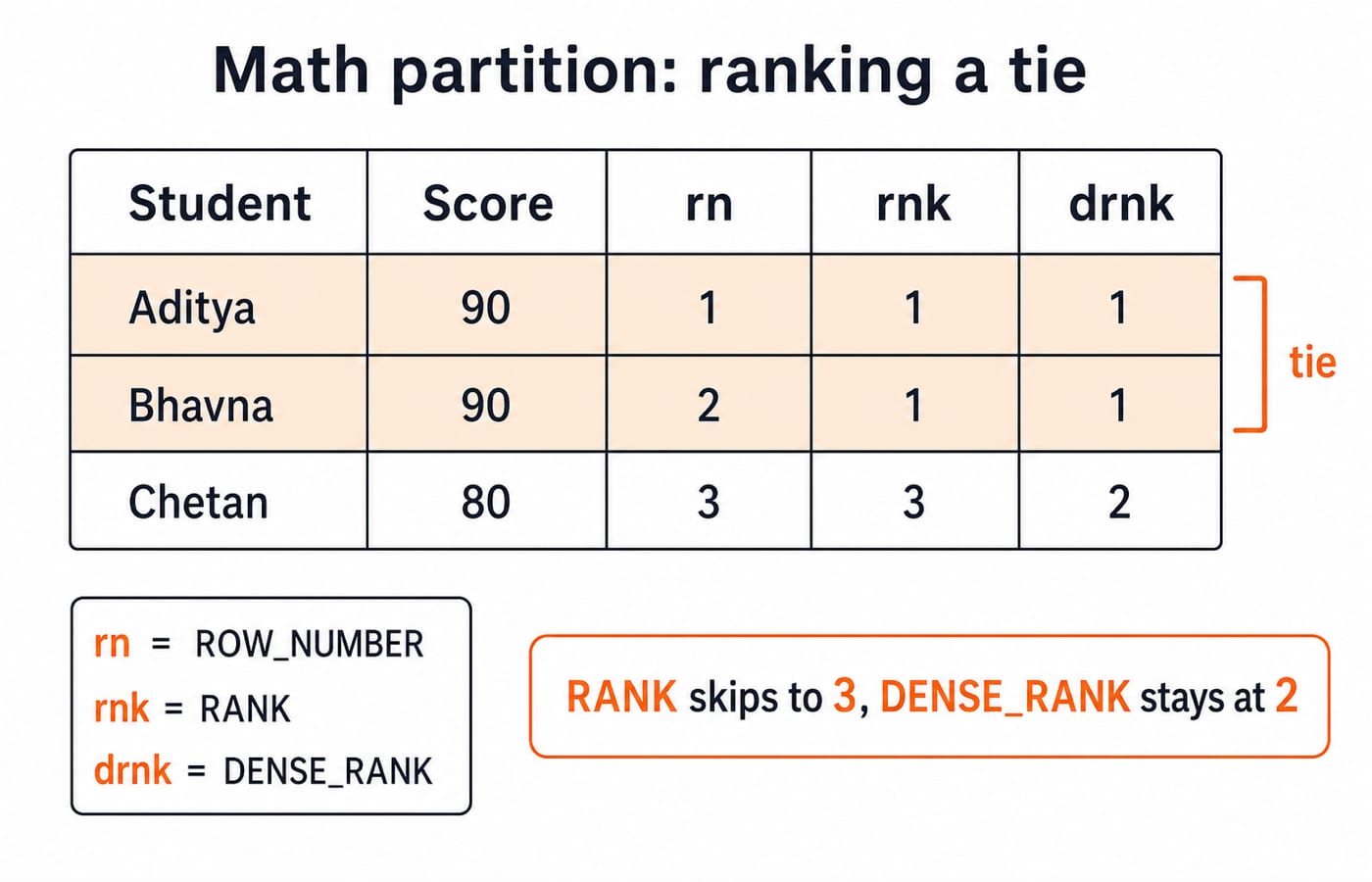
For Math, the descending marks are 90, 90, 80. In the illustrated row order, Aditya and Bhavna receive rn values 1 and 2, then Chetan receives 3. The database may swap the first two rn values because the query has no tie-breaker, but the sequence remains 1, 2, 3.
The tied 90s both receive rnk = 1. Two positions have now been consumed, so the next rank is 3. Their drnk values are also 1, but dense ranking counts distinct mark levels, so the 80 receives 2.
student | subject | marks | rn | rnk | drnk |
|---|---|---|---|---|---|
Aditya | Math | 90 | 1 | 1 | 1 |
Bhavna | Math | 90 | 2 | 1 | 1 |
Chetan | Math | 80 | 3 | 3 | 2 |
Bhavna | Physics | 95 | 1 | 1 | 1 |
Chetan | Physics | 95 | 2 | 1 | 1 |
Aditya | Physics | 85 | 3 | 3 | 2 |
Physics repeats the same calculation: 95, 95, 85 produces rn 1, 2, 3; rnk 1, 1, 3; and drnk 1, 1, 2. Across both partitions there are six input rows and six output rows. Nothing has been collapsed.
Interview patterns built from rankings
To return all top scorers per subject and preserve ties, calculate RANK and filter rank 1. The example returns Aditya and Bhavna for Math, plus Bhavna and Chetan for Physics.
For exactly one row per subject, use ROW_NUMBER() = 1. With student ASC as the tie-breaker after marks DESC, the worked data returns Aditya for Math and Bhavna for Physics. Add that tie-breaker whenever the single winner must be predictable.
For the second distinct mark in each subject, use DENSE_RANK() = 2. The worked data returns Chetan with 80 in Math and Aditya with 85 in Physics.
Window results are calculated after WHERE, so a query block cannot refer to drnk in its own WHERE. Wrap the calculation in a subquery or common table expression:
SELECT * FROM (
  SELECT s.*,
    DENSE_RANK() OVER (
      PARTITION BY subject ORDER BY marks DESC
    ) AS drnk
  FROM scores s
) t
WHERE drnk = 2;
Other common patterns use the same idea:
De-duplicate rows by assigning
ROW_NUMBERwithin each duplicate group and keeping 1.Return top N rows per group by filtering a suitable rank to
<= N.Calculate a running total with
SUM(marks) OVER (PARTITION BY student ORDER BY subject).
Some databases support QUALIFY for filtering window results directly, but the subquery pattern is portable across more systems.
SQL window function traps
Do not confuse
PARTITION BYwithGROUP BY. A partition keeps its rows.Do not use
ROW_NUMBERwhen every tied winner must survive.Do not call
RANK = 2“second highest” without checking ties. After two tied winners, rank 2 does not exist;DENSE_RANK = 2finds the second distinct value.Do not assume the
ORDER BYinsideOVERsorts the displayed result.Do not leave ties unordered when a repeatable single winner is required.
These distinctions are frequent in placement exercises and in DBMS SQL query MCQs, because one small function choice changes the exact returned rows.
The short version and next step
OVER (PARTITION BY ... ORDER BY ...) computes a value per row inside each partition. ROW_NUMBER is always distinct, RANK leaves gaps after ties, and DENSE_RANK does not. Filter the calculated rank from an outer query.
KnowledgeGate's DBMS practice set runs to more than 2,000 questions across SQL, joins, and related topics. Build the wider base through CS Fundamentals, drill query writing in the SQL module of Computer Science Fundamentals for Placements, or follow the Mera Placement Hoga bundle. Then recreate the six-row output table by hand and explain every tie.
Keep learning

Data Mining and Data Warehouse Explained: Concepts, OLAP and Worked Examples
Follow six orders from operational sources into a warehouse, calculate OLAP totals, and test an association rule on five shopping baskets.
Updated 4 Oct 20266 min readDBMS

Set Operations and Cartesian Product in Relational Algebra: Worked Examples and Exam Traps
Learn when relational set operations are legal, calculate exact union and difference results, enumerate a Cartesian product, and trace how a join filters it.
Updated 29 Sep 20266 min readDBMS

DBMS Interview Questions: Keys, Normalisation and Transactions Through One Worked Schema
Build defensible DBMS interview answers by tracing keys, normal forms, ACID and isolation through one university-enrolment database.
Updated 25 Sep 20265 min readDBMS

Super Key, Candidate Key and Primary Key: A Worked DBMS Example
Use one ENROLMENT relation to derive two candidate keys, enumerate every super key, select a primary key and translate the result into SQL.
Updated 24 Sep 20266 min readDBMS