

SQL Date Functions: Extract, Add and Filter Dates with Worked Examples
Learn to extract date parts, calculate intervals, write safe timestamp ranges, group monthly data, and translate common operations across four SQL dialects.
KnowledgeGate Team
Exam prep & CS education
Updated 3 Nov 20265 min read
SQL date work looks simple until a value includes both a calendar date and a clock time, a filter drops the last row of the day, or copied syntax fails in another database. The central rule is to track the stored type, use half-open timestamp ranges and translate functions by dialect. PostgreSQL writes month truncation with DATE_TRUNC and date addition with INTERVAL; MySQL, SQL Server and SQLite use different forms. The Semester & College Exam Courses page places date handling inside the wider CS-fundamentals sequence.
1. SQL date, time and timestamp values
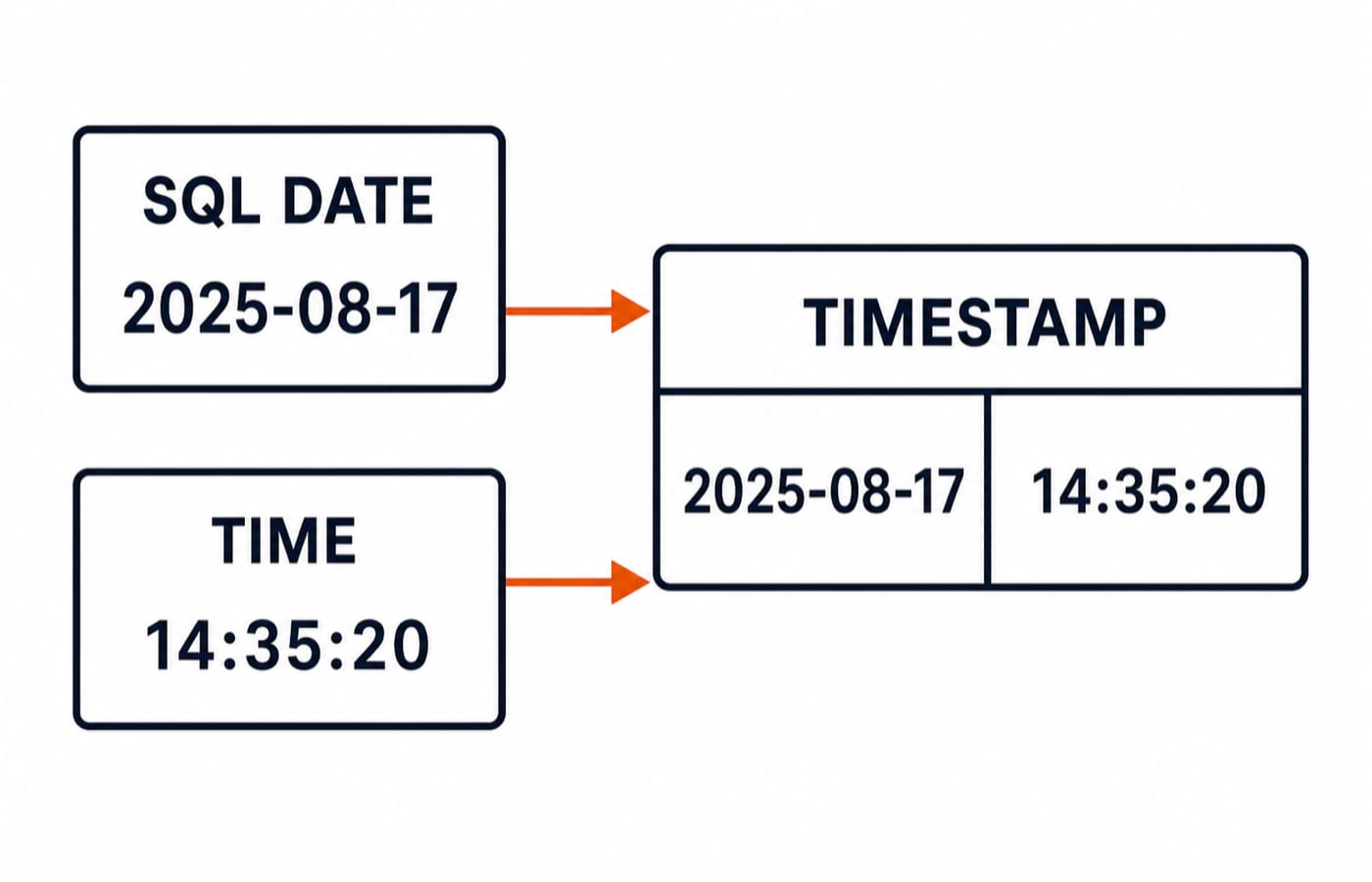
SQL separates three related types:
DATE '2025-08-17'has a calendar date but no clock component.TIME '14:35:20'has a clock time but no calendar date.TIMESTAMP '2025-08-17 14:35:20'carries both.
Time-zone handling is a separate storage and conversion concern, not an interchangeable fourth spelling for these values.
Use this PostgreSQL table:
CREATE TABLE orders (
  order_id INTEGER,
  ordered_at TIMESTAMP,
  amount INTEGER
);
Use ISO order, YYYY-MM-DD, in literals. Text such as '03/04/2025' is ambiguous because it can mean 3 April or 4 March under different settings.
2. SQL current date and current timestamp functions
CURRENT_DATE, CURRENT_TIME and CURRENT_TIMESTAMP are dynamic values supplied by the database session.
SELECT CURRENT_DATE, CURRENT_TIMESTAMP;There is no fixed output to memorise because the result depends on run time and the session time zone. For a reproducible example, use a stable literal such as DATE '2025-08-17'. Also watch the types: CURRENT_DATE has no clock component, while CURRENT_TIMESTAMP does, so equality comparisons can produce different matches.
3. SQL EXTRACT and DATE_TRUNC with exact outputs
EXTRACT(field FROM value) returns one component:
SELECT EXTRACT(YEAR FROM DATE '2025-08-17') AS year_no,
       EXTRACT(MONTH FROM DATE '2025-08-17') AS month_no,
       EXTRACT(DAY FROM DATE '2025-08-17') AS day_no;
The one row is 2025 | 8 | 17. By contrast, PostgreSQL's DATE_TRUNC returns a timestamp rounded down to a boundary:
SELECT DATE_TRUNC('month', TIMESTAMP '2025-08-17 14:35:20');The result is 2025-08-01 00:00:00. Extraction returns a part; truncation retains a timestamp at the start of the chosen unit. DATE_TRUNC is PostgreSQL syntax, not universal SQL. It creates a grouping key; SQL Queries and Joins in DBMS extends the idea to joins, SELECT evaluation and aggregate queries across a complete student-enrolment database.
4. SQL date arithmetic and date differences
PostgreSQL makes the result type part of the operation:
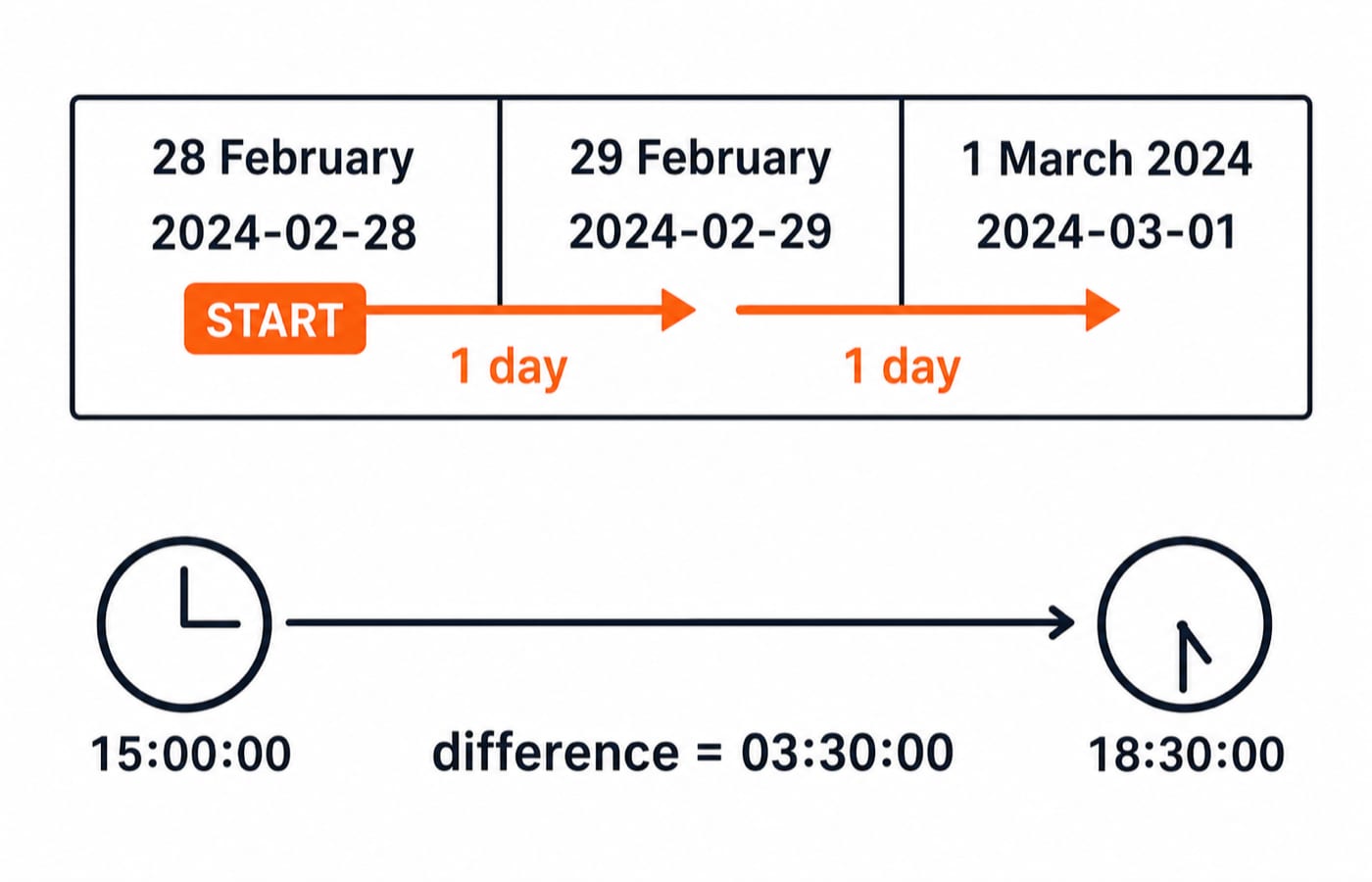
SELECT DATE '2024-02-28' + INTERVAL '2 days';
-- timestamp: 2024-03-01 00:00:00

SELECT DATE '2025-04-10' - DATE '2025-04-03';
-- integer: 7

SELECT TIMESTAMP '2025-04-10 18:30:00'
     - TIMESTAMP '2025-04-10 15:00:00';
-- interval: 03:30:00
The first calculation moves one day from 28 February to leap day, 29 February 2024, then one more day to 1 March. The date subtraction counts seven elapsed day boundaries. The timestamp subtraction gives three hours and thirty minutes.
Calendar arithmetic needs care. Adding one month is not always equivalent to adding 30 days, especially from 29, 30 or 31 January.
5. SQL timestamp filters that do not lose boundary rows
Consider these exact rows:
order_id | ordered_at | amount |
|---|---|---|
101 | 2025-03-31 23:59:59 | 475 |
102 | 2025-04-01 00:00:00 | 1325 |
103 | 2025-04-15 09:30:00 | 860 |
104 | 2025-04-30 23:59:59 | 1740 |
105 | 2025-05-01 00:00:00 | 615 |
Use a half-open range for April:
WHERE ordered_at >= TIMESTAMP '2025-04-01 00:00:00'
  AND ordered_at <  TIMESTAMP '2025-05-01 00:00:00'
Orders 102, 103 and 104 survive. Order 101 is earlier than the lower bound. Order 105 equals the excluded upper bound. This pattern includes every representable instant in April without guessing that the final instant is 23:59:59.
WHERE DATE(ordered_at) = DATE '2025-04-15' is convenient, but applying a function to an indexed column can prevent a direct index range scan. Prefer a range predicate for filtering.
6. SQL date grouping and dialect differences
For rows (201, '2025-01-05 10:00:00', 640), (202, '2025-01-29 16:00:00', 980), (203, '2025-02-02 09:00:00', 720), (204, '2025-02-18 12:30:00', 1350) and (205, '2025-02-28 20:00:00', 450), group by month:
SELECT DATE_TRUNC('month', ordered_at) AS month_start,
       COUNT(*) AS order_count,
       SUM(amount) AS total_amount
FROM orders
GROUP BY DATE_TRUNC('month', ordered_at)
ORDER BY month_start;
January gives count 2 and total 640 + 980 = 1620. February gives count 3 and total 720 + 1350 + 450 = 2520. DATE_TRUNC creates the month key. For row-to-group execution order, aggregate legality and HAVING filters, continue with GROUP BY and HAVING in SQL: Syntax and Worked Examples.
The same operation often has different names and return types across databases:
Task | PostgreSQL | MySQL | SQL Server | SQLite |
|---|---|---|---|---|
Add 7 days to 2025-04-10 |
|
|
|
|
Result |
|
|
|
|
Extract year |
|
|
|
|
Year result | numeric | numeric | numeric | text |
PostgreSQL shows midnight because adding an interval to a date yields a timestamp. Formatting functions are for display, not storage or filtering. Vendor functions such as DATEDIFF, DATEADD, DATE_FORMAT and strftime are not standard interchangeable spellings.
7. SQL date-function errors, exam patterns and exercises
Four common traps have reliable fixes:
Incorrect:
ordered_at = DATE '2025-04-15'. A timestamp matches only midnight. Fix: useordered_at >= TIMESTAMP '2025-04-15 00:00:00' AND ordered_at < TIMESTAMP '2025-04-16 00:00:00'.Incorrect: use inclusive
BETWEENup to2025-05-01 00:00:00for April. It includes the next period's first instant. Fix: use the half-open April range.Incorrect: assume
'03/04/2025'has one universal meaning. Parsing can change with settings. Fix: use ISO literalDATE '2025-04-03'for 3 April.Incorrect: copy
DATEADDinto every database and assume identical types. The function may be missing or return a different type. Fix: select the dialect's expression and check its documented return type.
Questions test output tracing for EXTRACT and arithmetic, boundary counting across leap days or month changes, return-type recognition, and correct dialect syntax. Practise these forms with DBMS SQL Query MCQs.
Try these before reading the key:
Evaluate
DATE '2025-07-20' + INTERVAL '45 days'.Evaluate
DATE '2025-03-01' - DATE '2025-02-20'.Apply the April half-open range to the five boundary rows.
Answer key
2025-09-03 00:00:00: 11 days reach 31 July, the next 31 reach 31 August, and the final 3 reach 3 September.9: there are 8 elapsed days from 20 February to 28 February, then one more to 1 March.IDs
102, 103, 104: they are at or after 1 April but strictly before 1 May.
8. SQL date functions: the short version and next step
Identify the stored type first. Use ISO literals, extract only the component you need, use intervals for arithmetic, and filter timestamps with half-open ranges. Always recheck function names and return types when changing databases.
For SQL inside a structured DBMS and broader CS sequence, continue with ZERO TO HERO. Run the three exercises in your database, then translate each expression using the dialect table.
Keep learning

String Functions in SQL: Clean, Extract and Combine Text with Examples
Build reliable SQL text expressions from small, checkable examples, then combine them into a complete contact-cleaning query with explicit NULL handling.
Updated 9 Nov 20265 min readDBMS

Stored Procedures in SQL: PostgreSQL Tutorial with Parameters, Transactions and Examples
Build and test a PostgreSQL procedure that validates a transfer, locks accounts, updates balances and writes an audit row. Then trace rollback and INOUT behaviour.
Updated 8 Nov 20266 min readDBMS

Set Operations in SQL: UNION, INTERSECT and EXCEPT with Worked Examples
Learn how SQL combines compatible query results, why duplicates and column order matter, and how to calculate UNION, INTERSECT and EXCEPT outputs by hand.
Updated 7 Nov 20266 min readDBMS

INSERT, UPDATE and DELETE in SQL: Runnable DML Tutorial with Safe Worked Examples
Follow one table from its first insert through targeted updates and a rolled-back deletion. The runnable lab makes affected rows, defaults and NULL behaviour visible.
Updated 5 Nov 20266 min readDBMS