RRB NTPC Internet and Cyber Basics: Email, Networks and Online Safety
Build a clear computer-awareness map from URLs and email delivery to home networks, subnet calculations and practical cyber safety. Then test it with eight original checks.
KnowledgeGate Team
Exam prep & CS education
Updated 5 Aug 20265 min read
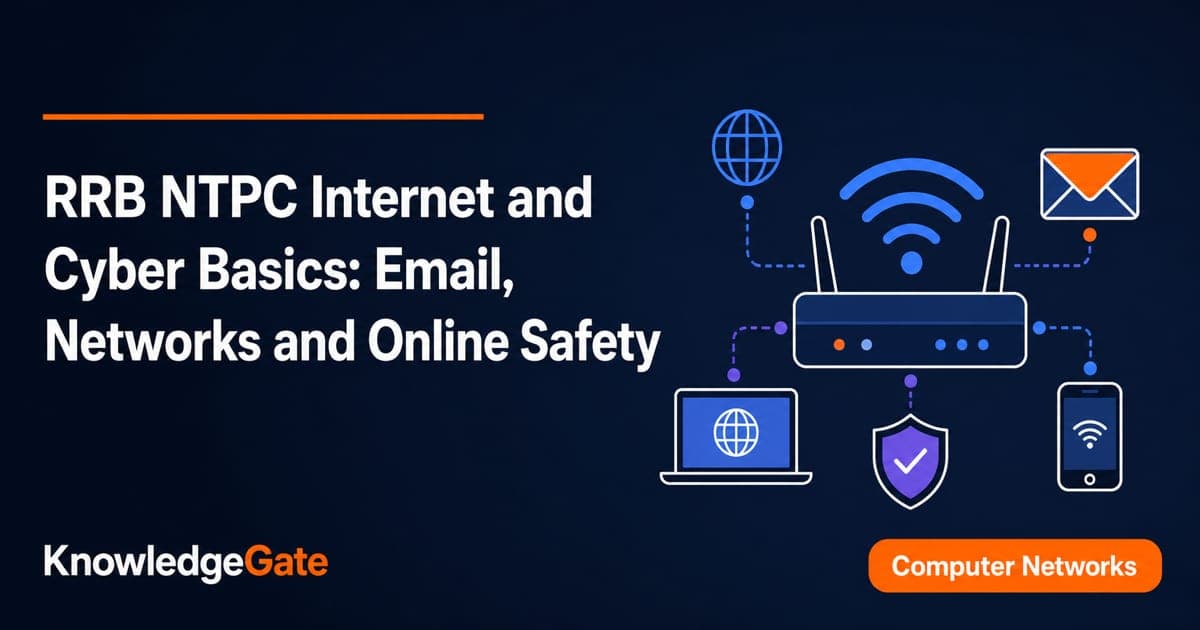
Browser, SMTP, router and phishing all look familiar, yet under exam pressure their roles blur and two options start looking equally right. The way out is to hold every term by its job: what sends, what receives, what forwards between networks, what filters. Once those roles are firm, reading a URL, sizing a /24 and spotting a fake domain stop being three separate skills.
RRB NTPC computer awareness: five buckets to revise
Revise five buckets: internet and web, email, network types and devices, addresses and protocols, and cyber threats and controls. Most wrong answers here come from a role confusion inside one bucket, not from a missing fact, so settle what each term does before memorising its definition.
Never assume a fixed weightage. The applicable CEN on the Railway Recruitment Boards site settles the syllabus and paper details, so read your regional board's notice rather than a coaching summary. For the observed topic split across past papers, RRB NTPC Previous Year Analysis: General Awareness Split works through where the questions have actually clustered.
Internet: read a URL
The internet is infrastructure; the web is one service. A browser opens, a search engine finds, and a website groups pages. Upload sends; download receives.
Read https://results.example.org:443/rrb/score?id=27#summary as scheme https, host results.example.org, port 443, path /rrb/score, query id=27, fragment summary. DNS maps host to IP. HTTPS encrypts transit, not trust.
Item | Job | Common port |
|---|---|---|
DNS | Resolves names | 53 |
HTTP | Web requests | 80 |
HTTPS | HTTP over TLS | 443 |
FTP | File transfer | 21 control; 20 active-mode data |
URL | Resource location | Not a protocol |
For how a single request travels from a typed name to a served page, Application Layer Protocols: DNS Walk-Through, HTTP traces the lookup step by step.
Email: follow one message
meena@sample.example sends to study@practice.example, CCs mentor@sample.example, and BCCs archive@sample.example. To and CC are visible; BCC is concealed. Reply answers the sender, Reply All includes the visible group, and Forward starts a new delivery.
SMTP submits mail, DNS supplies destination routing, the receiving server accepts it, and IMAP synchronises the mailbox across Meena's devices. POP3 mainly retrieves. Secure-client pairs: SMTP submission 587, IMAP over TLS 993, POP3 over TLS 995.
RRB_schedule.pdf.exe ends in .exe, so it is executable, not a PDF. Do not open it; verify through the official portal, then report or delete it.
Networks: devices and calculations
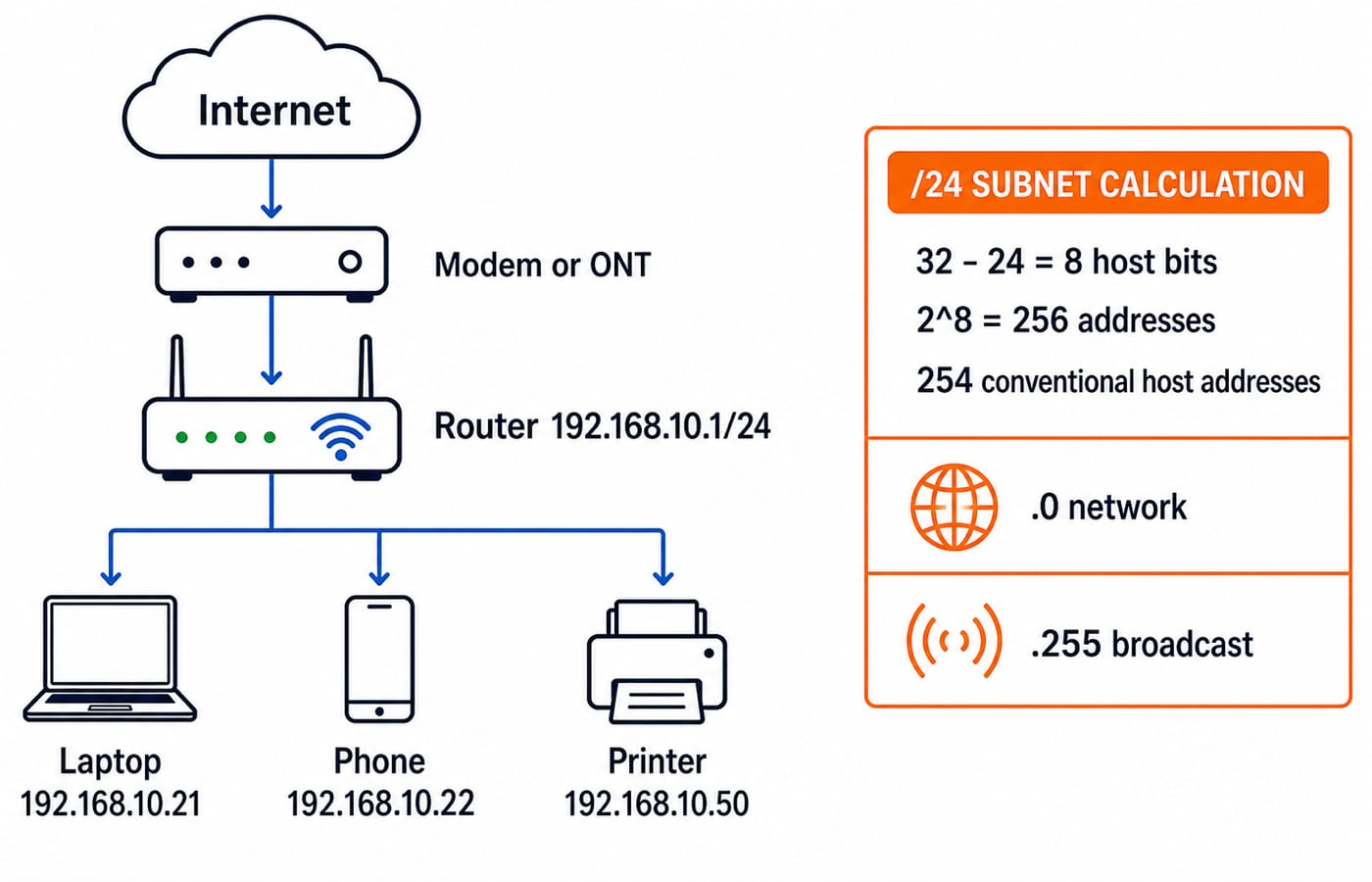
LAN covers a building, MAN a city, and WAN distant locations. A switch forwards LAN frames; a router moves packets between networks; a modem or ONT terminates access; an access point provides Wi-Fi; a firewall filters traffic.
Router 192.168.10.1/24, laptop 192.168.10.21, phone 192.168.10.22, and printer 192.168.10.50 are local; the WAN reaches the ISP. DHCP assigns addresses, devices join through a switch or access point, and NAT shares the public connection.
For /24, host bits = 32 - 24 = 8; addresses = 2^8 = 256; removing network .0 and broadcast .255 leaves 254 conventional hosts.
A 12 MB file is 12 x 8 = 96 megabits; at an ideal 24 Mbit/s, 96 / 24 = 4 seconds, ignoring overhead.
Cyber safety: match threat to control
Threat | Recognisable clue | Useful control |
|---|---|---|
Phishing | Deceptive link | Inspect domain; report |
Malware | Executable or macro | Updates, anti-malware, caution |
Ransomware | Encrypted files, payment | Tested isolated backups |
Credential theft | Reused password | Unique passphrase, MFA |
Unsafe traffic | Unsolicited connection | Firewall rules |
Take a message that displays https://rrbapply.gov.in/login but targets https://rrbapply.gov.in.signin-check.example/verify, demands an OTP within 10 minutes, and threatens cancellation. Read the host from the right: the registered domain is signin-check.example, and rrbapply.gov.in is only a label placed in front of it. Do not click, and do not share the OTP. Open the official portal yourself, then report the message.
A padlock means encryption, not honesty. Antivirus misses attacks; firewalls do not replace safe passwords; backups aid recovery, not prevention. Authentication proves identity, authorisation grants actions, and encryption protects data.
Eight practice checks with worked answers
Outgoing mail submission? A DNS, B SMTP, C IMAP, D FTP. B: SMTP sends; IMAP synchronises received mail.
Device joining two networks? A router, B keyboard, C scanner, D compiler. A: Router forwards; scanner captures input.
Protocol resolving a domain? A DNS, B POP3, C HTML, D USB. A: DNS resolves names; POP3 retrieves mail.
Field concealing a recipient? A To, B Subject, C CC, D BCC. D: BCC hides; CC is visible.
Host in
https://results.example.org/rrb?id=27? A https, B results.example.org, C rrb, D id=27. B: It is the host;rrbis path.Ideal time for
12 MBat24 Mbit/s? A 0.5 s, B 2 s, C 4 s, D 12 s. C:(12 x 8) / 24 = 4; reading12 MBas12 Mbgives12 / 24 = 0.5 s(A).Conventional hosts in
/24? A 24, B 32, C 254, D 256. C:256 - 2 = 254; 256 includes network and broadcast.Strongest clue in
rrbapply.gov.in.signin-check.example? A rrbapply, B HTTPS, C ending domainsignin-check.example, D path. C: The ending domain controls destination; HTTPS encrypts only.
For more solved computer-awareness questions in the same shape, work through SSC CGL Tier 2 Computer Knowledge: 12 Solved MCQs. The terms and the traps carry across exams even when the wording differs.
Six-session plan
Session | Work |
|---|---|
1, 35 min | URL parts, internet terms |
2, 40 min | Email fields, protocols |
3, 45 min | LAN, WAN, device roles |
4, 45 min |
|
5, 40 min | Threats, controls |
6, 50 min | 25 mixed questions, error log |
Move a missed session to the next open slot; never double sessions. Label errors term pair, protocol or device, calculation, or safety judgement. After Session 6, redo wrong or guessed questions without notes, explaining each aloud in one sentence.
Need | KnowledgeGate route | When to use it |
|---|---|---|
Wider RRB preparation | RRB NTPC Complete Preparation Course | After gap check |
Observed topic split | RRB NTPC Previous Year Analysis | Before full-syllabus planning |
Deeper protocols | Application Layer Protocols guide | If flows remain weak |
The short version
Parse URLs before trusting them.
SMTP sends; IMAP or POP3 receives.
Distinguish switch, router, modem and firewall.
Match each threat to an effective control.
/24 gives 256 total and 254 conventional hosts. At ideal 24 Mbit/s, 12 MB takes 4 seconds.
The RRB NTPC 2026 Complete Course (CBT 1 & 2) builds these buckets into a scheduled syllabus with the mixed practice already sequenced. If computer awareness is the only gap, the six sessions above are enough on their own.
Answer the eight checks unaided, classify mistakes, and repeat the weakest bucket.
Keep learning
RRB NTPC Posts Explained: Match Duties and Skill Tests to Your Preference Order
Compare the six graduate roles in CEN 06/2025 by typical duties, work setting, medical standard and skill stage. Then build a personal preference order using elimination and a weighted example.
Updated 16 Aug 20266 min read95 viewsRRB NTPC
RRB NTPC Normalisation and Cutoffs: Read Raw Marks, Percentile and RRB Score
Learn what raw marks, percentile, RRB Score and Normalized Marks mean, then use worked examples to compare your score with the correct cutoff row.
Updated 14 Aug 20264 min read64 viewsRRB NTPC
RRB NTPC PYQ Analysis: Separate CBT 1 Screening From CBT 2 Merit
Do not mix CBT 1 and CBT 2 questions in one notebook. Use separate ledgers to measure screening coverage, later-stage accuracy, error types and repair actions.
Updated 12 Aug 20265 min readRRB NTPC
RRB NTPC CBAT Preparation: Build Accuracy Across All Five Tests
Find the weak process hidden by one total practice score. Build a separate CBAT baseline, run precise repair drills, and retest every battery on fresh material.
Updated 10 Aug 20265 min readRRB NTPC