

Python functools Tutorial: partial, reduce, Caching and Decorators
Learn when and how to use Python's main function tools through runnable examples with exact outputs, step-by-step traces, common mistakes and practice checks.
KnowledgeGate Team
Exam prep & CS education
Updated 3 Nov 20266 min read
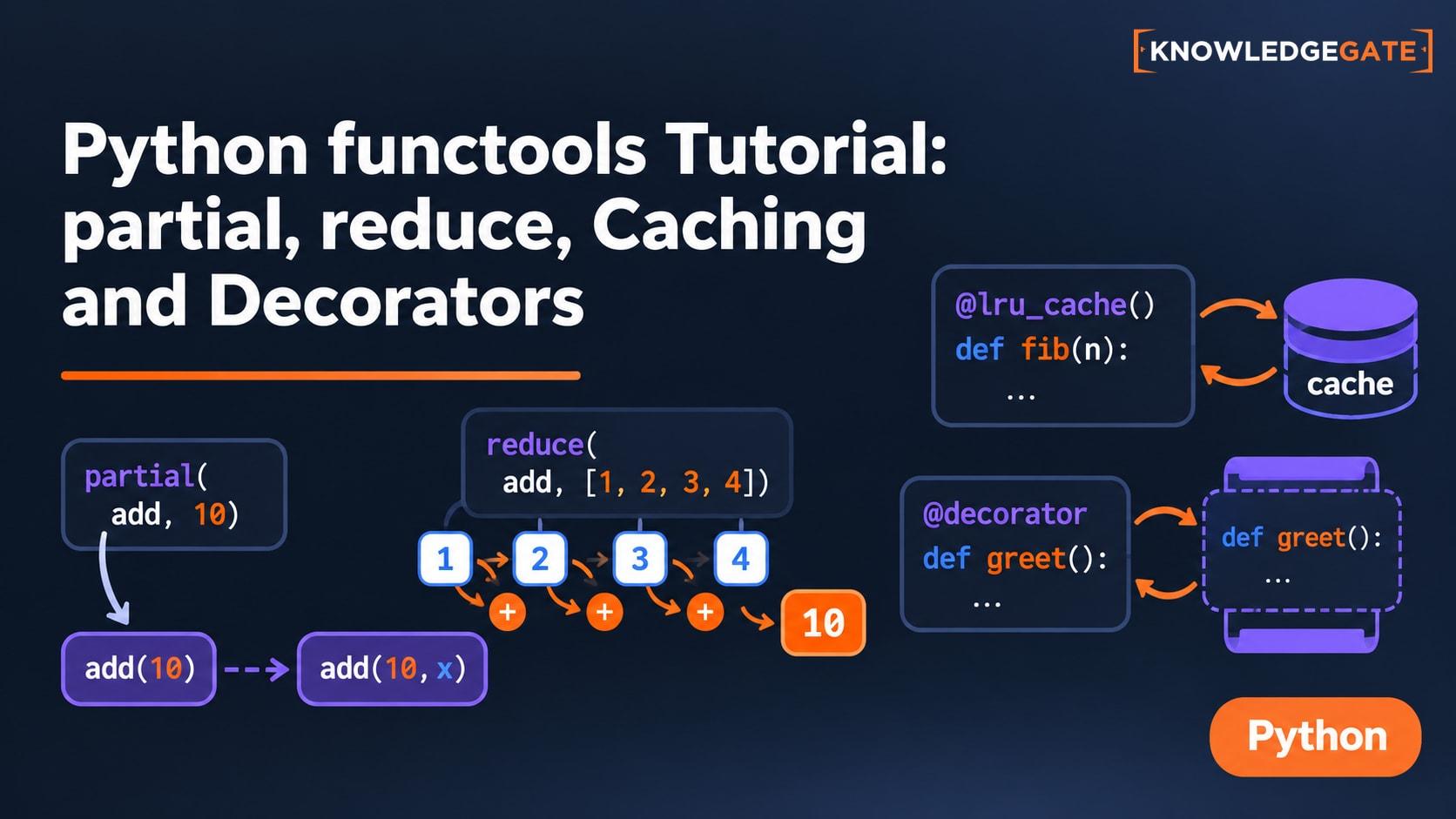
Functions are easy to define, but repeated argument fixing, recalculation, decorator wrappers and type checks can make code noisy. Python's functools module gives you focused tools for those jobs. The choice becomes straightforward once you trace which arguments are bound, which calls are cached, and which metadata or dispatch rule changes.
What functools does and when to use it
The official Python functools documentation defines the module as higher-order functions and operations on callable objects. In plain language, higher-order code accepts, returns or adapts functions:
def double(x):
    return 2 * x

def apply(func, value):
    return func(value)

print(apply(double, 5))  # 10
Match the job to the tool: bind arguments with partial, fold values with reduce, reuse results with lru_cache or cache, preserve decorator metadata with wraps, dispatch on the first argument's type with singledispatch, and adapt an old comparator with cmp_to_key.
Prefer sum, min, max, comprehensions, ordinary functions and a direct key= when they already express the task clearly. The module also includes helpers such as cached_property and total_ordering, but each solves a different job. For the broader choice among file, data, date and command-line modules, use Python Standard Library Tour. functools stays focused on callable adapters and cached call results. The Coding & Skills courses provide a wider Python learning path.
Freeze arguments cleanly with partial
from functools import partial

def clamp(value, low, high):
    return max(low, min(value, high))

as_percent = partial(clamp, low=0, high=100)
raw_scores = [-12, 67, 108]
print([as_percent(score) for score in raw_scores])
print(as_percent(108, high=90))[0, 67, 100]
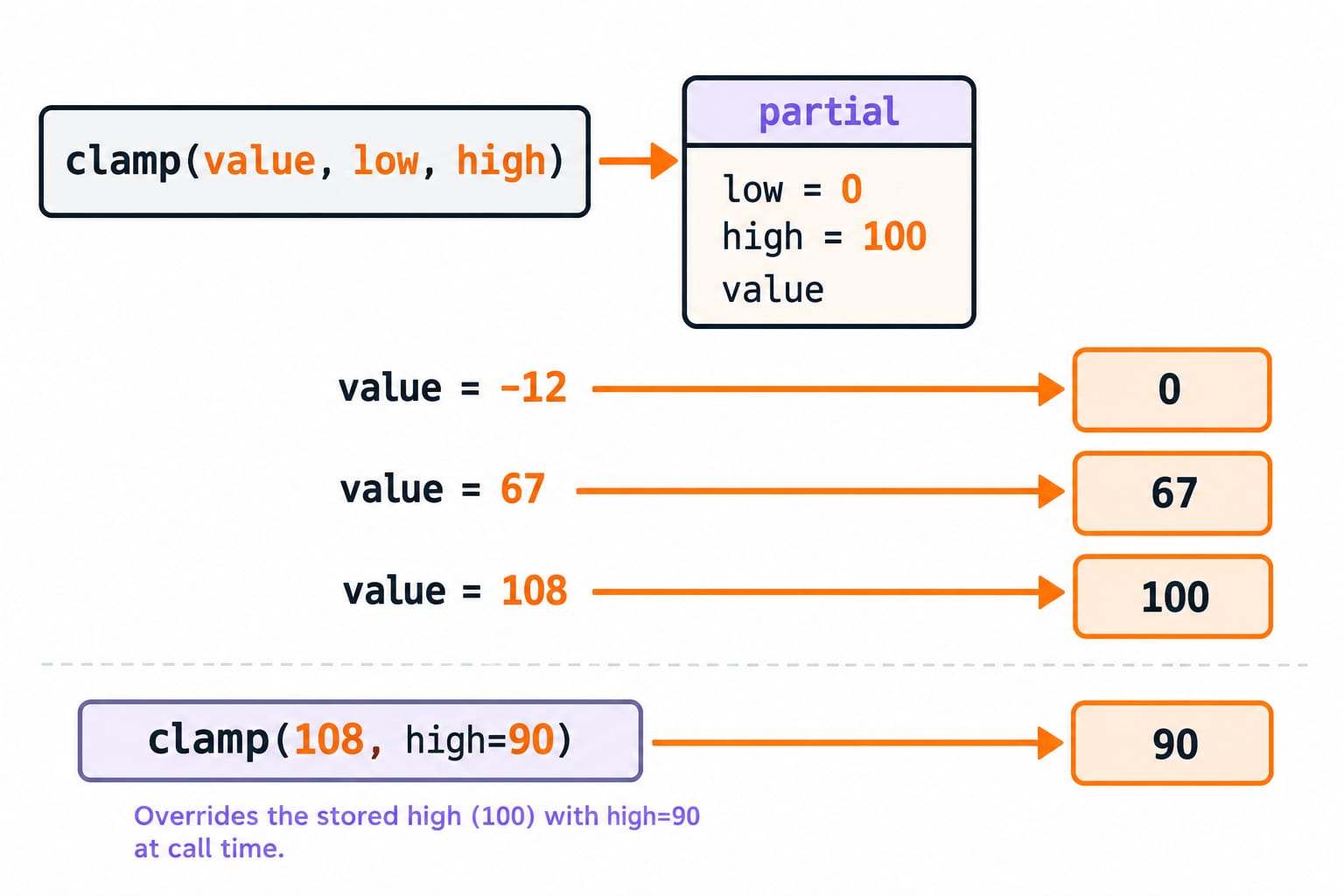
90partial creates a callable without running clamp. Here, -12 rises to 0, 67 stays 67, and 108 falls to 100. A call-time keyword overrides a stored keyword, so the last call uses high=90 and returns 90. A partial object exposes .func, .args and .keywords for inspection.
lambda score: clamp(score, 0, 100) also works. Use partial when the intention is specifically to bind an existing function's arguments. Do not write partial(clamp(-12, 0, 100)): it runs clamp immediately, gets integer 0, then fails because partial expected a callable.
Fold many values into one with reduce
from functools import reduce
from operator import mul

values = [2, 3, 4]
product = reduce(mul, values, 1)
print(product)
print(reduce(mul, [], 1))24
1reduce works from left to right. Starting with initializer 1: 1 * 2 = 2, 2 * 3 = 6, then 6 * 4 = 24. With an empty list, no item is consumed, so it returns the initializer 1. Without an initializer, reduce(mul, []) raises TypeError.
Use an initializer only when it is a real identity or business starting value. For addition, reduce(lambda total, score: total + score, [12, 18, 25, 5], 0) returns 60, but sum([12, 18, 25, 5]) says the same thing more clearly. The Python Lambda and Higher-Order Functions tutorial develops filter-map-reduce pipelines, closures and late-binding traps; functools.reduce specifically adds the initializer and empty-input decisions traced above.
Reuse deterministic results with lru_cache and cache
from functools import lru_cache

@lru_cache(maxsize=4)
def square(number):
    print(f"compute {number}")
    return number * number

results = [square(number) for number in [2, 3, 2, 4, 5, 3]]
print(results)
print(square.cache_info())compute 2
compute 3
compute 4
compute 5
[4, 9, 4, 16, 25, 9]
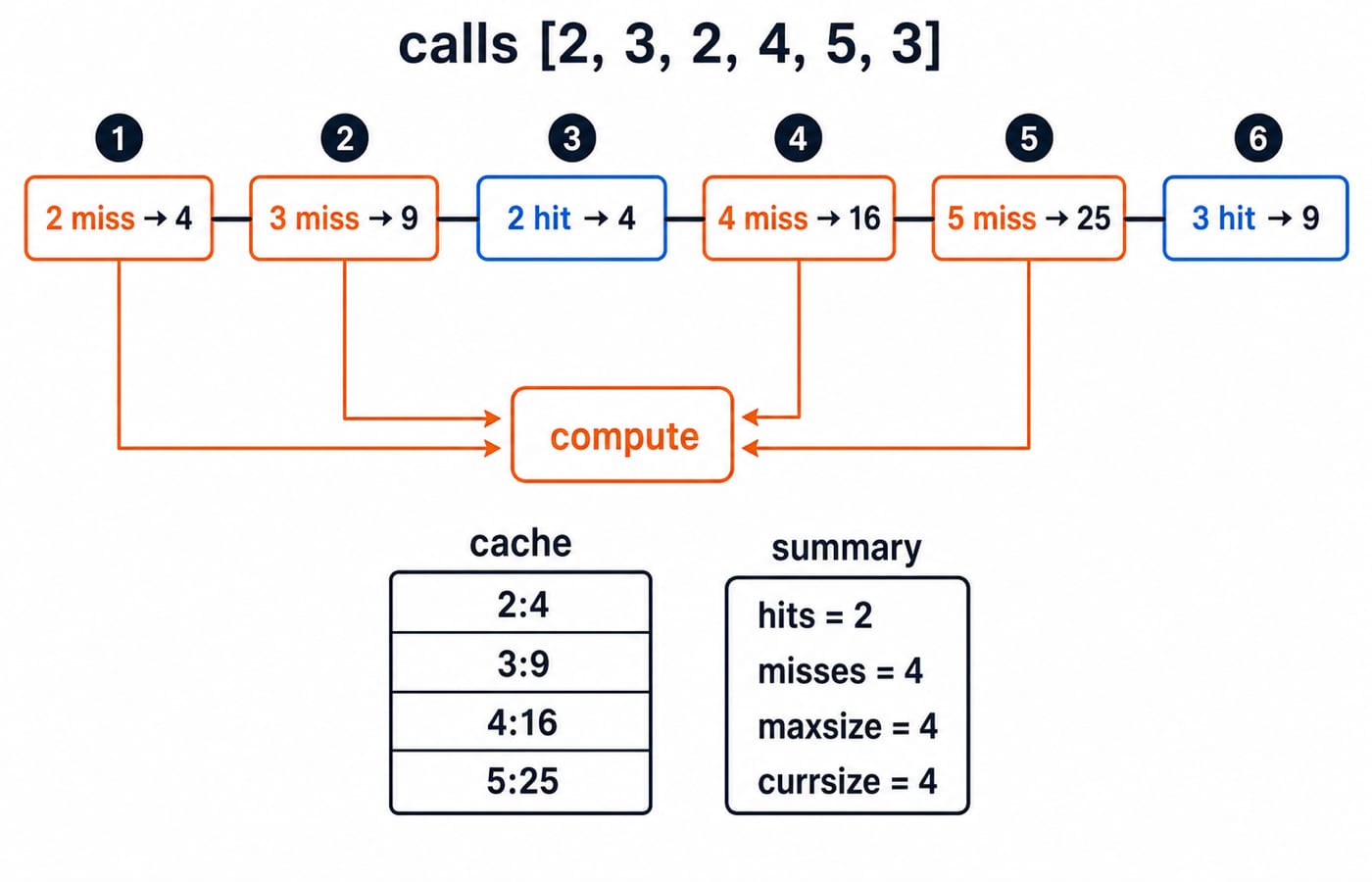
CacheInfo(hits=2, misses=4, maxsize=4, currsize=4)The first calls for 2, 3, 4 and 5 are four misses. The repeated 2 and 3 are two hits, so the function body does not print again. Arguments must be hashable. cache_info() reports usage, while cache_clear() invalidates stored results.
An LRU cache evicts the least recently used entry when full. @cache is unbounded, so use it only when growth is acceptable. Cache only results that are safe to reuse for identical arguments, not answers based on current time, random effects, changing external state or fresh database values. Memoisation can reduce repeated work, but it does not improve every algorithm.
Preserve decorator metadata with wraps
from functools import wraps

def trace(func):
    @wraps(func)
    def wrapper(*args, **kwargs):
        print(f"calling {func.__name__}{args}")
        return func(*args, **kwargs)
    return wrapper

@trace
def area(width, height):
    """Return rectangle area."""
    return width * height

print(area(6, 4))
print(area.__name__)
print(area.__doc__)calling area(6, 4)
24
area
Return rectangle area.The decorated name area refers to wrapper. It logs the original name, forwards (6, 4), and returns 6 * 4 = 24. wraps is a convenient form of update_wrapper: it preserves selected metadata and exposes __wrapped__. Without it, basic introspection reports wrapper and loses the original docstring. It does not validate arguments, catch exceptions or speed up the function. The Decorators in Python tutorial owns wrapper construction, parameterised decorators and stacking order; wraps addresses the narrower problem of preserved metadata inside those wrappers.
Dispatch by type and adapt legacy comparators
from functools import singledispatch

@singledispatch
def describe(value):
    return f"other:{value}"

@describe.register
def _(value: int):
    return f"int:{value * 2}"

@describe.register
def _(value: list):
    return f"list:{len(value)}"

print(describe(7))
print(describe([3, 5, 8]))
print(describe("hi"))int:14
list:3
other:hisingledispatch selects an implementation from the first argument's type, and registration can infer that type from an annotation. Because bool subclasses int, describe(True) returns int:2 unless you register bool separately.
from functools import cmp_to_key

def by_last_digit(a, b):
    return (a % 10 > b % 10) - (a % 10 < b % 10)

numbers = [42, 17, 23, 35]
print(sorted(numbers, key=cmp_to_key(by_last_digit)))[42, 23, 35, 17]cmp_to_key converts the three-way comparator into a key wrapper. The output follows last digits 2, 3, 5, 7. A comparator returns a negative number, zero or a positive number, not merely a Boolean. For new code, prefer key=lambda number: number % 10; cmp_to_key is mainly for adapting an existing comparator. Broader sorting choices still depend on stability and complexity.
Common functools traps and test patterns
Immediate execution passed to
partial: pass the function, not its result.Empty
reducecall: provide a meaningful initializer.List passed to
lru_cache: accept a tuple when that matches the data, because a list is unhashable.Time-dependent or side-effecting call cached: do not cache it, or define explicit invalidation.
Decorator loses name and docstring: place
@wraps(func)directly above the wrapper.
Also remember that singledispatch checks only the first argument, and cmp_to_key adapts a comparator rather than replacing a clear key function.
Predict-output tests often check left association and cache accounting. reduce(lambda a, b: a - b, [20, 5, 3]) computes (20 - 5) - 3 = 12. The earlier partial returns [0, 67, 100], the cache trace has 2 hits and 4 misses, and describe(True) returns int:2. Apply the same method to any standard-library trace: predict the state change first, then run the code.
Exercises, the short version and next step
Try these before reading the checks:
Create
as_exam_score = partial(clamp, low=0, high=50)and clean[-3, 42, 65].Calculate
reduce(mul, [5, 2, 3], 1), then run the same operation on[].Call an
@lru_cache(maxsize=2)square function with[1, 2, 1, 3, 2].
Checks: the results are [0, 42, 50]; 30 and 1; then values [1, 4, 1, 9, 4] with CacheInfo(hits=1, misses=4, maxsize=2, currsize=2). The final 2 is a miss because 3 evicted it after the earlier hit made 1 most recent.
The selector is short: bind with partial; fold with reduce when no clearer built-in fits; memoise deterministic calls with lru_cache or cache; preserve metadata with wraps; register first-argument type behaviour with singledispatch; adapt old comparators with cmp_to_key.
Next, build the Python language and standard-library foundation. Before moving on, change the cache exercise to [1, 2, 3, 1] and predict why all four calls miss.
Keep learning

Python for GATE: DA Syllabus, Observed Weightage and Prep Order
Settle the DA-versus-CS language question, see what one official DA paper contained, and build Python, data structures and algorithms in the right sequence.
Updated 6 Nov 20265 min readPython

Type Hints in Python: Functions, Collections and Checked Examples
Learn what Python type hints do, how to annotate common data shapes, and how a checker catches mistakes through exact, runnable examples.
Updated 5 Nov 20266 min readPython

Python Standard Library Tour: Practical Tutorial with Examples
Choose Python modules by task, then combine paths, CSV, dates, counters, averages, and JSON in a runnable report.
Updated 2 Nov 20265 min readPython

Python os and pathlib Tutorial: Paths, Files and Directories
Build one small Python workspace from start to finish. Learn portable paths, file operations, directory walks, safe renames, environment variables and deliberate cleanup.
Updated 1 Nov 20265 min readPython