A setTimeout(..., 0) callback does not run immediately. A line after await can run before that timer even though both look asynchronous. In a browser, classify each operation as synchronous stack work, a microtask, or a task; that classification predicts the order without memorising one output. Node.js adds phase-specific behaviour that can change some timer and callback ordering.
What the JavaScript event loop actually coordinates
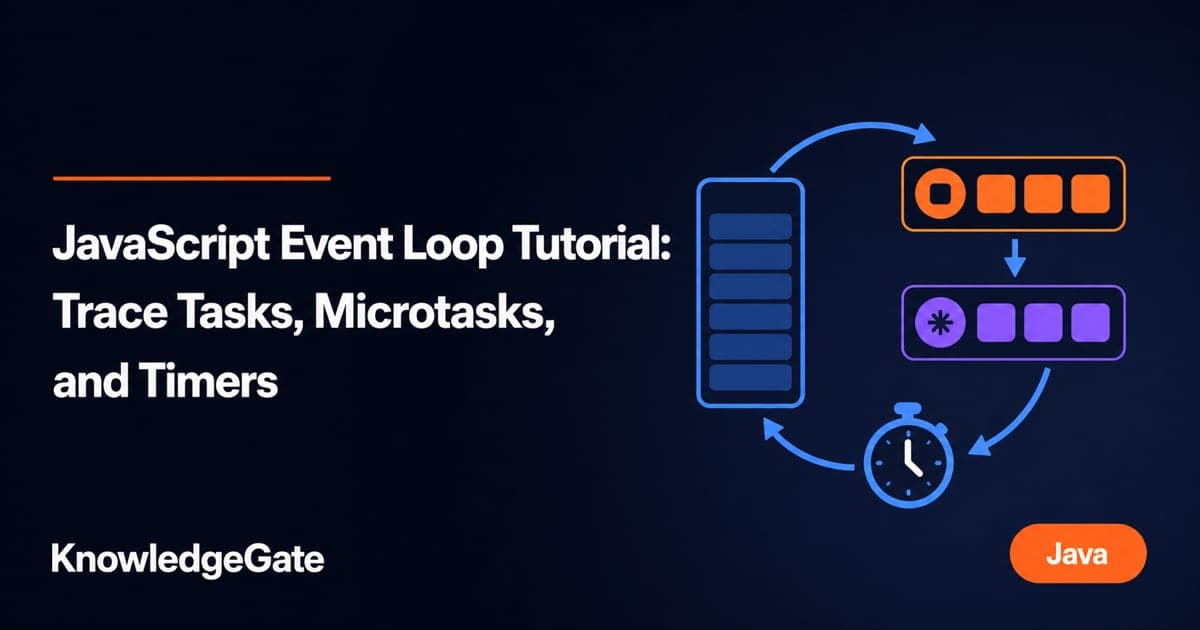
The JavaScript call stack runs the current script one frame at a time. Browser APIs handle timers, while completed callbacks wait in queues. The event loop selects work only when the stack is empty. setTimeout comes from the host environment, not from the JavaScript language itself.
The initial script and each timer callback are tasks. Promise reactions, queueMicrotask callbacks, and the continuation after await are microtasks. Once the current stack empties, the browser drains the microtask queue before taking the next task. A rendering opportunity may occur between tasks, but a paint is not guaranteed after every task.
Use this tracing rule:
Run every synchronous statement to completion.
Drain every queued microtask, including microtasks added during the drain.
Take the next task.
For the broader vocabulary around browser execution, see Web Technologies for Teaching Exams.
Worked example 1: why a Promise beats a zero-delay timer
Run this in a browser console:
console.log("A");

setTimeout(() => console.log("B"), 0);

Promise.resolve().then(() => console.log("C"));

console.log("D");
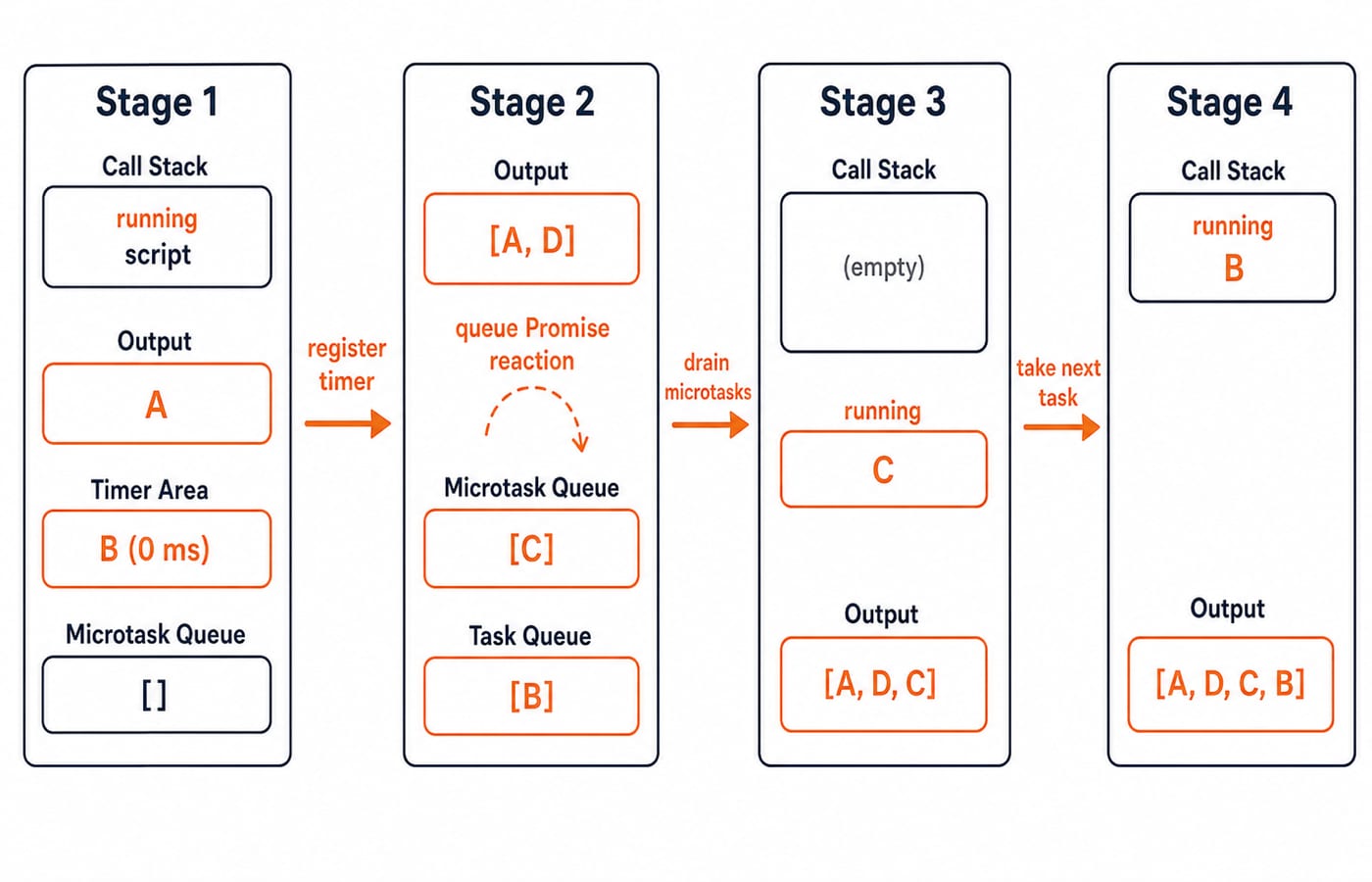
The first statement prints A. The browser registers the 0 ms timer, but it cannot interrupt the script. The resolved Promise queues the C reaction as a microtask. The final synchronous statement prints D.
When the stack empties, the microtask checkpoint runs C. Only after that queue is empty can the timer task print B. The exact output is:
A
D
C
B
A delay of 0 ms means the timer becomes eligible as soon as the host's minimum-delay rules allow. It does not mean "run now", and it does not outrank microtasks that are already queued.
Worked example 2: Promise, queueMicrotask, and await in one trace
Microtasks keep their queue order, and a running microtask can append another microtask.
console.log(1);

setTimeout(() => console.log(2), 0);

Promise.resolve().then(() => {
  console.log(3);
  queueMicrotask(() => console.log(4));
});

(async () => {
  console.log(5);
  await 0;
  console.log(6);
})();

console.log(7);
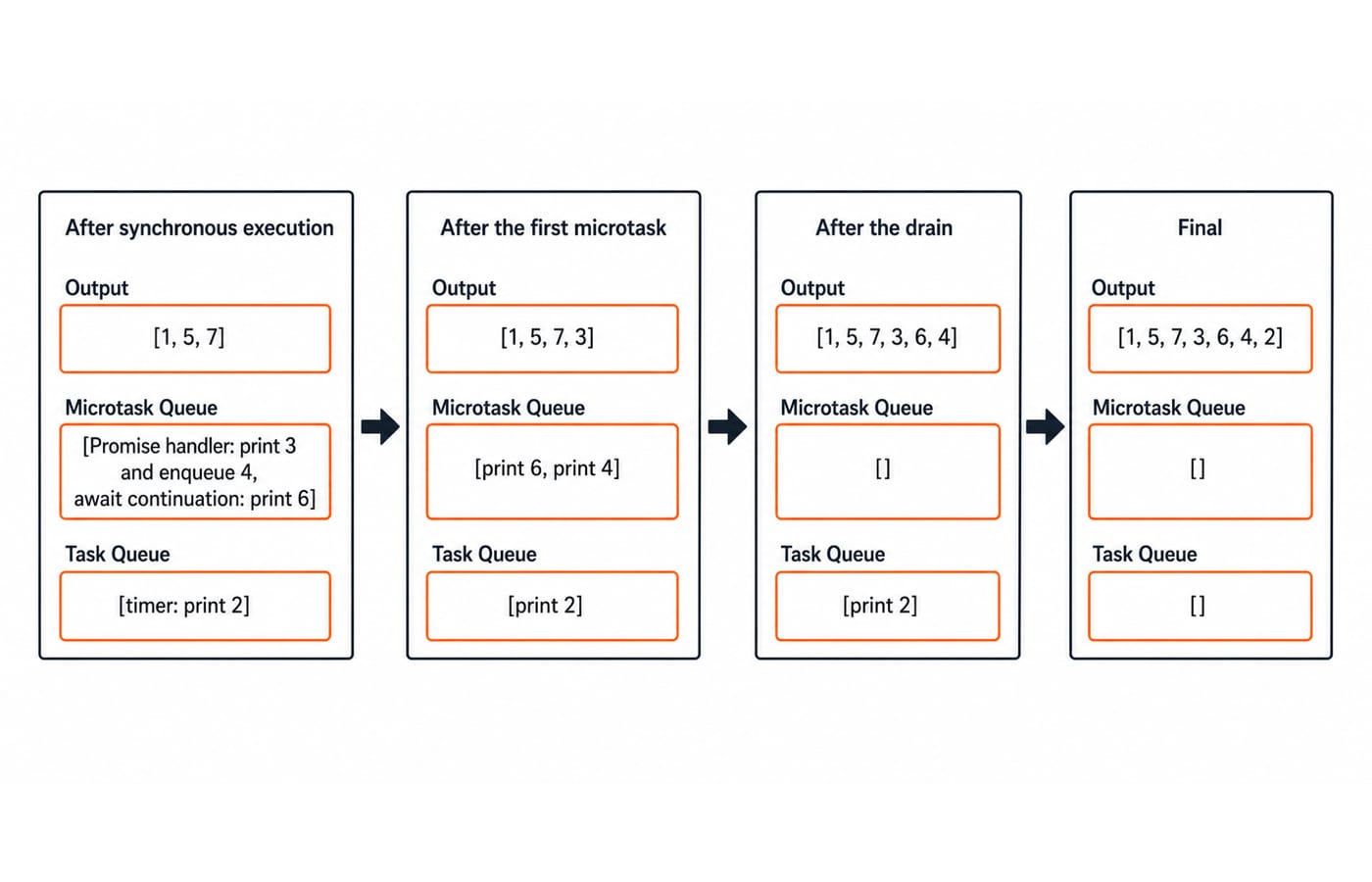
The synchronous phase prints 1, 5, and 7. At that point, the microtask queue contains the Promise handler that prints 3, followed by the await continuation that prints 6. The timer task that prints 2 waits in a separate queue.
The first microtask prints 3 and appends the 4 microtask to the tail. The remaining microtask order is therefore 6, then 4. Only after those microtasks finish does the timer print 2.
1
5
7
3
6
4
2
There is no extra thread here. Code before await runs synchronously during the function call. Code after await resumes later in a Promise reaction microtask.
Why timer delay is a threshold, not an appointment
A timer delay marks earliest eligibility, not a reserved execution time. Try this blocking example:
const start = performance.now();

setTimeout(() => {
  const elapsed = Math.round(performance.now() - start);
  console.log(`timer after ${elapsed} ms`);
}, 10);

while (performance.now() - start < 100) {
  // Keep the current task busy for about 100 ms.
}

console.log("loop done");
loop done prints first. The timer line prints second with an elapsed value of about 100 ms or more, not a guaranteed 10 ms. The 10 ms threshold passes while the loop is still keeping the current task and stack busy. The callback must wait until that task finishes.
A long task can postpone timers, input handling, and a rendering opportunity. Split large work into sensible chunks, or move CPU-heavy work to a Web Worker.
Common event-loop mistakes and how to correct them
Reading callbacks in registration order. That predicts A, B, C, D for the first example. Label each operation as synchronous code, a microtask, or a task first.
Treating a zero-delay timer as immediate. Read 0 ms as earliest eligibility, then perform the microtask checkpoint first.
Blaming the event loop for a captured var. Consider this loop:
for (var i = 1; i <= 3; i++) setTimeout(() => console.log(i), 0);It prints 4, 4, 4. All callbacks share the same function-scoped binding, and the loop has advanced i to 4 before any callback runs. Replace var with let and the output becomes 1, 2, 3, because let creates a fresh binding for each iteration. Both versions defer their callbacks.
Refilling the microtask queue without a bound. Recursive Promise handlers or queueMicrotask calls can keep adding work during the drain. That can delay the next timer and a rendering opportunity. Keep microtasks small and do not create an unbounded microtask loop.
How interviews and coding tests check this concept
Trace-and-explain exercises test whether you can justify a transition, not merely guess an output. This method also fits Coding Round Strategy for Placements.
Exercise A
console.log("start");
setTimeout(() => console.log("timer"), 0);
queueMicrotask(() => console.log("micro"));
console.log("end");
Answer: start, end, micro, timer. The current stack prints the first two synchronous labels, the microtask checkpoint prints micro, and the next task prints timer.
Exercise B
Promise.resolve()
  .then(() => console.log("P1"))
  .then(() => console.log("P2"));
queueMicrotask(() => console.log("Q"));
Answer: P1, Q, P2. The first Promise handler is queued before Q. The second .then is queued only after the first handler completes, so it joins the tail behind Q.
Exercise C
async function f() {
  console.log("F1");
  await Promise.resolve();
  console.log("F2");
}
f();
console.log("G");
Answer: F1, G, F2. The current stack prints F1 and G; the continuation prints F2 at the microtask checkpoint.
For each trace, make yourself name the reason as "current stack", "microtask checkpoint", or "next task". A correct explanation is more useful than a lucky sequence.
Debugging checklist, short version, and next step
When an asynchronous order surprises you, use a small routine:
Add unique log labels instead of repeating
console.log("here").Mark where timers are registered and where Promise continuations begin.
Pause in browser developer tools and inspect the call stack.
Reduce the case to one timer and one microtask.
Compare the observed order with the three-step tracing rule.
The short version is simple. Synchronous code finishes first. All queued microtasks drain next, and the next timer or other task can run only after that. Asynchronous does not mean parallel, and a delay does not reserve an exact execution time.
To strengthen the language foundation behind these examples, continue with the Complete JavaScript Course. When you are ready to apply JavaScript with React and Node.js, use the MERN Stack Course: Full Stack Development. You can also compare broader programming and development paths in the Coding & Skills category.