

Elementary Data Types, Constants, Variables and Expressions: A Worked Evaluation Guide
Trace a typed pseudocode example from declarations to stored results, then see how assignment, precedence and conversion change the answer.
KnowledgeGate Team
Exam prep & CS education
Updated 10 Nov 20266 min read
In a short statement such as total = BASE + units * rate, the literal values, named constant, variables, operators, expression type and stored result all play different roles. You may calculate the number correctly and still miss a question about which names can change, when conversion occurs or whether an assignment is legal.
The language-neutral pseudocode below declares integer, real and Boolean values, evaluates them, and then changes one variable so the stored state can be traced after mutation. Its declaration, division, conversion and mutability rules are explicit and do not belong to any single programming language.
Give every term one precise job
A value is an element handled by a program. A data type defines permitted values and meaningful operations. A literal is source notation for a value, while a name is an identifier.
A variable is a named mutable binding or storage location. A named constant cannot be reassigned after its binding is established. An expression combines operands and operators to produce a value. Specifications may model bindings and storage more precisely. The Programming Languages Survey covers language families, translation models and paradigms beyond this value-level trace.
For example, 11 is an integer literal, BASE is a constant name bound to 11, and x is a variable holding 7. BASE + x * 4 is an expression. BASE is not a literal because the literal token is 11.
Understand elementary types through domains and operations
An elementary type is defined by its values and operations, not just its keyword.
Type | Example value | Typical valid operations | Important caveat |
|---|---|---|---|
Integer |
| Arithmetic, comparison, remainder | Implementations may have finite bounds and defined overflow rules. |
Real |
| Arithmetic, comparison | Usually approximates mathematical real numbers. |
Boolean |
| Logical operations, equality | It is not automatically a number. |
Character |
| Equality, and ordering where defined | Character representation does not make it freely interchangeable with an integer. |
The conceptual type is separate from its machine representation. This explains why mathematical and stored results may differ, without assuming bit widths, ranges or exact real-number storage.
Whether a string is elementary, composite or reference-like depends on the language. Data Types and Operators in C is a language-specific continuation, not a basis for generalising C's classifications.
Trace declaration, initialisation and assignment separately
Use this exact environment for the worked trace:
const integer BASE = 11
integer x = 7
integer y = 4
real scale = 1.5
boolean enabled = true
integer subtotal
real adjusted
boolean eligible
Each declaration establishes a name and type. An initializer supplies the first stored value, as 7 does for x. A later assignment replaces a variable's stored value, so x = 8 is legal here. BASE = 12 is rejected because BASE is constant. Reading subtotal before its first assignment is invalid.
When an operator mixes integer and real operands here, the integer is promoted to real; implicit real-to-integer assignment is forbidden. Therefore, scale = 2 stores real 2.0, while x = 2.75 is rejected unless an explicit conversion is defined and used.
Work one expression from leaves to stored results
Assume that * and / bind more tightly than +, while parentheses bind first. Comparisons produce Boolean values, && accepts Boolean operands, and an assignment evaluates the complete right-hand side using current values before storing its result.
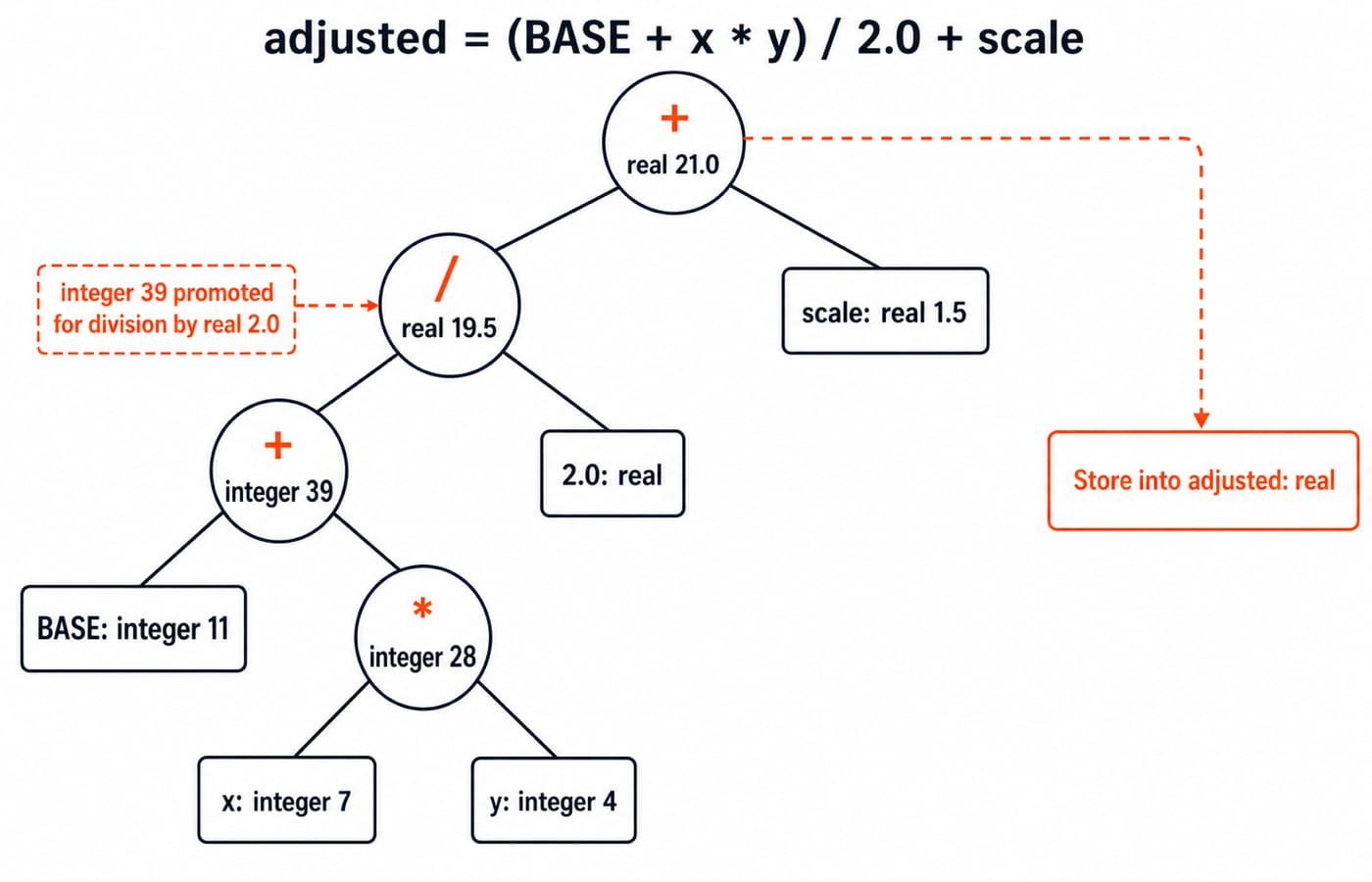
First calculate the integer expression:
subtotal = BASE + x * y
         = 11 + 7 * 4
         = 11 + 28
         = 39
Then use that stored value in a mixed numeric expression:
adjusted = subtotal / 2.0 + scale
         = 39 / 2.0 + 1.5
         = 19.5 + 1.5
         = 21.0
Finally evaluate the Boolean expression:
eligible = enabled && (adjusted >= 20.0) && (x != y)
         = true && (21.0 >= 20.0) && (7 != 4)
         = true && true && true
         = true
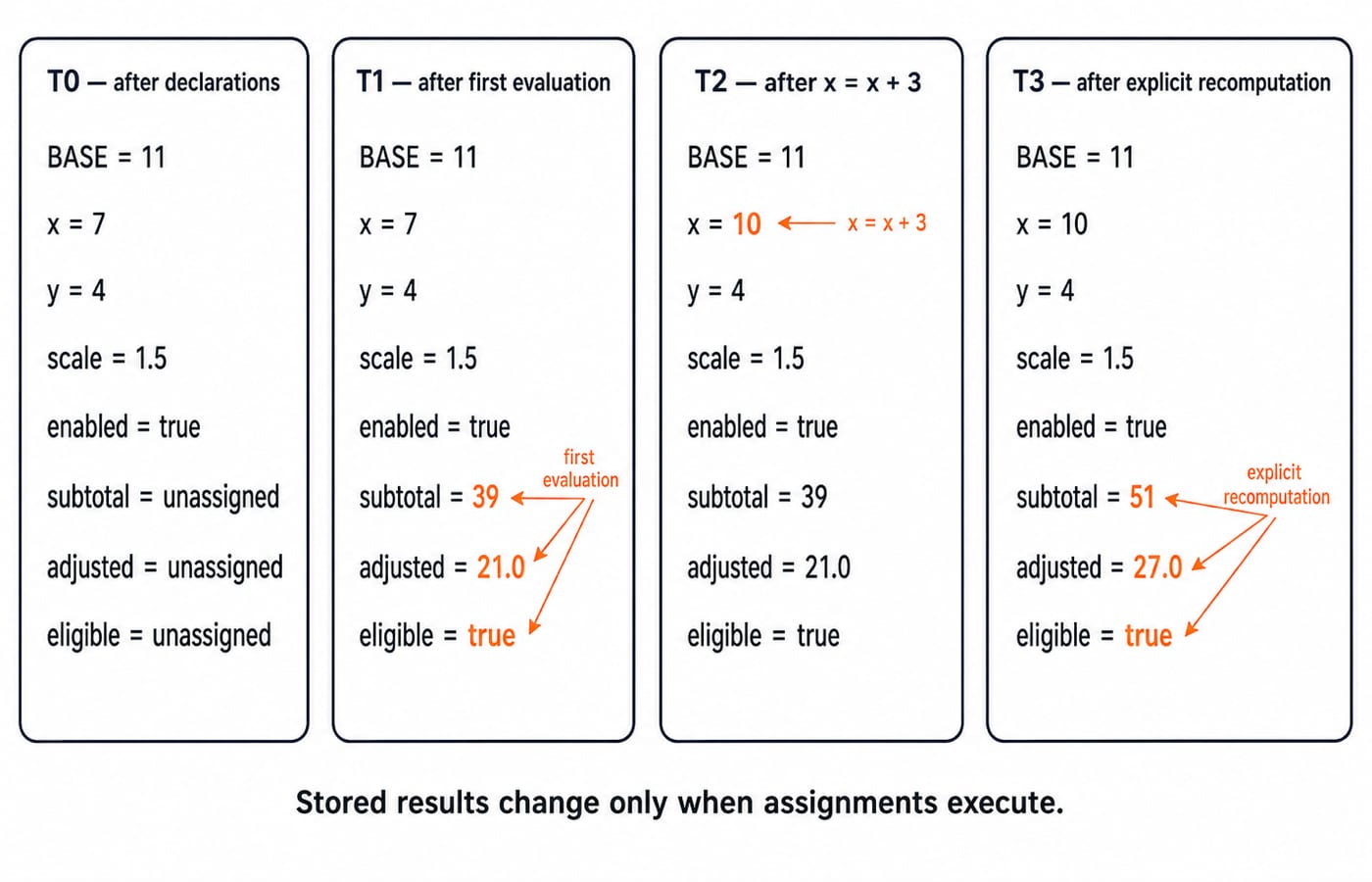
Now execute x = x + 3, which stores 10 in x. The already stored results remain subtotal = 39, adjusted = 21.0 and eligible = true. Assignments are not live spreadsheet formulas. Only when the three assignments are explicitly run again do we get subtotal = 11 + 10 * 4 = 51, adjusted = 51 / 2.0 + 1.5 = 27.0, and eligible = true because all three Boolean operands are still true.
Make conversions and expression types visible
Division exposes why operand types matter. Under an explicitly truncating integer-division rule, 39 / 2 = 19. With the mixed-numeric rule used here, 39 / 2.0 = 19.5 because the integer is promoted for an operation with a real operand. Some languages define / differently, so use the rules in the question or the named language specification.
Type propagation also appears in smaller expressions. 2 + 3.5 promotes the integer operand and produces real 5.5. 5 < 8 produces Boolean true, and true && false produces Boolean false. A Boolean or character must not silently become numeric unless the language explicitly permits it.
Implicit promotion is different from explicit conversion. With a truncate-toward-zero conversion, toInteger(5.9) produces integer 5. A real language defines its own conversion spelling and rounding behaviour.
Fix the traps that produce wrong values or illegal programs
A precedence error changes grouping before arithmetic. 3 + 4 * 5 groups as 3 + (4 * 5), giving 3 + 20 = 23. (3 + 4) * 5 groups differently and gives 7 * 5 = 35. Add parentheses when intent could be misread.
Keep three distinctions clear. 11 is a literal, while BASE is its constant name. Initialisation gives x its first value, while x = x + 3 reassigns it. Here, = assigns and == compares. Other languages may use different symbols.
Reading subtotal at T0 is invalid, so assign it first. Expecting it to become 51 automatically at T2 is a stale-value mistake, so recompute deliberately. Assuming every integer result fits, or that 0.1 + 0.2 must be stored exactly as 0.3, ignores implementation bounds and usual binary floating-point approximation. Follow the named type's representation rules.
Practise the transformations a question can ask
For this fresh drill, assume integer / truncates, mixed numeric arithmetic promotes to real, *, / and % precede +, comparisons return Boolean values, and constants cannot be reassigned.
const integer C = 5
integer a = 9
integer b = 4
real r = a / b + C / 2.0
boolean ok = (r >= 4.5) && (a % b == 1)
Both operands are integers, so a / b = 9 / 4 = 2. Mixed division gives C / 2.0 = 5 / 2.0 = 2.5, then r = 2 + 2.5 = 4.5. Also, a % b = 9 % 4 = 1, so ok = true && true = true.
If a / b is replaced by a / 4.0, then r = 2.25 + 2.5 = 4.75. If C = C + 1 is added, the statement is rejected because it tries to reassign a constant.
Practise final-value tracing, result types, invalid assignments, precedence and conversion. Change one declaration or operator at a time, predict the full state, and then check the trace.
The short version and your next step
Remember five rules: a type controls permitted values and operations; a literal writes a value in source; a constant binding cannot be reassigned; a variable holds a current value; and an expression produces a value now, without keeping itself updated after later assignments.
To apply these ideas in concrete syntax, continue with the C Language Course. For a broader foundation, use the Zero to Hero Complete CS Course, or compare programming paths in the Coding and DSA Courses category.
For active recall, predict the complete T2 state after x = x + 3 without rereading. Then explain in one sentence why subtotal stays 39 until its assignment runs again.
Keep learning
Data Abstraction Explained: Hide Implementation Details with a Worked Java Example
See how a stable Account contract protects its invariant while the Java implementation changes from a running balance to a transaction ledger.
Updated 16 Nov 20265 min readProgramming Languages Survey
Programming Paradigms Explained: Concepts, Classifications and Worked Examples
Learn how imperative, procedural, object-oriented, functional and declarative styles organise the same computation, and how to classify code from visible evidence.
Updated 15 Nov 20265 min readProgramming Languages Survey
Introduction to Visual Basic (VB): Concepts, Worked Code and Exam Patterns
Learn how a VB.NET form turns text-box input and a button click into a traced result. Then practise operators, loops, procedures, scope and debugging.
Updated 14 Nov 20266 min readProgramming Languages Survey
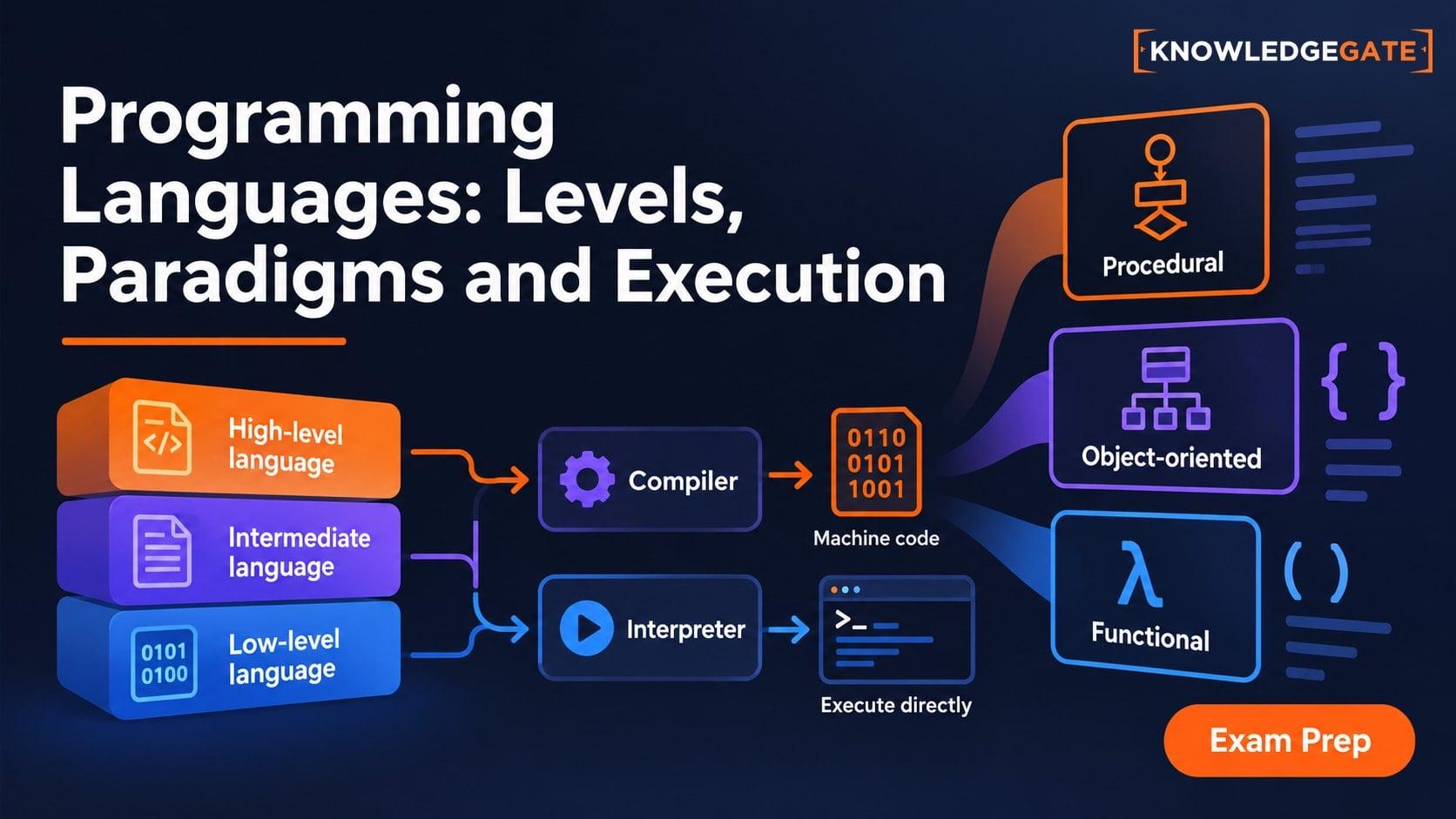
Types of Programming Languages: Levels, Paradigms and Execution Models
Learn why low-level, object-oriented, compiled and dynamically typed describe different axes. Build a clear classification map through one result expressed three ways.
Updated 13 Nov 20266 min readProgramming Languages Survey