

Introduction to Visual Basic (VB): Concepts, Worked Code and Exam Patterns
Learn how a VB.NET form turns text-box input and a button click into a traced result. Then practise operators, loops, procedures, scope and debugging.
KnowledgeGate Team
Exam prep & CS education
Updated 14 Nov 20266 min read
Visual Basic looks readable, yet beginners often mix up the language, the visual form designer and the event that runs their code. VB.NET Windows Forms joins controls, properties, events, variables and decisions in a button-click program. Classic VB6 uses different property and event-handler syntax.
Visual Basic, VB6 and VB.NET are related but distinct
Visual Basic is a high-level language in the BASIC family, designed around readable statements and rapid application development. Three related ideas must stay separate:
Idea | Role | Example |
|---|---|---|
language | expresses instructions | statements such as |
visual designer | builds the interface | placing controls on a form |
runtime event | starts a response | a click or load action calls code |
Classic VB6 examples often use a control's .Caption and a handler such as Private Sub cmdCalculate_Click(). In VB.NET, controls use .Text, and handlers can use Handles btnCalculate.Click. Keep one dialect inside each code block.
Use Visual Basic Programming Language: Core Concepts with a Worked VB.NET Example for the broader language survey and a validated invoice calculator. For trace practice, follow text-box inputs through one decision and compare Sub calls with Function return values.
Build the event-driven mental model before writing syntax
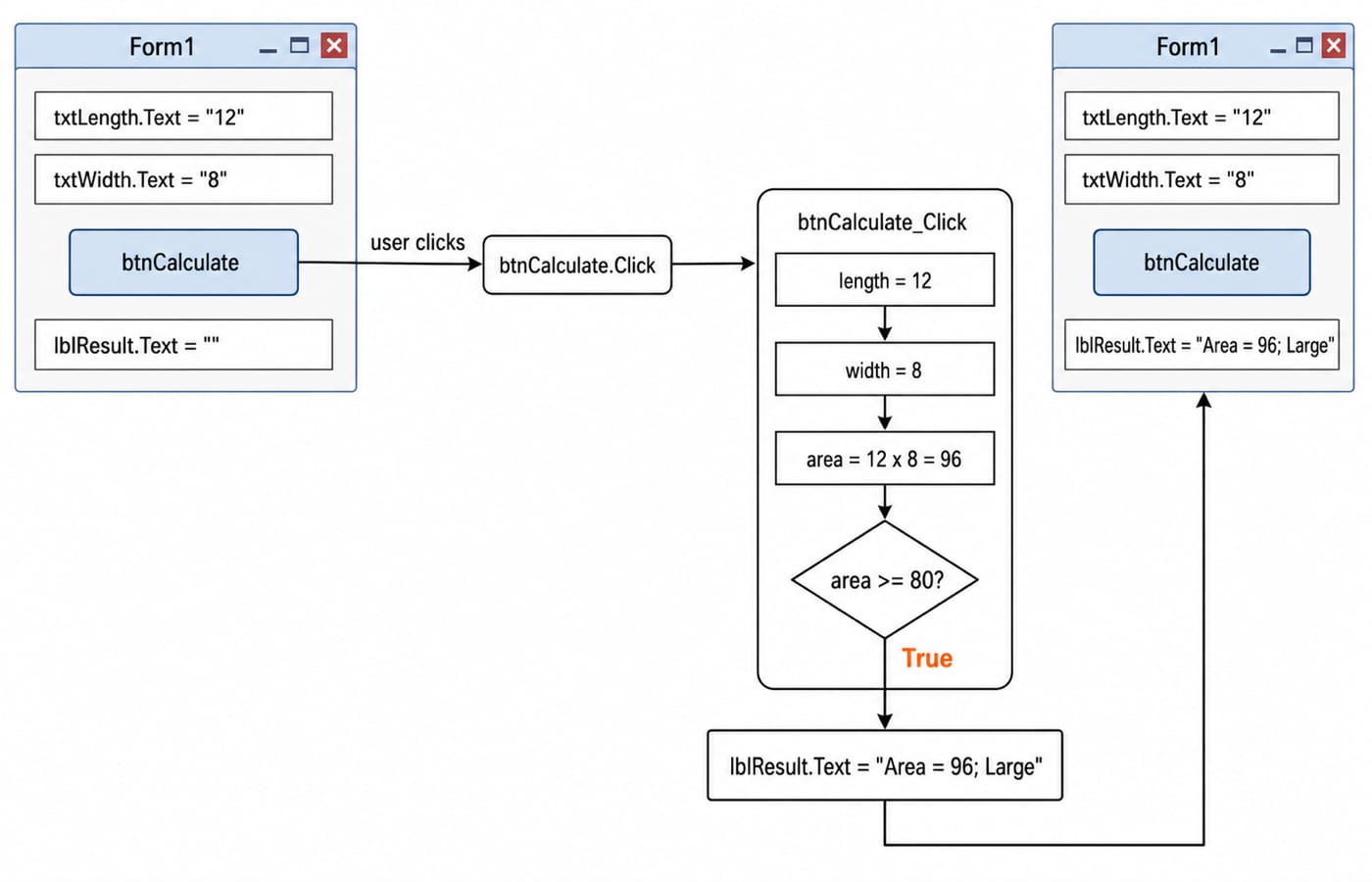
Our Form1 has two text boxes, txtLength and txtWidth, a button named btnCalculate, and a label named lblResult. A control is an object placed on the form. A property stores one of its settings or displayed values. An event reports an action, while an event handler is the procedure that responds.
The learner types 12 into txtLength.Text and 8 into txtWidth.Text, then clicks btnCalculate. The Click event calls btnCalculate_Click. That handler converts both strings to integers, calculates 12 * 8 = 96, tests 96 >= 80, and writes Area = 96; Large to lblResult.Text. The value 80 is the program's threshold for the Large label.
Work one VB.NET program from input to output
The VB.NET Windows Forms handler is:
Public Class Form1
    Private Sub btnCalculate_Click(sender As Object, e As EventArgs) Handles btnCalculate.Click
        Dim length As Integer = CInt(txtLength.Text)
        Dim width As Integer = CInt(txtWidth.Text)
        Dim area As Integer = length * width
        Dim sizeLabel As String

        If area >= 80 Then
            sizeLabel = "Large"
        Else
            sizeLabel = "Small"
        End If

        lblResult.Text = "Area = " & area & "; " & sizeLabel
    End Sub
End Class
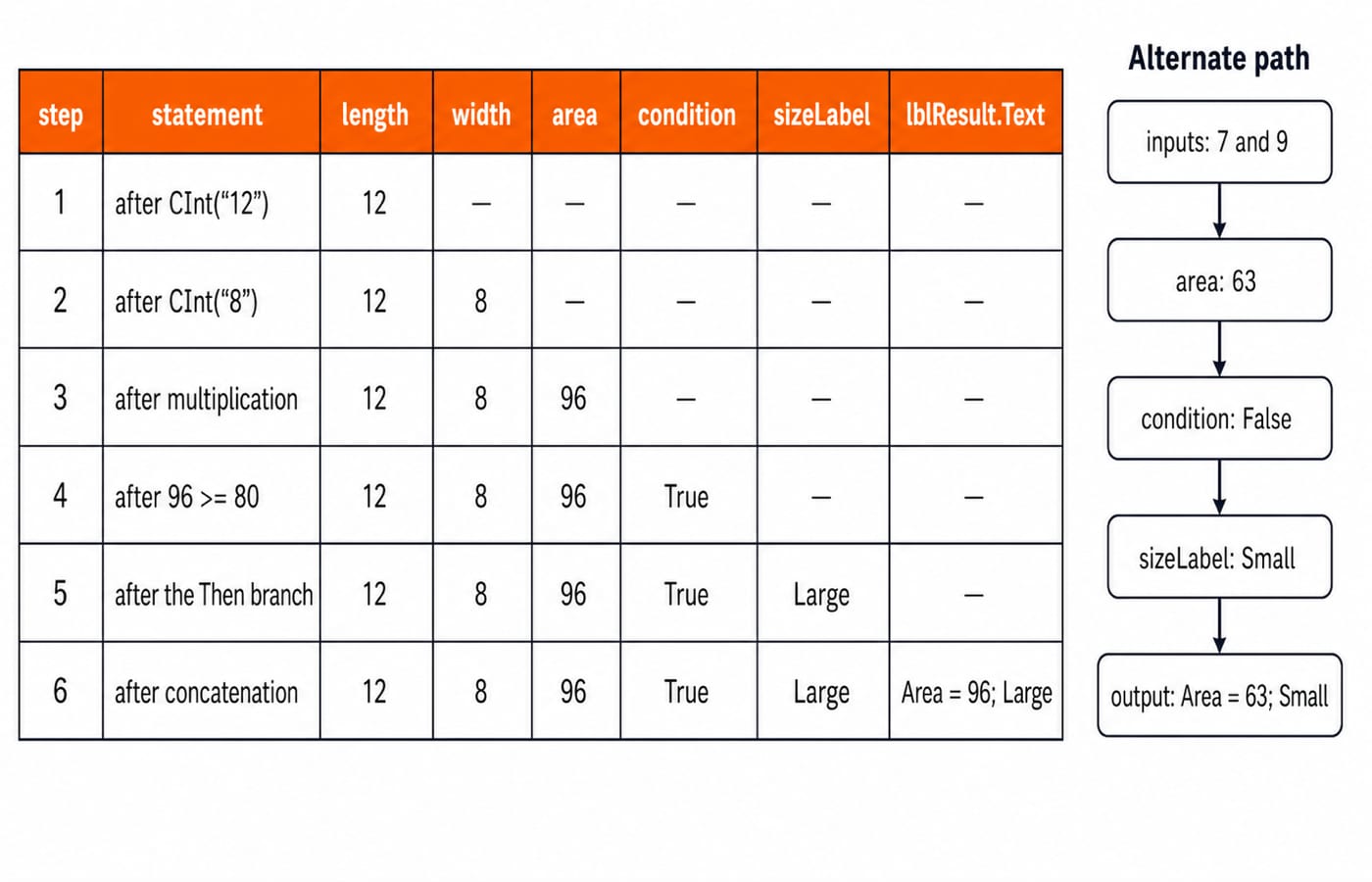
Form1 declares the form class. The Handles clause connects the button's click event to the handler. CInt("12") produces integer 12, and CInt("8") produces integer 8. Multiplication sets area to 96. The test 96 >= 80 is True, so sizeLabel becomes "Large". The & operator joins text and values, giving the visible output Area = 96; Large.
Trace the same code once more with inputs 7 and 9. Now 7 * 9 = 63, and 63 >= 80 is False. The Else branch sets sizeLabel to "Small", so the output is Area = 63; Small. This is a second path through the same program, not different code.
Variables, operators and control flow to trace
Start with Dim a As Integer = 7 and Dim b As Integer = 3:
Expression | Result | Meaning |
|---|---|---|
|
| numeric addition |
|
| integer division, fractional part removed |
|
| remainder after integer division |
|
| ordinary division |
|
| both conditions hold |
Use & for text concatenation, not numeric +. Check symbols and conversions in the language named by the question; VB's \ integer division and Mod remainder operator are not interchangeable with ordinary / division.
A loop repeats: start with sum = 0; after i = 1, sum = 1; after i = 2, sum = 3; after i = 3, sum = 6; then Next ends the loop. The area program's If chooses one of two paths.
Procedures, functions, parameters and scope
Sub ShowArea(value As Integer) performs an action and returns no value. Function RectangleArea(length As Integer, width As Integer) As Integer returns length * width. Calling RectangleArea(12, 8) returns integer 96; that 96 can then be passed to ShowArea(96). VB keeps Sub ... End Sub, Function ... End Function, and its own argument syntax, even though parameters and return values are transferable ideas.
Scope controls how long a name is available. A local area declared inside btnCalculate_Click exists only during that handler call. A form-level clickCount As Integer, declared inside Form1 but outside the handler, can persist across clicks. It starts at 0, becomes 1 after one increment, and then 2 after another. Persistent form state can be useful, but it is not automatically good design.
Fix the traps that produce plausible but wrong answers
Use each trap to predict its consequence and correction:
Mixing VB6
.Captionwith VB.NET.Textcreates a dialect mismatch. Keep the example in one dialect.Using
+to join a number and string invites conversion surprises. Use&for concatenation.Treating
txtLength.Textas an integer hides the conversion step. Convert or parse the string explicitly.Omitting
End If,End SuborNextbreaks the block structure.
Valid sample input is not enough validation. CInt("12") succeeds, but CInt("twelve") raises a conversion error. The safer shape is If Integer.TryParse(txtLength.Text, length) Then ... Else ... End If, with both success and failure paths handled. Option Strict On is a useful VB.NET discipline because it exposes unsafe implicit conversions earlier.
Confirm that Handles btnCalculate.Click connects the handler. If the clause is missing, clicking the button does not call this procedure. Then trace each block ending: If closes with End If, the handler closes with End Sub, and For closes with Next.
How exam questions expose the concept
Introductory Visual Basic questions commonly test definition matching for control, property, event and method; output tracing for arithmetic, If and loops; syntax repair for missing block endings or mixed dialects; and selecting the correct event or property. For exam-attributed DSSSB, NVS and KVS practice, work through Introduction to Visual Basic MCQs: 12 Solved Questions. Then return to the area handler and justify why inputs 12 and 8 take the True branch while 7 and 9 take Else.
Test your understanding: what do 7 \ 3 and 7 Mod 3 give; what does the handler display for inputs 7 and 9; and what does each of RectangleArea(12, 8) and ShowArea(96) return?
7 \ 3gives2, and7 Mod 3gives1.Inputs
7and9produce63, follow theElsebranch, and displayArea = 63; Small.RectangleArea(12, 8)returns96, whileShowArea(96)is aSubcall and returns no value.
Keep the short version and choose the next step
Redraw this chain from memory: control -> property -> event -> handler -> output. With 12 and 8 in the text boxes, a click runs the handler, 12 * 8 = 96, the True branch labels it Large, and the form displays Area = 96; Large.
Choose C Language Course: Concepts, MCQs & Coding for systematic language fundamentals, Coding for Placements: C, C++, Java, Python for a multi-language placement route, or Coding & DSA Courses for Placements to browse related programming courses.
Keep learning
Data Abstraction Explained: Hide Implementation Details with a Worked Java Example
See how a stable Account contract protects its invariant while the Java implementation changes from a running balance to a transaction ledger.
Updated 16 Nov 20265 min readProgramming Languages Survey
Programming Paradigms Explained: Concepts, Classifications and Worked Examples
Learn how imperative, procedural, object-oriented, functional and declarative styles organise the same computation, and how to classify code from visible evidence.
Updated 15 Nov 20265 min readProgramming Languages Survey
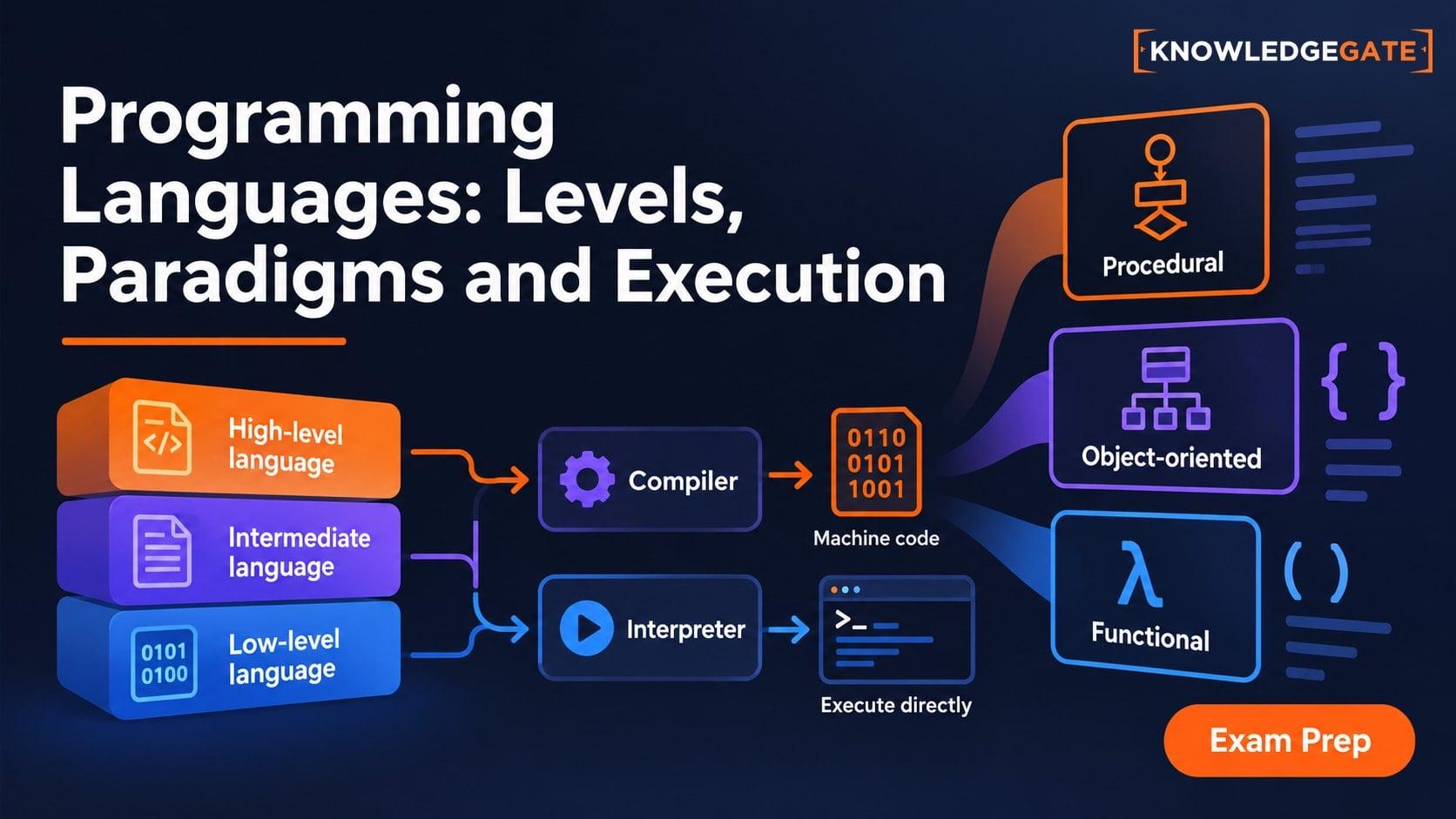
Types of Programming Languages: Levels, Paradigms and Execution Models
Learn why low-level, object-oriented, compiled and dynamically typed describe different axes. Build a clear classification map through one result expressed three ways.
Updated 13 Nov 20266 min readProgramming Languages Survey
Programming Language Syntax Explained: Grammar, Tokens and Semantics
Follow one assignment from its source characters to tokens, an AST, type checks and runtime evaluation. Learn exactly where syntax ends and semantics begins.
Updated 12 Nov 20265 min readProgramming Languages Survey