TypeScript vs C# Typing: Structural Compatibility, Nominal Identity, Generics and Runtime Checks
Follow one User/Admin example through TypeScript and C# to predict assignments, generic conversions, branded IDs, and JSON behaviour at runtime.
KnowledgeGate Team
Exam prep & CS education
Updated 3 Oct 20266 min read
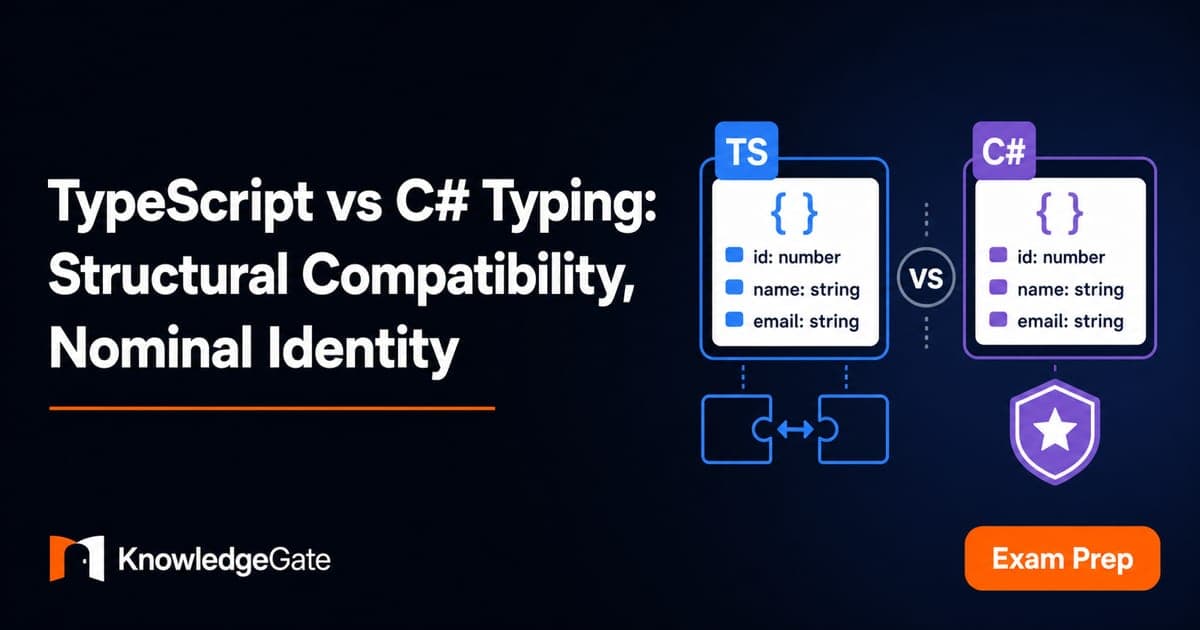
Identical id and name fields can compile in TypeScript but fail in C#: TypeScript usually checks object shape, while C# usually checks a declared relationship. With id = 7, the difference reaches assignments, generic variance, branded IDs, and JSON, where a TypeScript assertion can leave "7" untouched while C# deserialization rejects it.
1. TypeScript vs C# typing starts with three separate questions
Separate three axes. Compile-time compatibility asks whether a value fits. Declared identity asks whether a type must be named, implemented, or inherited. Runtime representation asks what type information survives execution.
TypeScript is primarily structural for object compatibility. C# is primarily nominal for class, record, and interface identity. Neither description is absolute.
Static/dynamic is a timing axis; structural/nominal is a compatibility axis. Static vs Dynamic Typing: Errors, Feedback Loops and Refactoring Flexibility traces when mismatches surface. TypeScript and C# are both statically checked; their compatibility rules differ over whether matching members or a declared relationship establish compatibility.
Question | TypeScript | C# |
|---|---|---|
Can one object be assigned to another type? | Required members are checked | A declared conversion or inheritance relationship is checked |
Does a generic constraint accept the value? | A matching structure can satisfy it | A declared base type or interface must satisfy it |
What survives at runtime? | Interfaces, type aliases, and generic parameters erase | CLR class and constructed generic identities remain available |
Complications include TypeScript excess-property checks and private-member origins, plus C# covariance and pattern matching.
2. TypeScript structural compatibility: an Admin value fits User
Start with a User shape and a richer value:
interface User {
  id: number;
  name: string;
}

const admin = {
  id: 7,
  name: "Mira",
  permissions: ["refund", "audit"]
};

const user: User = admin;       // allowed
console.log(user.id);           // 7
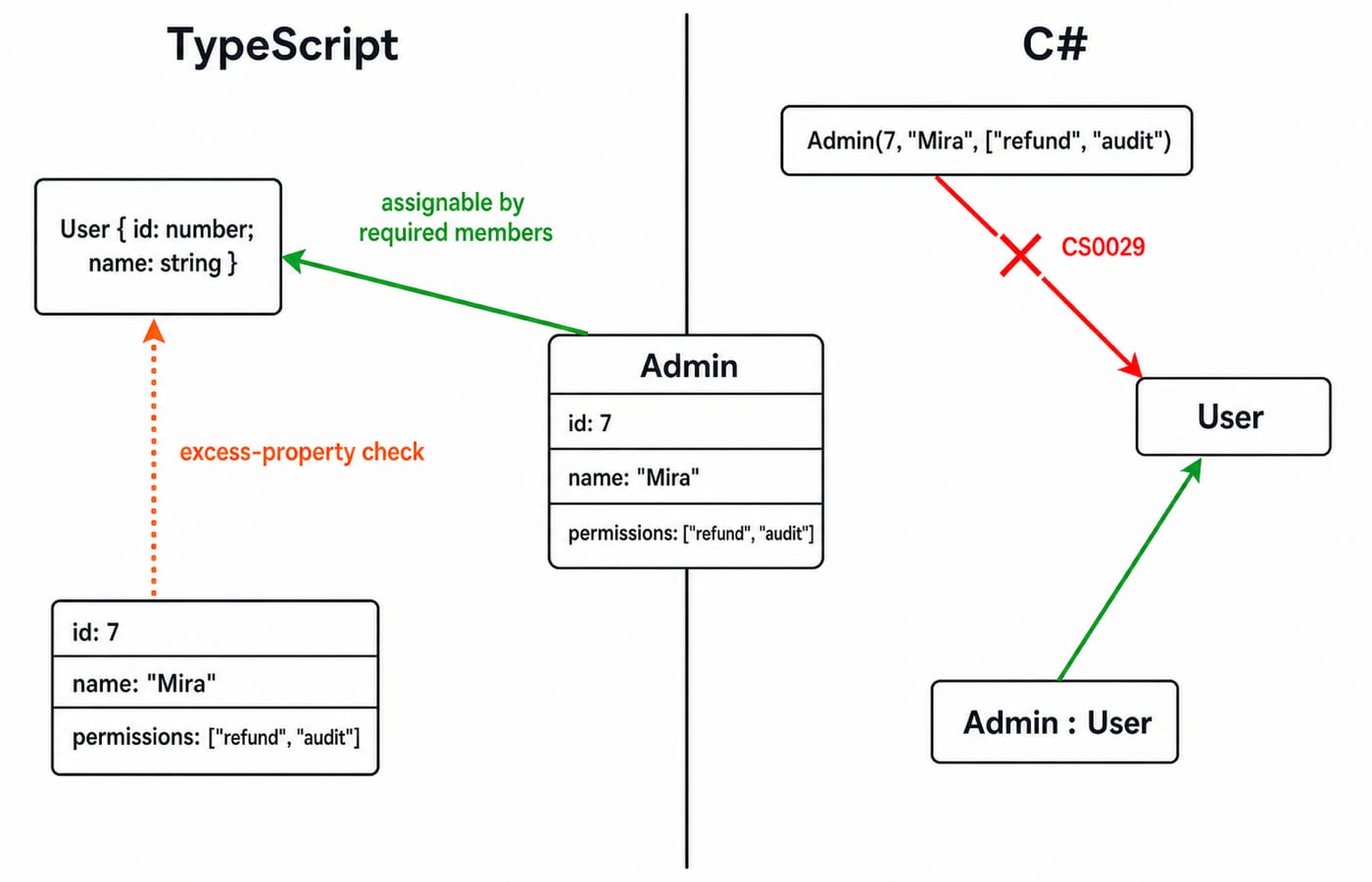
The compiler checks the required members: admin.id is a number and admin.name is a string. Extra permissions does not block assignment, and no implements User declaration is required. The user variable exposes only the User view during checking, but the runtime object retains permissions. Assignment changes the accessible view; it does not clone or strip the object.
A fresh object literal gets an extra check:
const direct: User = {
  id: 7,
  name: "Mira",
  permissions: ["refund"]
}; // excess-property error

const candidate = { id: 7, name: "Mira", permissions: ["refund"] };
const indirect: User = candidate; // allowed
This rule catches likely misspelled fields but does not make TypeScript nominal. Once the value is stored in candidate, structural compatibility applies.
If interfaces, unions, and narrowing are new, TypeScript Tutorial for Beginners: Add Safe Types to JavaScript builds them from an unsafe JavaScript value. Structural compatibility starts one step later: the Admin value is already well-shaped, and the question is whether its extra member blocks assignment.
3. C# nominal identity: the same fields do not create a conversion
Now mirror the data with independent C# records:
public record User(int Id, string Name);
public record Admin(int Id, string Name, string[] Permissions);

Admin admin = new(7, "Mira", new[] { "refund", "audit" });
User user = admin;               // compile-time error CS0029
Matching properties are insufficient because User and Admin have separate identities with no conversion. Change only the relationship:
public record Admin(int Id, string Name, string[] Permissions)
    : User(Id, Name);
Now User user = admin; is valid because inheritance establishes the conversion. Likewise, a record with suitable Id and Name properties must declare : IUser before assignment to IUser.
If records, classes, and LINQ are new, C# Tutorial for Beginners: Types, Classes, LINQ and a First Console App builds the language foundation in one console application. Matching record properties still do not create a conversion without inheritance or an interface declaration.
4. Nominal guarantees inside TypeScript: private origins and branded IDs
TypeScript contains nominal islands. Private and protected members are compatible only when they originate in the same class declaration:
class UserId {
  private _brand!: void;
  constructor(readonly value: number) {}
}
class OrderId {
  private _brand!: void;
  constructor(readonly value: number) {}
}

const userId: UserId = new OrderId(42); // error: separate private origins
For lightweight domain IDs, a unique-symbol brand is often more convenient:
declare const userIdBrand: unique symbol;
declare const orderIdBrand: unique symbol;
type UserId = number & { readonly [userIdBrand]: "UserId" };
type OrderId = number & { readonly [orderIdBrand]: "OrderId" };

function parseUserId(value: number): UserId {
  if (!Number.isInteger(value) || value <= 0) throw new Error("Invalid UserId");
  return value as UserId;
}
function loadUser(id: UserId) {}
loadUser(42) and a call with an OrderId value both fail at compile time. parseUserId(42) accepts 42, while parseUserId(-3) rejects it. But 42 as UserId merely silences the compiler. It performs no validation, so brands prevent internal mix-ups only when controlled constructors or parsers guard entry.
5. Generics expose the same structural-versus-nominal divide
Generic compatibility builds on the underlying relationship. In TypeScript, Admin can flow through a read-only container:
interface ReadonlyBox<T> { readonly value: T }

const adminBox: ReadonlyBox<typeof admin> = { value: admin };
const userBox: ReadonlyBox<User> = adminBox;
console.log(userBox.value.id);   // 7

function readId<T extends User>(item: T) { return item.id; }
readId(admin);                   // 7
The box exposes T only for reading, so Admin can be viewed as User. The structural extends User constraint accepts admin without a declared relationship.
C# starts from the inherited Admin : User relationship and adds variance explicitly:
interface IReadOnlyBox<out T> { T Value { get; } }
record Box<T>(T Value) : IReadOnlyBox<T>;

IReadOnlyBox<User> box =
    new Box<Admin>(new Admin(7, "Mira", new[] { "refund", "audit" }));
out T makes this read-only interface covariant. A where T : User constraint still requires the nominal relationship. List<Admin> cannot become List<User> because a caller could then insert an ordinary User into an Admin list. Each language combines its base relationship with permitted variance.
6. TypeScript erasure versus C# runtime type information
Compile-time confidence cannot repair unvalidated input. Consider this boundary:
const payload = JSON.parse('{"id":"7","name":"Mira"}') as User;
console.log(payload.id + 1);     // "71", not 8
The assertion changes only the compiler's view. The User interface and generic parameters are absent from emitted JavaScript. At runtime, id remains the string "7", so adding 1 produces "71". An interface cannot be used as instanceof User. A guard or schema validator must inspect the value, including typeof value.id === "number" and typeof value.name === "string", before business logic uses it.
C# retains a runtime target type:
JsonSerializer.Deserialize<User>("{\"Id\":\"7\",\"Name\":\"Mira\"}");With default System.Text.Json number handling, quoted "7" cannot be read into int, so deserialisation throws JsonException. Nominal typing does not validate every input; this check comes from a runtime target type and conversion policy.
Constructed generic identities are also reified:
Console.WriteLine(typeof(List<int>) == typeof(List<string>)); // False
object numbers = new List<int> { 7 };
Console.WriteLine(numbers is List<int>);                       // True
Console.WriteLine(numbers is List<string>);                    // False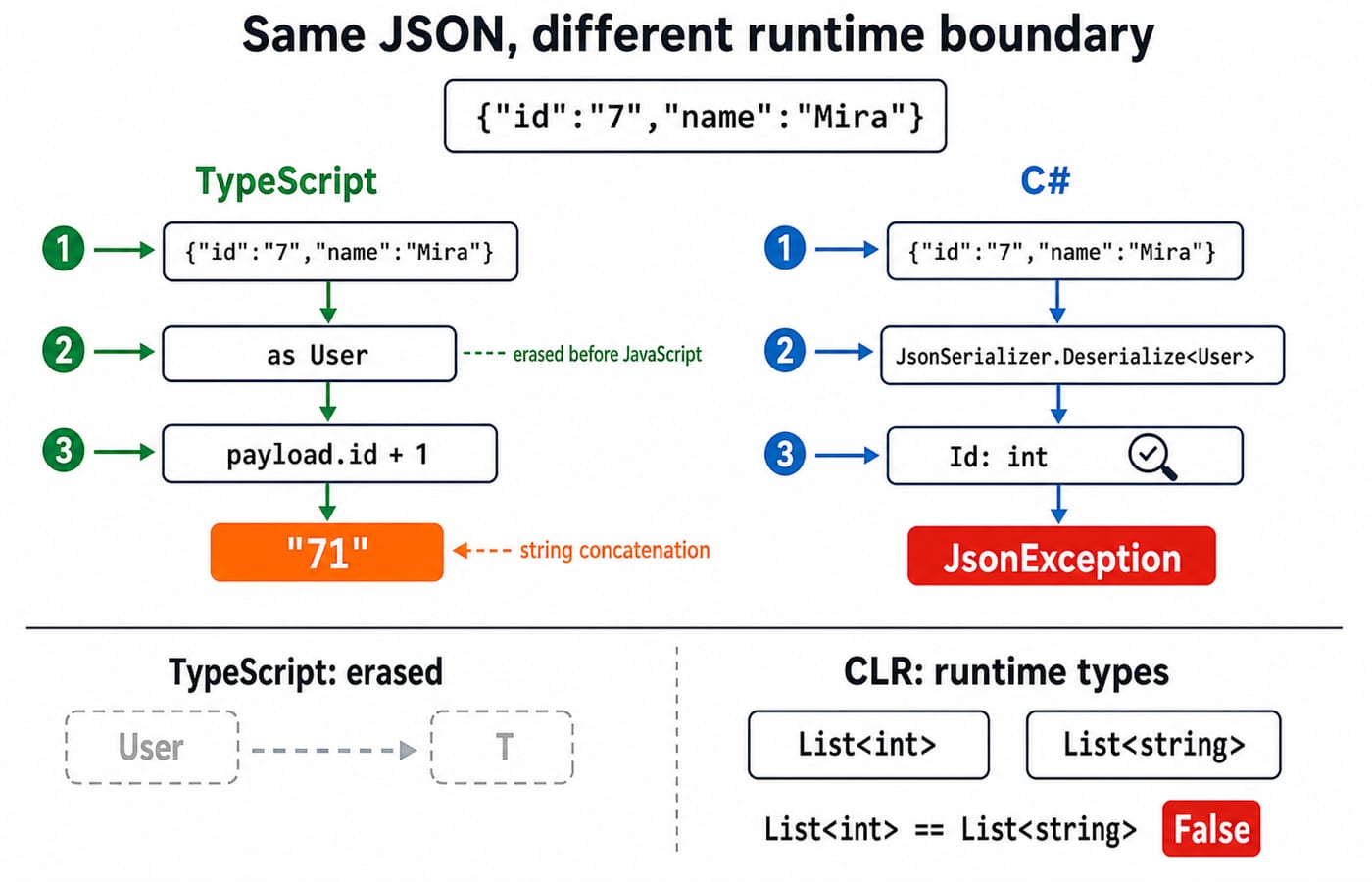
7. Type-system questions and code-review traps: predict before running
Use the same decision process in an interview, test, or review:
Case | Prediction |
|---|---|
TypeScript stored | Compiles |
TypeScript fresh literal with | Excess-property error |
Independent C# | CS0029 |
TypeScript asserted JSON, then | Compiles and prints |
Default C# deserialisation of quoted | Throws |
Four traps stand out: confusing excess-property checks with nominal typing, treating as as conversion, accepting matching C# members as interface implementation, and assuming all generics erase like TypeScript.
For a new example, ask: what relationship does the compiler see, is the value fresh or stored, how is the parameter used, and what remains at runtime?
8. TypeScript vs C# typing: the short version and next step
TypeScript usually asks whether the shape fits. C# asks which declared identity or conversion connects the types. Brands add nominal friction to TypeScript. Runtime input needs a real check.
For cross-language practice, Coding For Placements covers C, C++, Java, and Python, not TypeScript or C#. The Coding & Skills category is the broader route for other programming topics.
Exercise: rename Admin to Vendor, keep { id: 7, name: "Mira" }, and predict both assignments. Change JSON id from "7" to 7. Explain why the result changes from "71" to 8 without changing the interface.
Keep learning

TypeScript Learning Roadmap: 20 Weeks from Everyday Types to a Full-Stack App
Follow a dependency-led TypeScript plan through BudgetLens, IssueBoard and TaskBoard, with exact weekly gates, strict checks and tested API boundaries.
Updated 28 Sep 20265 min readProgramming Languages Survey

Static vs Dynamic Typing: Errors, Feedback Loops and Refactoring Flexibility
Follow one OrderLine model from an integer price to an INR Money value. See what Java catches during checking, what Python reveals during execution, and what both still need tests to prove.
Updated 25 Sep 20265 min readProgramming Languages Survey

Kotlin vs C#: Compare Null Safety, Async Models, Ecosystems and Platform Fit
Compare Kotlin and C# by building the same packing model in both. See how their managed runtimes, null checks, async behaviour and ecosystems differ.
Updated 24 Sep 20266 min readProgramming Languages Survey

C# vs C++: Managed .NET, Native Control, and the Trade-offs That Matter
Compare one component in C# and C++, then use its lifetime, generic, build, and interop behaviour to choose the right model for your software.
Updated 23 Sep 20266 min readProgramming Languages Survey