

Python Scope and Flow Explained: Worked Examples and Exam Question Patterns
Learn to separate Python name resolution from execution order with a nested-function trace, an UnboundLocalError repair, module examples, and exam-style checks.
KnowledgeGate Team
Exam prep & CS education
Updated 16 Nov 20266 min read
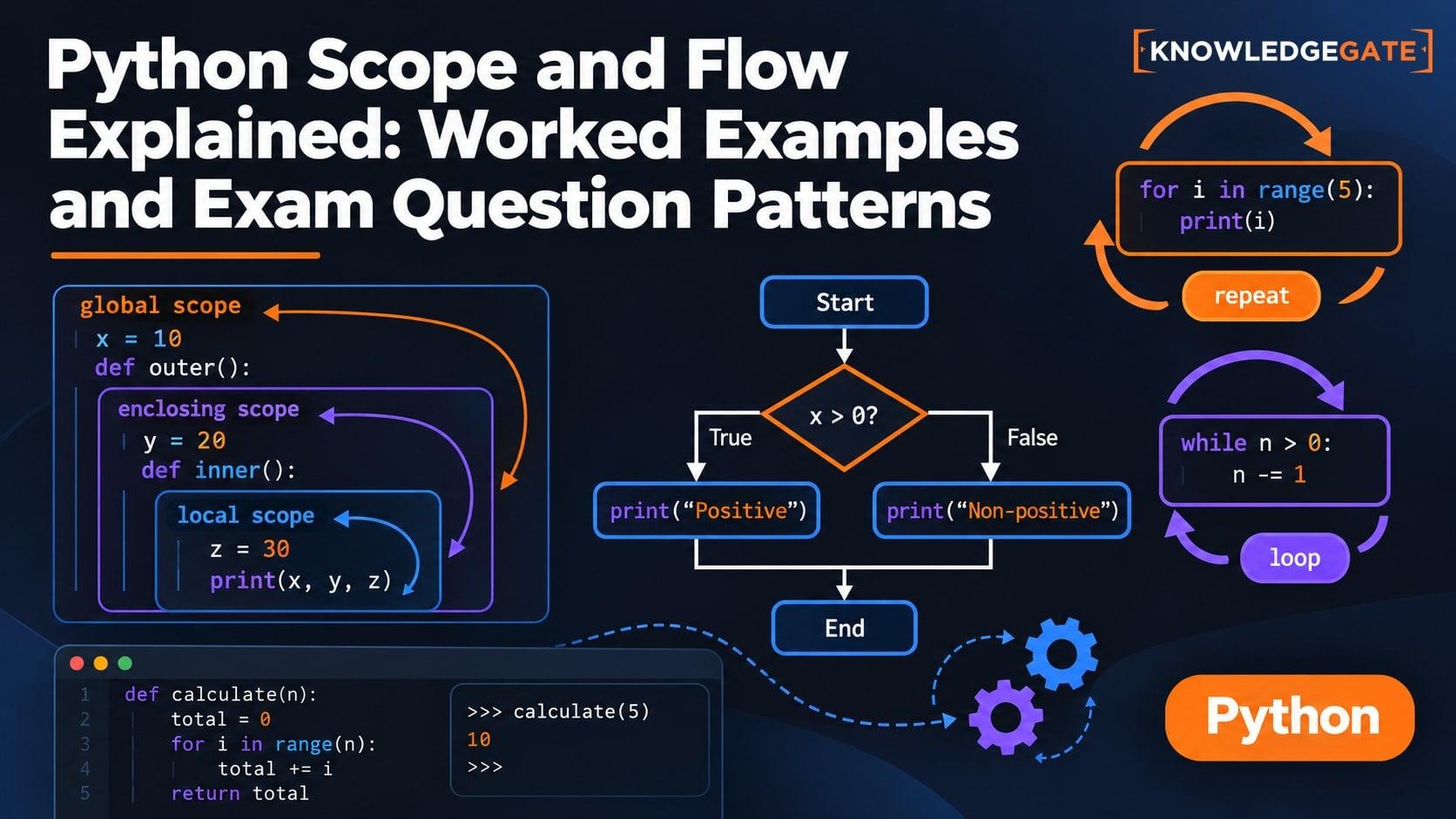
A name may be visible inside a function and still raise an error if the function assigns to that name later. Meanwhile, an if branch changes execution flow without creating another scope. Scope decides which binding a name refers to; flow decides which statement runs next.
Begin with rate = 2 and total = 10, then follow add(3) and add(4) without skipping a state change. The Coding & Skill Development Courses page groups the broader Python, C, Java and DSA learning paths.
Scope chooses the name; flow chooses the next statement
A scope is the region in which Python can resolve a binding. Control flow is the order in which statements, branches, function calls, and returns execute. The ideas interact, but they answer different questions.
For name resolution, remember LEGB: Local names in the current function, Enclosing names in outer functions, Global names in the module, and Built-in names. Before tracing any read, first mark every global and nonlocal declaration. Then circle every name assigned anywhere in that function. This pre-check prevents many wrong answers.
A function call creates a local namespace. An if, else, for, or while suite does not create a separate block scope. A branch can therefore decide whether a function-local name receives a value, but it does not change which scope owns that name.
Worked example: resolve four scopes in one nested call
Consider this exact program:
rate = 2

def outer(start):
    total = start

    def add(step):
        nonlocal total
        if step % 2 == 0:
            bonus = rate
        else:
            bonus = 0
        total = total + step + bonus
        return total

    first = add(3)
    second = add(4)
    return first, second, total

print(outer(10))
print(rate)
Its exact output is:
(13, 19, 19)
2
Inside add, step and bonus are local. total is the nearest enclosing binding, and nonlocal makes that binding writable. rate resolves to the module global. When the final calls run, print is found among the built-ins.
In outer, start, first, and second are local. The call begins with start = 10 and total = 10. Updating the enclosing total does not rebind the global rate, so the second printed line remains 2.
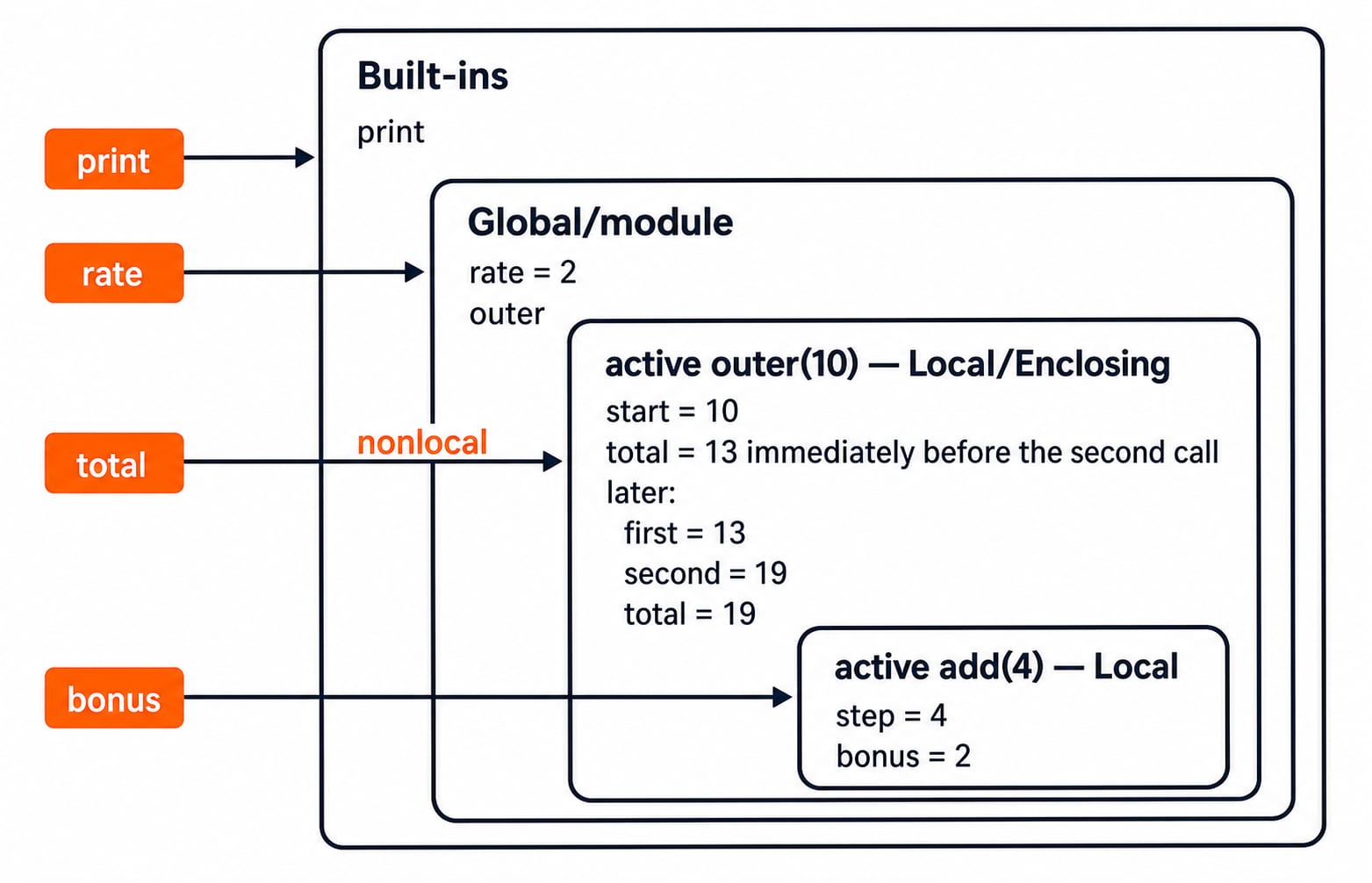
Trace the flow and compute (13, 19, 19) step by step
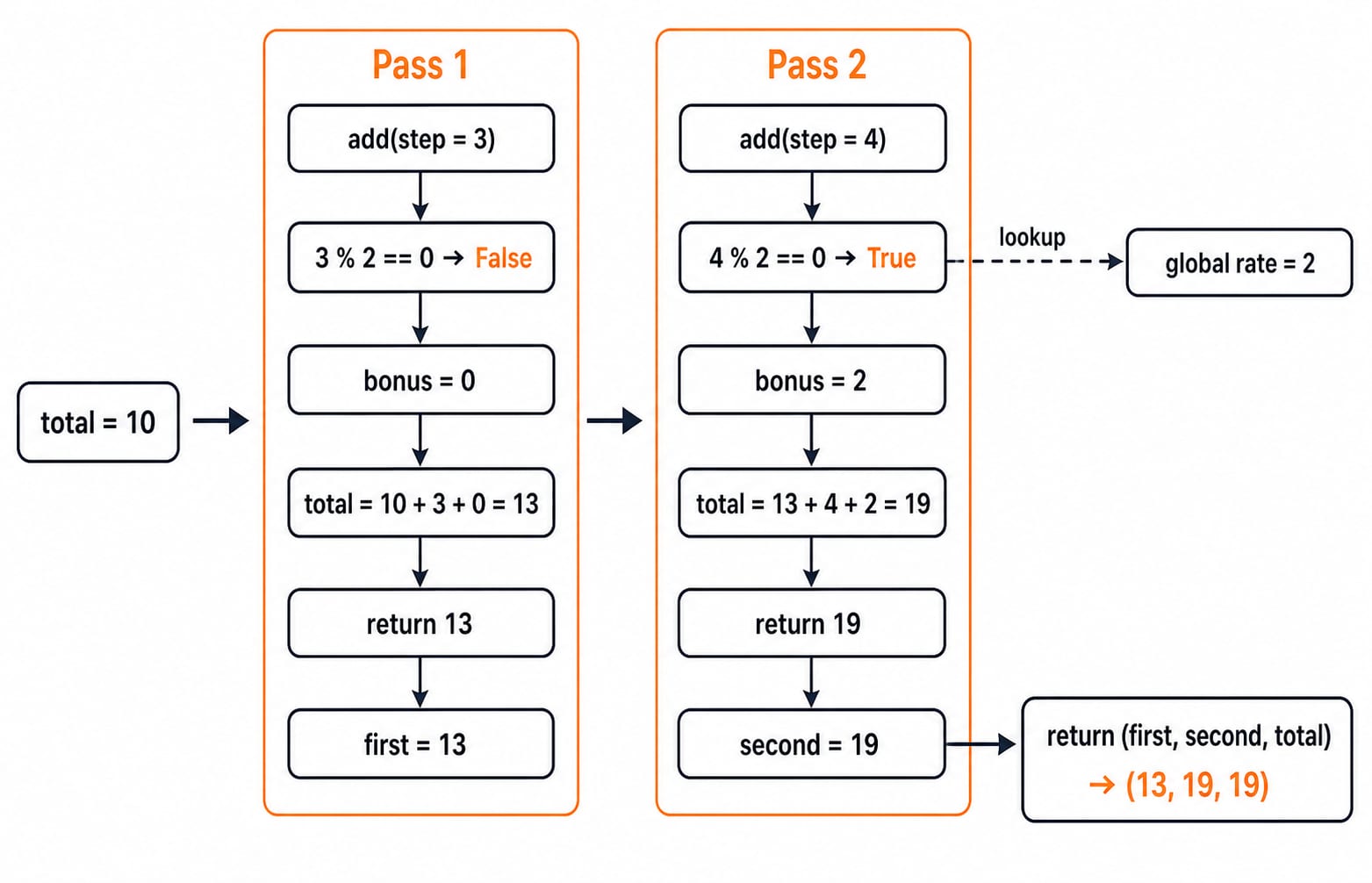
Now follow execution in order. The same total binding in outer carries its updated value into the second call.
call | test | bonus | total before | calculation | returned |
|---|---|---|---|---|---|
|
|
| 10 |
| 13 |
|
|
| 13 |
| 19 |
After the first call, first becomes 13. After the second, second becomes 19, while the enclosing total also holds 19. Therefore, outer(10) returns (first, second, total), which is (13, 19, 19).
Notice the division of work. Flow selects the else assignment during add(3) and the if assignment during add(4). Scope resolves rate to the global value 2 and makes nonlocal total target the binding in outer. Flow chooses an assignment; scope chooses its target and the sources on its right-hand side.
Why a later assignment can make an earlier read fail
This compact example catches many learners:
count = 4

def broken():
    print(count)
    count = count + 1

broken()
The result is UnboundLocalError. The reason is not merely that execution reaches print first. Because count is assigned anywhere in broken and has no global or nonlocal declaration, Python treats it as local throughout that function body. print(count) tries to read that local binding before it has a value. The global count = 4 is not used for this read.
Passing and returning a value is often the clearest repair:
def bump(value):
    return value + 1

count = bump(count)
print(count)
This prints 5. A global count declaration would instead target the module binding. A nonlocal count declaration is valid only when count already exists in an enclosing function scope. Neither declaration is necessary when an explicit returned value communicates the data flow more clearly.
Module scope: attribute updates are not local rebinding
Suppose settings.py contains only:
limit = 5Now main.py contains:
import settings

copied = settings.limit
copied += 2
print(copied)
print(settings.limit)

settings.limit += 2
print(settings.limit)
The three output lines are 7, 5, and 7. First, copied receives the current integer value of settings.limit. The statement copied += 2 rebinds the name copied in main.py; it does not change the separate module attribute, so settings.limit is still 5.
The later statement settings.limit += 2 explicitly reads and writes the attribute in the imported module's namespace, making it 7. Importing binds the module object name settings in the importing module. Dotted access such as settings.limit is attribute lookup, which must be kept distinct from LEGB lookup of the bare name limit.
Four scope-and-flow traps that cost marks
Each trap becomes manageable when you identify the binding before following the branch or call.
trap | what happens | repair |
|---|---|---|
Assuming an | After | Treat |
Assigning in only one branch | In | Add an |
Shadowing a built-in | After | Use a name such as |
Confusing mutation with rebinding | Inside a function, | Trace the object and the binding separately. No |
Do not replace this reasoning with the slogan that Python passes by reference. Track the object being changed and the name being rebound in the exact example.
How exam-style questions test scope and flow
Common question forms ask you to predict output from nested calls, classify a name as local, enclosing, global, or built-in, locate an UnboundLocalError, or distinguish rebinding a copied name from updating a module attribute.
For a quick solving method, box each function and module namespace. Circle assignments, annotate global and nonlocal, and resolve every read with LEGB. Only then follow branches and calls in execution order. In the running example, the self-check is 10 -> 13 -> 19, tuple (13, 19, 19), and global rate still 2.
Continue with Python Output-Based Questions: 13 Solved Snippets for adjacent practice on bindings and mutation. The Introduction to Python: Core Concepts, Worked Trace and Exam Patterns article connects syntax, types, loops and mutation in one foundation trace; the outer/add program isolates LEGB lookup, nonlocal updates, UnboundLocalError, and module attributes.
Python scope and flow: the short version and next step
Keep five rules together: scope resolves names; flow orders statements; assignment normally makes a name local to its function; nonlocal targets the nearest enclosing function binding; a module attribute update differs from rebinding a local copy. Reproduce the two-call trace until you can explain why the outputs are (13, 19, 19) and 2.
Use Python: Concepts, MCQs, Coding Questions for the broader functions and modules sequence. When you are ready to apply Python to data structures and problem solving, continue to DSA Using Python.
Keep learning
Python Dictionaries Explained: Keys, Methods, Worked Examples and Exam Traps
Learn how Python dictionaries store, retrieve and mutate values. Trace a complete frequency counter, then practise the membership, aliasing and duplicate-key traps that make output questions tricky.
Updated 18 Nov 20265 min readPython
Python Conditional Statements Explained: if, elif, else, Nested Logic and Worked Examples
Learn a reliable way to trace Python branches, from Boolean expressions and short-circuiting to nested decisions, truthiness, boundary checks, and a complete scholarship classifier.
Updated 17 Nov 20266 min readPython
Asyncio in Python: Event Loops, Coroutines and Runnable Examples
Build a clear mental model of Python's event loop, then run two dependency-free examples covering concurrent waits, result ordering, timeouts and cleanup.
Updated 15 Nov 20266 min readPython
Python Memory Model and Garbage Collection: References, Cycles, and Profiling
Build a practical model of Python references, then trace aliases, collect a two-object cycle, and measure allocation growth by line.
Updated 15 Nov 20265 min readPython