

Python Dictionaries Explained: Keys, Methods, Worked Examples and Exam Traps
Learn how Python dictionaries store, retrieve and mutate values. Trace a complete frequency counter, then practise the membership, aliasing and duplicate-key traps that make output questions tricky.
KnowledgeGate Team
Exam prep & CS education
Updated 18 Nov 20265 min read
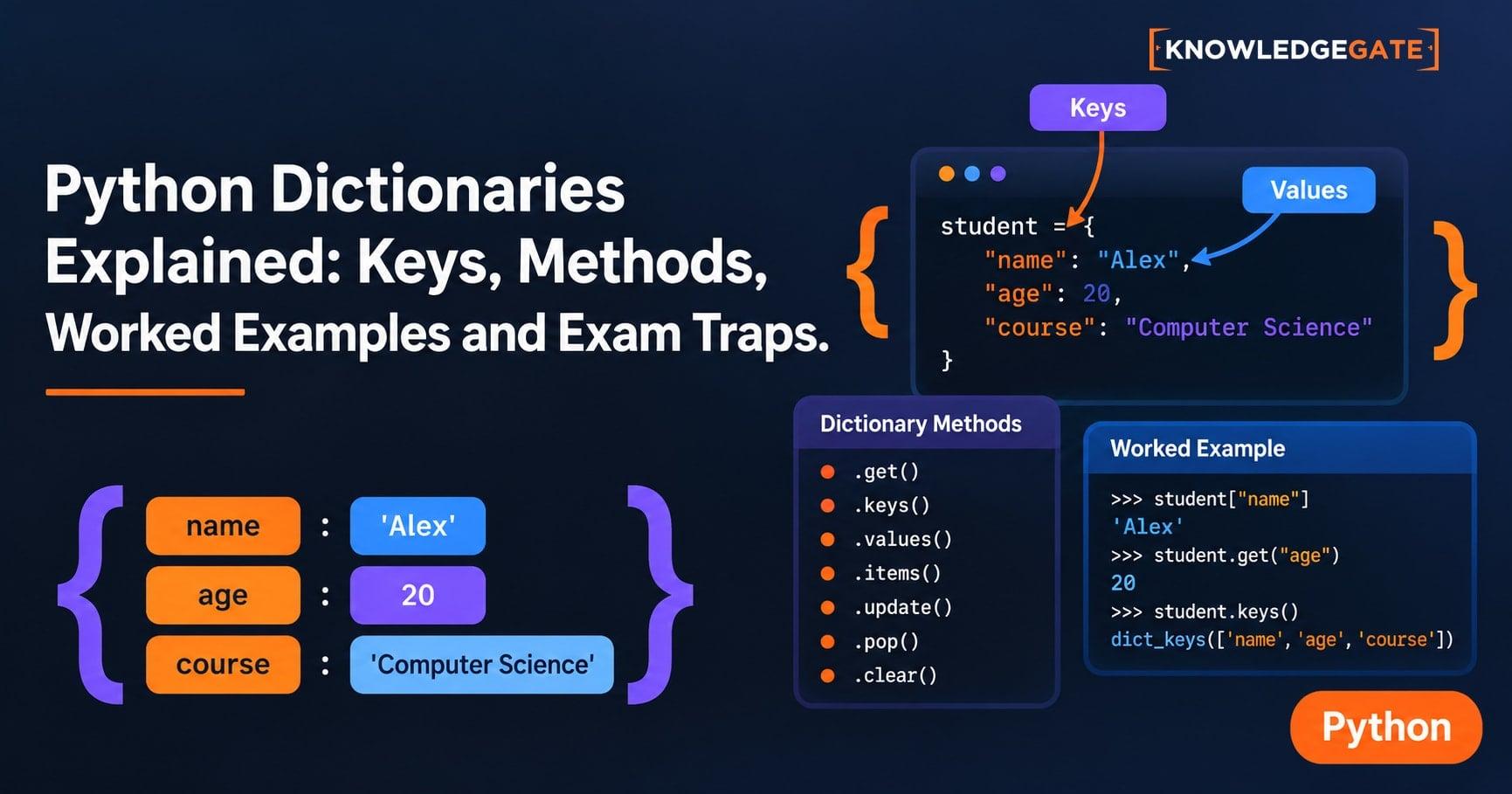
Dictionary output questions become difficult when duplicate keys, get(), membership and mutation interact. Use the earlier Python Dictionaries Tutorial for beginner syntax, the method catalogue and its complete marks-processing program. Output questions demand the next skill: record each state change, separate keys from values, and track object identity. The Coding & DSA category places this skill in the broader problem-solving route.
1. Python dictionaries: keys identify values
A dictionary is a mutable mapping from a unique key to a value. Start with:
student = {"name": "Meera", "marks": 78, "attempts": 2}Read each pair as a relationship: "name" identifies "Meera", "marks" identifies 78, and "attempts" identifies 2. The lookup student["marks"] asks by meaning, while items[1] asks by position. Choose a dictionary when labels matter more than positions.
A key occurs only once, and assigning it again replaces its old value. Keys must be hashable. location = {(2, 3): "library"} is valid, but [2, 3] cannot be a key because a list is mutable and unhashable.
Values need not be unique and may be numbers, strings, lists or other dictionaries. Python implements key lookup through hashing, but this dictionary-level model does not depend on a particular table layout or collision strategy.
2. Create, read, update and delete without guessing
Trace one complete change of state:
marks = {"Asha": 72, "Bilal": 81}
marks["Asha"]              # 72
marks["Asha"] = 80
marks["Dev"] = 65
removed = marks.pop("Bilal")
The lookup reads 72. Next, Asha's value becomes 80, Dev is inserted with 65, and pop("Bilal") removes Bilal and returns 81, so removed = 81.
The final dictionary is {"Asha": 80, "Dev": 65}. Therefore len(marks) = 2, and sum(marks.values()) = 80 + 65 = 145.
Direct indexing assumes that a key exists. marks["Kabir"] raises KeyError, while marks.get("Kabir", 0) returns 0. It inserts nothing: "Kabir" in marks remains False, and len(marks) remains 2. get() is a guarded read, not an update.
pop(key) removes a named key and returns its value. del d[key] removes it without returning the value. clear() empties the dictionary.
3. Keys, values, items and iteration answer different questions
For stock = {"pen": 12, "book": 5, "eraser": 9}, stock.keys() gives the key view, stock.values() gives 12, 5, 9, and stock.items() gives key-value pairs. Since 12 + 5 + 9 = 26, sum(stock.values()) returns 26.
Use items() when both parts are needed:
for item, qty in stock.items():
    print(item, qty)
The loop prints pen 12, book 5 and eraser 9 on successive lines, in insertion order. Iterating over stock alone yields keys, so item is a key, not a quantity.
Dictionaries can nest. Given records = {"R1": {"name": "Meera", "marks": 78}, "R2": {"name": "Arun", "marks": 84}}, records["R2"]["marks"] is 84. Read outside in: select R2, then its marks field.
4. Worked example: build a word-frequency dictionary step by step
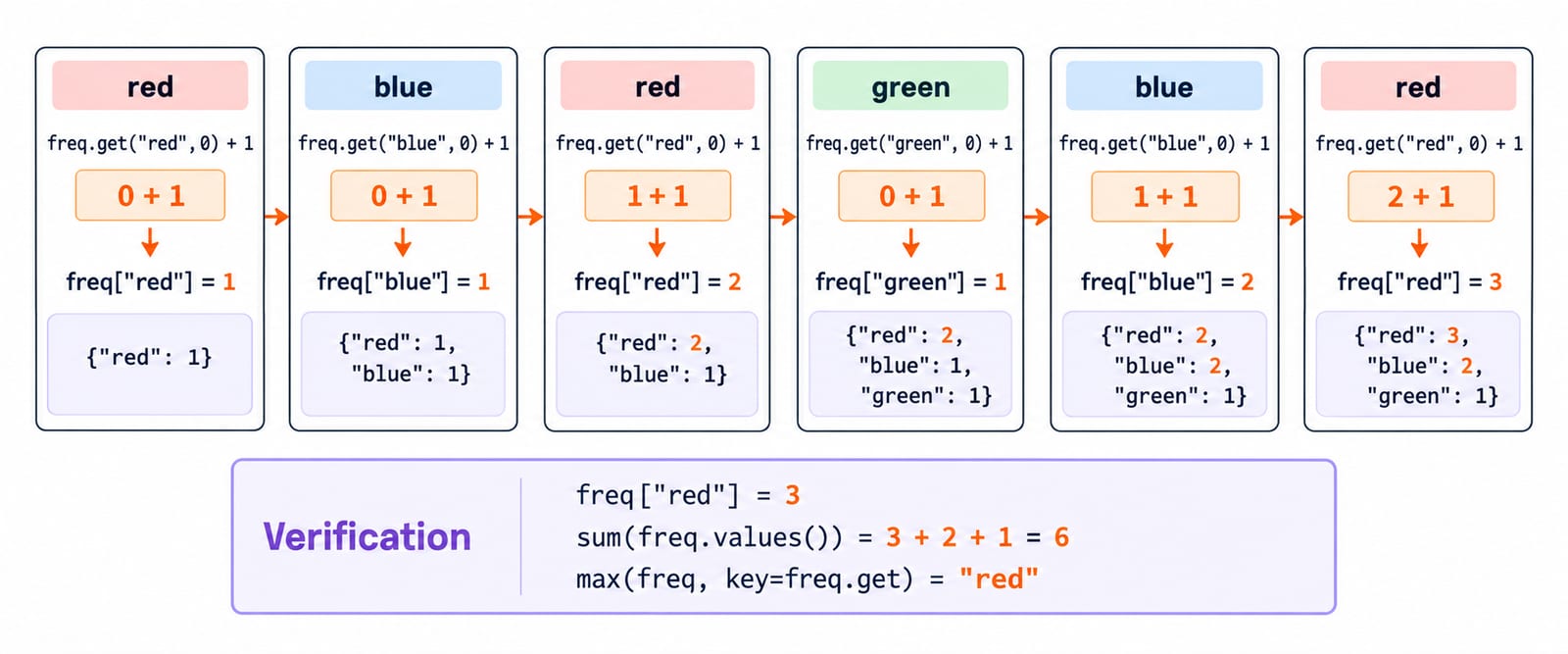
Here is a reusable frequency-counting program:
words = ["red", "blue", "red", "green", "blue", "red"]
freq = {}
for word in words:
    freq[word] = freq.get(word, 0) + 1
Read the right-hand side first: take the current count or 0, add 1, then store the result under that word.
Step | Current word and calculation | Dictionary after assignment |
|---|---|---|
1 |
|
|
2 |
|
|
3 |
|
|
4 |
|
|
5 |
|
|
6 |
|
|
Check it three ways: freq["red"] = 3; sum(freq.values()) = 3 + 2 + 1 = 6, matching the six words; and max(freq, key=freq.get) = "red" because 3 is uniquely largest. The pattern also counts characters, votes, categories and occurrences.
5. Dictionary traps: duplicate keys, membership, aliases and mutation
Start with a repeated-key and membership trace:
d = {"a": 1, "b": 2, "a": 5}
print(len(d), d["a"], "b" in d, 2 in d)
The exact output is 2 5 True False. The later "a": 5 replaces "a": 1, leaving two keys. Since in checks keys, "b" in d is true and 2 in d is false. For values, 2 in d.values() is True.
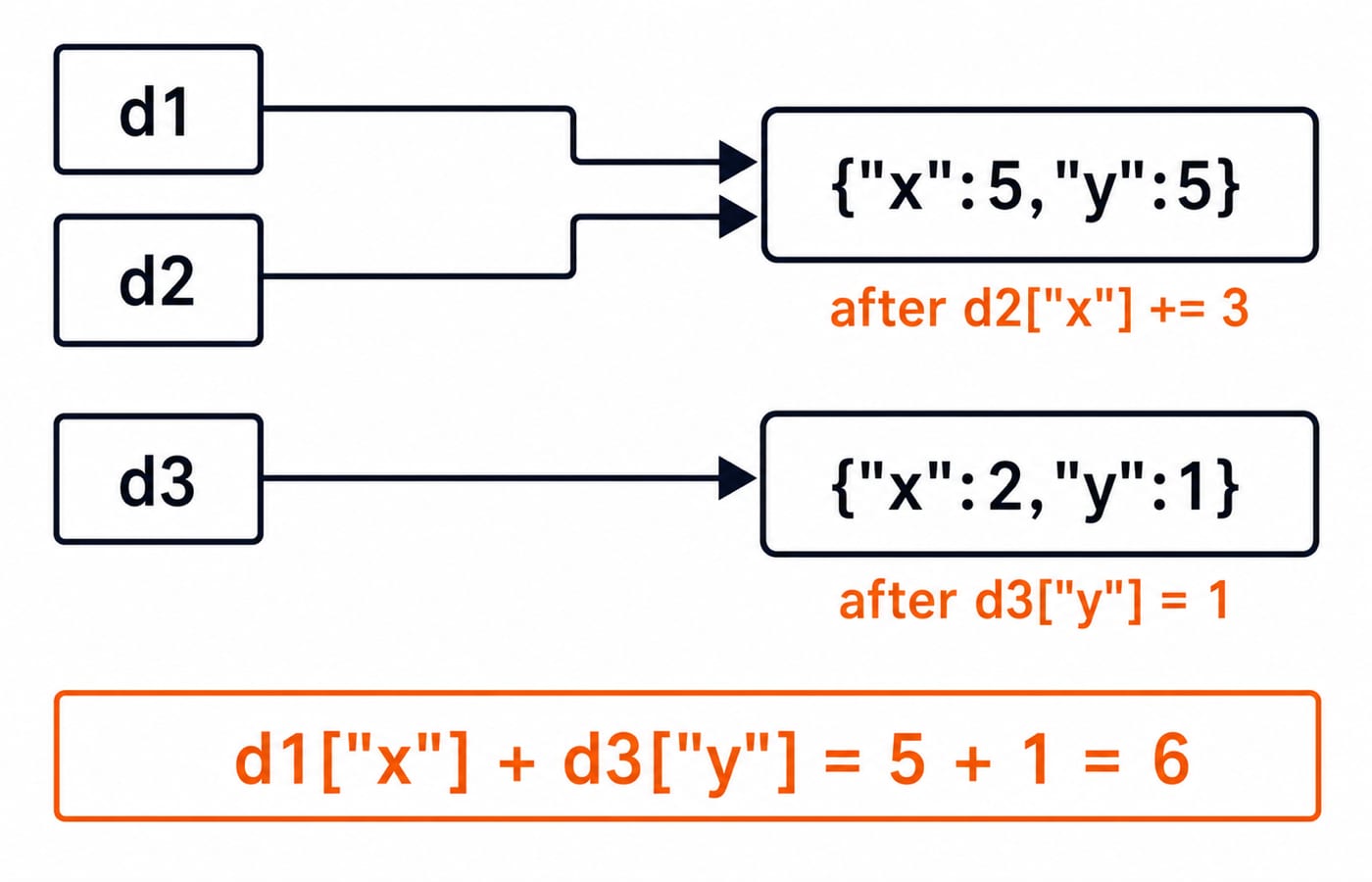
Now separate an alias from a copy:
d1 = {"x": 2, "y": 5}
d2 = d1
d3 = d1.copy()
d2["x"] += 3
d3["y"] = 1
d1 and d2 name the same dictionary, so both show {"x": 5, "y": 5} after the mutation. copy() creates a separate shallow copy, so d3 shows {"x": 2, "y": 1}. Thus d1["x"] + d3["y"] = 5 + 1 = 6.
Adding or removing keys while looping over the same dictionary can raise a runtime error because its size changes. For deliberate deletion, loop over list(d). Updating an existing value does not change dictionary size, but still trace the state after every statement.
6. How exams and output questions test Python dictionaries
Exam-style traces combine repeated-key output, key-versus-value membership, get() defaults, updates and deletions, frequency tables, nested lookups, and alias versus copy. Python Output-Based Questions is a tracing companion for lists, slicing and mutability; dictionary questions apply the same state-table habit to mappings.
Use this four-check routine:
Write the current dictionary after each mutation.
Circle every repeated key.
Label each
intest as a check of keys, values or items.Draw arrows when two variables may name the same object.
For a rapid check, explain each field in 2 5 True False: two keys remain, 5 is the replacement value, "b" is a key, and value 2 is not a key.
To test the rule rather than memorise one output, replace the duplicate value 5 with 7 and predict the line again. The result is 2 7 True False.
7. Python dictionaries: the short version and next step
Keep these five facts ready for retrieval:
Dictionaries map unique, hashable keys to values.
Assignment to an existing key replaces its value.
get(key, default)reads safely without inserting.inchecks keys unless a view such asvalues()is named.Aliases share mutations, while a shallow copy is a separate outer dictionary.
The worked invariant is red: 3, blue: 2, green: 1, totalling 6.
For a five-minute exercise, build counts from nums = [4, 2, 4, 3, 2, 4] with get(). The answer is {4: 3, 2: 2, 3: 1}, counts.get(5, 0) = 0, and sum(counts.values()) = 3 + 2 + 1 = 6.
If you need the language in a sequenced path, use Python Programming. When you are ready to apply mappings inside larger problem-solving tasks, continue to DSA Using Python.
Keep learning

Python Conditional Statements Explained: if, elif, else, Nested Logic and Worked Examples
Learn a reliable way to trace Python branches, from Boolean expressions and short-circuiting to nested decisions, truthiness, boundary checks, and a complete scholarship classifier.
Updated 17 Nov 20266 min readPython
Python Scope and Flow Explained: Worked Examples and Exam Question Patterns
Learn to separate Python name resolution from execution order with a nested-function trace, an UnboundLocalError repair, module examples, and exam-style checks.
Updated 16 Nov 20266 min readPython

Asyncio in Python: Event Loops, Coroutines and Runnable Examples
Build a clear mental model of Python's event loop, then run two dependency-free examples covering concurrent waits, result ordering, timeouts and cleanup.
Updated 15 Nov 20266 min readPython

Python Memory Model and Garbage Collection: References, Cycles, and Profiling
Build a practical model of Python references, then trace aliases, collect a two-object cycle, and measure allocation growth by line.
Updated 15 Nov 20265 min readPython