

SQL Datatypes, Operators and NULL: Worked Examples and Three-Valued Logic
Use one four-row Employee table to master SQL type choices, operator precedence, NULL, three-valued logic, COALESCE and aggregate outputs step by step.
KnowledgeGate Team
Exam prep & CS education
Updated 9 Sep 20265 min read
A learner may know the names of SQL types and operators but still lose an output question because NULL changes both arithmetic and Boolean conditions. Across the four Employee rows, type choices determine stored values, operator precedence changes arithmetic results, and nullable operands produce unknown or null results. SQL concepts are portable, but database systems can differ in type names, string concatenation, integer division and implicit conversion.
Related reading: SQL WHERE filtering and SQL queries and joins.
SQL datatypes define the values a column can hold
The Employee table has the following schema:
CREATE TABLE Employee (
    emp_id INTEGER PRIMARY KEY,
    name VARCHAR(20) NOT NULL,
    salary DECIMAL(8,2),
    bonus DECIMAL(8,2),
    joined_on DATE,
    status CHAR(1)
);
INTEGER stores whole numbers. VARCHAR(20) stores variable-length text up to 20 characters. DECIMAL(8,2) allows eight total decimal digits, with two after the decimal point, so 999999.99 fits but 1000000.00 does not. DATE stores a calendar date, while CHAR(1) stores one fixed-length character.
NOT NULL is a constraint, not a datatype. It requires a value for name. NULL is a marker for missing or unknown information, also not a datatype.
The Employee table contains these rows:
emp_id | name | salary | bonus | joined_on | status |
|---|---|---|---|---|---|
101 | Asha | 60000.00 | 8000.00 | 2024-01-15 | A |
102 | Bharat | 54000.00 | NULL | 2023-08-01 | A |
103 | Chitra | 48000.00 | 6000.00 | 2022-11-20 | I |
104 | Dev | NULL | 4000.00 | 2024-03-10 | A |
The dates use ISO form; insertion syntax varies by database dialect. To place SQL and DBMS inside a wider revision plan, use the GATE CS Exam Preparation subject page.
SQL operators: arithmetic, comparison and logical evaluation
Operator class | Operators |
|---|---|
Arithmetic |
|
Comparison |
|
Logical |
|
Use IS NULL and IS NOT NULL to test the null marker. %, string concatenation and implicit string-to-number conversion vary by dialect, so do not treat them as universal.
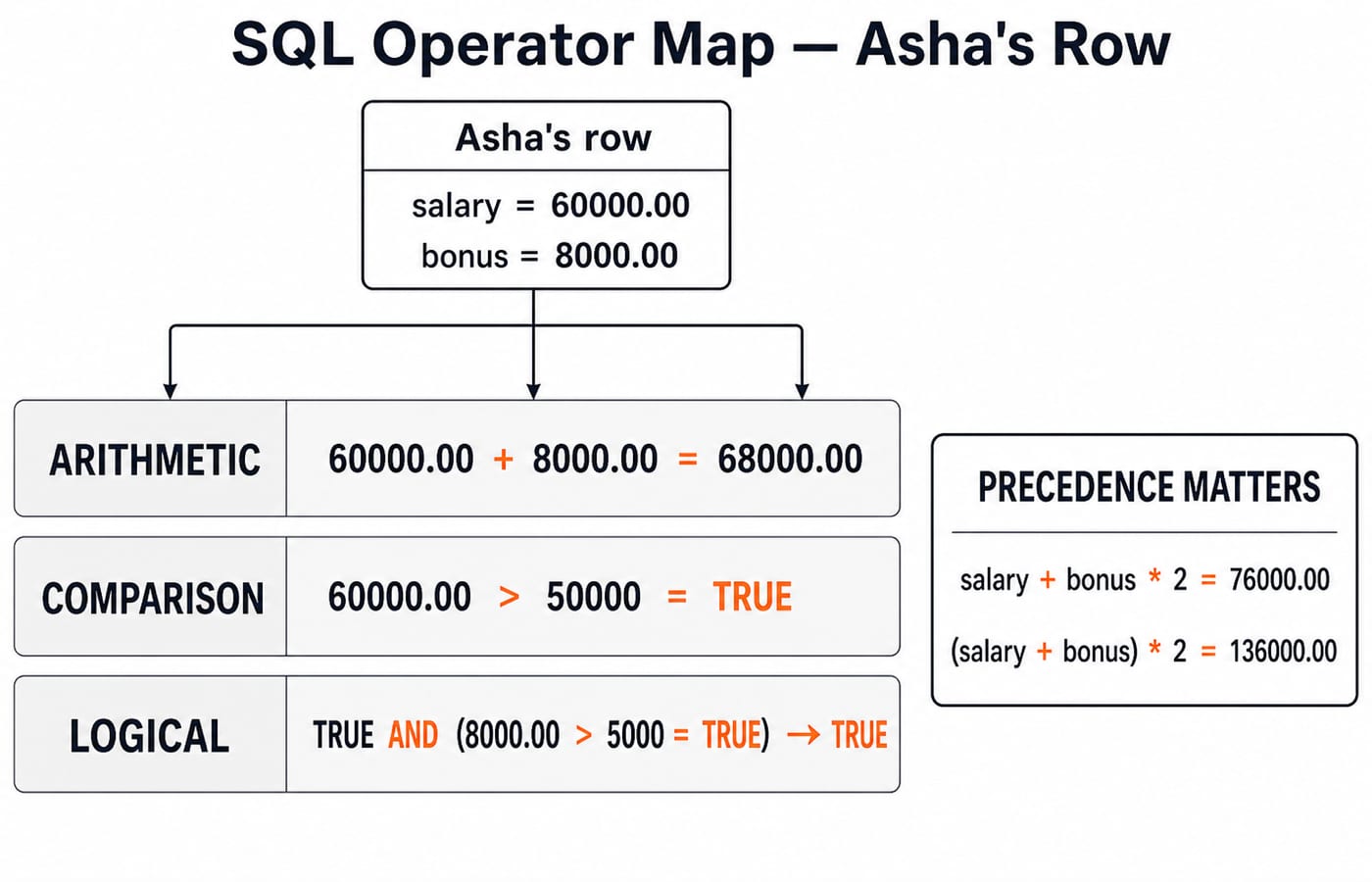
Precedence matters. With Asha's values, multiplication happens before addition:
salary + bonus * 2 = 60000.00 + (8000.00 * 2) = 76000.00
Parentheses change the order:
(salary + bonus) * 2 = (60000.00 + 8000.00) * 2 = 136000.00
Parentheses make intent visible and prevent a precedence mistake in an output question.
SQL NULL creates three-valued logic
NULL means unknown, missing or not applicable according to the data model. It is not zero, an empty string or the text 'NULL'. Equality needs two known values, so bonus = NULL evaluates to UNKNOWN for every row, including Bharat's. By contrast, bonus IS NULL is TRUE only for Bharat.
The minimum truth rules are:
TRUE AND UNKNOWN = UNKNOWNFALSE AND UNKNOWN = FALSETRUE OR UNKNOWN = TRUEFALSE OR UNKNOWN = UNKNOWNNOT UNKNOWN = UNKNOWN
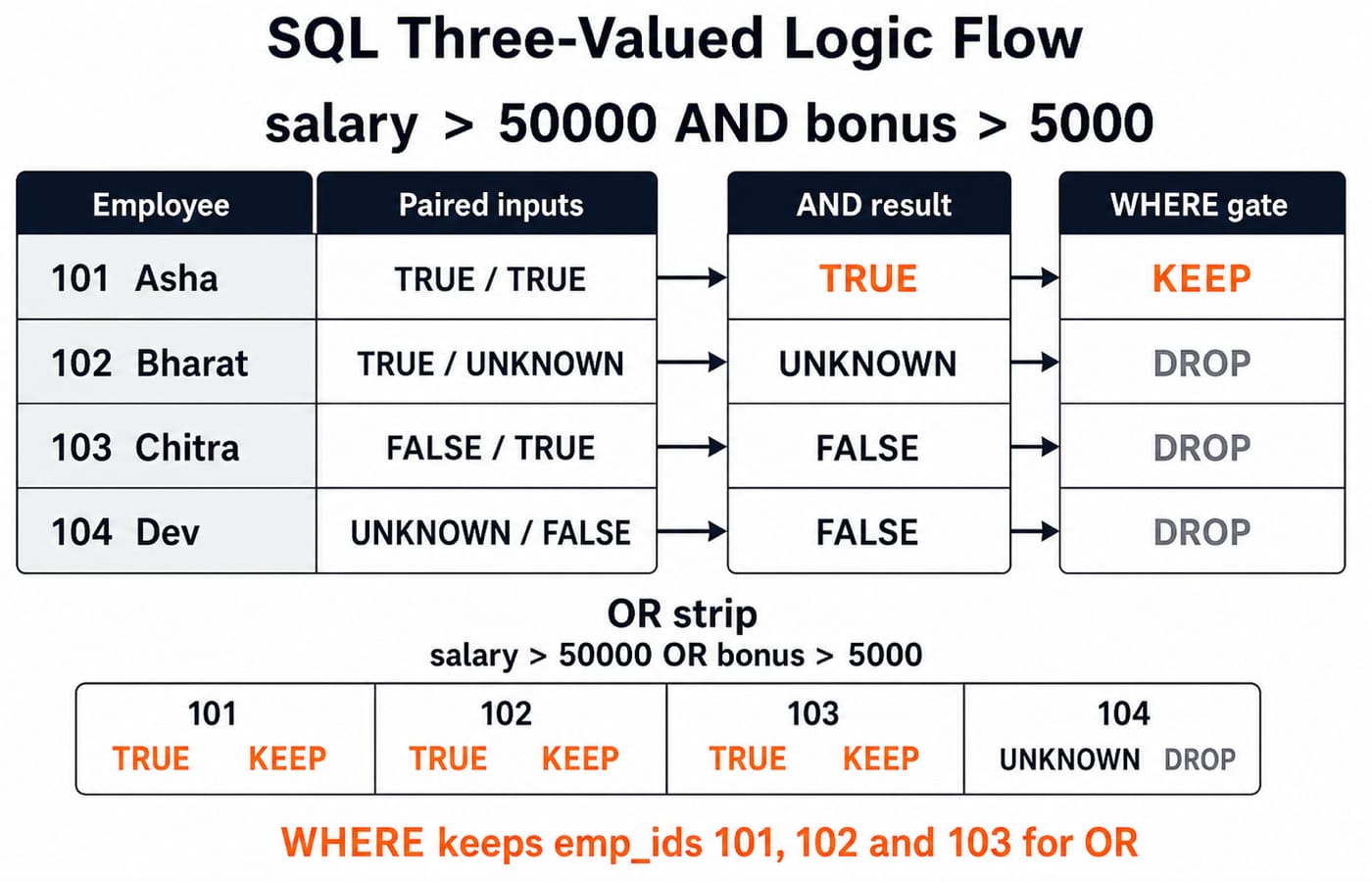
A WHERE clause keeps only rows whose predicate is TRUE. It filters out both FALSE and UNKNOWN. It does not convert UNKNOWN into FALSE, even though both outcomes are rejected by the filter.
SQL WHERE with NULL: work the predicate row by row
Consider this exact query:
SELECT emp_id, name
FROM Employee
WHERE salary > 50000 AND bonus > 5000;
Employee |
|
| AND result | Returned? |
|---|---|---|---|---|
101 Asha | TRUE | TRUE | TRUE | Yes |
102 Bharat | TRUE | UNKNOWN | UNKNOWN | No |
103 Chitra | FALSE | TRUE | FALSE | No |
104 Dev | UNKNOWN | FALSE | FALSE | No |
Asha gives TRUE AND TRUE = TRUE. Bharat gives TRUE AND UNKNOWN = UNKNOWN. Chitra gives FALSE AND TRUE = FALSE. Dev gives UNKNOWN AND FALSE = FALSE. The final output is only (101, Asha).
Now replace AND with OR in the predicate:
Employee | OR evaluation | Final result |
|---|---|---|
101 Asha |
| TRUE |
102 Bharat |
| TRUE |
103 Chitra |
| TRUE |
104 Dev |
| UNKNOWN |
The OR query returns emp_ids 101, 102, 103, not 104.
SQL arithmetic with NULL and COALESCE
Compute both expressions for every row:
SELECT emp_id,
       salary + bonus AS raw_total,
       salary + COALESCE(bonus, 0) AS payable_total
FROM Employee;
emp_id | raw_total | payable_total |
|---|---|---|
101 | 68000.00 | 68000.00 |
102 | NULL | 54000.00 |
103 | 54000.00 | 54000.00 |
104 | NULL | NULL |
For Bharat, 54000.00 + NULL is NULL, while replacing the unknown bonus with zero gives 54000.00. Dev still gets NULL because replacing only bonus cannot repair a null salary.
Null propagation is useful because an unknown operand should not produce an invented known answer. COALESCE(salary, 0) + COALESCE(bonus, 0) would produce 4000.00 for Dev, but that is correct only if the business rule genuinely treats an unknown salary as zero. COALESCE is a policy choice, not a harmless formatting trick.
SQL aggregate functions and NULL
Across all four rows, COUNT(*) = 4 because it counts rows. COUNT(bonus) = 3, SUM(bonus) = 18000.00, and AVG(bonus) = 6000.00. Standard COUNT(*) counts rows, while COUNT(expression), SUM, AVG, MIN and MAX ignore null inputs.
The average is:
(8000.00 + 6000.00 + 4000.00) / 3 = 6000.00
Replacing the missing bonus with zero changes both the sum inputs and the denominator:
AVG(COALESCE(bonus, 0)) = (8000.00 + 0 + 6000.00 + 4000.00) / 4 = 4500.00
For more output tracing across SELECT, joins and subqueries, practise with SQL Query MCQs: 12 Solved (SELECT, Joins, Subqueries).
SQL NULL traps and common exam question shapes
Test these four traps before looking at the answer:
bonus = NULLreturns no row because every comparison isUNKNOWN.COUNT(bonus)is3, not4, because Bharat's null bonus is ignored.For Asha,
salary + bonus * 2gives76000.00, while(salary + bonus) * 2gives136000.00.5 NOT IN (2, NULL)expands conceptually to5 <> 2 AND 5 <> NULL. That becomesTRUE AND UNKNOWN = UNKNOWN, soWHEREdoes not keep the row.
Typical question shapes ask you to choose a valid literal for a declared type, apply operator precedence, trace AND or OR with UNKNOWN, distinguish IS NULL from = NULL, or compare COUNT(column) with COUNT(*). For each expression, write the intermediate truth value or numeric result before choosing an answer.
Use this five-step routine:
Mark nullable columns.
Evaluate arithmetic expressions.
Turn comparisons into
TRUE,FALSEorUNKNOWN.Apply the logical truth rules.
Retain only rows with a final
TRUEpredicate.
DBMS Normalization Explained Simply for GATE is a nearby DBMS concept lesson when you are ready to move beyond SQL expression tracing.
SQL datatypes, operators and NULL: the short version
Datatypes restrict column domains. Parentheses settle operator order. Ordinary comparison with NULL yields UNKNOWN, while IS NULL tests the marker. Arithmetic usually propagates null, and most aggregates ignore null inputs.
Recompute the AND, OR, raw-total and average outputs once without looking. For a structured GATE CS subject plan, continue with GATE Guidance by Sanchit Sir. If your immediate goal is DBMS and other core CS interview revision, use CS Fundamentals for Placements by Sanchit Sir.
Keep learning
Advanced Recovery Algorithms in DBMS: ARIES Worked Step by Step
Work through one ARIES crash from checkpoint analysis to repeating history and logged undo. Every pageLSN, recLSN, loser transaction and CLR is traced.
Updated 27 Oct 20265 min readDBMS
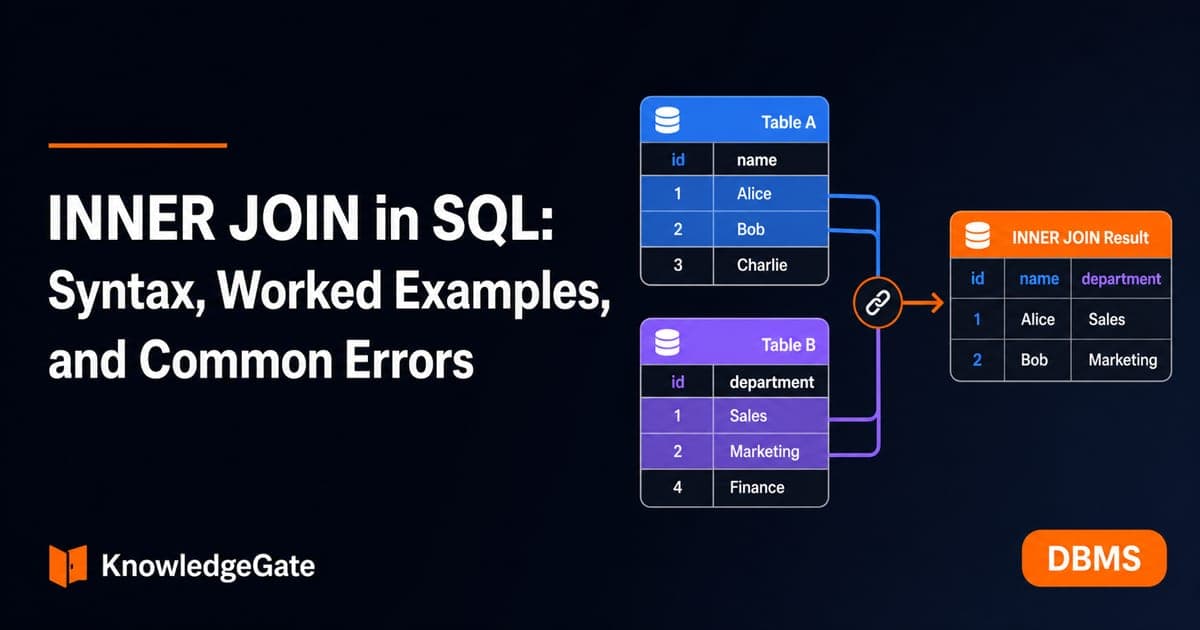
INNER JOIN in SQL: Syntax, Worked Examples, and Common Errors
Build INNER JOIN intuition with a customer-order dataset. Trace exact row matches, handle one-to-many results, extend to payments, and practise common interview patterns.
Updated 25 Oct 20266 min readDBMS
Types of Indexing in DBMS: Primary, Clustering, Secondary and Multilevel Examples
Learn how file order, uniqueness and entry coverage determine an index type. Two worked examples build index levels and count simplified block reads.
Updated 24 Oct 20266 min readDBMS
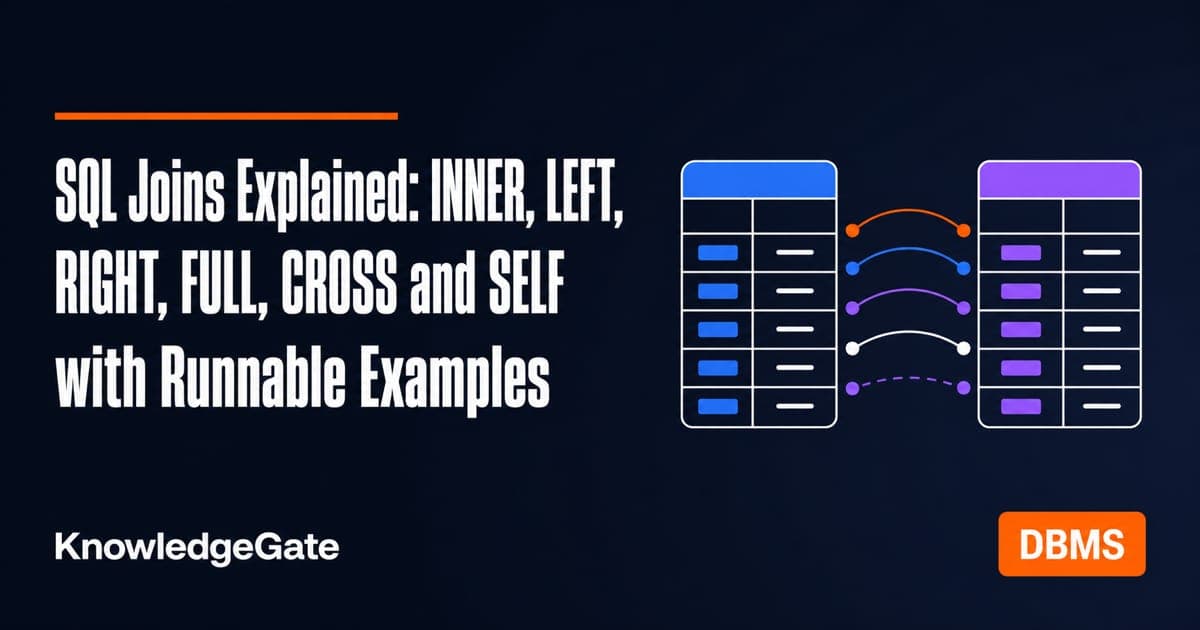
SQL Joins Explained: INNER, LEFT, RIGHT, FULL, CROSS and SELF with Runnable Examples
Trace all six SQL join types on one support-agent dataset, with runnable queries, exact outputs, NULL behaviour, row counts and filter-placement traps.
Updated 21 Oct 20265 min readDBMS