Computer Networks Hardware Basics: Devices, Domains and Worked Examples
Learn what hubs, switches, routers, gateways and access points actually do, then count network domains and trace frames through a two-LAN topology.
KnowledgeGate Team
Exam prep & CS education
Updated 6 Oct 20266 min read
Hub, switch, router, gateway and access point can look like a list to memorise, but the trouble begins when a question asks which traffic each device sees, what it forwards, or where one network domain ends. Network Hardware Basics for GATE CS builds the OSI-layer map and reaches 6 collision domains from five switched links plus one hub segment. The numbered topology reaches the same total as 3 + 3 across two switched LANs, then traces every ARP recipient, MAC-table update and routed frame. Keep the CS Fundamentals map beside you for wider revision.
Build the hardware map from the unit each device handles
Organise devices by what they understand. A repeater or hub works with signals and bits; a bridge or Layer 2 switch examines Ethernet frames and MAC addresses; a router examines IP packets and routes. These are clean exam models, although one box may combine several roles.
A collision domain is a set of Ethernet interfaces contending for one shared medium. A broadcast domain is the set reached by a Layer 2 broadcast before a router or VLAN boundary stops it. Each switch port is a separate collision domain; a hub and its attached devices share one; a router interface separates broadcast domains.
The ladder is: signal or bit, Ethernet frame with source and destination MAC, IP packet with source and destination IP, then transport segment or datagram. Upper-layer data remains encapsulated for the current link.
Compare repeater, hub, bridge and switch precisely
Device | What it reads | What it learns | Forwarding action | Domain effect |
|---|---|---|---|---|
Repeater | Signal | Nothing | Regenerates onward | Does not split either domain |
Hub | Bits | Nothing | Repeats to every other port | One shared collision domain |
Bridge | Source and destination MAC | Source MAC by segment | Filters between segments | One collision domain per port, one broadcast domain |
Switch | Source and destination MAC | Source MAC by port | Filters, forwards or floods | One collision domain per port, one broadcast domain per VLAN |
An empty switch receives a frame from MAC 00:00:00:00:00:C3 on port 3, learns C3 -> port 3, and floods the unknown destination. When 00:00:00:00:00:B2 replies on port 2, it learns B2 -> port 2. Later C3-to-B2 frames leave only through port 2. Ordinary broadcasts still flood within the VLAN.
Separate routers, gateways, NICs, modems and access points
A router connects IP networks, selects a routing-table next hop, does not forward normal Layer 2 broadcasts between interfaces, and replaces the outgoing link-layer header. A gateway is a broader role that may translate protocols. A host's default gateway is often a router interface, but the terms are not synonyms.
A NIC provides a link interface and link-layer identity. A modem adapts access-technology signalling. A wireless access point bridges wireless stations into a LAN; it is not automatically the Internet router.
Decision drill: extend a weak signal with a repeater; connect Ethernet hosts by MAC with a switch; move between 192.168.10.0/24 and 192.168.20.0/24 with a router; bridge Wi-Fi clients into the LAN with an access point.
Work the topology: count domains, then trace deliveries
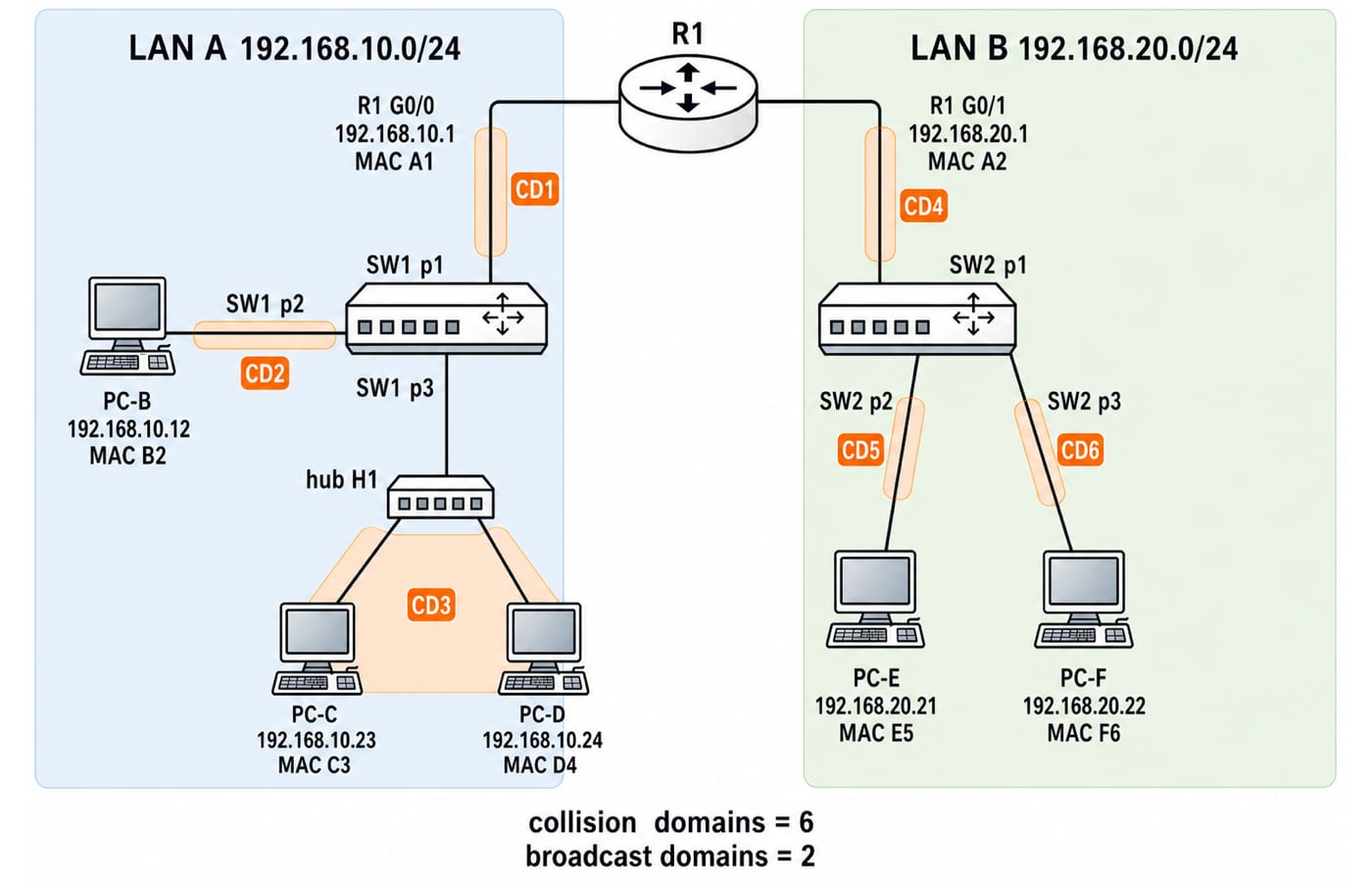
LAN A is 192.168.10.0/24. R1 G0/0 is 192.168.10.1, MAC 00:00:00:00:00:A1, on SW1 port 1. PC-B is 192.168.10.12, MAC 00:00:00:00:00:B2, on port 2. Port 3 leads to hub H1, which connects PC-C (192.168.10.23, MAC 00:00:00:00:00:C3) and PC-D (192.168.10.24, MAC 00:00:00:00:00:D4).
LAN B is 192.168.20.0/24. R1 G0/1 is 192.168.20.1, MAC 00:00:00:00:00:A2, on SW2 port 1. PC-E (192.168.20.21, MAC 00:00:00:00:00:E5) and PC-F (192.168.20.22, MAC 00:00:00:00:00:F6) use ports 2 and 3. There are no VLANs, and ARP and switch tables start empty.
Count collision domains line by line:
H1, C, D and the SW1-port-3 link share one.
SW1 to B is one.
SW1 to R1 is one.
R1 to SW2 is one.
SW2 to E is one.
SW2 to F is one.
Therefore, 1 + 1 + 1 + 1 + 1 + 1 = 6 collision domains. R1 separates LAN A from LAN B, so there are 2 broadcast domains.
For C-to-B delivery on the same /24, C broadcasts an ARP request for B. H1 repeats it to D and SW1. SW1 learns C3 on port 3 and floods within LAN A. R1 can receive the broadcast on G0/0 but does not forward it to LAN B. B's reply teaches SW1 that B2 is on port 2. The following unicast travels between ports 3 and 2. D still sees the signal on the shared hub segment, but its NIC discards the frame addressed to B2.
Follow one packet through the router
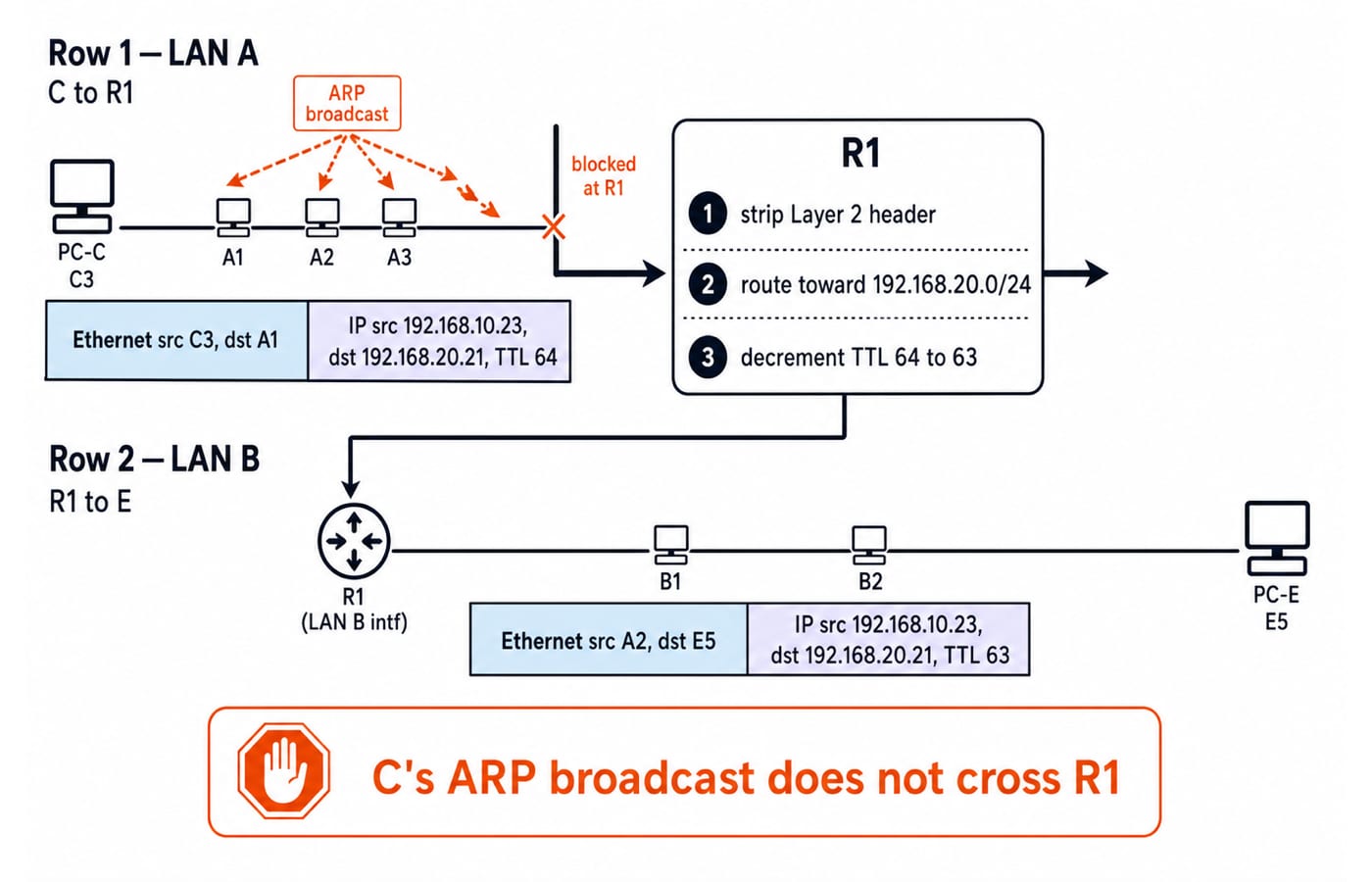
Now C sends to E. Applying the /24 mask shows that 192.168.20.21 is outside C's local 192.168.10.0/24. C therefore ARPs for default gateway 192.168.10.1, not for E. The IP Addressing and Subnetting Explained guide develops that local-versus-remote decision.
On LAN A, the frame has source MAC C3 and destination MAC A1. Inside it, the IP packet has source 192.168.10.23, destination 192.168.20.21, and an illustrative starting TTL of 64. R1 removes the incoming Ethernet header, finds the route, decrements TTL to 63, and resolves E on LAN B if needed. The new frame has source MAC A2 and destination MAC E5. The IP endpoints stay unchanged because this example has no NAT. Link-layer addresses change at a router; end-to-end IP addresses normally do not. C's ARP broadcast never enters LAN B.
Keep topology and medium separate from forwarding logic
A hub-centred LAN and a switch-centred LAN can both form a physical star. The hub still creates one shared contention domain, while the switch gives each port its own collision domain. Bus, ring, star and mesh describe connection arrangements; they do not reveal whether forwarding uses MAC learning or IP routing.
A full mesh of n devices needs n(n - 1) / 2 point-to-point links. For n = 5, that is 5 x 4 / 2 = 10 links. A five-host star uses five host-to-centre links, but its resilience and centre-device failure behaviour differ.
Choose copper, fibre or wireless by required capacity, run length, electromagnetic interference, mobility, installation constraints and budget. No medium is universally best.
Repair the common traps
One broadcast domain per switch port: that is the collision-domain rule. Without a VLAN or router, broadcasts cross the switch.
One domain per hub cable: the hub, attached nodes and switch uplink share one collision domain.
Use the remote host's MAC across a router: the sender addresses its local gateway, then the router builds a new frame.
Every gateway is a router, and every access point is a gateway: these roles can be combined, but remain distinct.
Use three passes: mark shared-medium segments, draw Layer 3 boundaries, then decide whether the destination is local or remote before writing addresses. Here they give 6 collision domains, 2 broadcast domains, and C-to-E delivery through R1. At the next layer, continue with TCP vs UDP: Transport Layer Explained.
The short version and the next practice step
Hubs repeat bits. Switches learn MAC locations. Routers separate IP networks and broadcast domains. The destination subnet decides whether Layer 2 first targets the host or gateway. Here the answer is 6 collision domains, 2 broadcast domains, and TTL 64 -> 63 at R1.
Use Computer Science Fundamentals for Placements by Sanchit Sir to revise Computer Networks alongside other interview subjects. Then redraw this topology with an extra hub or a second router, and work out the domain counts and hop addresses again before checking them against the rules above.
Keep learning
Data Link Layer Framing Explained: Byte Stuffing, Bit Stuffing and a Cross-Concept Numerical
Frame one four-byte payload in two ways, decode it, and then reuse the verified frame sizes in link-load and Stop-and-Wait calculations.
Updated 1 Oct 20266 min readComputer Networks
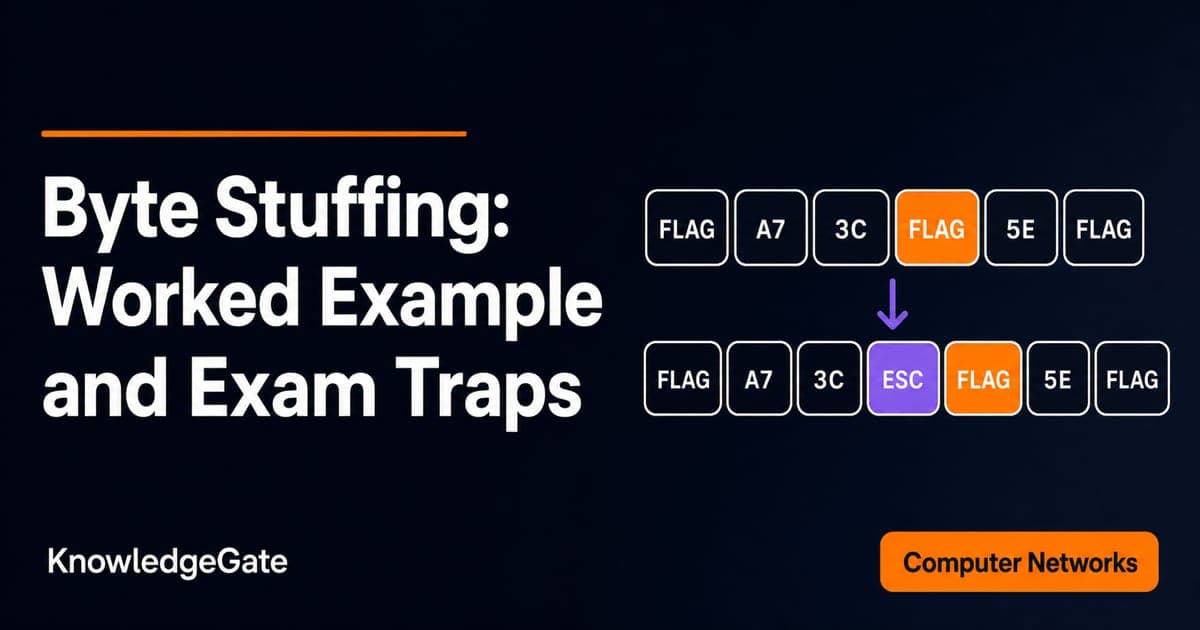
Byte Stuffing in Computer Networks: Worked Framing Example and Exam Traps
Learn a precise byte-stuffing convention, trace a payload containing both FLAG and ESC, reverse it safely, and calculate frame overhead and transmission time.
Updated 26 Sep 20266 min readComputer Networks
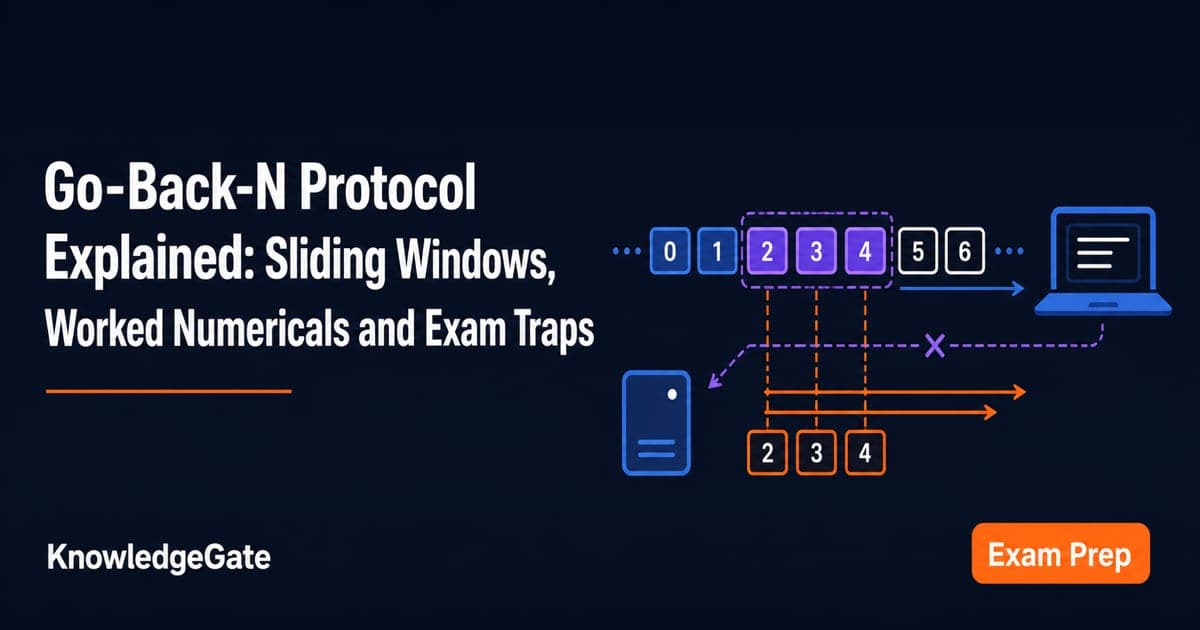
Go-Back-N Protocol Explained: Sliding Windows, Worked Numericals and Exam Traps
Trace Go-Back-N through a lost frame, calculate its legal window and link utilisation, and avoid the ACK and wrap-around traps that spoil numericals.
Updated 24 Sep 20266 min readComputer Networks
Network Protection Explained: Firewalls, Segmentation and a Worked ACL Example
Learn a reusable trust-boundary model for network protection, then trace allowed and blocked traffic through a five-zone web service and its ordered firewall rules.
Updated 23 Sep 20265 min readComputer Networks