Network Protection Explained: Firewalls, Segmentation and a Worked ACL Example
Learn a reusable trust-boundary model for network protection, then trace allowed and blocked traffic through a five-zone web service and its ordered firewall rules.
KnowledgeGate Team
Exam prep & CS education
Updated 23 Sep 20265 min read
Firewall, VPN, IDS and encryption are easy to memorise as separate definitions. The harder skill is deciding which control belongs at each trust boundary and checking whether a packet should cross it. A reusable model makes that decision systematic. A five-zone web service makes every allowed and blocked packet traceable. Network protection reduces exposure and limits damage, but it does not make a network perfectly secure.
Network protection starts with assets, threats and trust boundaries
Network protection combines policy, architecture and controls to preserve the confidentiality, integrity and availability of data and services while traffic moves between networks.
Keep four terms separate. Customer records are an asset. An Internet attacker is a threat. An exposed database port is a vulnerability. Segmentation plus a deny rule is a control. The control reduces the opportunity for the threat to reach the asset.
For every required flow, ask three questions:
What must be reachable?
From where?
Over which protocol and destination port?
A trust boundary is a point where any answer changes. Internet to DMZ is one boundary. Application tier to database tier is another. Drawing those boundaries before writing rules prevents vague policies such as "allow internal traffic". The CS Fundamentals category provides the wider Computer Networks foundation behind this model.
Put each control at the job it can actually do
A stateful firewall enforces flows using source, destination, protocol, port and connection state. Segmentation creates smaller trust zones. A VPN protects traffic across an untrusted path, while TLS protects an application session. An IDS detects suspicious activity; an IPS can block traffic that matches its rules. Authentication checks identity, least privilege limits what that identity may use, and logging supports investigation.
Their limits matter. Encryption does not decide whether a compromised web host should reach a database. A firewall does not prove that an allowed user is trustworthy. An IDS alert is detection, not prevention. NAT translates addresses, but it is not a substitute for an explicit security policy.
Rules also need protocol context. TCP vs UDP: Transport Layer Explained shows why protocol is part of a rule, not just the port number. Knowing how DNS and HTTP behave then explains the application traffic those transport flows carry.
Worked example: protect a five-zone web service
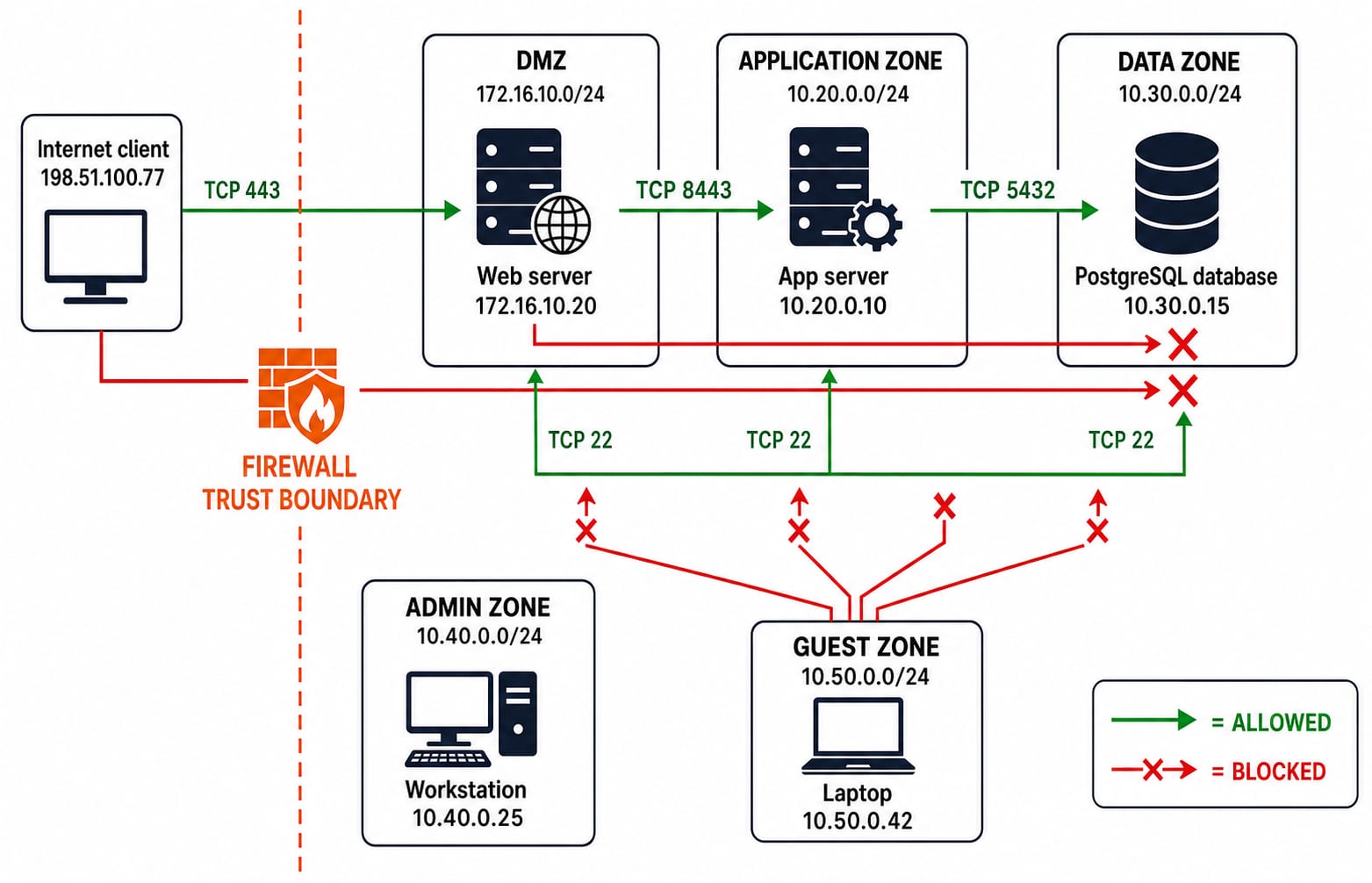
An external client at 198.51.100.77 needs HTTPS access to web server 172.16.10.20 in DMZ 172.16.10.0/24. The web server calls application server 10.20.0.10 on TCP destination port 8443. The application server calls PostgreSQL database 10.30.0.15 on TCP destination port 5432. Admin workstation 10.40.0.25 may use SSH on TCP destination port 22 to all three servers. Guest laptop 10.50.0.42 must reach none of those internal services.
Trace a legitimate request in order:
198.51.100.77 -> 172.16.10.20:443172.16.10.20 -> 10.20.0.10:844310.20.0.10 -> 10.30.0.15:5432
The database is never an Internet destination. The web tier also cannot skip the application tier and connect directly to PostgreSQL. Each /24 boundary gives a zone a recognisable address range, which makes filtering easier. Review IP Addressing and Subnetting Explained if the prefix notation is unfamiliar.
Build the allowlist, test packets and calculate reduced reachability
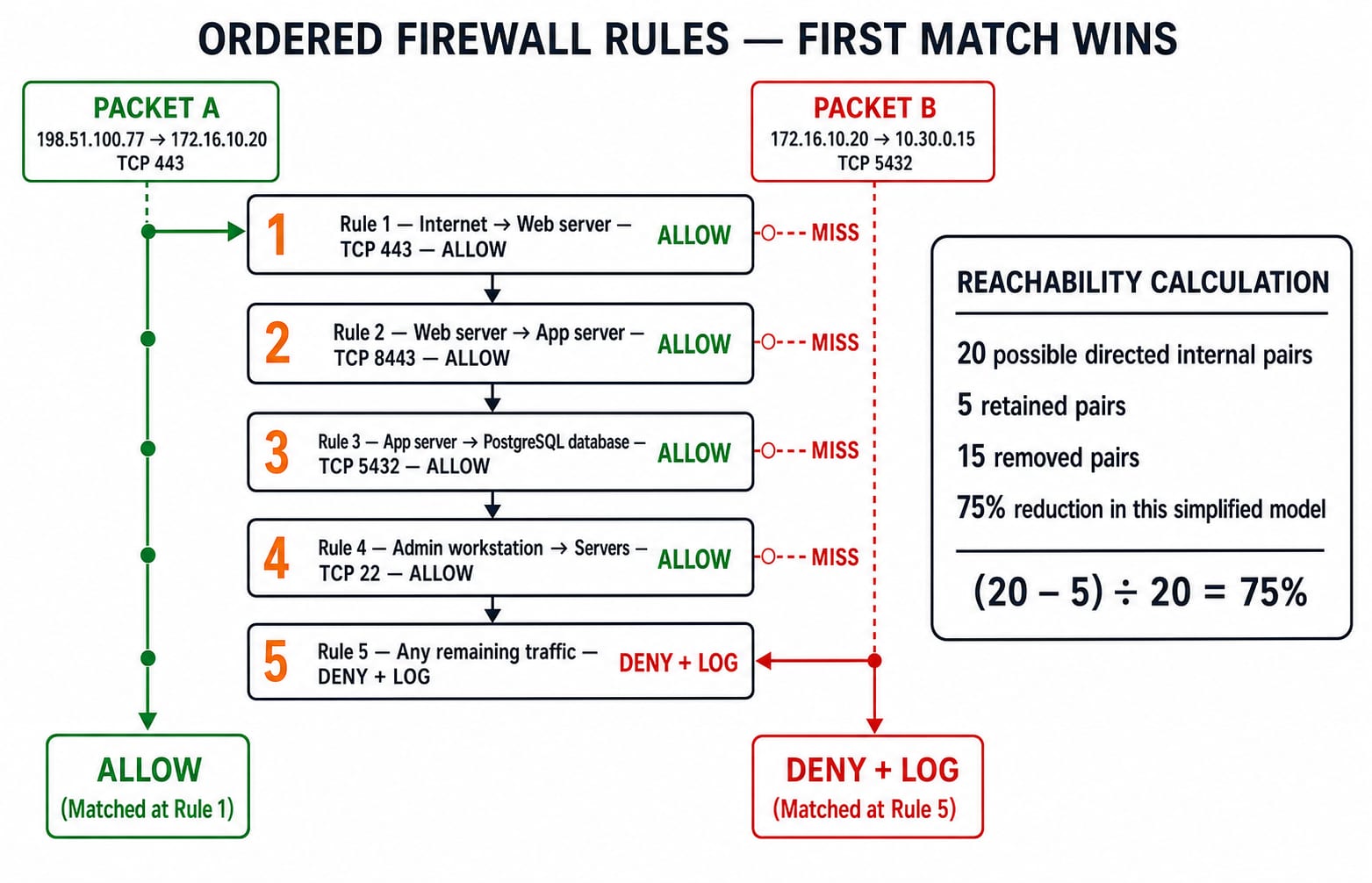
Apply this ordered policy at the relevant zone boundaries:
Rule | Action and match |
|---|---|
1 | Allow any source arriving on Internet ingress to |
2 | Allow |
3 | Allow |
4 | Allow |
5 | Deny and log everything else |
A stateful firewall permits reply packets for an established allowed connection. Broad reverse-direction allow rules are therefore unnecessary.
Now apply first-match behaviour:
Packet | Result |
|---|---|
External client to web | Rule 1, allow |
External client to database | Rule 5, deny and log |
Web to database | Rule 5, deny and log |
App to database | Rule 3, allow |
Guest to app | Rule 5, deny and log |
In the simplified internal model, five representative endpoints each have four possible other destinations, so a fully connected flat network has 5 x 4 = 20 directed endpoint pairs. The allowlist retains five intended initiation pairs: web to app, app to database, and admin to each of the three servers. It removes 20 - 5 = 15 pairs. Therefore, removed reachability is 15 / 20 x 100 = 75%. This assumes the public HTTPS rule is scoped to Internet ingress. It is a teaching metric for reachability, not a real-world risk score.
Detection and response cover what prevention misses
Suppose a permitted HTTPS request carries a malicious payload. The firewall allows destination port 443 because that flow is intended. Depending on configuration and visibility, an IDS may flag the unusual request, central logs may correlate source 198.51.100.77 with web-server errors, and an IPS or web-layer control may block a known signature.
The response sequence is alert, validate, contain, recover. Validate the web logs. Contain the incident by disabling Rule 2 and isolating 172.16.10.20 from the application zone. Preserve relevant logs, then rebuild or restore the web host. Re-enable Rule 2 only after verification. Segmentation means a compromised web server does not automatically gain database access.
Common traps that flip answers and weaken policies
Treating NAT as a firewall: translation changes addressing; policy decides access.
Placing
allow anybefore a narrow deny: first-match behaviour can make the deny unreachable.Confusing source and destination ports: the service is normally identified by its destination port in these rules.
Assuming encryption blocks malware: encryption protects content in transit, not the intent of an allowed payload.
Putting every server in one trusted LAN: a compromise then has more room for lateral movement.
Default deny is essential here because every unlisted flow must fail closed. IDS reports suspicious activity; IPS may act on it. Authentication asks who a user is; authorisation asks what that user may do.
For each proposed rule, name the business flow it enables. Test one intended packet and one nearby forbidden packet. Finally, decide which log or alert should appear when the forbidden packet is denied.
How exams can test network protection without a long calculation
Stable question shapes include matching a control to its function, choosing the first matching ACL rule, identifying a packet that crosses a trust boundary, and selecting the design that best limits lateral movement.
Try one with the existing values: is 10.50.0.42 -> 10.30.0.15:5432 permitted? No. It misses Rules 1 to 4 and reaches Rule 5, so the firewall denies and logs it.
Short version and next step
Identify assets, draw trust boundaries, allow only required flows, encrypt sensitive sessions, monitor allowed paths and rehearse containment. Here that becomes public HTTPS to web, web to app, app to database, admin SSH, then deny and log.
Beginners can build a structured foundation with Zero to Hero Complete CS Course. Placement-focused readers can continue with CS Fundamentals for Placements by Sanchit Sir. Draw the five zones yourself, then test each packet without looking back at the table.
Keep learning
Computer Networks Hardware Basics: Devices, Domains and Worked Examples
Learn what hubs, switches, routers, gateways and access points actually do, then count network domains and trace frames through a two-LAN topology.
Updated 6 Oct 20266 min readComputer Networks
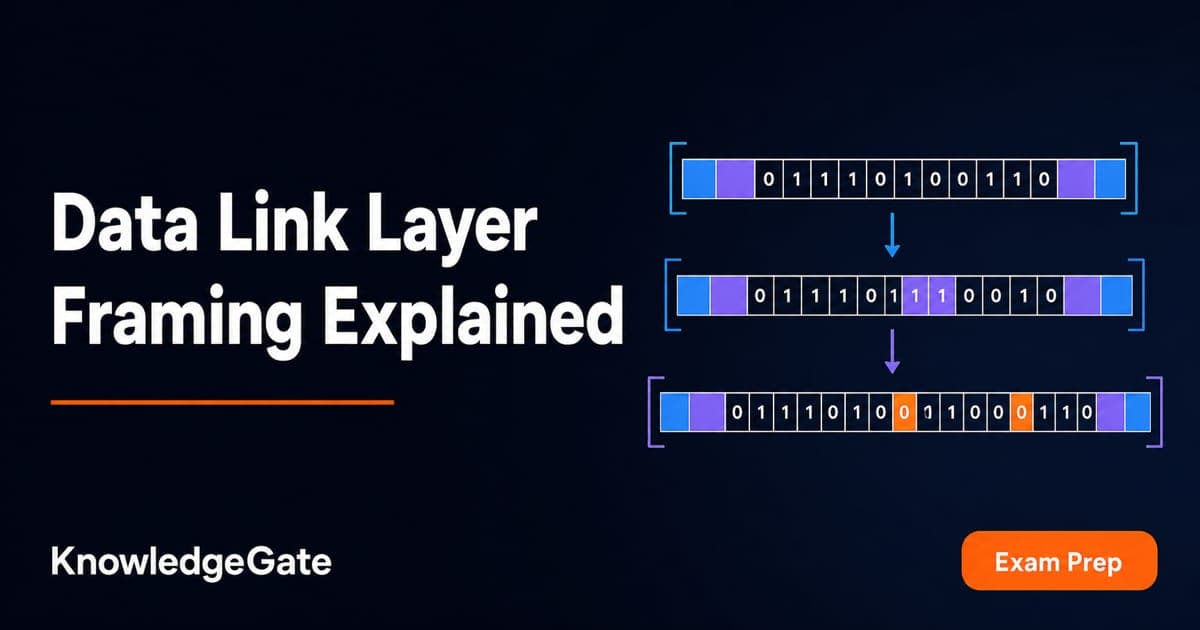
Data Link Layer Framing Explained: Byte Stuffing, Bit Stuffing and a Cross-Concept Numerical
Frame one four-byte payload in two ways, decode it, and then reuse the verified frame sizes in link-load and Stop-and-Wait calculations.
Updated 1 Oct 20266 min readComputer Networks
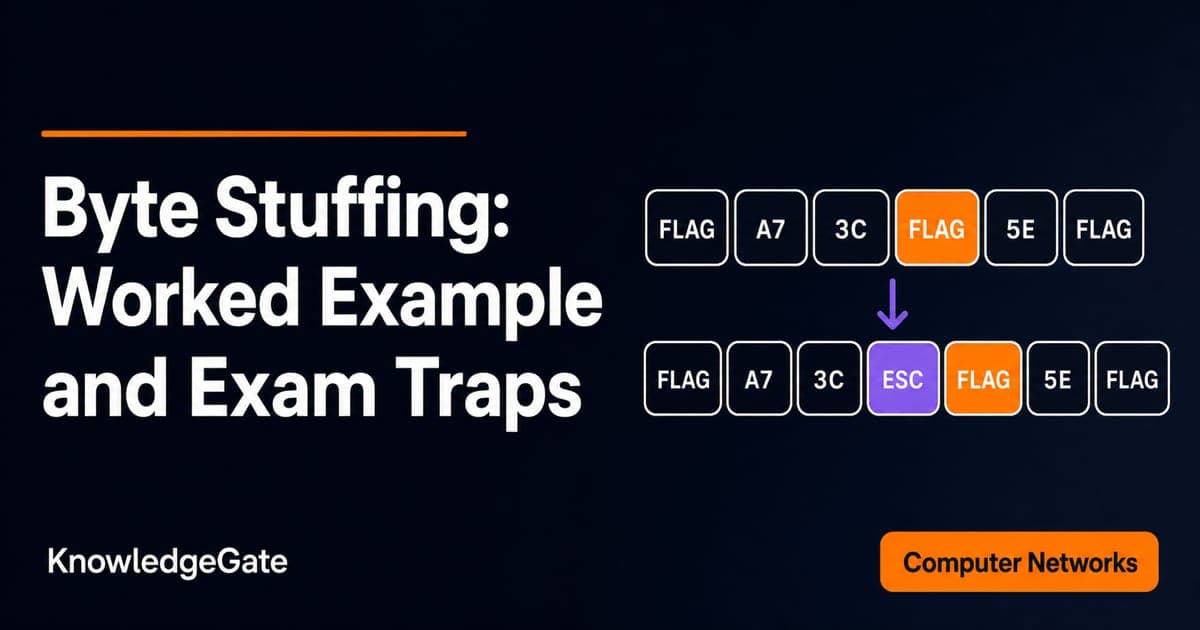
Byte Stuffing in Computer Networks: Worked Framing Example and Exam Traps
Learn a precise byte-stuffing convention, trace a payload containing both FLAG and ESC, reverse it safely, and calculate frame overhead and transmission time.
Updated 26 Sep 20266 min readComputer Networks
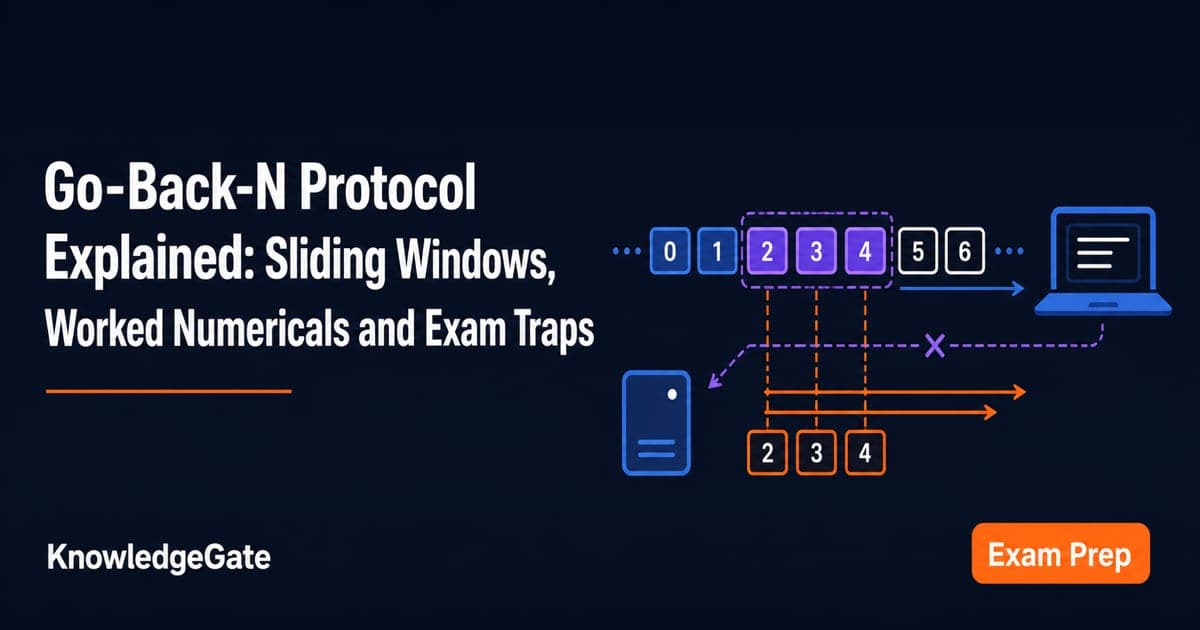
Go-Back-N Protocol Explained: Sliding Windows, Worked Numericals and Exam Traps
Trace Go-Back-N through a lost frame, calculate its legal window and link utilisation, and avoid the ACK and wrap-around traps that spoil numericals.
Updated 24 Sep 20266 min readComputer Networks