

Modelling and UML Fundamentals: Class, Sequence and State Diagrams with a Worked Library Example
Learn what each UML view says by carrying one library checkout through classes, objects, messages, guards and state changes without contradicting values.
KnowledgeGate Team
Exam prep & CS education
Updated 23 Nov 20266 min read
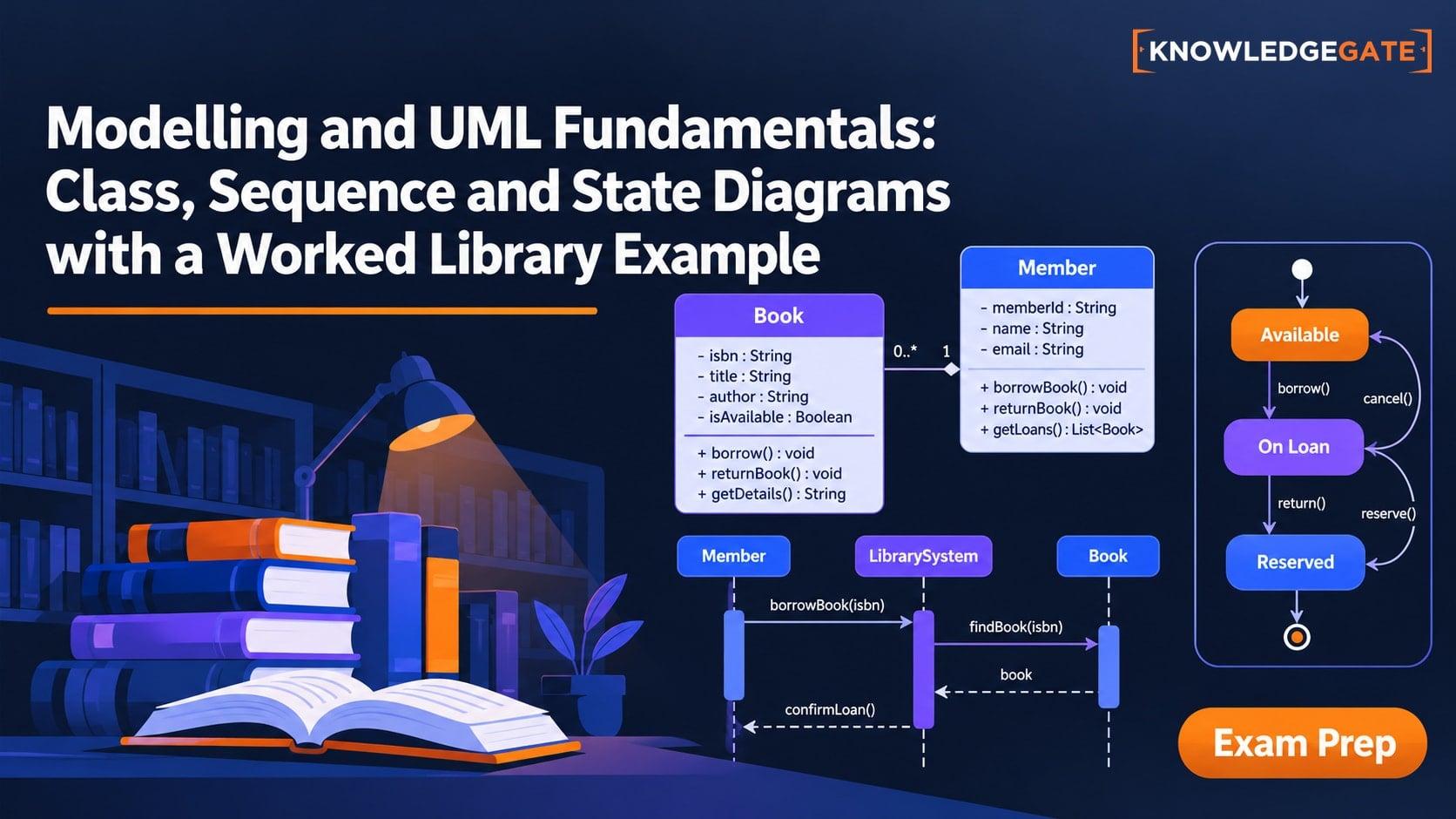
Many students can recognise a class box or an arrow, but cannot decide what a diagram says, which view to draw, or whether two diagrams contradict each other. A single library checkout supplies a class model, object snapshot, sequence trace and state change, with every value kept consistent. Modelling and UML fundamentals sit within the wider Coding & DSA courses for placements.
Modelling and UML fundamentals: purpose before notation
A model is a purposeful abstraction of a system. UML is a standard visual notation for expressing selected views of that model. It is neither a programming language nor a complete software-development method.
Class and object diagrams show structure; sequence, activity and state-machine diagrams show behaviour; use-case diagrams show actors and goals. Assume a member checks out one physical book copy; payment, acquisition and staff payroll do not affect this model.
Before drawing, ask who will read it, what decision it must support, and what can be omitted. The earlier Behavioral and Interaction UML Diagrams: Types, Notation and a Worked Order Flow owns activity, state-machine, sequence and communication notation through an order flow; this library model instead connects those behavioural views to class structure, object values and multiplicity.
UML class diagrams: classes, relationships and multiplicity
Read notation by the meaning it carries:
Element | Notation | Meaning | Example |
|---|---|---|---|
Class compartments | Name, attributes, operations | Defines one type |
|
Association | Solid line | Stable relationship |
|
Generalisation | Solid line, hollow triangle | Inheritance |
|
Dependency | Dashed arrow | Temporary use |
|
Aggregation | Hollow diamond | Whole-part, independent lifecycle |
|
Composition | Filled diamond | Whole owns part lifecycle |
|
An OrderLine has no independent lifecycle outside its Order. Generalisation differs from temporary use. The earlier Modelling and UML Fundamentals MCQs and Short Answers: 10 Solved Questions set owns recall practice for notation and view selection; the worked library model below instead tests whether exact object values remain consistent across class, sequence and state views.
The running model has these classes:
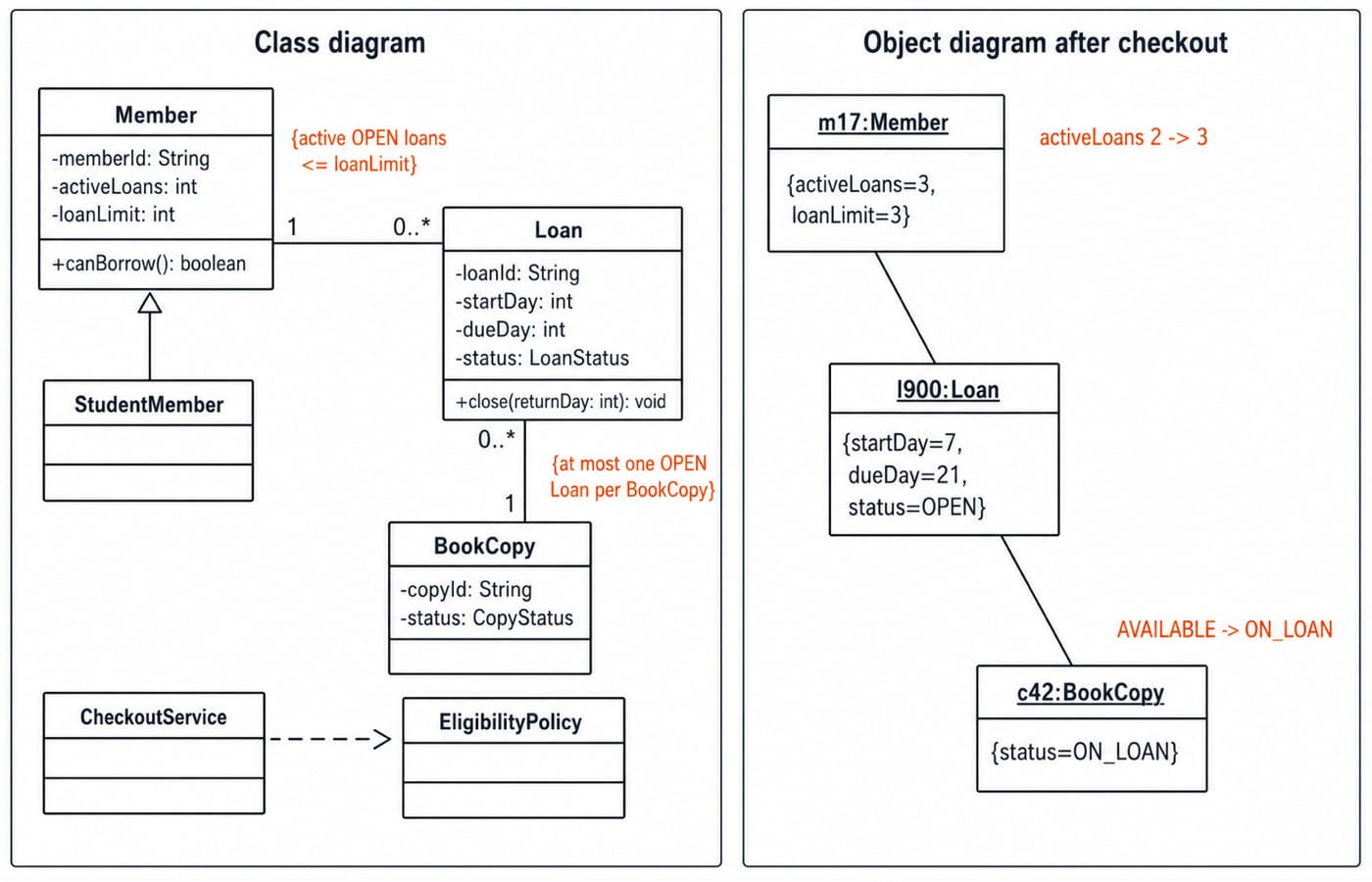
Member:-memberId: String,-activeLoans: int,-loanLimit: int,+canBorrow(): booleanBookCopy:-copyId: String,-status: CopyStatusLoan:-loanId: String,-startDay: int,-dueDay: int,-status: LoanStatus,+close(returnDay: int): void
Read both association ends. In Member "1" -- "0..*" Loan, each loan has one member, while a member can have many historical loans. In BookCopy "1" -- "0..*" Loan, each loan has one copy, while a copy can have many loans over time. Business constraints add {active OPEN loans <= loanLimit} and {a BookCopy has at most one OPEN Loan}.
Worked UML class model with exact objects
Start with m17:Member {memberId="M17", activeLoans=2, loanLimit=3} and c42:BookCopy {copyId="C42", status=AVAILABLE}. Checkout is on day 7, for 14 days.
Check the member:
2 < 3is true.Check the copy:
AVAILABLE == AVAILABLEis true.Calculate
dueDay = 7 + 14 = 21.Create
l900:Loan {loanId="L900", startDay=7, dueDay=21, status=OPEN}.Link
l900tom17andc42.Update
m17.activeLoansfrom2to3, andc42.statusfromAVAILABLEtoON_LOAN.
The member is now exactly at the limit, the copy has one open loan, and all multiplicities hold. The class diagram defines legal types and relationships. The object diagram uses underlined instance names and values for one post-checkout state. m17 is not a class, and Loan is not one runtime object.
UML sequence diagram: trace the successful checkout
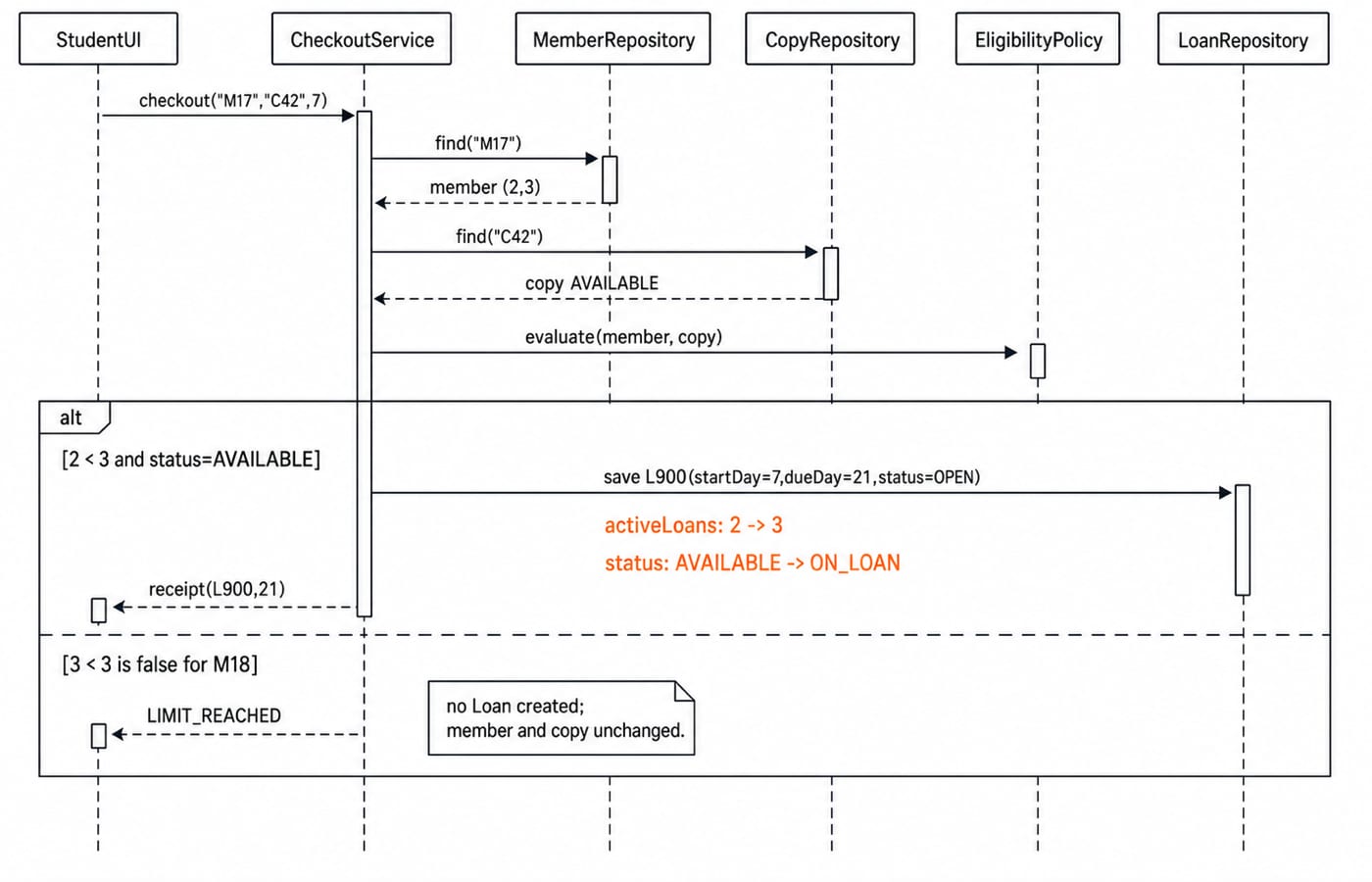
Time moves down a sequence diagram. Horizontal arrows are messages, activation bars show call handling, and dashed returns carry results. The lifeline order is StudentUI, CheckoutService, MemberRepository, CopyRepository, EligibilityPolicy, LoanRepository.
The trace begins with checkout("M17", "C42", 7). The service calls findMember("M17"), which returns (activeLoans=2, loanLimit=3), then findCopy("C42"), which returns (status=AVAILABLE). canBorrow(2, 3, AVAILABLE) returns true. The service sends save(Loan("L900", "M17", "C42", 7, 21, OPEN)), updates activeLoans=3 and status=ON_LOAN, then returns receipt("L900", 21). Due day remains 21 in the call, stored loan and receipt.
An alt operand shows rejection. For m18:Member {activeLoans=3, loanLimit=3} and the same initially available copy, 3 < 3 is false. Return LIMIT_REACHED; create no loan and change neither object. A guard controls behaviour.
UML state and activity diagrams: lifecycle versus workflow
A state machine follows one BookCopy, not the whole library:
AVAILABLE --checkout [member.canBorrow()] / create Loan--> ON_LOANON_LOAN --return(returnDay) / close Loan--> AVAILABLEAVAILABLE --reserve--> RESERVEDRESERVED --collect [correct member]--> ON_LOANRESERVED --cancel or holdExpires--> AVAILABLE
For c42, successful checkout creates L900 and changes AVAILABLE to ON_LOAN. A later return(returnDay=18) closes L900, reduces the member's active-loan count, and returns the copy to AVAILABLE. In the rejected M18 alternative, the false guard fires no transition.
An activity diagram instead shows workflow: find member, find copy, test [activeLoans < loanLimit], test [status=AVAILABLE], create loan, update both objects, issue receipt. Decision guards choose paths, a merge rejoins alternatives, and activity flow is not message order between named objects.
Check UML diagrams as one consistent model
Check four things. Each sequence message maps to a class or service responsibility. Each state-changing message has a legal transition. Each object link satisfies multiplicity. Each guard preserves the invariants.
Then recompute across views. The sequence cannot return 20 when the snapshot says 21. After success, c42 cannot remain AVAILABLE, and m17.activeLoans cannot remain 2. The rejection branch cannot create L900. Any such contradiction is a model defect, even if each diagram looks tidy alone.
UML does not prove code correctness, database transaction safety or complete requirements. It exposes decisions and contradictions before implementation. Code, tests and domain review must confirm the result.
How questions test modelling and UML fundamentals
Typical questions ask you to identify a diagram's purpose, read visibility, signatures and multiplicity, distinguish relationships, infer legal links, order messages, evaluate guards, or choose a valid next state.
Apply them here. A fourth open loan at activeLoans=3, loanLimit=3 is forbidden. 7 + 14 is 21. Success leaves the copy ON_LOAN; M18 gets LIMIT_REACHED with no state change. The 1 beside Member or BookCopy means each loan has one; 0..* beside Loan permits history.
Keep these traps straight:
A hollow triangle means generalisation, not data flow.
A filled diamond marks composition at the whole end.
0..1means an optional single value, not exactly one.A sequence diagram orders interactions, not class inheritance.
A state diagram follows one object's lifecycle.
An object diagram contains instances and values, not class definitions.
Practise by classifying each task before reading its notation: identify the required view, then justify the relationships, message order or state transition.
Modelling and UML fundamentals: the short version and next step
Choose a view for a purpose.
Define classes and multiplicities before arrows.
Use object diagrams for concrete snapshots.
Use sequence diagrams for message order.
Use state or activity diagrams for lifecycle or workflow.
The successful values are L900, dueDay=21, activeLoans=3 and c42.status=ON_LOAN.
Now test new values: m25.activeLoans=1, m25.loanLimit=2, c88.status=AVAILABLE, checkout day 12, loan period 10. Since 1 < 2, checkout succeeds: dueDay = 12 + 10 = 22, activeLoans=2, c88.status=ON_LOAN, with one new open loan. Redraw the object and sequence views without changing a value between them.
For OOP and coding practice across C, C++, Java and Python, continue with Coding For Placements. To carry the same language-neutral model into class, interface and object relationships in one language, use the Java course. Then redraw both worked figures from memory and test every link, guard and multiplicity against the consistency checklist.
Keep learning

Modelling and UML Fundamentals MCQs and Short Answers: 10 Solved Questions
Attempt five MCQs and five short-answer questions on UML purpose, class state, relationships, structural and behavioural views, and model maintenance.
Updated 3 Nov 20267 min readProgramming Languages Survey
Structural UML Diagrams MCQs and Practice Problems: 11 Solved Questions
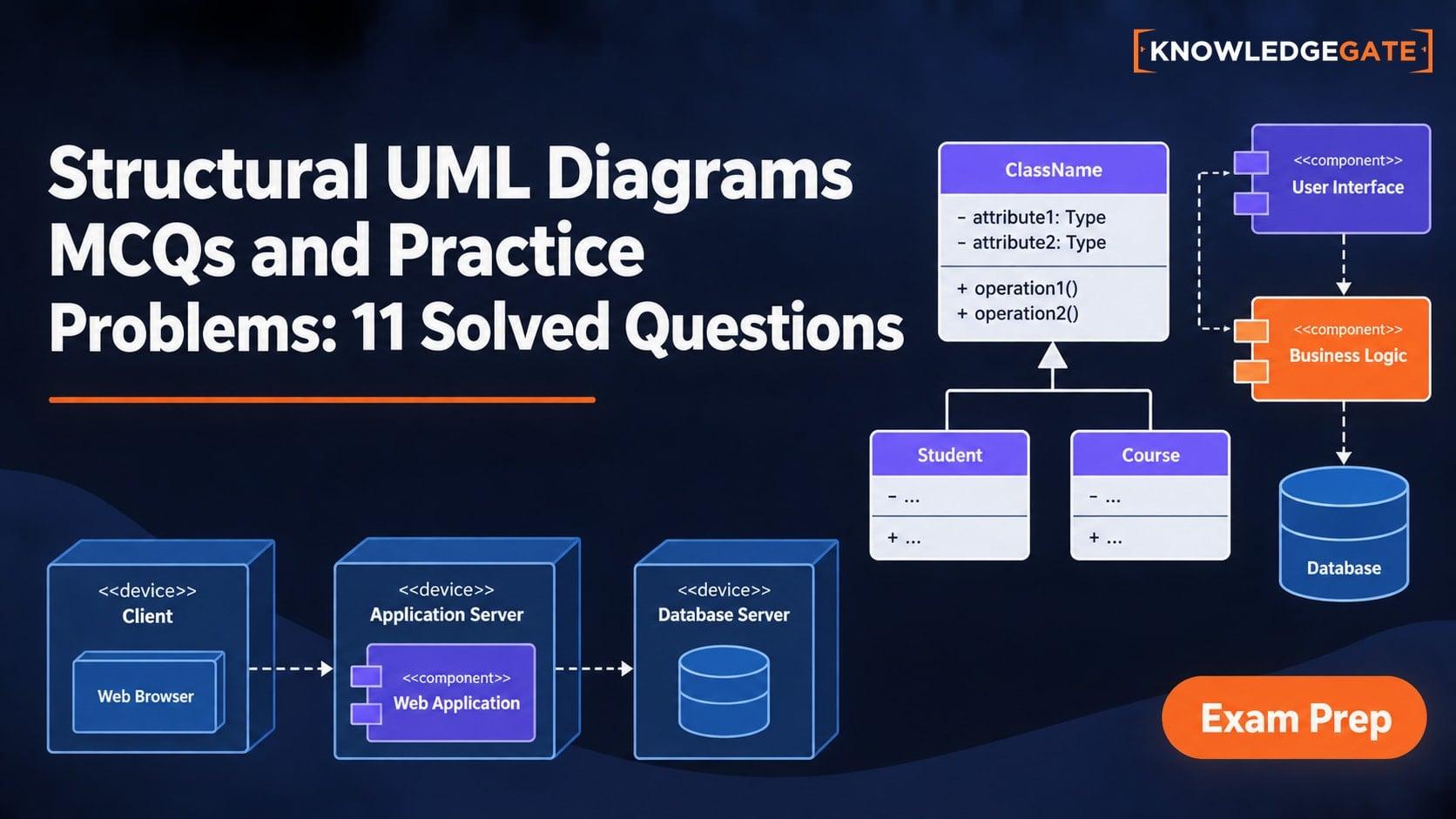
Solve seven MCQs and four application problems on structural UML diagrams. Each fresh explanation shows how to identify the diagram from its abstraction level and relationships.
Updated 7 Nov 20266 min readProgramming Languages Survey
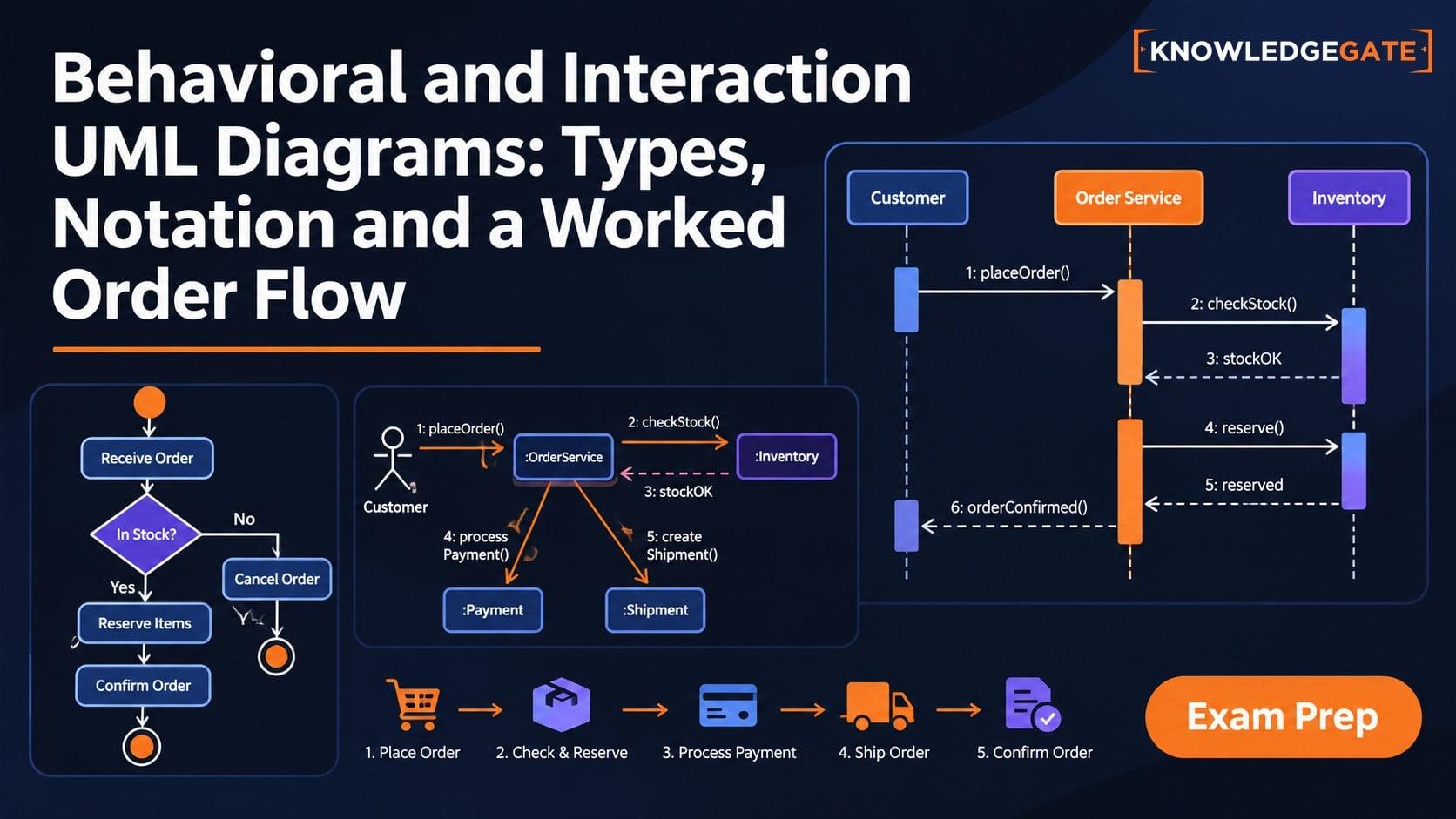
Behavioral and Interaction UML Diagrams: Types, Notation and a Worked Order Flow
Learn how activity, state machine, sequence and communication diagrams answer different questions by tracing the same order, payment and stock values.
Updated 30 Oct 20266 min readProgramming Languages Survey
C++ enum class, struct, pair and tuple: How to Model Small Data Safely
Model Ticket 417 three ways, calculate the same response window, then add an owner to see why named fields often beat positional access in changing code.
Updated 7 Sep 20266 min readC++