Functions and Arrow Functions in JavaScript: Syntax, Scope and Runnable Examples
Build function declarations, expressions and arrows in JavaScript, then trace parameters, closures, lexical this and array callbacks through exact outputs.
KnowledgeGate Team
Exam prep & CS education
Updated 19 Oct 20266 min read
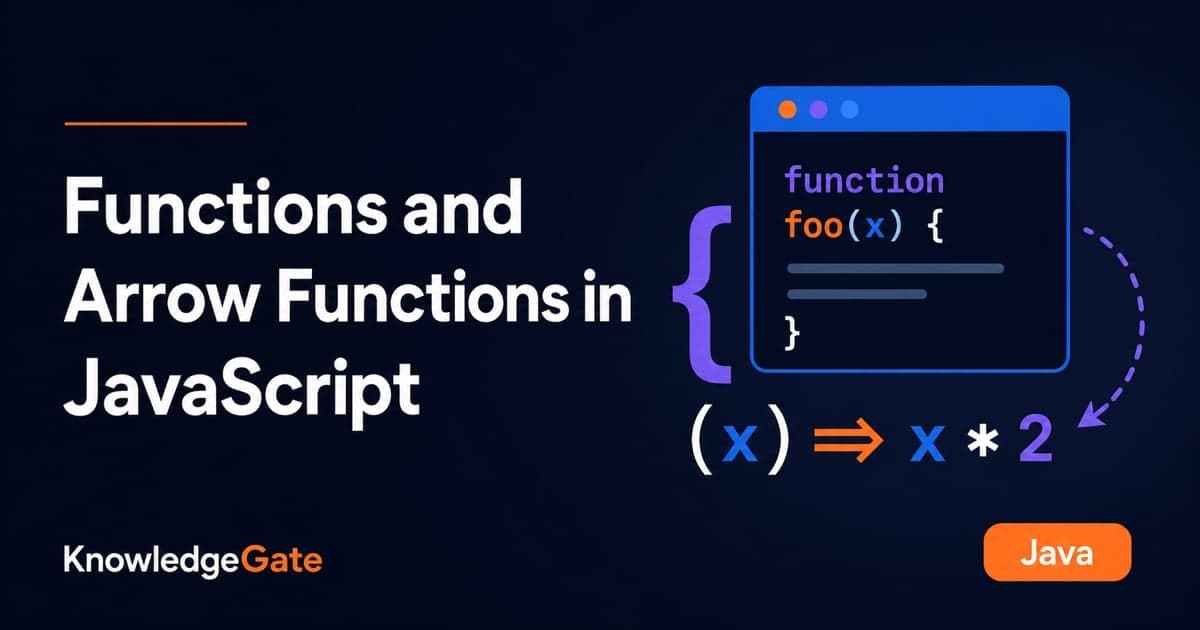
Function declarations, function expressions and arrow functions can all produce the same result, which makes their differences easy to miss when you are learning JavaScript. Hoisting rules decide when a function exists; call-site and lexical binding decide this. The normal declarations and expressions shown below have their own arguments and can be constructors; arrows do neither. A shorter form can therefore change what the program does.
JavaScript functions: declaration, expression and arrow syntax
A function receives inputs, executes a reusable block and may return one output. These forms implement the same addition:
function addDeclared(a, b) { return a + b; }
const addExpression = function (a, b) { return a + b; };

const addArrow = (a, b) => a + b;

[addDeclared(7, 5), addExpression(7, 5), addArrow(7, 5)];
// [12, 12, 12]
Form | Syntax | Available before source line? |
|
| Usable with |
|---|---|---|---|---|---|
Declaration |
| Yes, declaration is hoisted | Set by the call | Has its own | Yes |
Regular expression |
| No, | Set by the call | Has its own | Yes |
Arrow |
| No, | Lexical, inherited from the surrounding scope | Has no own | No |
Web Development collects the JavaScript and browser topics that surround these functions.
Parameters, arguments and return values in JavaScript functions
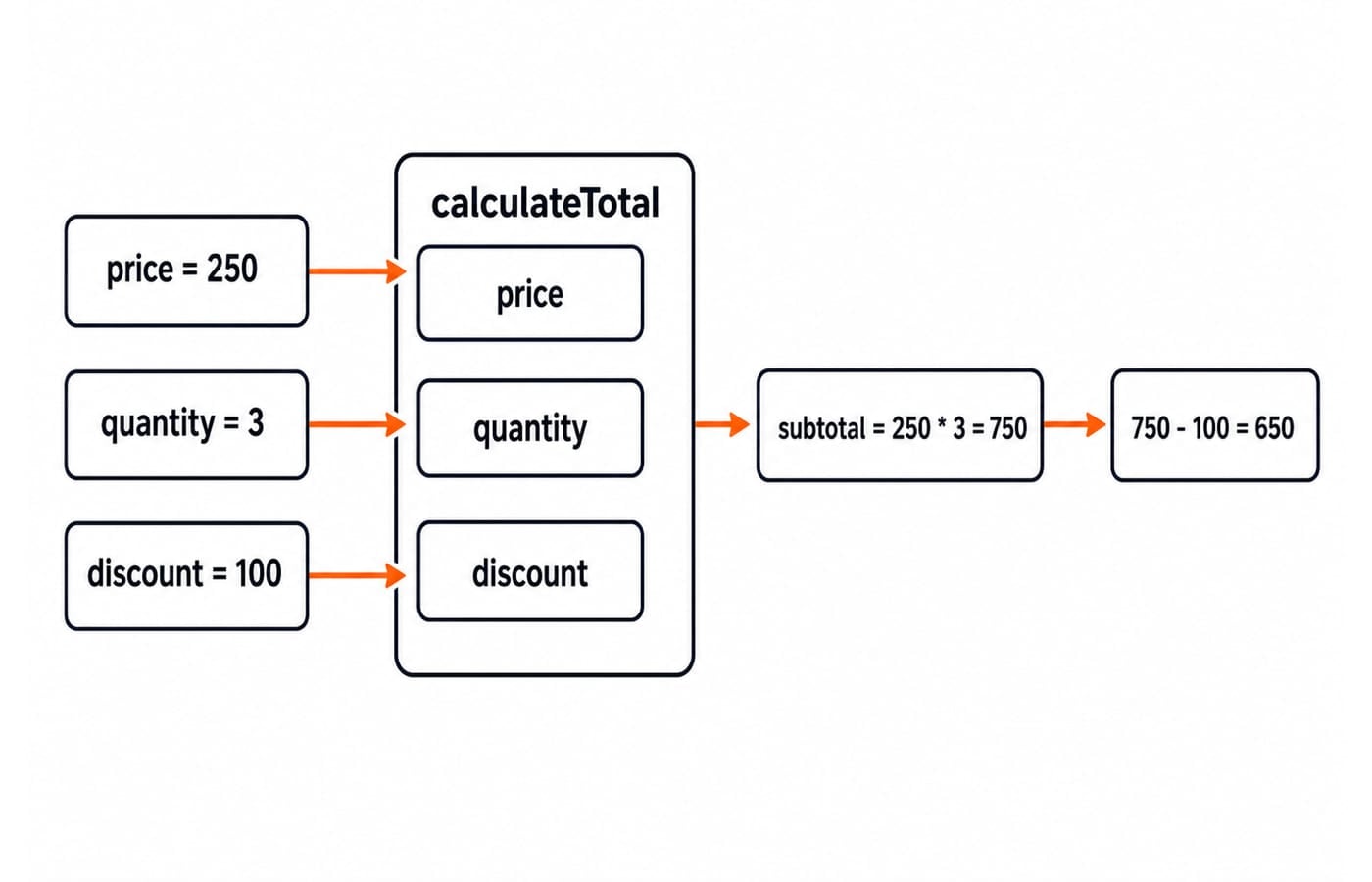
Parameters are names in a function definition. Arguments are the values supplied during a call.
function calculateTotal(price, quantity, discount = 0) {
  const subtotal = price * quantity;
  return subtotal - discount;
}

calculateTotal(250, 3, 100); // 650
calculateTotal(250, 3);      // 750
Here, price, quantity and discount are parameters; 250, 3 and 100 are arguments. First, 250 * 3 = 750; then 750 - 100 = 650. The default call uses discount 0, so 750 - 0 = 750.
A regular function needs an explicit return. A concise arrow implicitly returns its single expression:
const calculateTotalArrow = (price, quantity, discount = 0) =>
  price * quantity - discount;

calculateTotalArrow(250, 3, 100); // 650

const sum = (...values) =>
  values.reduce((total, value) => total + value, 0);

sum(4, 6, 10); // 20
The rest parameter gathers the arguments into an array. Reduction gives 0 + 4 = 4, 4 + 6 = 10, and 10 + 10 = 20. JavaScript passes values; when the value is an object reference, caller and function can reach the same object, but the object is not passed by reference.
Function scope and closures: values that survive a call
Global bindings span their permitted scope. let or const inside a function is local; inside a block it has block scope. Outside code cannot read either directly.
A closure lets an inner function retain access to outer bindings after the outer call has finished:
function makeStepCounter(start, step) {
  let value = start;
  return () => {
    value += step;
    return value;
  };
}

const next = makeStepCounter(10, 2);
next(); // 12
next(); // 14

const other = makeStepCounter(0, 5);
other(); // 5
The first closure changes its retained value from 10 to 12, then 14. other has separate state, so 0 + 5 = 5 without changing next's retained 14.
Arrow functions and this: lexical binding with exact output
An arrow inherits this from its surrounding code. An arrow created while a regular constructor runs keeps the new instance as its lexical receiver, even after the arrow is detached:
function StepCounter(start) {
  this.value = start;
  this.next = () => {
    this.value += 1;
    return this.value;
  };
}

const counter = new StepCounter(10);
const detachedNext = counter.next;

detachedNext(); // 11
detachedNext(); // 12
counter.value;  // 12
The constructor call supplies the new counter as this. The arrow assigned to next captures that receiver, so detaching the arrow does not lose the instance. An ordinary next() method would take its receiver from each call site.
this Keyword in JavaScript: Call-Site Rules with Worked Examples traces ordinary functions through plain, method, explicit, constructor and bound calls. Arrow choice needs one extra rule: its receiver is captured, not supplied by the later call.
Avoid an arrow method when it needs dynamic this. Arrows have no own arguments, so prefer (...args). They also cannot construct objects:
const User = name => ({ name });
new User("Asha"); // TypeError: User is not a constructor
Use a regular function or class for construction.
Arrow functions as callbacks with filter, map and reduce
Arrows keep short transformations visible. This pipeline keeps JavaScript filenames, converts them to uppercase labels, then totals their character counts:
const filenames = ["app.js", "README.md", "test.js", "index.js"];
const scripts = filenames.filter(name => name.endsWith(".js"));
// ["app.js", "test.js", "index.js"]

const labels = scripts.map(name => name.toUpperCase());
// ["APP.JS", "TEST.JS", "INDEX.JS"]

const totalCharacters = labels.reduce(
  (running, name) => running + name.length,
  0
); // 21
Filtering drops "README.md" because it does not end with ".js". Mapping gives ["APP.JS", "TEST.JS", "INDEX.JS"]. Their lengths are 6, 7 and 8, so reduction gives 0 + 6 = 6, 6 + 7 = 13 and 13 + 8 = 21. A named regular function is clearer when a callback needs several statements, reuse, its own this or easier stack traces.
JavaScript map, filter and reduce Together: Build an Order Pipeline Step by Step handles a multi-field order workflow, immutability and grouped accumulation. Filename selection needs only the three arrow callback signatures and their returned values.
Common JavaScript function errors and their fixes
Braces remove an arrow's implicit return:
const squareBroken = n => { n * n; };
squareBroken(4); // undefined

const square = n => n * n;
const squareExplicit = n => { return n * n; };
square(4);         // 16
squareExplicit(4); // 16
An object literal in a concise arrow needs parentheses. const makeLabel = value => { text: value }; returns no object. Fixing it as const makeLabel = value => ({ text: value }); makes makeLabel("JS") return { text: "JS" }.
A const arrow cannot be called before initialisation. Calling double(4) before const double = n => n * 2; raises a ReferenceError. Move the call below the assignment, or use function double(n) { return n * 2; }. Passing [1, 2, 3].map(double) instead gives [2, 4, 6].
How JavaScript function questions test understanding
Common tasks ask you to predict output, repair a missing return, choose syntax for this, or trace a closure. const add = x => y => x + y; const add5 = add(5); retains x = 5, so add5(3) returns 8 and add5(7) returns 12.
Try these three short exercises, then compare the solutions:
Rewrite
calculateTotalas an arrow.const total = (price, quantity, discount = 0) => price * quantity - discount;gives250 * 3 = 750, then750 - 100 = 650.Convert Fahrenheit to Celsius.
const toCelsius = fahrenheit => (fahrenheit - 32) * 5 / 9;gives(95 - 32) * 5 / 9 = 63 * 5 / 9 = 315 / 9 = 35.Apply a percentage discount.
const applyDiscount = (prices, percent) => prices.map(price => price - price * percent / 100);gives500 * 10 / 100 = 50, so500 - 50 = 450; and800 * 10 / 100 = 80, so800 - 80 = 720. The output is[450, 720].
Functions and arrow functions: the short version and next step
Keep five rules in mind:
Use declarations when hoisting or a classic named function helps.
Use arrows for concise transformations and lexical
this.Use regular methods when dynamic
thisis required.Write
returnwhen an arrow body uses braces.Use rest parameters instead of relying on
argumentsin arrows.
For a structured next step, use the Complete JavaScript Course, or browse the wider Coding & Skill Development Courses to see where JavaScript sits beside the rest of the stack. Run each example, predict its output, and choose syntax from the behaviour you need.
Keep learning

Modules in JavaScript: Import, Export, and Runnable Examples
Build JavaScript modules from scratch with a shopping-cart project that runs in Node.js and the browser. Learn live bindings, re-exports, lazy loading, and practical fixes.
Updated 15 Oct 20265 min readWeb Development

LocalStorage and Cookies in JavaScript: Store, Read and Delete Data
Run one lesson-progress object and one preference cookie through their complete life cycles, then learn which browser store fits a feature and which security traps to avoid.
Updated 11 Oct 20266 min readWeb Development

JavaScript Event Delegation: Bubbling, target and currentTarget with Runnable Examples
Learn how browser events travel through the DOM, then build one delegated listener that handles nested controls and rows added later.
Updated 6 Oct 20265 min readWeb Development

JavaScript Operators: Types, Precedence and Runnable Examples
Learn how JavaScript arithmetic, assignment, comparison, logical and modern operators behave by tracing one score program from inputs to final output.
Updated 2 Oct 20266 min readWeb Development