Strings in Python: Indexing, Slicing, Methods and Worked Examples
Build a reliable mental model for Python strings, then practise it through exact outputs, common traps and a complete record-cleaning program.
KnowledgeGate Team
Exam prep & CS education
Updated 29 Aug 20266 min read
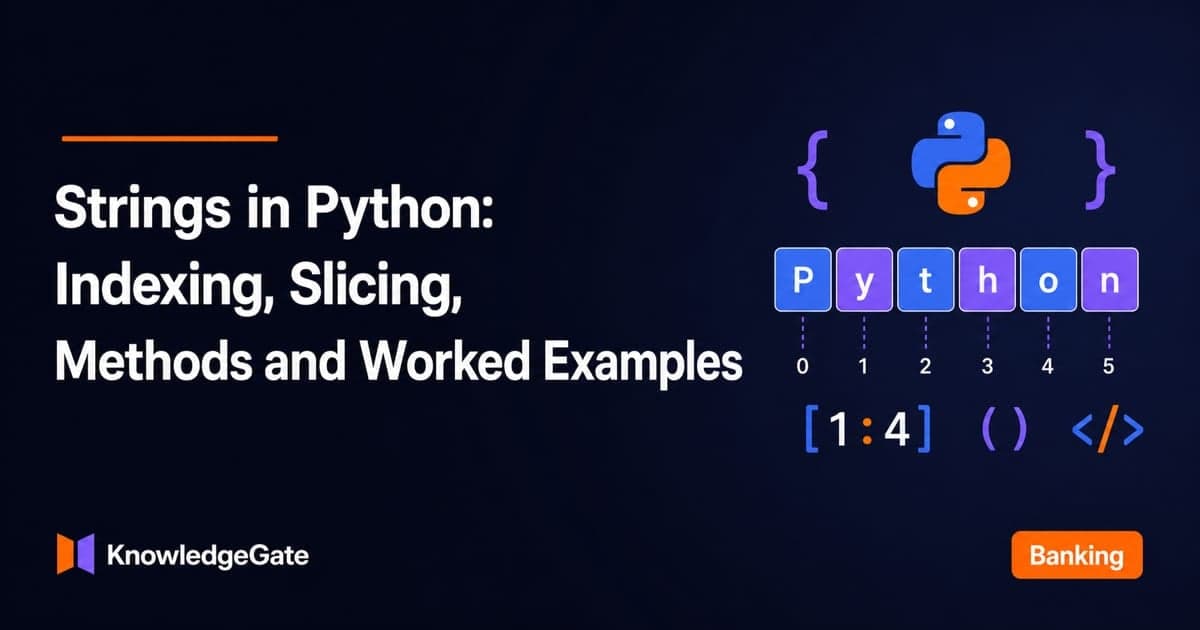
Strings look like ordinary text, but beginners quickly meet four different rule sets: indexing, slicing, methods and type conversion. Python applies precise rules to every index, slice, method call and conversion, so each output can be predicted before execution. The mental model is simple: a string is an immutable sequence of Unicode characters, a core idea in coding and CS fundamentals.
Create strings and inspect their values
Start with a value, its type and its length:
course = "Python Strings"
print(course)
print(type(course).__name__)
print(len(course))
The output is:
Python Strings
str
14
The length is easy to check: six letters in Python, one space and seven letters in Strings, giving 6 + 1 + 7 = 14.
Single and double quotes both create strings. Choose the form that keeps the value readable, and use escapes when a character has a special meaning.
message = 'Asha said, "Start."'
line = "First\nSecond"
path = r"C:\new\notes.txt"

print(message)
print(line)
print(path)
This prints Asha said, "Start.", then First and Second on separate lines, then C:\new\notes.txt with both backslashes visible. The r prefix changes how escapes are handled, but path is still a str.
An empty string contains no characters:
empty = ""
print(len(empty))
print(bool(empty))
The results are 0 and False. Learners building a wider programming foundation can browse the Coding & Skills category.
Use positive and negative string indexing
Indexing selects one position. For word = "PYTHON", the positions line up like this:
Character | P | Y | T | H | O | N |
|---|---|---|---|---|---|---|
Positive index | 0 | 1 | 2 | 3 | 4 | 5 |
Negative index | -6 | -5 | -4 | -3 | -2 | -1 |
Therefore, word[0] and word[-6] both return 'P'. Similarly, word[2] and word[-4] return 'T', while word[5] and word[-1] return 'N'.
An indexed result remains a one-character string. Python has no separate character type, so print(type(word[-1]).__name__) prints str.
The boundary matters. word[6] raises IndexError because this six-character string ends at index 5. Check len(word) when an index is computed from changing data.
Slice strings with start, stop and step
A slice follows text[start:stop:step], and the stop position is excluded. Consider this exact string:
code = "CS2026-PYTHON"
print(len(code))
print(code[:6])
print(code[7:])
print(code[7:13:2])
print(code[::-1])
Its length is 13. The remaining results are 'CS2026', 'PYTHON', 'PTO' and 'NOHTYP-6202SC'.
Trace code[7:13:2] carefully. Start at index 7, take indices 7, 9 and 11, and stop before index 13. Those positions hold P, T and O, so the result is 'PTO'.
Slicing tolerates an overrun: code[20:] returns ''. Direct indexing does not, so code[20] raises IndexError.
Now predict this variation before running it:
code = "IT2027-JAVA"
print(code[:6])
print(code[7:])
print(code[::-1])
The outputs are 'IT2027', 'JAVA' and 'AVAJ-7202TI'.
![Index strip for the string CS2026-PYTHON showing the slice code[7:13:2] selecting P, T and O to give PTO.](https://cdn.knowledgegate.ai/blog-assets/blog_asset_1784171527172_kdye5h.jpg)
Combine, repeat, test membership and format strings
Operators behave according to their operand types:
print("Py" + "thon")
print("ha" * 3)
print("7" * 3)
print(7 * 3)
print("thon" in "Python")
The outputs are 'Python', 'hahaha', '777', 21 and True. A string multiplied by an integer repeats text, while two integers are multiplied numerically.
That type rule also explains why this fails:
solved = 7
"Solved: " + solved       # TypeError
"Solved: " + str(solved)  # 'Solved: 7'
The conversion makes the two operands compatible. If the distinction between numeric values and their textual representations is still unclear, review number systems and base conversions.
F-strings are usually clearer when several values must be inserted:
name = "Asha"
topic = "strings"
solved = 7
goal = 10
summary = f"{name} solved {solved}/{goal} {topic} tasks."
print(summary)
The output is Asha solved 7/10 strings tasks. The four inserted values are name, solved, goal and topic.
Understand immutability and useful string methods
Strings cannot be changed in place. With word = "python", the assignment word[0] = "P" raises TypeError. You can instead create a new value and rebind the name:
word = "python"
word = "P" + word[1:]
print(word)  # Python
The old string was not edited. The expression produced a new string, 'Python'.
Methods follow the same principle:
raw_name = "  aSHa jAiN  "
cleaned_name = raw_name.strip().title()

print(cleaned_name)                         # Asha Jain
print(cleaned_name.upper())                 # ASHA JAIN
print(cleaned_name.replace("Jain", "Sharma")) # Asha Sharma
print(repr(raw_name))                       # '  aSHa jAiN  '
Each method returns a result. The original raw_name remains exactly ' aSHa jAiN '.
Search methods differ when a match is absent:
text = "banana"
print(text.find("na"))
print(text.count("a"))
print("nan" in text)
print(text.find("z"))
The outputs are 2, 3, True and -1. By contrast, text.index("z") raises ValueError instead of returning -1.
Fully worked example: clean and format one record
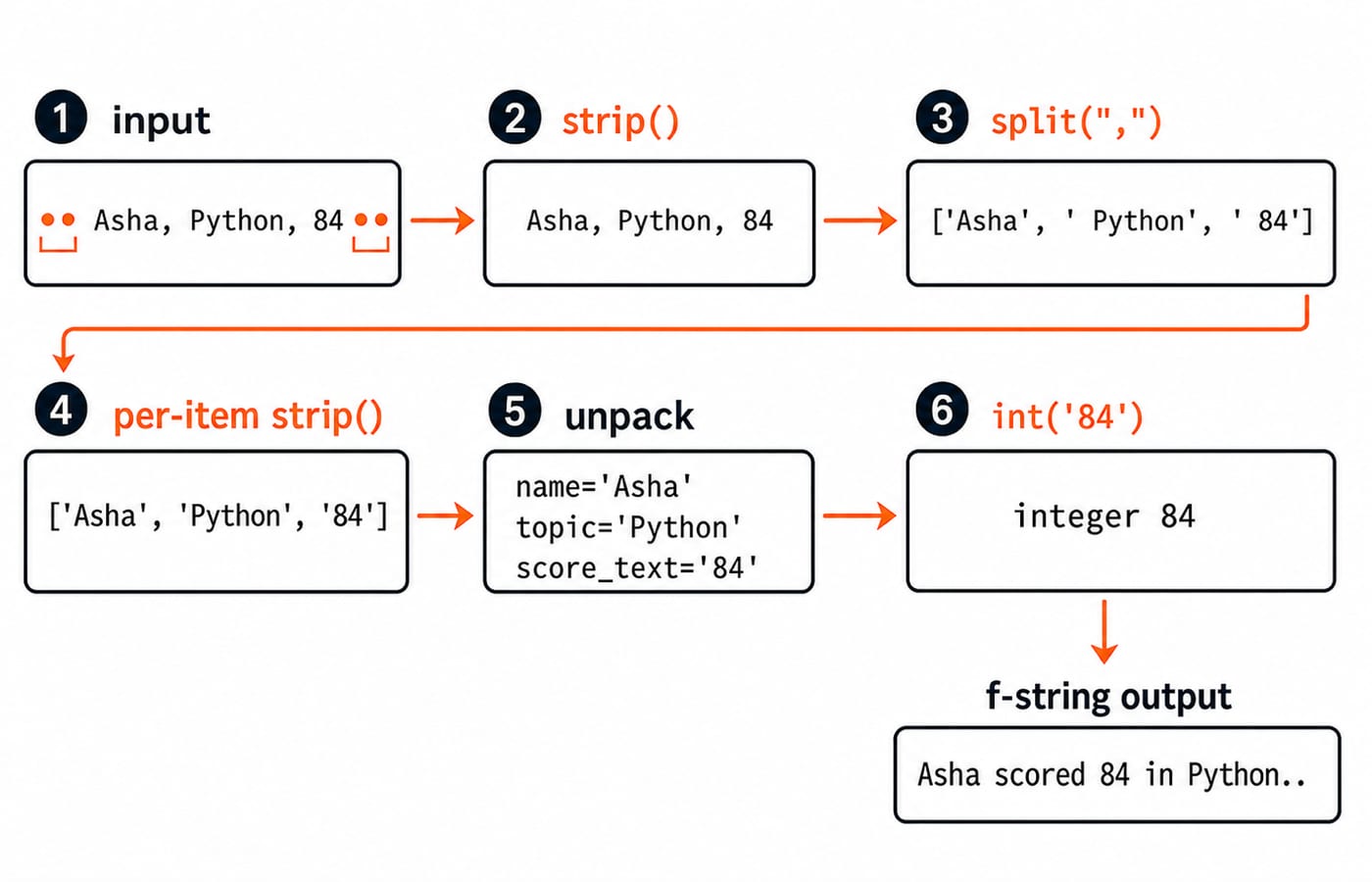
This program turns one comma-separated record into clean values and a formatted sentence:
raw = "  Asha, Python, 84  "
split_parts = raw.strip().split(",")
parts = [part.strip() for part in split_parts]
name, topic, score_text = parts
score = int(score_text)
sentence = f"{name} scored {score} in {topic}."

print(split_parts)
print(parts)
print(sentence)
print(score + 6)
print(" | ".join(parts))
The exact output is:
['Asha', ' Python', ' 84']
['Asha', 'Python', '84']
Asha scored 84 in Python.
90
Asha | Python | 84
First, raw.strip() removes only the outer spaces. split(",") separates at commas but does not remove the spaces inside the record, so they survive in ' Python' and ' 84'. The list comprehension applies strip() to every part. Unpacking then assigns the three clean strings.
score_text is still text, so int('84') produces the integer 84 before 6 is added: 84 + 6 = 90. Finally, join() places the separator " | " between the three strings.
For a controlled variation, set raw = " Ravi, Strings, 91 " and run the same pipeline. It produces Ravi scored 91 in Strings., then 97 because 91 + 6 = 97, and finally Ravi | Strings | 91.
Common mistakes and how questions test strings
Four traps cover many beginner errors:
"PYTHON"[6]fails because the final valid index is5. Use a valid index or checklen().A slice excludes its stop position. In
code[:6], index6is not included.text.replace(...)returns a new string. Use its result immediately or assign it.Text and an integer cannot be added directly. Convert with
str()or use an f-string.
Test your understanding with three output predictions:
"Python"[1:5:2]is'yh'because the slice selects indices1and3."banana".replace("a", "o", 2)is'bonona'because only the first two matches change." KG AI ".strip().lower().replace(" ", "-")is'kg-ai'after trimming, lowercasing and replacing the remaining internal space.
Output questions often combine two or three string operations. Write the intermediate string after each operation before choosing an answer; tracing the chain is more reliable than compressing it mentally.
Short version, practice and the next rung
Keep six rules ready:
Strings are immutable sequences.
Indexing returns a one-character string.
Slicing excludes the stop position.
String methods return results.
split()creates a list.join()combines strings using a separator.
Before running Python, predict these results: "mississippi".count("ss") gives 2, "abcdef"[-4:-1] gives 'cde', and "-".join(["gate", "cs", "2026"]) gives 'gate-cs-2026'.
The Python Course: Concepts, MCQs & Coding builds the next layer after these string basics. Once strings, control flow, functions and collections feel comfortable, move to DSA Using Python to apply the language to data structures and algorithms.
Keep learning
Exceptions in Python: Handle Errors with try, except and finally
Learn how Python exceptions change control flow, how to catch expected failures without hiding bugs, and when to use else, finally, raise, and custom exceptions.
Updated 18 Oct 20265 min readPython
Context Managers in Python: with, __enter__, __exit__ and contextlib
Learn how Python's with statement guarantees cleanup, then build and trace class-based and generator-based context managers with runnable examples.
Updated 14 Oct 20266 min readPython
Python Arguments and Scope: Parameters, LEGB, and Worked Examples
Trace how Python binds arguments, handles mutation and rebinding, and resolves names through LEGB. Runnable examples turn scope rules into predictable output.
Updated 10 Oct 20265 min readPython
Python Control Flow and Loops: if, for, while and Worked Traces
Learn to trace Python branches and loops without skipping a state change. Worked examples cover GCD, break and continue, loop else, nested loops, and common mistakes.
Updated 6 Oct 20265 min readPython