Context Managers in Python: with, __enter__, __exit__ and contextlib
Learn how Python's with statement guarantees cleanup, then build and trace class-based and generator-based context managers with runnable examples.
KnowledgeGate Team
Exam prep & CS education
Updated 14 Oct 20266 min read
Files, locks and temporary settings all need cleanup, but a manual close() or restore call is easy to skip when an exception interrupts normal control flow. Python's with statement delegates setup and teardown to a context manager, so the cleanup path runs after both normal completion and failure. The Python Programming course places this protocol in a broader language sequence.
The problem a context manager solves
A context manager is an object that sets up and tears down a bounded context. That context might hold an open file, a lock, a database transaction or a temporary configuration value. Its exit logic runs when control leaves the with block, whether the body finishes normally or raises an exception.
The official Python data model gives the protocol. For with manager as value:, Python evaluates manager, calls __enter__(), binds its return value to value, runs the body, then calls __exit__(exc_type, exc_value, traceback). All three exception arguments are None after a normal exit.
Cleanup does not imply success. A manager can close a resource or restore state after failure, but it does not automatically retry work, undo mutations or suppress the exception.
Read a file and verify that it closes
Run this complete example in a directory where Python can create scores.txt:
from pathlib import Path

path = Path("events.txt")
path.write_text("cache,hit\nqueue,miss\n", encoding="utf-8")

with path.open("r", encoding="utf-8") as handle:
    first = handle.readline().rstrip("\n")
    rest = handle.read().rstrip("\n")
    print(first)
    print(rest)
    print(handle.closed)

print(handle.closed)
The exact output is:
cache,hit
queue,miss
False
True
The sample has a 10-character first line and an 11-character second line, counting each newline, so it contains 21 ASCII characters and occupies 21 bytes in UTF-8. Inside the block, the handle works and handle.closed is False. After exit, the same object's flag is True because the file manager closed it.
With manual path.open() followed later by close(), an intervening exception can bypass cleanup unless you write a correct try/finally. Use with when a file's lifetime matches one block.
Build a class-based manager and trace every state change
A class-based manager exposes the protocol and its state:
class ScoreBatch:
    def __init__(self, scores):
        self.scores = scores
        self.is_open = False
        self.events = []

    def __enter__(self):
        self.is_open = True
        self.events.append("enter")
        return self

    def add(self, score):
        if not self.is_open:
            raise RuntimeError("batch is closed")
        self.scores.append(score)

    def __exit__(self, exc_type, exc_value, traceback):
        self.is_open = False
        name = "none" if exc_type is None else exc_type.__name__
        self.events.append(f"exit:{name}")
        return False


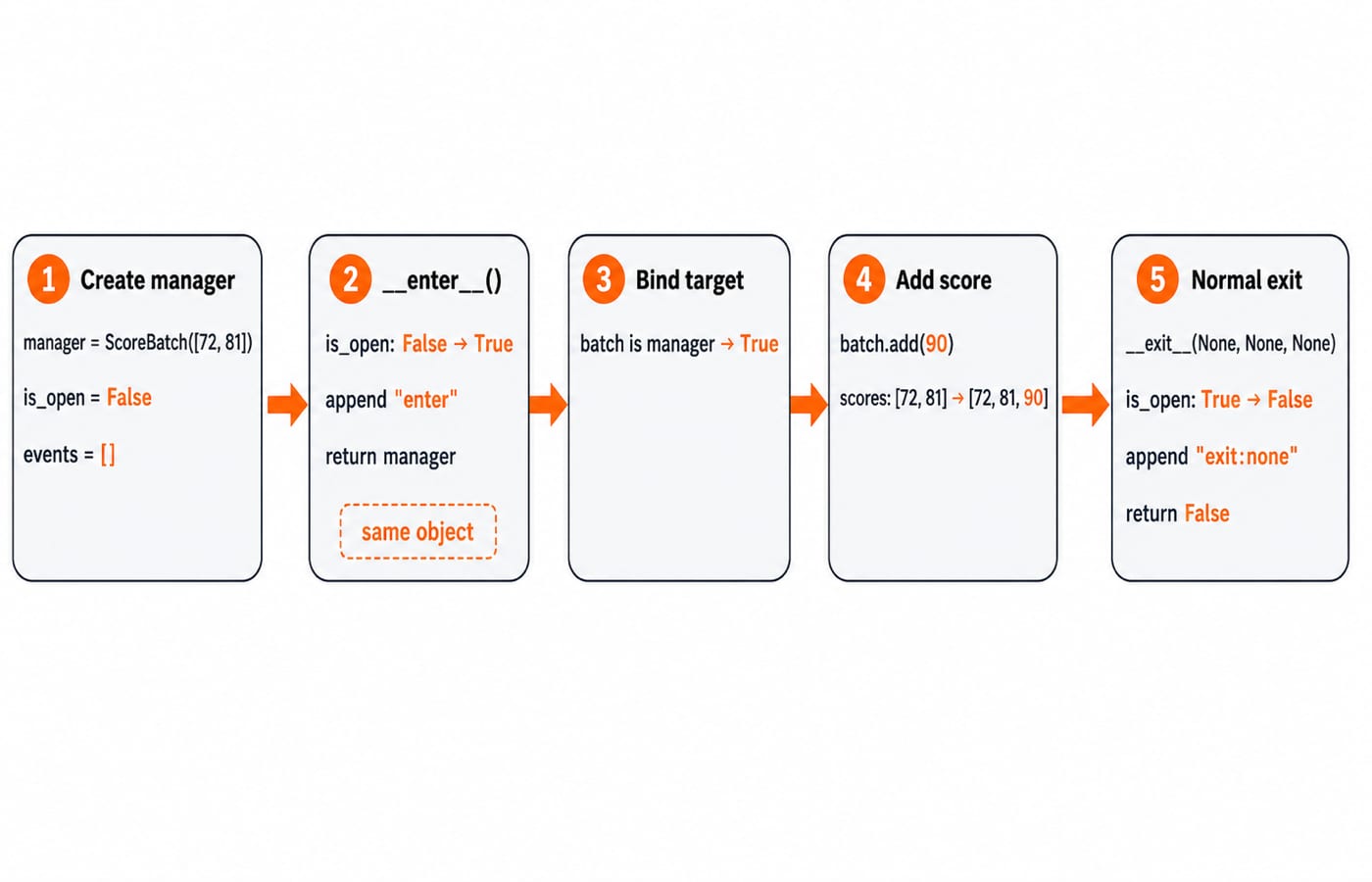
manager = ScoreBatch([72, 81])
with manager as batch:
    batch.add(90)
    print(batch.scores, batch.is_open)

print(manager.scores, manager.is_open, manager.events)
It prints exactly:
[72, 81, 90] True
[72, 81, 90] False ['enter', 'exit:none']
__enter__() changes is_open, records "enter" and returns self. Therefore, batch is manager is True. If it returned nothing, batch would be None. The body appends 90; __exit__() changes only the open state and event log.
Returning False is deliberate. It means an exception from the body is not swallowed. Do not call these dunder methods manually. The with statement orders the calls and supplies the exception information.
Exception flow: cleanup, propagation and suppression
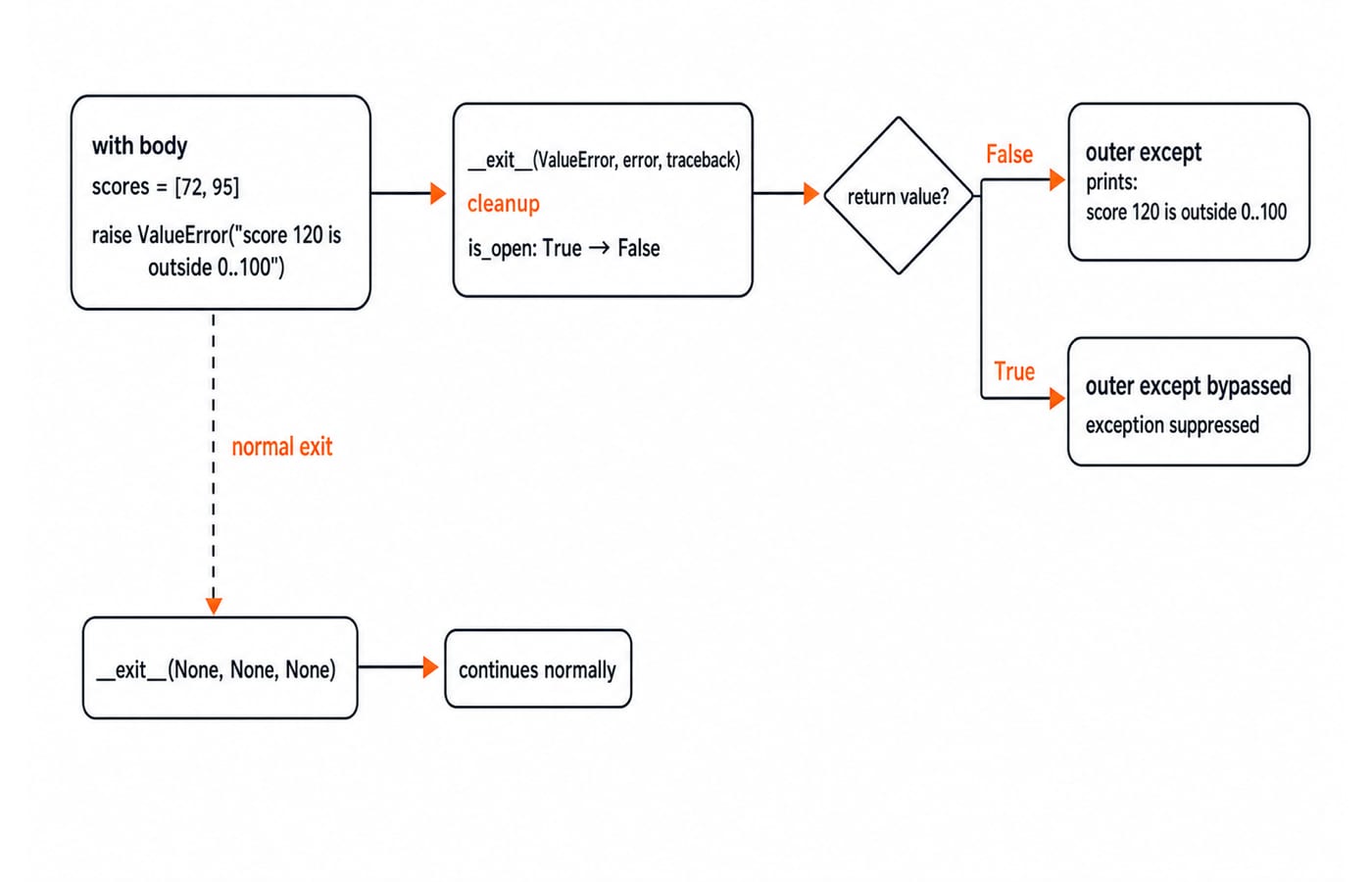
Reuse the same class and raise an error inside its block:
manager = ScoreBatch([72])

try:
    with manager as batch:
        batch.add(95)
        raise ValueError("score 120 is outside 0..100")
except ValueError as error:
    print(error)

print(manager.scores)
print(manager.is_open)
print(manager.events)
The output is:
score 120 is outside 0..100
[72, 95]
False
['enter', 'exit:ValueError']
Cleanup runs before the outer except, but the appended 95 remains. This manager cleans up; it does not roll back data. A false return from __exit__() lets the ValueError propagate. A true return suppresses it, so an unconditional truthy return can hide bugs. Even selective code such as return exc_type is ValueError suppresses every ValueError raised by the body, not just one expected validation error.
Write the same pattern with @contextmanager
The official Python contextlib documentation defines the generator form. Code before yield performs setup, the yielded value becomes the as target, and a finally block performs teardown. The decorated generator must yield exactly once.
from contextlib import contextmanager

@contextmanager
def temporary_mode(settings, new_mode):
    old_mode = settings["mode"]
    settings["mode"] = new_mode
    try:
        yield settings
    finally:
        settings["mode"] = old_mode


settings = {"mode": "safe", "retries": 2}
with temporary_mode(settings, "fast") as current:
    print(current)

print(settings)
The exact outputs are {'mode': 'fast', 'retries': 2} inside and {'mode': 'safe', 'retries': 2} after the block. Replace the inner print with raise RuntimeError("stop") and the finally clause still restores mode to "safe"; the error propagates because the generator does not catch it.
Use a class when a manager needs reusable state or methods. Use @contextmanager when a short setup, yield and finally sequence reads more clearly. The earlier Python Decorators and Generators: yield, Closures and the Trace-the-Output Interview Questions develops closures, @ syntax and yield as general language features. In @contextmanager, those mechanisms serve one narrower contract: setup before a single yield and teardown after it.
Common mistakes and the right contextlib tool
Mistake | Result | Correction |
|---|---|---|
Forget | The | Return the intended managed value |
Return a truthy value from | Failures can disappear | Return |
Put cleanup after | An error can skip restoration | Put teardown in |
Call | You lose | Enter through a |
Use the managed value after exit | The resource may be closed | Keep its use inside the block |
Assume cleanup means rollback | Mutations such as appended | Implement rollback separately if required |
Use closing(obj) for an object with close() but no context protocol, suppress(ExpectedError) for one deliberately ignored exception, nullcontext(value) for an optional no-op context, and ExitStack for a dynamic number of contexts. For asynchronous resources, use async with, __aenter__() and __aexit__(). The suppress context manager handles a deliberately ignored exception:
from contextlib import suppress

states = {"cache": "ready"}
with suppress(KeyError):
    del states["worker"]
print(states){'cache': 'ready'}Deleting the missing key "worker" raises KeyError, suppress(KeyError) swallows just that one exception, and the dict is unchanged.
How interviews and assessments test context managers
Stable questions ask you to expand with into protocol steps, predict whether __exit__() receives None or ValueError, decide whether a return value propagates an exception, explain a None target, or rewrite try/finally with @contextmanager.
For the error trace above, state manager.scores, manager.is_open and manager.events. The checkable answer is [72, 95], False and ['enter', 'exit:ValueError']. When you self-check, verify the enter, bind, run, exit order, whether the return value makes the exception propagate, and whether cleanup leaves earlier mutations such as the appended 95 intact.
Practice tasks and the recall chain
Make
ScoreBatch.__enter__()returnself.scores. Starting with[60, 75],as scoresmust reference that list, appending80must produce[60, 75, 80], andmanager.is_openmust beFalseafter exit.Implement
temporary_retries(settings, 5)for{"mode": "safe", "retries": 2}. Retries must be5inside and return to2afterRuntimeError("stop"), which must still propagate.Predict
return exc_type is KeyError: it suppressesKeyError("missing"), but notValueError("bad").
Run each task and check its output against the stated result. Use the Python course linked above for structured language study, then continue with DSA Using Python for later problem-solving practice. For interview topics beyond Python itself, browse the Coding and Skill Development category for related guides.
The recall chain: enter, bind, run, exit, then propagate unless suppression is deliberate.
Keep learning
Exceptions in Python: Handle Errors with try, except and finally
Learn how Python exceptions change control flow, how to catch expected failures without hiding bugs, and when to use else, finally, raise, and custom exceptions.
Updated 18 Oct 20265 min readPython
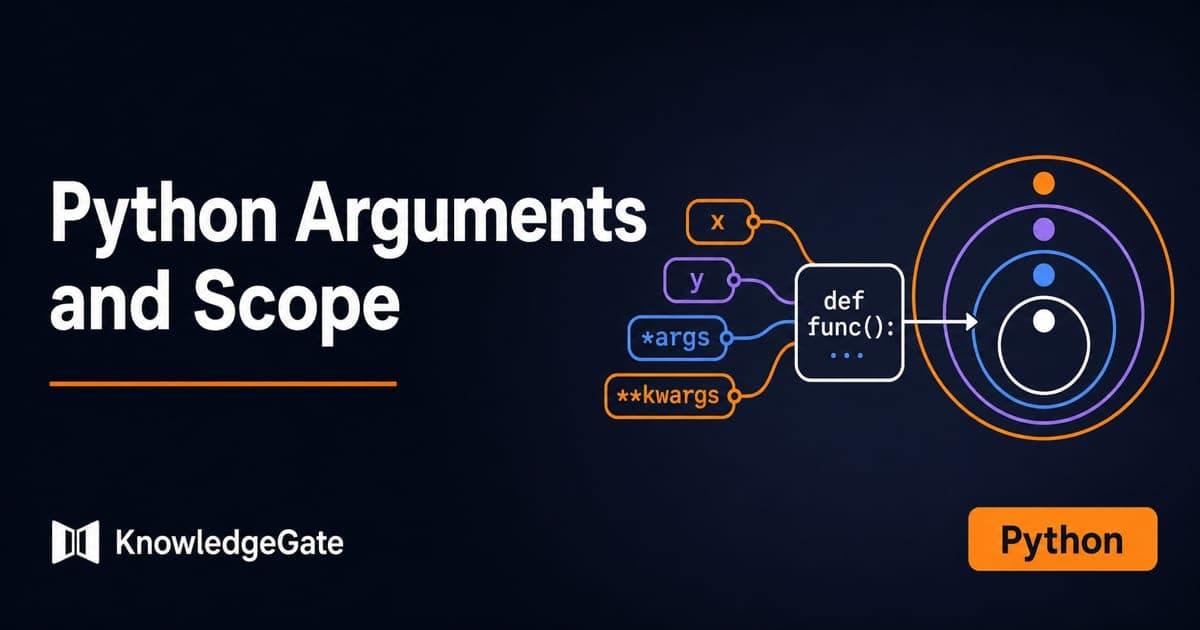
Python Arguments and Scope: Parameters, LEGB, and Worked Examples
Trace how Python binds arguments, handles mutation and rebinding, and resolves names through LEGB. Runnable examples turn scope rules into predictable output.
Updated 10 Oct 20265 min readPython
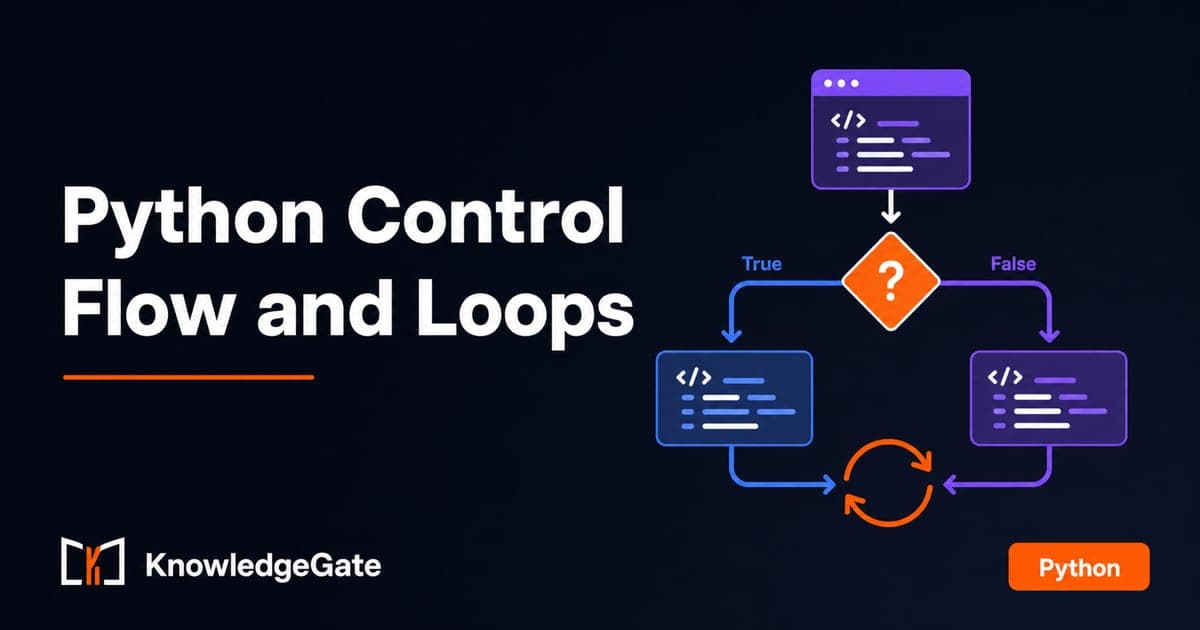
Python Control Flow and Loops: if, for, while and Worked Traces
Learn to trace Python branches and loops without skipping a state change. Worked examples cover GCD, break and continue, loop else, nested loops, and common mistakes.
Updated 6 Oct 20265 min readPython
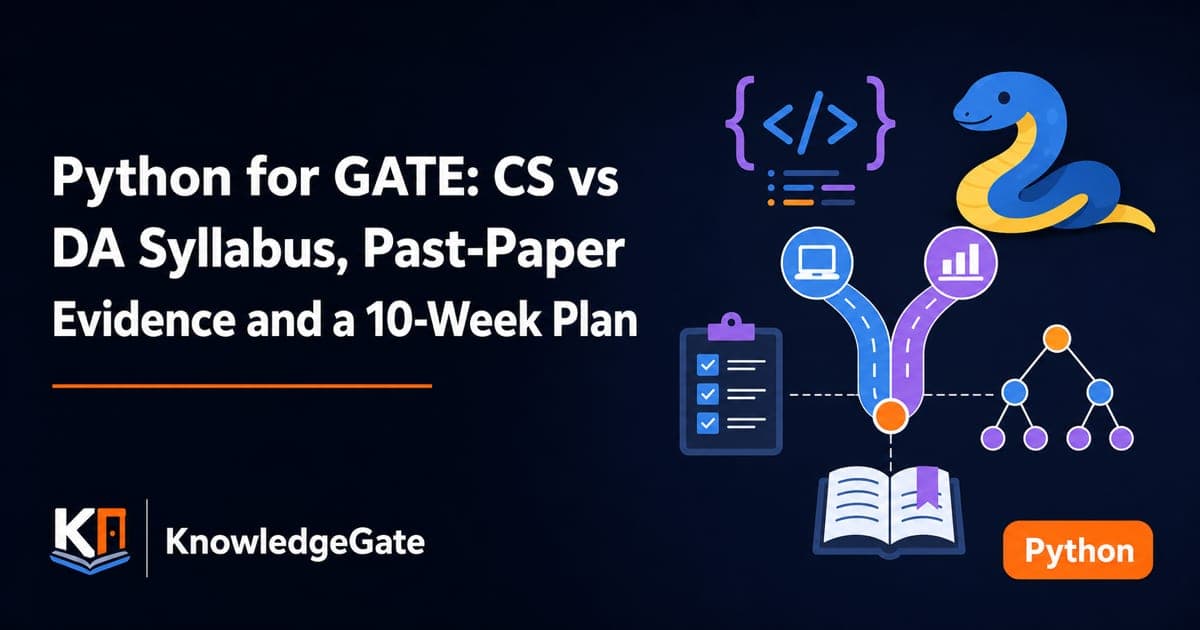
Python for GATE: CS vs DA Syllabus, Past-Paper Evidence and a 10-Week Plan
Choose the right Python preparation path for GATE CS or DA, then use two worked traces and three diagnostic gates to test your progress.
Updated 1 Oct 20264 min readPython