

Bitmap vs Pixmap: Pixel Depth, Memory Layout, and Storage Calculations
Learn how raster pixels become bits and bytes. A worked 10 x 3 example shows nibble packing, scanline padding, address lookup, and storage at three pixel depths.
KnowledgeGate Team
Exam prep & CS education
Updated 9 Nov 20265 min read
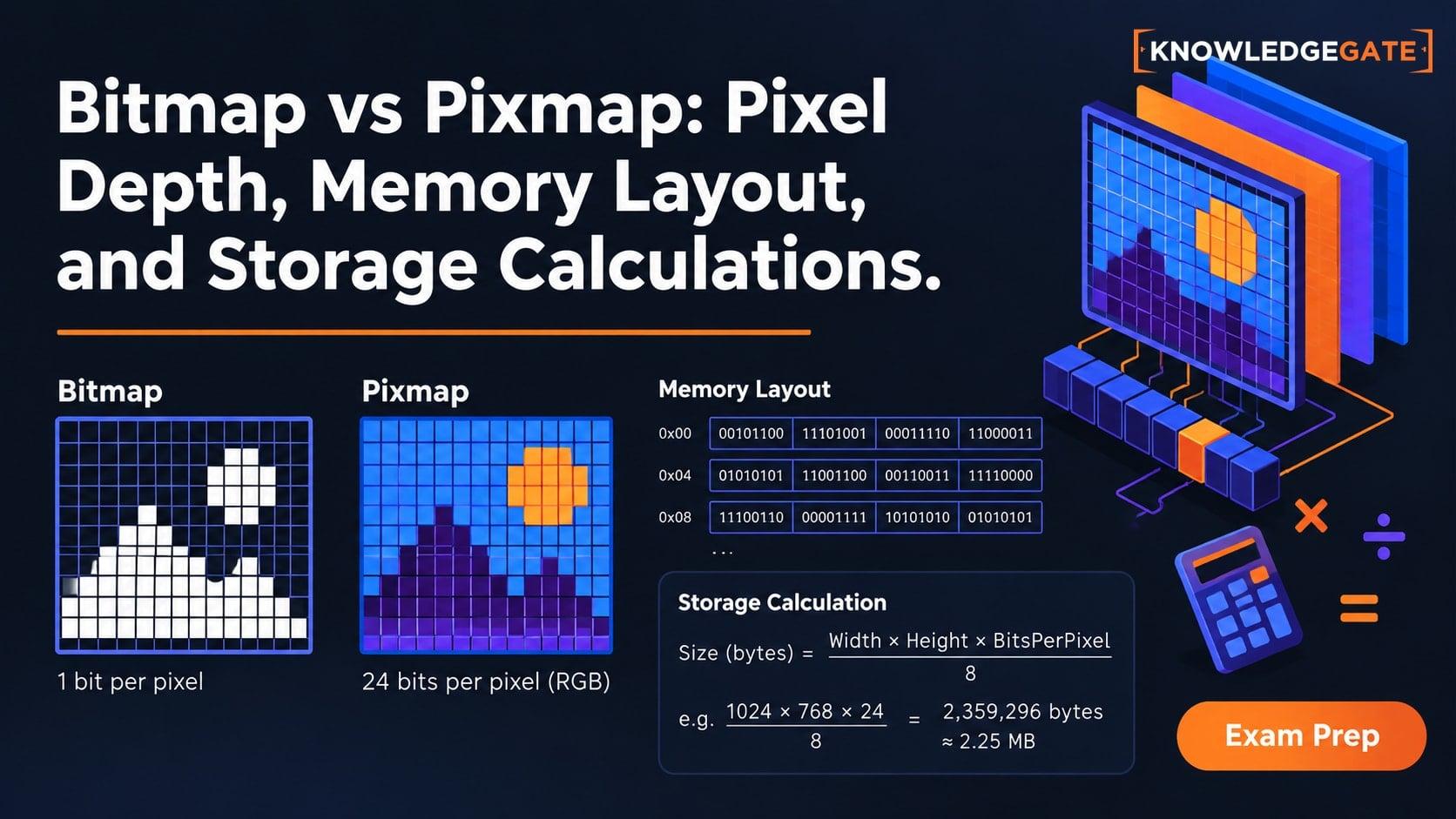
The formula width x height x bits per pixel looks simple until packing, scanline padding, palettes, and byte order change the total. A bitmap stores one bit per pixel, while a pixmap stores multiple bits per pixel. A 10 x 3 raster at 4 bpp packs each row into five payload bytes; four-byte scanline alignment makes the three-row pixel array 24 bytes.
Bitmap vs pixmap: start with the terminology
A raster image is a rectangular grid addressed by (x, y). Strictly, a bitmap stores one bit per pixel and two codes, while a pixmap stores multiple bits per pixel.
Software often calls any raster a "bitmap", and .bmp can exceed 1 bpp. Follow the question's definition.
For example, bitmap pixels 1 0 1 1 form 1011. Four 4-bpp pixmap pixels 3, A, 0, F are hexadecimal nibbles that pack as 3A 0F under a high-nibble-first convention.
Pixel depth: count codes before counting bytes
Pixel depth b provides 2^b representable codes:
1 bpp gives
2^1 = 2codes.4 bpp gives
2^4 = 16codes.8 bpp gives
2^8 = 256codes.24 bpp gives
2^24 = 16,777,216possible bit patterns.
A code is not automatically a colour. A 4-bpp indexed pixmap stores an index from 0 to 15, which a palette maps to a colour. A 24-bpp direct-colour representation can assign 8 bits each to red, green, and blue. All-zero and all-one codes mean black or white only if the representation says so.
For a place-value and hexadecimal recap, see Number Systems and Base Conversions Explained.
Pixmap memory representation: rows, packing, stride, and byte order
Raster data commonly uses row-major scanlines. The row payload holds one row's pixel codes. The stride is the byte distance between the starts of consecutive stored rows, including padding.
For byte-packed rows:
row payload bytes = ceil(width x bpp / 8)
With 4-byte scanline alignment:
stride = ceil(row payload bytes / 4) x 4
pixel-array bytes = stride x height
Sub-byte pixels share bytes. Here, 4-bpp pixel x occupies byte floor(x / 2) of its row. Even x uses the high nibble and odd x the low. Nibble order, scanline order, and RGB versus BGR order are format-defined.
RGB stores (R, G, B) = (0x12, 0x34, 0x56) as 12 34 56; BGR stores it as 56 34 12. Memory Hierarchy and Virtual Memory Explained develops the logical-versus-physical distinction, though virtual memory does not change the pixel format.
Worked example: pack a 10 x 3, 4-bpp pixmap
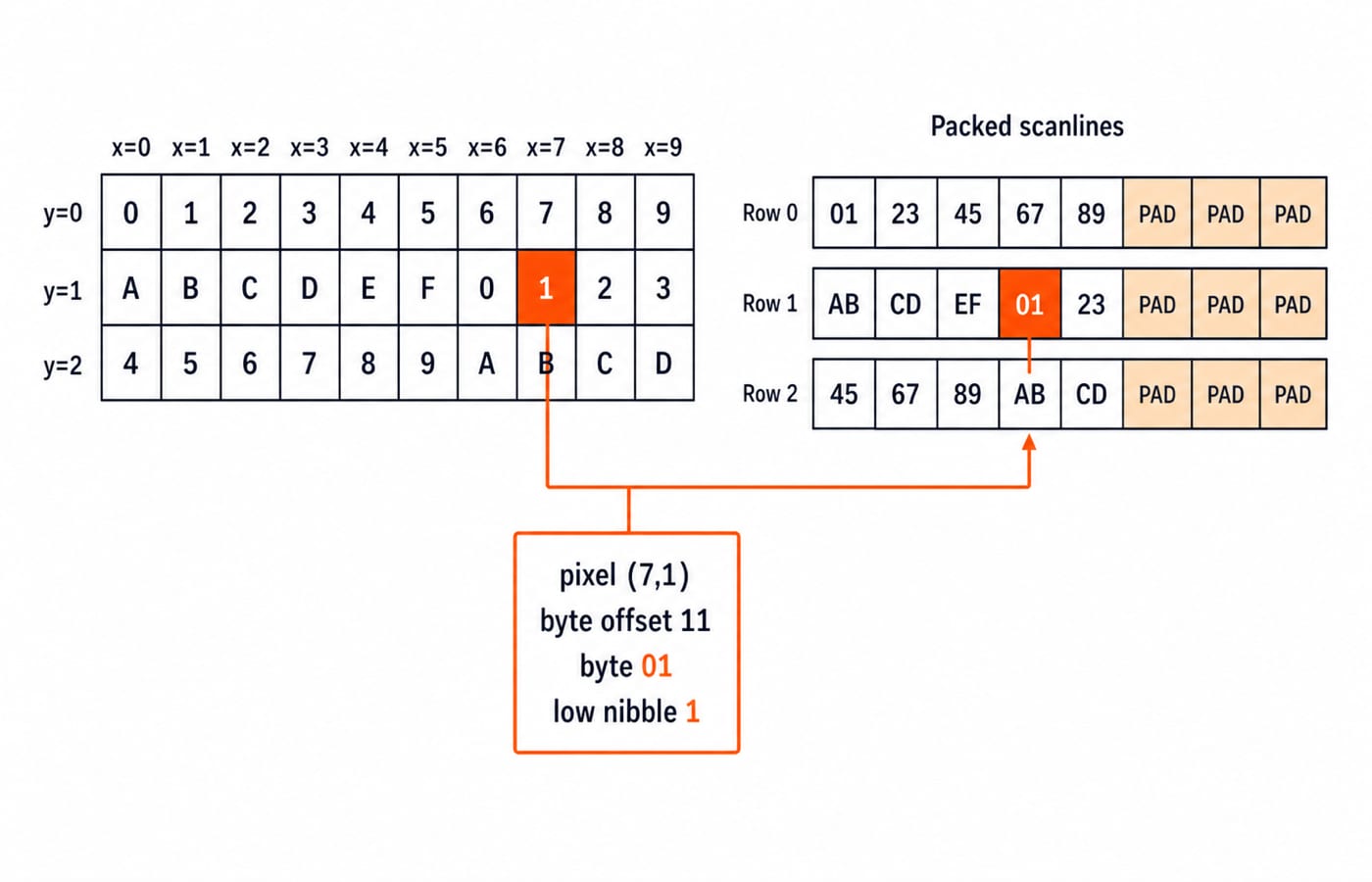
Let W = 10, H = 3, and b = 4. Assume row-major storage, two pixels per byte, even x in the high nibble, odd x in the low nibble, and 4-byte-aligned scanlines. Exclude header and palette.
The pixel-code rows are:
y = 0:0 1 2 3 4 5 6 7 8 9y = 1:A B C D E F 0 1 2 3y = 2:4 5 6 7 8 9 A B C D
Each row needs 10 x 4 = 40 bits = 5 payload bytes. Four-byte alignment rounds the stride from 5 to 8 bytes. The pixel array therefore occupies 8 x 3 = 24 bytes.
The packed rows are:
01 23 45 67 89 | PAD PAD PAD
AB CD EF 01 23 | PAD PAD PAD
45 67 89 AB CD | PAD PAD PAD
Padding occupies storage but represents no pixel; its value is unspecified.
For pixel (7, 1), row 1 starts at 1 x 8 = 8; pixel 7 uses byte floor(7 / 2) = 3. The base-relative offset is 8 + 3 = 11, row 1's fourth payload byte, 01. Odd x = 7 selects its low nibble, code 1.
Bitmap and pixmap storage: compare 1, 4, and 24 bpp
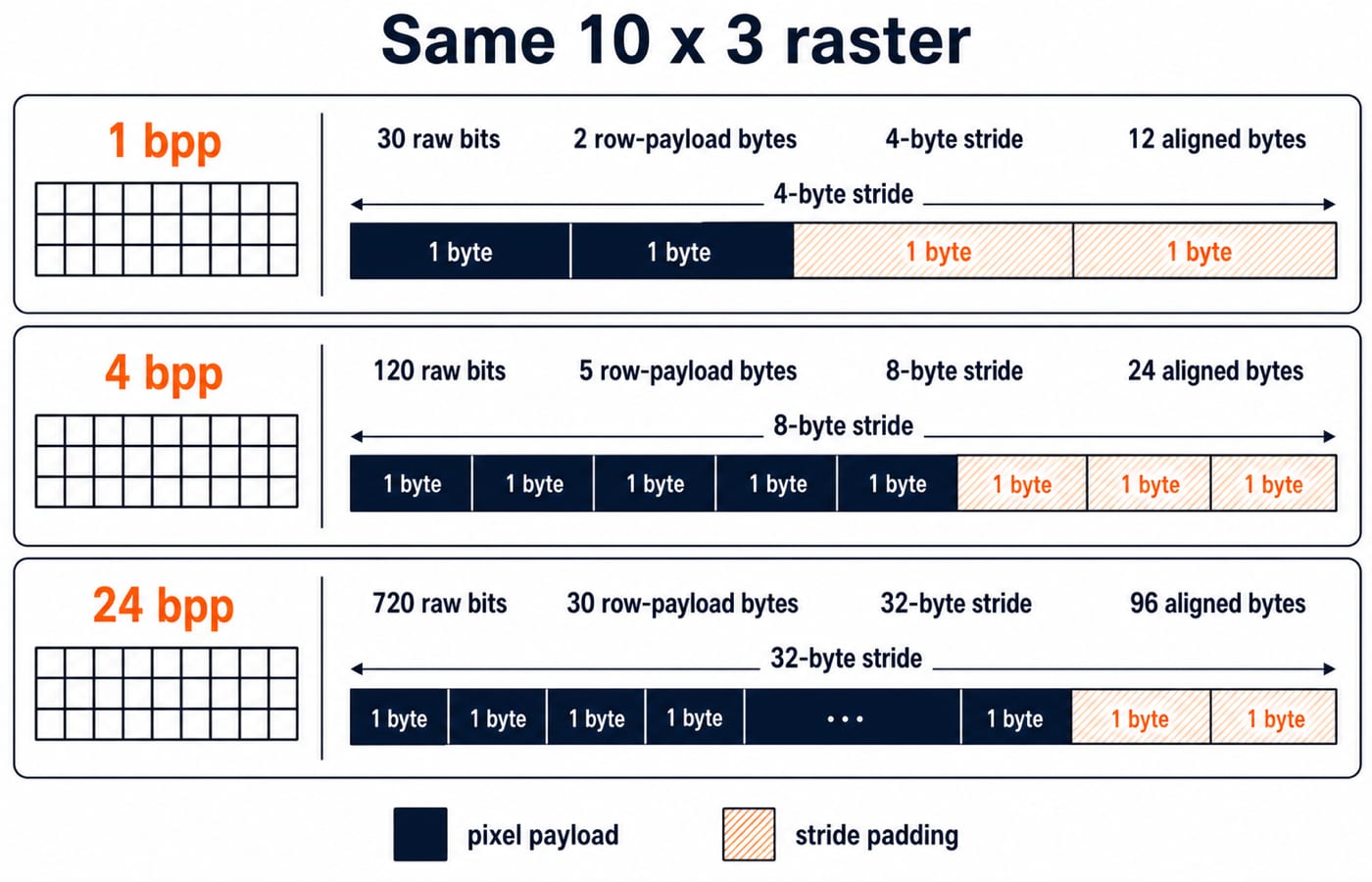
Keep W = 10 and H = 3. Continuous storage uses one bitstream. Row packing rounds each row separately, then alignment rounds its byte count to a multiple of 4.
Depth | Codes | Total pixel bits | Continuous minimum bytes | Byte-packed row bytes | 4-byte-aligned stride | Aligned pixel-array bytes |
|---|---|---|---|---|---|---|
1 bpp bitmap | 2 |
|
|
| 4 |
|
4 bpp pixmap | 16 |
|
|
| 8 |
|
24 bpp pixmap | 16,777,216 |
|
|
| 32 |
|
W x H x bpp gives raw pixel bits, not file size. Row boundaries, alignment, palettes, metadata, and compression can change storage, so dimensions and depth alone are insufficient.
Pixel-depth and memory-calculation traps
Check answers with this trap -> why it fails -> correction list:
Bits versus bytes: creates an eightfold error. Keep bits until the final division by 8.
Using
2binstead of2^b: code capacity is exponential. Calculate2^b.Confusing resolution and depth: one counts pixels, the other bits per pixel. Multiply only for raw bits.
Rounding after all rows: under row packing, scanlines do not share leftover bits. Round each row before multiplying by height.
Treating padding as pixels: padding changes stride, not width. Include it only in storage and addresses.
Calling the pixel array the file size: headers, palettes, metadata, or compression may change it. Name the quantity.
Treating an 8-bpp index as a colour: indexed images need a palette, which determines the colour.
Assuming 32 bpp means 32 colour bits: one layout uses 24 colour bits plus 8 alpha, but others exist.
A bit width does not define meaning by itself. Floating Point Representation: IEEE 754 Format applies the same principle to sign, exponent, and fraction fields.
How exams test bitmap and pixmap storage
Practise four generic problem shapes:
Infer codes from depth. If
b = 6, then2^6 = 64codes are possible.Infer minimum depth from codes. If
K = 100, thenceil(log2 100) = 7bits because2^6 = 64 < 100 <= 128 = 2^7.Calculate raw storage. At 8 bpp,
640 x 480 x 8 = 2,457,600 bits = 307,200 bytesbefore padding or metadata.Reverse a stride calculation. Divide buffer size by height for the stride, then compare it with the row payload from width and depth.
Write assumptions first. Keep units on every line, apply a ceiling at each packing boundary, then convert to KB or MiB. If no convention is given, declare decimal (1 KB = 1000 bytes) or binary (1 KiB = 1024 bytes) units.
Bitmap vs pixmap: the short version and next step
In the strict distinction, a bitmap stores 1 bit per pixel.
A pixmap stores multiple bits per pixel.
Depth
bprovides2^bpossible codes.Raw pixel storage is
W x H x bbits.Actual storage depends on row packing, stride, palettes, metadata, and compression.
Continue with CS Fundamentals for Exams & Placements, or follow Zero to Hero, Complete CS Course for a structured curriculum that includes Computer Graphics and core CS subjects.
Keep learning

Bitmap and Pixmap MCQs: 12 Solved Pixel Depth and Memory Questions
Build a reliable pixel-memory method through 12 live MCQs covering bitmaps, pixmaps, lookup tables, uncompressed storage, refresh rates, masks, and dithering.
Updated 30 Oct 20267 min readComputer Organization MCQs
Array Data Structure: Memory Layout, Operations and Worked Examples
Understand how arrays map indices to memory, then practise address calculation, exact shift counts, searching and dynamic-array growth with worked examples.
Updated 24 Oct 20266 min read71 viewsDSA & Algorithms
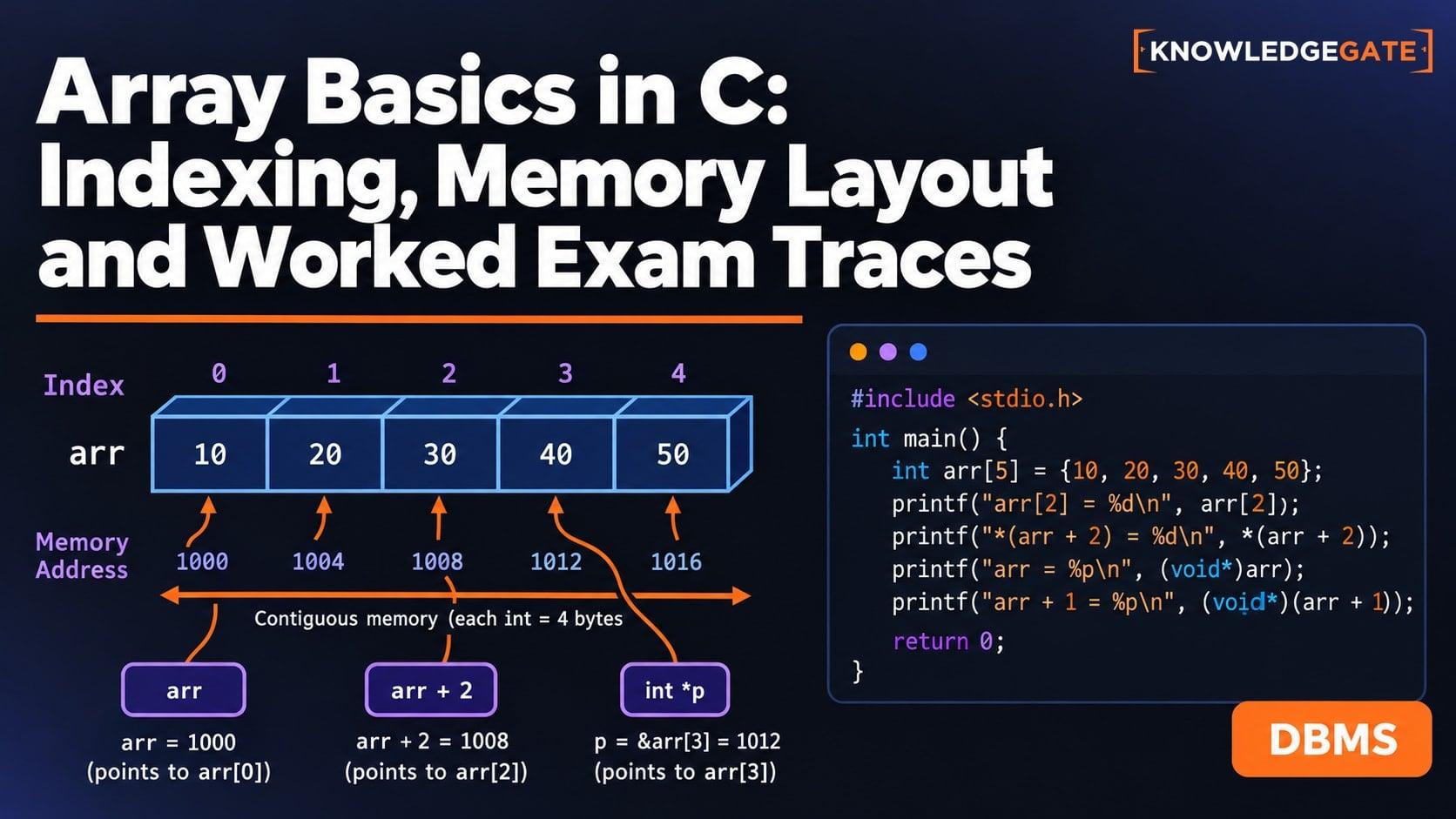
Array Basics in C: Indexing, Memory Layout and Worked Exam Traces
C arrays become much easier once indices, addresses, loop bounds, and mutations are kept separate. Build that model with two complete traces and common-error checks.
Updated 16 Sep 20266 min read50 viewsC Programming & Data Structures
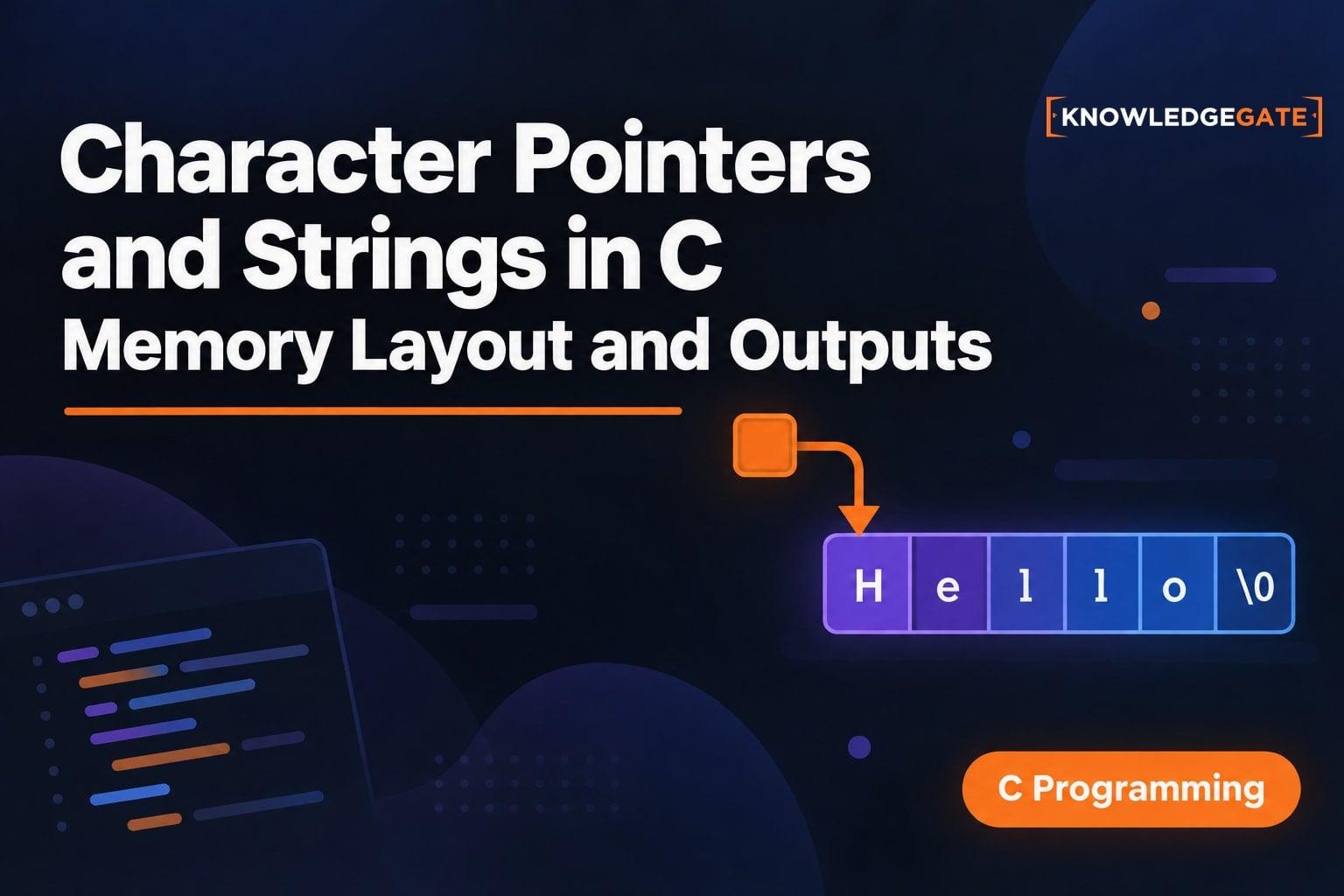
Character Pointers and Strings in C: Memory Layout, Worked Outputs and Exam Traps
Build a memory-first model for character pointers and C strings. Trace GATE to GITE and CAT to CBT, then check literals, bounds, terminators and capacity.
Updated 2 Sep 20266 min read62 viewsC Programming & Data Structures