Packages and Access Modifiers in Java: Visibility Rules with Runnable Examples
Learn how Java package boundaries change member visibility. Compile a complete example covering public, protected, package-private and private access.
KnowledgeGate Team
Exam prep & CS education
Updated 18 Oct 20265 min read
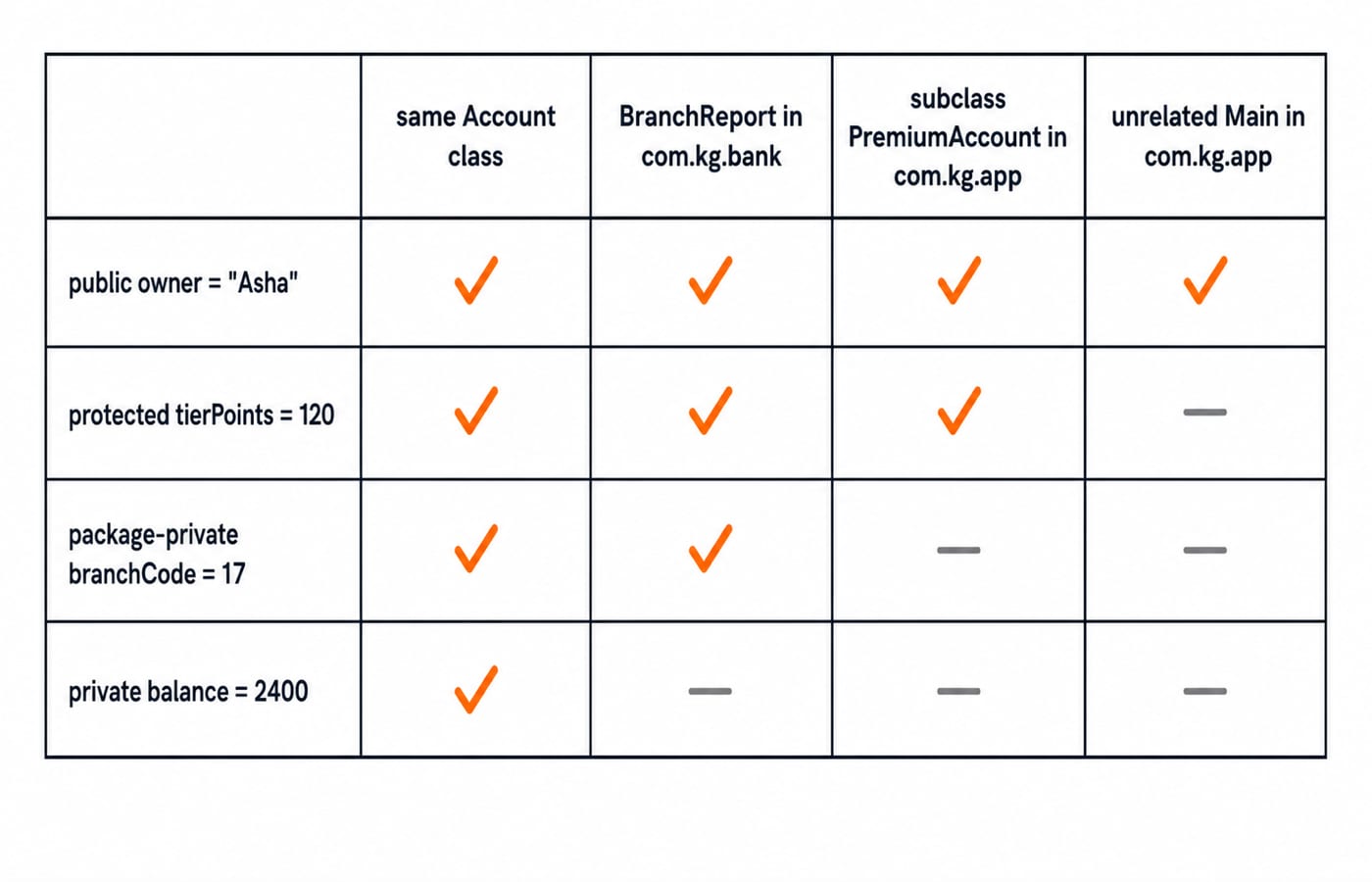
A Java class may compile while it sits beside another class, then fail after moving to a different package. Package boundaries and access rules act together. A declaring class, a same-package class, a cross-package subclass and an unrelated cross-package class expose the exact boundary for public, protected, package-private and private members.
Java packages: namespace, folders and declarations
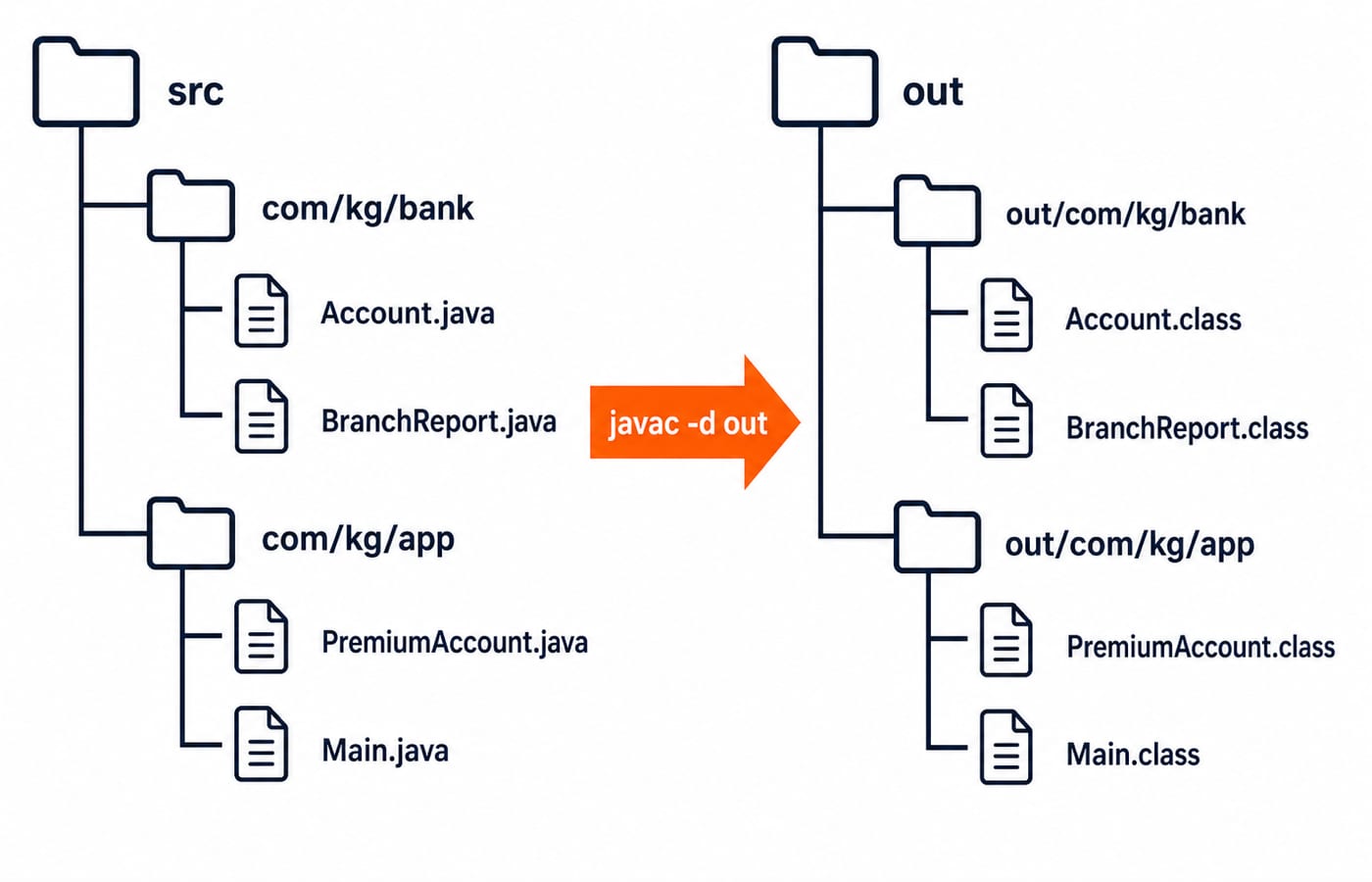
A package is a named namespace for related types that prevents short-name collisions. The package com.kg.bank should match src/com/kg/bank/Account.java, whose first non-comment statement is package com.kg.bank;.
Use this project tree:
src/
└── com/kg/
    ├── bank/
    │   ├── Account.java
    │   └── BranchReport.java
    └── app/
        ├── PremiumAccount.java
        └── Main.java
From the project root, compile and run it with:
javac -d out src/com/kg/bank/Account.java src/com/kg/bank/BranchReport.java src/com/kg/app/PremiumAccount.java src/com/kg/app/Main.java
java -cp out com.kg.app.Main
The -d out option creates matching class-file folders. Prefer lowercase reverse-domain names such as com.kg.bank. A file can contain at most one public top-level class, and its filename must match that class. A top-level class can be public or package-private, never protected or private. The Coding & DSA Courses for Placements category shows where Java fits in a broader coding route.
Java imports: short names and fully qualified names
An import permits a type's short name. It does not copy a class, create inheritance or include subpackages. java.lang is imported implicitly, and same-package classes need no import. import java.util.*; covers direct members of java.util, not java.util.concurrent.
This short-name example prints 253:
import java.util.ArrayList;

public class MarksTotal {
    public static void main(String[] args) {
        ArrayList<Integer> marks = new ArrayList<>();
        marks.add(78);
        marks.add(84);
        marks.add(91);
        System.out.println(marks.stream().mapToInt(Integer::intValue).sum());
    }
}
The sum is 78 + 84 + 91 = 253. Importing both java.util.Date and java.sql.Date makes Date d; ambiguous. Import one, then qualify the other: java.sql.Date joined = java.sql.Date.valueOf("2026-07-19");.
Java access modifiers: the four-context matrix
public is visible wherever its declaring type is accessible. protected works in the same package and in outside subclasses, subject to a receiver rule. Package-private means no modifier and stays in the declaring package. private limits direct access to the declaring top-level class and its nested members, not the package.
Member in | Same |
|
|
|
|---|---|---|---|---|
| Yes | Yes | Yes | Yes |
| Yes | Yes | Yes | No |
package-private | Yes | Yes | No | No |
| Yes | No | No | No |
The type matters before the member. A public member in a package-private top-level class remains unreachable from another package. For broader context, see OOP for Teaching CS Exams: Classes and Inheritance.
Packages and access modifiers in Java: four runnable files
Public fields make each access check visible here. Production classes should usually keep state private and expose purposeful methods.
// src/com/kg/bank/Account.java
package com.kg.bank;

public class Account {
    public String owner = "Asha";
    protected int tierPoints = 120;
    int branchCode = 17;
    private int balance = 2400;

    public int balanceSnapshot() {
        return balance;
    }
}// src/com/kg/bank/BranchReport.java
package com.kg.bank;
public class BranchReport {
public static void print(Account account) {
System.out.println(account.owner + ":" + account.tierPoints
+ ":" + account.branchCode + ":" + account.balanceSnapshot());
// System.out.println(account.balance); // private: does not compile
}
}BranchReport reads the first three fields inside com.kg.bank. It gets the balance only through a public method.
// src/com/kg/app/PremiumAccount.java
package com.kg.app;

import com.kg.bank.Account;

public class PremiumAccount extends Account {
    public void addBonus() {
        tierPoints += 30;
    }

    public String premiumView() {
        return owner + ":" + tierPoints + ":" + balanceSnapshot();
    }
}// src/com/kg/app/Main.java
package com.kg.app;
import com.kg.bank.Account;
import com.kg.bank.BranchReport;
public class Main {
public static void main(String[] args) {
Account account = new Account();
BranchReport.print(account);
PremiumAccount premium = new PremiumAccount();
premium.addBonus();
System.out.println(premium.premiumView());
System.out.println(account.owner + ":" + account.balanceSnapshot());
// System.out.println(account.tierPoints); // protected: Main is not a subclass
// System.out.println(account.branchCode); // package-private: different package
// System.out.println(account.balance); // private: only Account can read it
}
}The output is:
Asha:120:17:2400
Asha:150:2400
Asha:2400
The second line uses a separate PremiumAccount, where 120 + 30 = 150. balanceSnapshot() does not make balance public. Direct access remains blocked while Account controls the returned view.
Protected access across packages: the receiver rule
Inside PremiumAccount, these accesses compile:
int ownPoints() { return this.tierPoints; }
int peerPoints(PremiumAccount peer) { return peer.tierPoints; }
This one does not:
int otherPoints(Account other) { return other.tierPoints; }Outside com.kg.bank, a subclass cannot inspect tierPoints through an arbitrary Account reference. Here, the qualifier's compile-time type must be PremiumAccount or its subclass. Main cannot read premium.tierPoints because it is neither in the declaring package nor a subclass. Use protected state as a deliberate extension point, not a weaker public field. Prefer private state with purposeful methods when subclasses need no raw access.
Java package and access errors: diagnosis and repair
Wrong package or source root: Keep the tree, run
javacfrom the project root and use-d out. Do not delete the package declaration to hide the error.Package-private mistaken for public: Moving
BranchReporttocom.kg.auditblockstierPointsandbranchCode. Protected still does not help an unrelated class. Add a narrow public method if cross-package access is intentional.Over-broad visibility: Making
balancepublic loses control. A validatedwithdraw(int amount)can accept500, giving2400 - 500 = 1900, and reject2500because only2400is available.
Access control and immutability solve different problems. String Handling in Java: Pool, Immutability, Interview Questions is a useful next comparison once these boundaries are clear.
Packages and access modifiers: coding-test patterns
Tests ask whether an expression compiles, which relationship matters, or which narrowest modifier meets a requirement.
Access expression | Context | Result | Reason |
|---|---|---|---|
|
| Compiles | Public member of a public type |
|
| Fails | Different package |
|
| Compiles | Valid subclass receiver |
|
| Fails | Receiver type is too broad |
Test the matrix with three changes. Move BranchReport to com.kg.audit; only owner and balanceSnapshot() remain accessible. Inside PremiumAccount, this.tierPoints and peer.tierPoints compile, but other.tierPoints fails. Remove public from Account; Main cannot import the package-private type.
As an exercise, add public void deposit(int amount) inside Account. From 2400, depositing 600 makes balanceSnapshot() return 2400 + 600 = 3000. Assigning account.balance = 0 in Main must still fail.
Packages and access modifiers in Java: the short version
Choose visibility from the caller relationship. Keep a member private when only its class needs direct access, use package-private for cooperating types inside one package, use protected for a true subclass extension point that satisfies the receiver rule, and use public only when any caller should use the API.
For a disputed access, check the declaring type first, then the caller's package, subclass relationship and qualifier type. If direct access fails but the operation is legitimate, add a narrow method such as balanceSnapshot() or deposit(int amount) instead of widening the field.
Apply the rule to one of your own classes: write its callers in four columns and justify the narrowest access each operation needs. Use Java Course: Concepts, MCQs and Coding Questions for concept-and-question practice, or choose the Complete Java Course for a broader Java sequence.
Keep learning
OOP Basics in Java: Classes, Objects and the Four Pillars with Runnable Examples
Connect Java's OOP syntax to design decisions with a complete Account example. Trace two objects through validation, overriding and runtime dispatch to exact output.
Updated 14 Oct 20265 min readJava
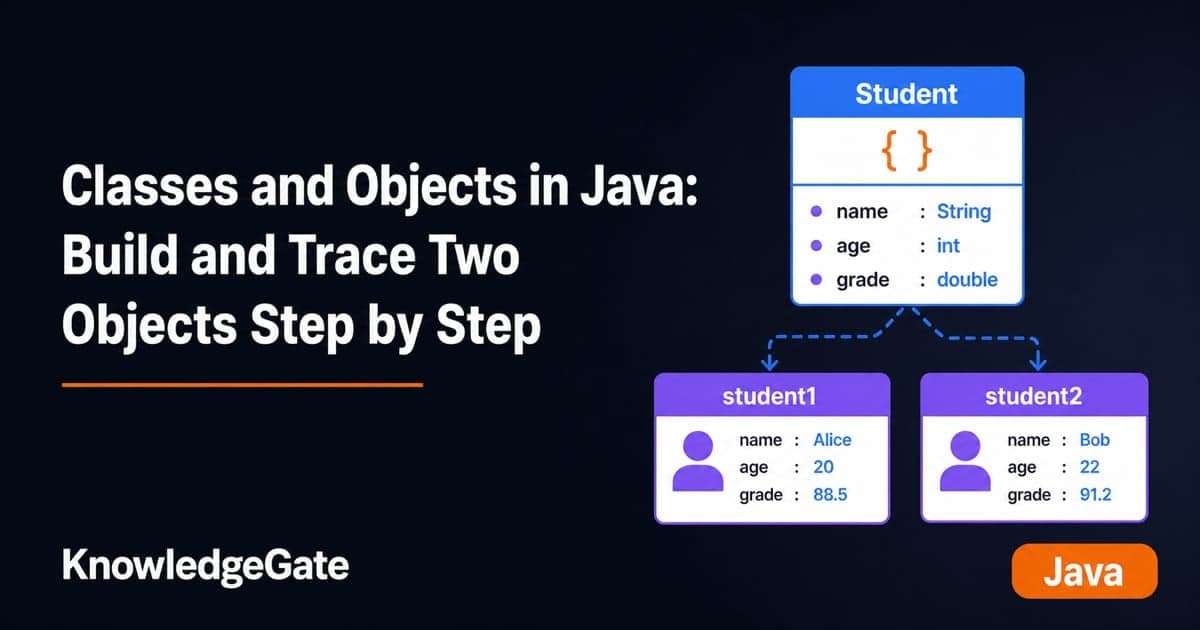
Classes and Objects in Java: Build and Trace Two Objects Step by Step
Build a Java Student class, create two independent objects, and trace fields, methods, aliases, null references, output, and common errors step by step.
Updated 10 Oct 20266 min readJava
Abstraction and Interfaces in Java: Abstract Classes, Contracts and Runnable Examples
Learn when Java needs an abstract class, when it needs an interface, and how both work together in one runnable charge-calculation program with exact outputs.
Updated 6 Oct 20266 min readJava
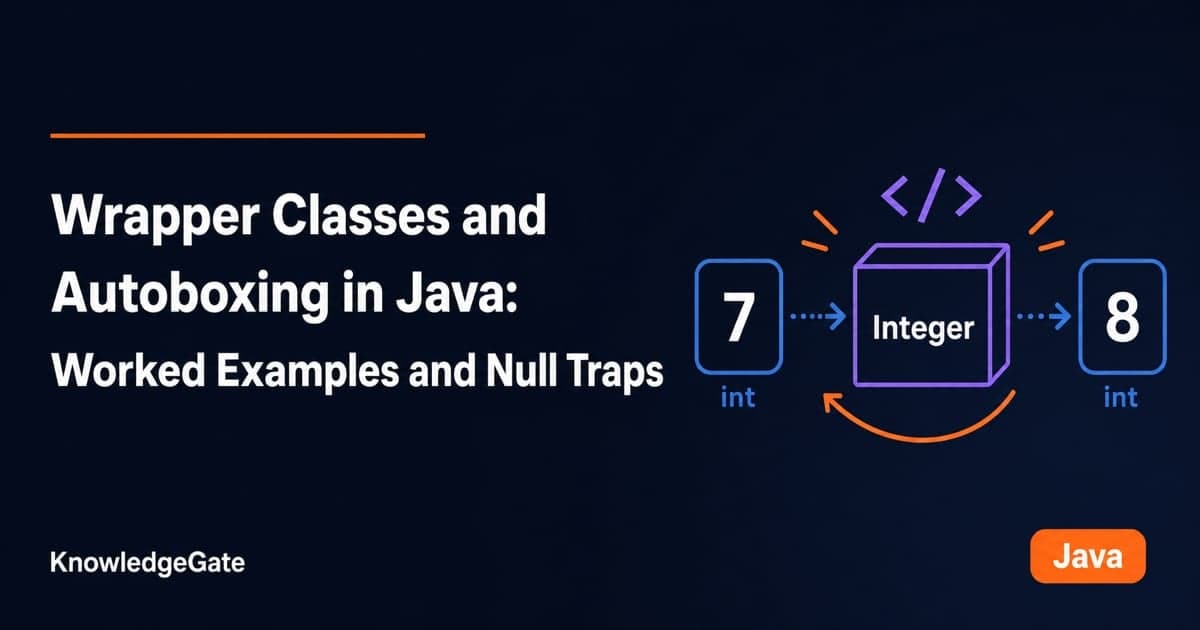
Wrapper Classes and Autoboxing in Java: Worked Examples and Null Traps
Learn why Java wrapper classes exist, how boxing and unboxing work, and where nulls, reference identity, and overload selection create surprises.
Updated 1 Oct 20265 min readJava