

JRE and JVM Explained: How Java Loads and Executes Bytecode
Trace one Java program from source to bytecode and execution, then use the exact output to separate compilation, loading, linking, initialization and JIT.
KnowledgeGate Team
Exam prep & CS education
Updated 24 Nov 20265 min read
JRE, JVM and JDK are often memorised as nested boxes. That picture does not explain what happens after javac RuntimeTrace.java, or why a static initializer prints before a method result. You may know the acronyms yet still mix up compilation, loading, verification, initialization, interpretation and JIT compilation. Compiling RuntimeTrace.java produces two class files, and running the program prints main:start, FareTable:init base=5, total=35. For the whole JVM map, including heap, garbage collection and native calls, start with JVM Architecture in Java: Class Loading, Memory Areas and a Bytecode Trace; RuntimeTrace narrows the lens to class preparation, first-use initialization and one method frame with exact values in the broader Coding & DSA Courses for Placements sequence.
Separate JDK, JRE and JVM without the nesting shortcuts
The JVM is the abstract machine for loading and executing class-file code; an actual JVM is platform-specific. The JRE is the runtime side, traditionally a JVM plus Java libraries and support. The JDK adds development tools such as javac.
Oracle's Java SE 8 Platform Overview describes the JRE as libraries, the JVM and other components, and the JDK as the JRE plus development tools. Here, JRE is a conceptual runtime term, not a claim that every vendor ships a separate JRE product.
Term | Role | Not the same as |
|---|---|---|
JDK | Compile and develop | The JVM alone |
JRE | Supply the execution environment | The Java language |
JVM | Execute class-file instructions | An OS-independent executable |
Turn source into class files, then start the runtime
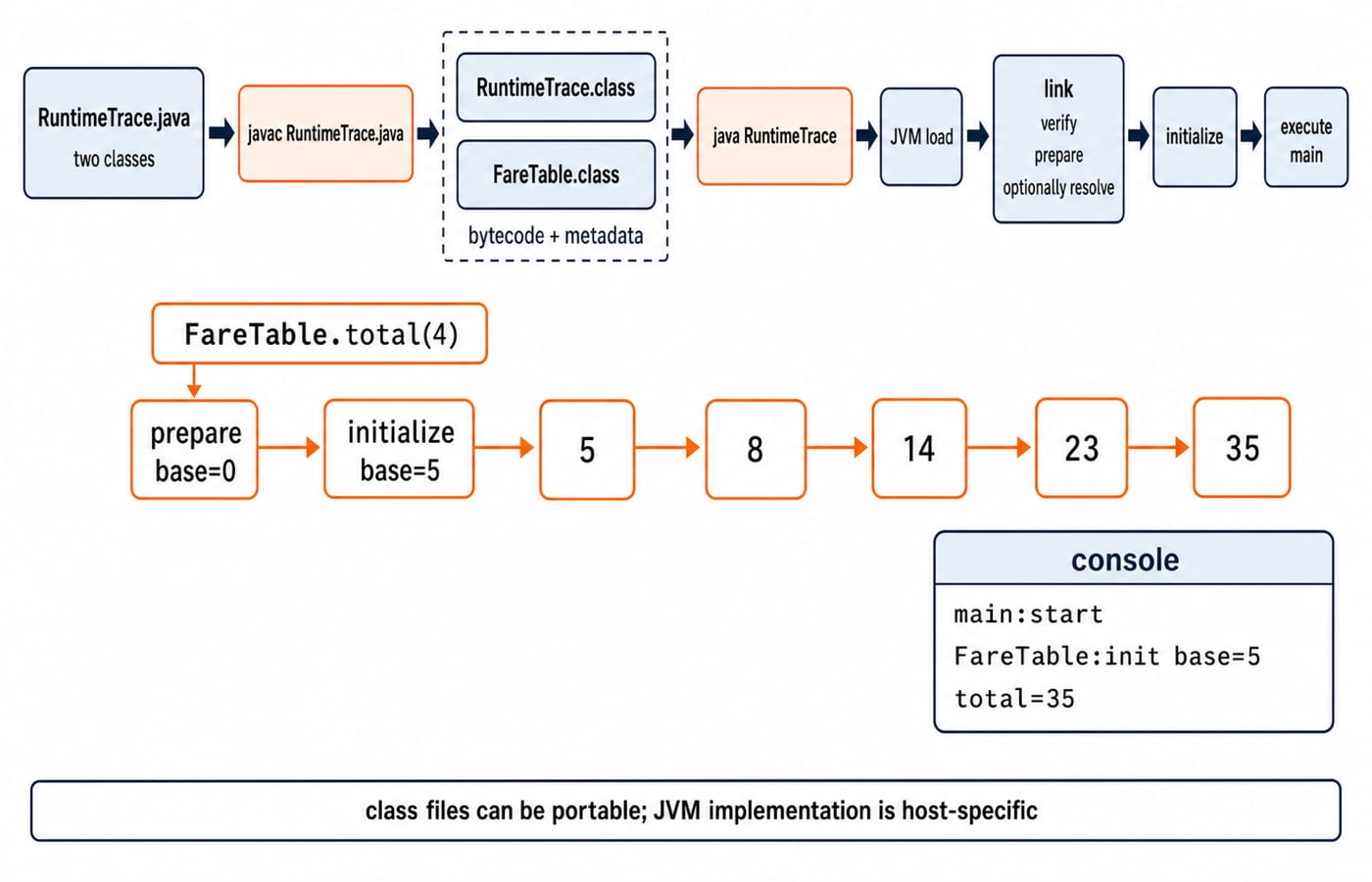
The commands do separate jobs. javac RuntimeTrace.java reads source and creates RuntimeTrace.class and FareTable.class, as described by Oracle's Java SE 25 javac documentation. java RuntimeTrace then starts a JVM, identifies RuntimeTrace as the initial class and invokes its eligible main method under JVM Specification SE 25 startup rules.
A class file contains JVM bytecode and metadata, including a constant pool of symbolic references. It is neither source, text script, nor universal native code. Compatible class files can work with compatible JVMs on different hosts, while the JVM executable and native dependencies remain platform-specific. Compatibility matters: one class file need not run on every older JVM.
Follow loading, linking and initialization in the correct order
JVM Specification SE 25 Chapter 5 gives loading -> linking -> initialization. Loading obtains a binary representation and creates the JVM's internal class representation. Linking contains verification -> preparation -> optional resolution. Verification checks structural and static constraints, not business correctness. Preparation creates static fields with default values. Resolution replaces symbolic references with concrete runtime references, eagerly or lazily. Initialization executes class initialization logic, including static field initializers.
RuntimeTrace is the initial class. Preparation gives FareTable.base the int default 0. Initialization calls initialiseBase(), prints FareTable:init base=5, returns 5, and assigns it to base. The first invokestatic use of FareTable.total(4) must see FareTable initialized before the method runs. Implementations retain flexibility over some loading and resolution timing, so not every class loads at startup and resolution need not always finish before initialization.
Work RuntimeTrace from startup to the exact result
Source:
public class RuntimeTrace {
    public static void main(String[] args) {
        System.out.println("main:start");
        int total = FareTable.total(4);
        System.out.println("total=" + total);
    }
}

class FareTable {
    static int base = initialiseBase();

    static int initialiseBase() {
        System.out.println("FareTable:init base=5");
        return 5;
    }

    static int total(int units) {
        int value = base;
        for (int i = 1; i <= units; i++) {
            value += i * 3;
        }
        return value;
    }
}
Event | Relevant value | Visible output |
|---|---|---|
enter | no total yet |
|
initialize | prepare |
|
start |
| none |
| add | none |
| add | none |
| add | none |
| add | none |
|
|
|
Exact output:
main:start
FareTable:init base=5
total=35
The initializer appears second because FareTable is first actively used between the two main prints.
Read one JVM frame and keep JIT claims implementation-specific
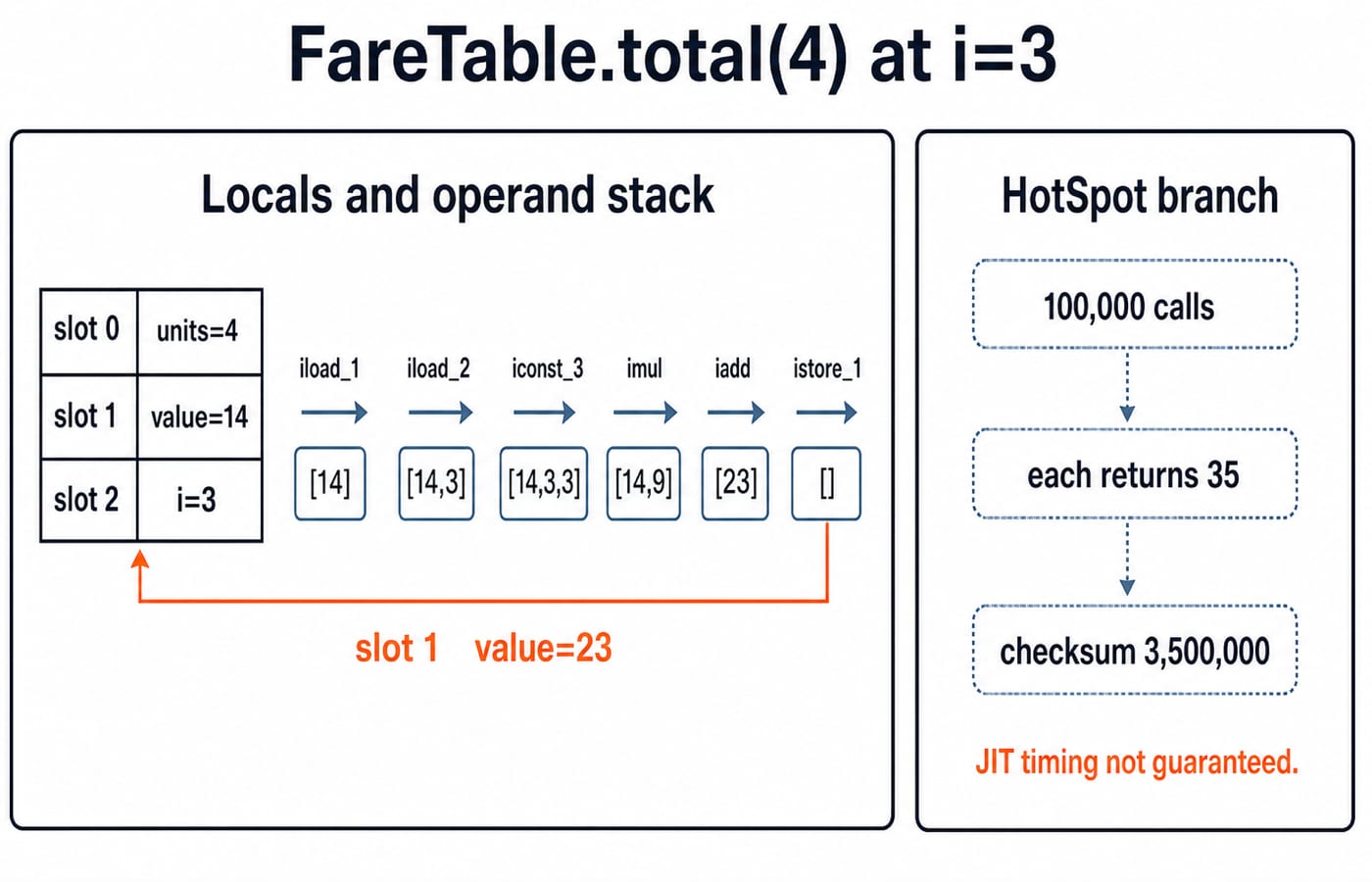
A method frame has locals and an operand stack, logical structures rather than physical addresses. For total(4), they are slot 0: units=4, slot 1: value and slot 2: i. Iteration i=3 starts with value=14:
iload_1  -> [14]
iload_2  -> [14, 3]
iconst_3 -> [14, 3, 3]
imul     -> [14, 9]
iadd     -> [23]
istore_1 -> []
After istore_1, value is 23. Inspect with javap -c FareTable; layout and offsets can vary by compiler.
The JVM specification permits interpretation, compilation, or a combination. Oracle's HotSpot Virtual Machine Guide Release 25 describes initial interpretation and adaptive compilation of performance-critical portions. Calling unchanged total(4) 100,000 times gives checksum 100,000 * 35 = 3,500,000. HotSpot may identify it as hot, but no threshold or timing is guaranteed.
Place runtime data in the right conceptual areas
The specification defines logical areas, not their physical layout.
Runtime area | Scope | Program example |
|---|---|---|
JVM stack and frame | per thread |
|
Local variables | within a frame |
|
Operand stack | within a frame |
|
Heap | shared for objects and arrays | library-call objects, layout unspecified |
Method area | shared class-level structures |
|
Run-time constant pool | per loaded class or interface | symbolic |
A frame ending is not garbage collection. The trace proves neither reclaimability nor collector timing; not every value is a heap object. For string allocation and interning, continue with String Handling in Java: Pool, Immutability, Interview Qs.
Fix the traps that exam-style questions exploit
Claim | Verdict | Correction |
|---|---|---|
JRE compiles source | False |
|
JVM and JRE are synonyms | False | The JVM executes class-file instructions; JRE also supplies libraries and support. |
Linking means only verification | False | It includes verification, preparation and optional resolution. |
| False | Preparation gives |
All classes initialize before | False |
|
Java is only interpreted | False | Strategy is implementation-specific; HotSpot can adaptively compile. |
Rapid checks: (1) javac outputs? (2) base after preparation? (3) after initialization? (4) value after i=3? (5) final output value? Answers: 2 class files, 0, 5, 23, 35. The initializer is line two because FareTable initializes before static total executes.
Keep the execution chain, then practise one variation
The short version is source -> javac -> class files -> JVM startup -> load -> link -> initialize -> execute -> optional implementation optimization. Preparation gives base=0; initialization assigns 5; 3 + 6 + 9 + 12 produces 35.
Change only the call to FareTable.total(3). The initializer still runs once; 3 + 6 + 9 = 18, so 5 + 18 = 23. Predict the three console lines first. Study the runtime in the Java Course: Concepts, MCQs & Coding Questions, then continue with DSA using Java: Placement Preparation Course.
Keep learning
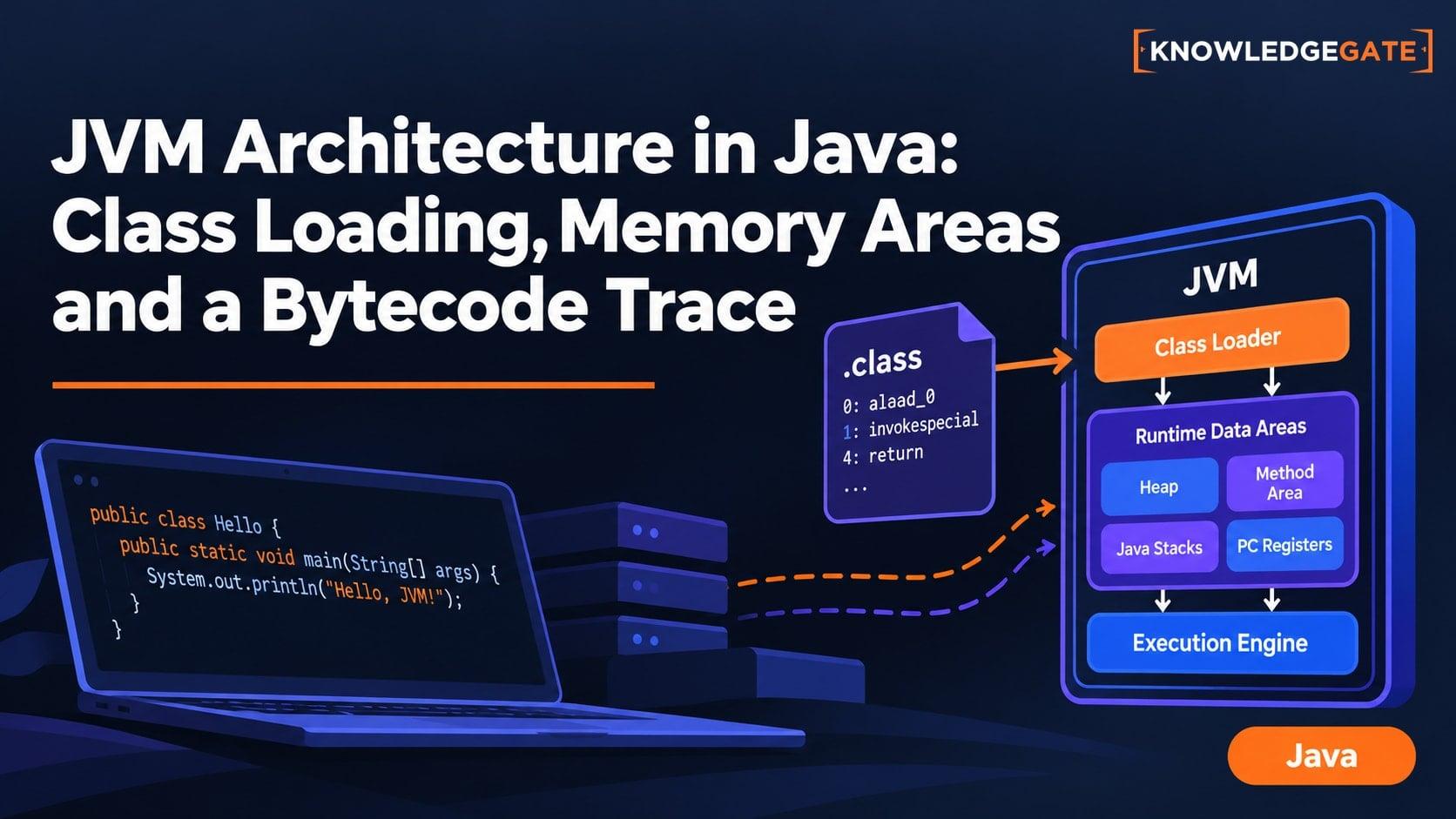
JVM Architecture in Java: Class Loading, Memory Areas and a Bytecode Trace
Trace a runnable Java program from source to class files, class initialization, run-time memory areas and selected bytecode instructions.
Updated 11 Nov 20265 min readJava
Java Applet Life Cycle: Initialization, Execution and Termination
Learn the legacy applet callback model per instance, then trace exact field values across repeated start, paint, stop and destroy events.
Updated 22 Nov 20266 min readJava
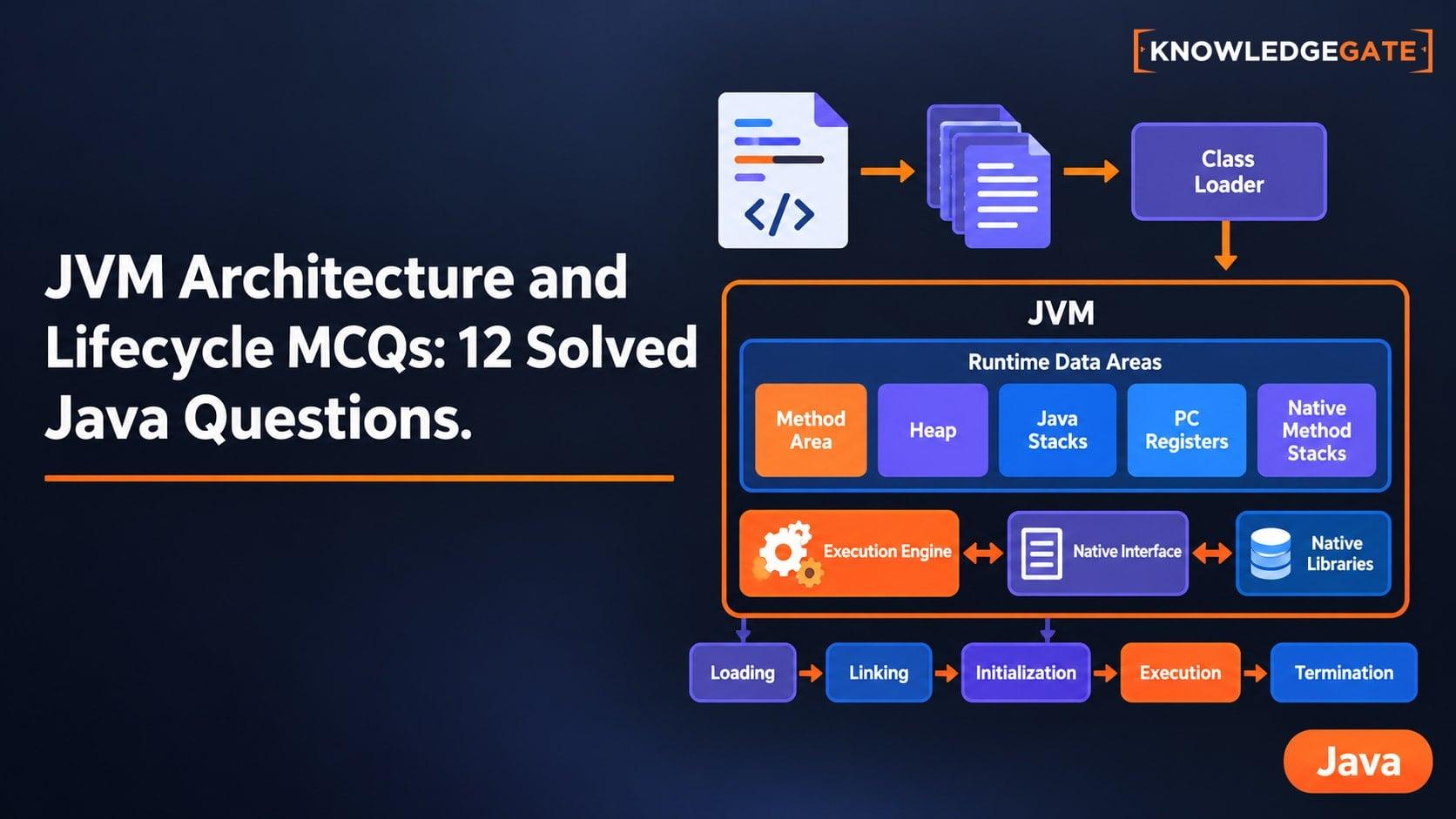
JVM Architecture and Lifecycle MCQs: 12 Solved Java Questions with Explanations
Solve 12 published JVM questions, then use the explanations to separate bytecode, loading, execution, memory areas, reachability and runtime type checks.
Updated 17 Nov 20267 min readJava
Kotlin vs Java for JVM Applications: A Clear Trade-off Guide
Choose between Kotlin and Java using the same Ticket #42 service example, a migration checklist, and a scorecard whose winner changes when team priorities change.
Updated 30 Oct 20266 min readProgramming Languages Survey