JavaScript Basics: Variables, Functions, Arrays and DOM
Learn the language rules behind JavaScript output questions, then follow one complete example from an array of scores to visible DOM nodes.
KnowledgeGate Team
Exam prep & CS education
Updated 5 Sep 20265 min read
JavaScript syntax looks approachable until type coercion, scope, array callbacks and DOM updates appear in the same output question. Then a short program can feel harder to trace than a long one. Type coercion, scope, array callbacks and DOM updates can be traced separately and then applied together in one browser example that starts with scores [12, 7, 15] and displays a total of 38.
JavaScript Basics: What Runs, Where It Runs, and How HTML Loads It
JavaScript supplies variables, operators, functions, arrays and objects. A browser host adds document, DOM nodes, events and the console. Therefore, document is a host object, not a JavaScript primitive. JavaScript engines execute the language in browsers and runtimes such as Node.js, but browser-only names such as document exist only when that host provides them.
The page has a list, a paragraph and an external script:
<ul id="scores"></ul>
<p id="total"></p>
<script src="app.js" defer></script>
app.js keeps behaviour external. With defer, the browser parses the HTML before running it, so the elements exist before lookup. A tiny inline handler such as onclick="showTotal()" can demonstrate an event, but an external file is clearer here. The Complete JavaScript course continues with additional beginner lessons in sequence.
JavaScript Variables, Values, Types, Coercion, and Equality
Use const when a binding will not be reassigned and let when it will change. In const scores = [12, 7, 15], scores = [] is forbidden, but scores.push(20) is allowed because const does not freeze the array. Recognise var in output questions as older, function-scoped syntax.
Primitive values include number, string, boolean, undefined and null. Arrays, objects and functions are reference values. Exact checks matter: typeof 12 is "number", typeof "12" is "string", and typeof null is "object", a historical JavaScript quirk.
Expression | Result | Reason |
|---|---|---|
|
| The number is coerced to a string for concatenation. |
|
| Explicit conversion produces a number first. |
|
| Loose equality coerces the operands. |
|
| Strict equality sees different types. |
Prefer === unless coercion is deliberately part of the rule.
JavaScript Control Flow, Functions, and Lexical Scope
An if statement, the conditional operator and loops control evaluation. A function packages a reusable rule:
function addBonus(score) {
  return score >= 10 ? score + 2 : score;
}
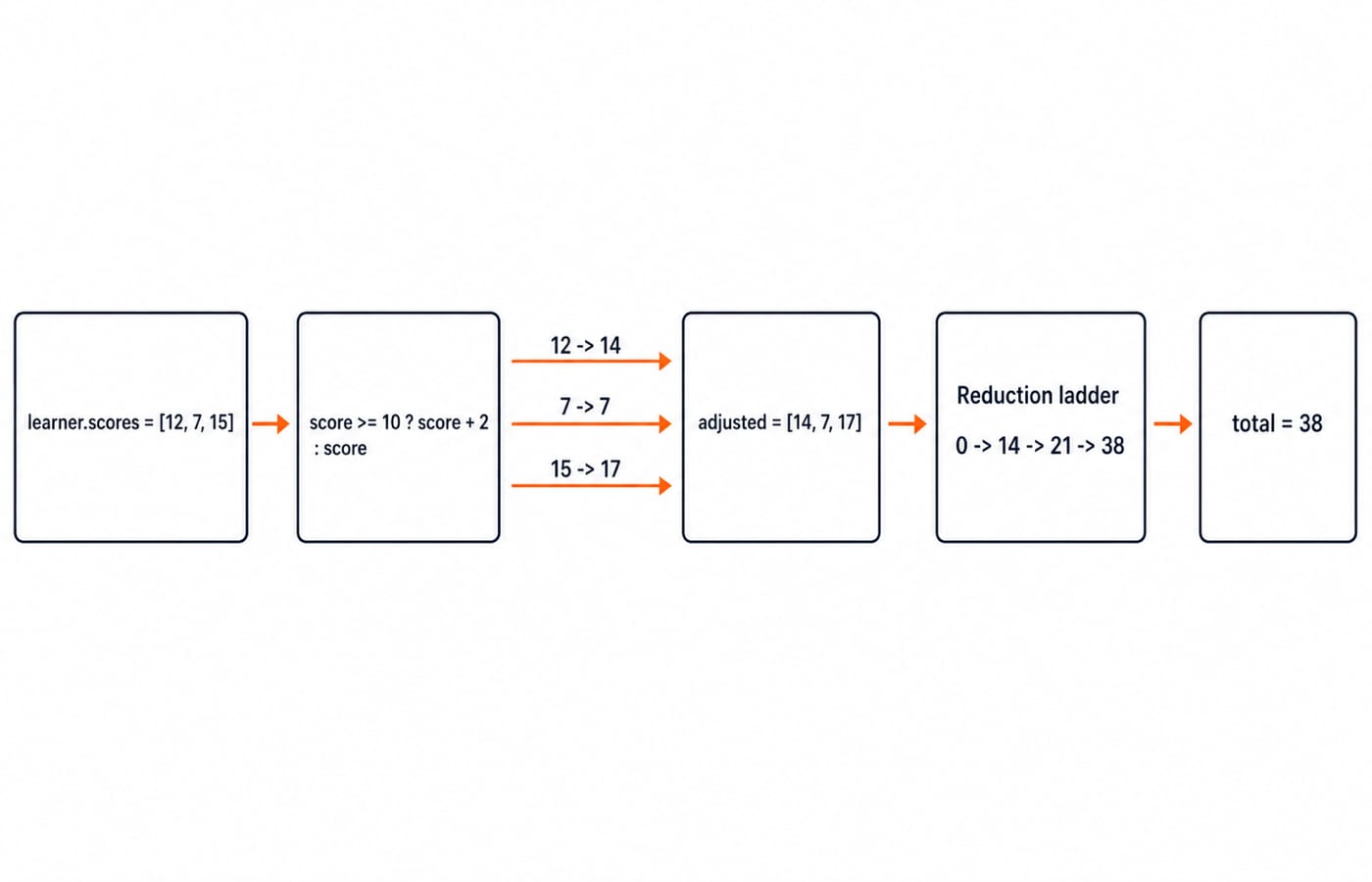
Trace it instead of guessing. addBonus(12) returns 14, addBonus(7) returns 7, and addBonus(15) returns 17. At the boundary, addBonus(10) returns 12, while addBonus(9) returns 9. The operator is >= 10, not > 10, so the score 10 takes the bonus branch.
Lexical scope identifies each binding by its declaration. If an outer scope has let bonus = 2, but a function declares let bonus = 5 and returns 10 + bonus, the local binding produces 15. The separate outer binding remains 2.
JavaScript Arrays and Objects: Transform Data Without Losing the Original
An array is ordered; an object is a key-value record. In const learner = { name: "Asha", scores: [12, 7, 15] };, learner.name is "Asha" and learner.scores[1] is 7 because indexing begins at zero.
learner.scores.map(addBonus) passes 12, 7 and 15 to the callback and returns a new [14, 7, 17]. The original stays [12, 7, 15].
Reduce with an explicit initial value of 0: 0 + 14 = 14, 14 + 7 = 21, and 21 + 17 = 38. The final total is 38.
JavaScript Worked Example: Render Scores and the Total in the DOM
Use the HTML shell with the scores list, total paragraph and deferred external script, then save the following code as app.js:
const learner = { name: "Asha", scores: [12, 7, 15] };

function addBonus(score) {
  return score >= 10 ? score + 2 : score;
}

const adjusted = learner.scores.map(addBonus);
const list = document.querySelector("#scores");

for (const score of adjusted) {
  const item = document.createElement("li");
  item.textContent = String(score);
  list.append(item);
}

const total = adjusted.reduce((sum, score) => sum + score, 0);
document.querySelector("#total").textContent = `${learner.name}: ${total}`;
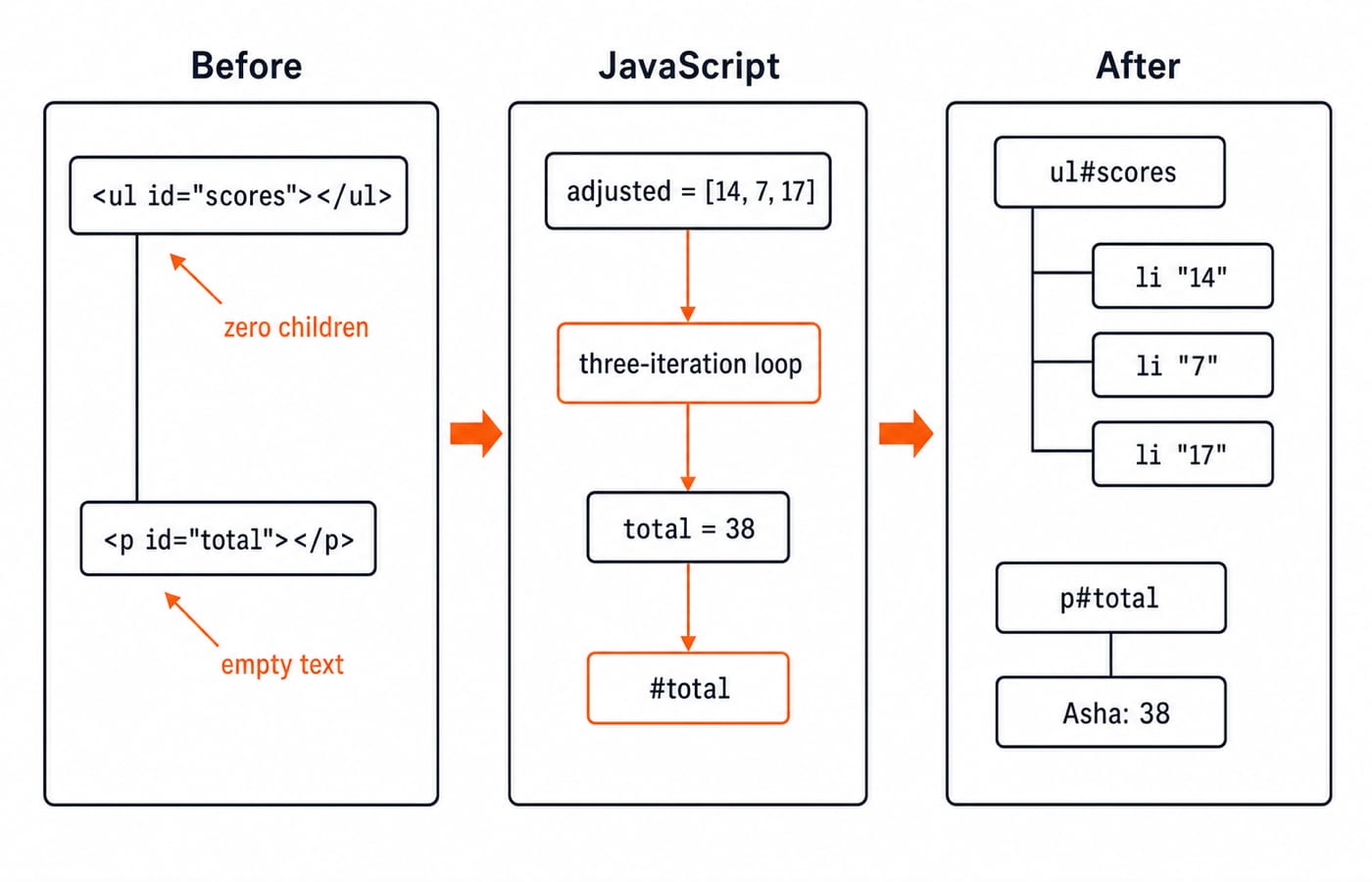
The first line stores Asha's scores, and map(addBonus) creates [14, 7, 17]. document.querySelector("#scores") finds the element with id scores and stores it in list.
The for...of loop runs three times. Each pass uses document.createElement("li") to create a list-item node. Setting textContent gives it 14, then 7, then 17; String(score) makes conversion explicit. list.append(item) attaches each node to the <ul> in order.
The reduction starts from 0 and computes 38. The final querySelector finds the paragraph, whose textContent changes to Asha: 38. The visible result is three list items containing 14, 7 and 17, followed by that paragraph.
JavaScript Output Traps and a Fast Debugging Routine
Treat every trap as a prediction, an actual result and a repair:
Predict numeric addition for
"12" + 3; the actual result is"123". UseNumber("12")when you need15.Predict that
0differs fromfalse;0 == falseis actuallytrueafter coercion. Prefer===, which compares the types too.Predict that
querySelector("#scores")finds the list; it can benullif the script runs too early. Keepdefer.
Mapping [12, 7, 15] through addBonus returns [14, 7, 17]. Assigning the result of learner.scores.forEach(addBonus) to a variable gives undefined, because forEach is for side effects, not transformation.
Debug in three steps: predict the type and value, log both with console.log(typeof value, value), then inspect the final DOM. Here the checks are typeof total === "number", total === 38, and three children under #scores.
How Interviews Test JavaScript Basics
Interviews ask you to predict coercion or callback output, repair a DOM script, or explain mutation versus returning a new array. Coding For Placements places this reasoning beside broader placement coding and interview practice.
For placement preparation, practise control-flow tracing, data types, function evaluation and array-state tracking. These program-reasoning habits transfer to output questions in other languages too.
The foundation is variables, functions, arrays and one DOM trace. JavaScript Interview Questions: Closures, this, Event Loop adds the interview-focused layer: hoisting, closures, asynchronous execution and targeted prompts. Use it next when the foundation is predictable without running the code.
JavaScript Basics in the Shortest Useful Form
Values have types. === avoids silent coercion. Functions isolate rules. map returns a transformed array. DOM methods turn computed values into page updates. For one exact exercise, replace the source scores with [9, 10, 20]; predict and verify adjusted = [9, 12, 22], total = 43, list items 9, 12, 22, and paragraph text Asha: 43. Continue with the Complete JavaScript course, or explore alternative programming paths in Coding & Skills.
Keep learning
Polymorphism in Java: Overloading, Overriding and Runnable Examples
Learn how Java chooses overloaded methods at compile time and overridden methods at runtime. Trace two complete programs, common traps and practice targets.
Updated 22 Oct 20266 min readJava

Packages and Access Modifiers in Java: Visibility Rules with Runnable Examples
Learn how Java package boundaries change member visibility. Compile a complete example covering public, protected, package-private and private access.
Updated 18 Oct 20265 min readJava

OOP Basics in Java: Classes, Objects and the Four Pillars with Runnable Examples
Connect Java's OOP syntax to design decisions with a complete Account example. Trace two objects through validation, overriding and runtime dispatch to exact output.
Updated 14 Oct 20265 min readJava
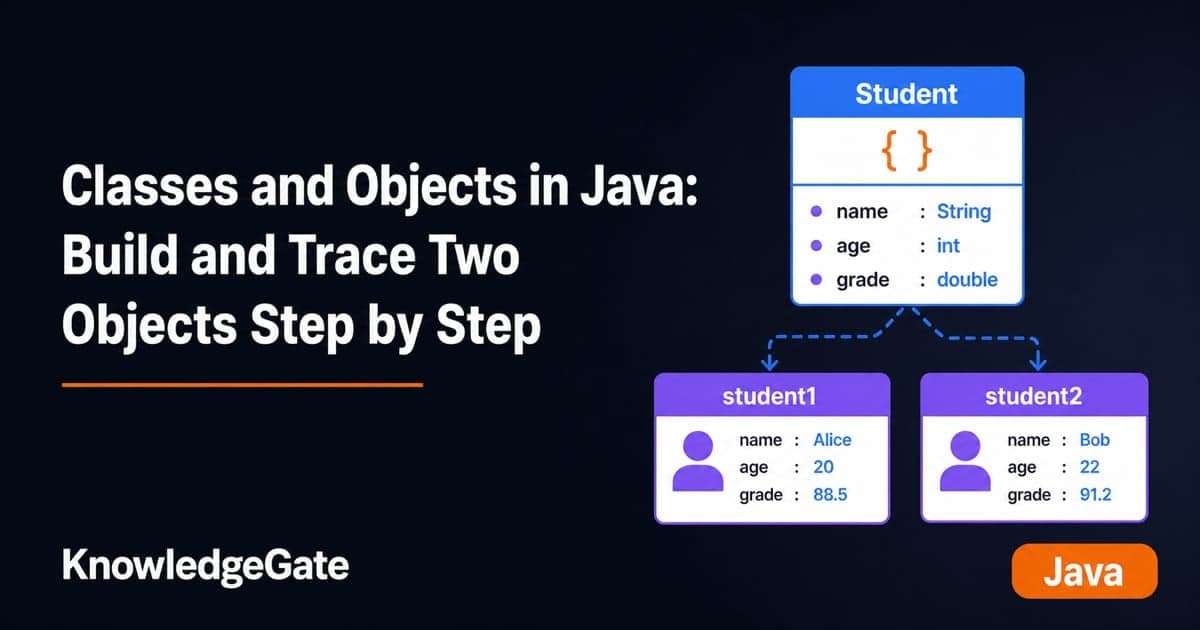
Classes and Objects in Java: Build and Trace Two Objects Step by Step
Build a Java Student class, create two independent objects, and trace fields, methods, aliases, null references, output, and common errors step by step.
Updated 10 Oct 20266 min readJava