Java Iterators and Comparators: Runnable Examples, Sorting Rules and Common Traps
Learn when to use Iterator, Comparable and Comparator through one Java 17 Student example, exact outputs, cursor traces and safe sorting rules.
KnowledgeGate Team
Exam prep & CS education
Updated 31 Aug 20265 min read
Both APIs appear in Java collection code, so it is easy to mix up their jobs. An Iterator controls how elements are visited, while a Comparator controls how two elements are ordered. Safe iterator removal can be followed by multi-key sorting of the survivors, a distinction that matters in coding tasks and interviews.
Java Iterator and Comparator solve different collection problems
Iterable<T> is a source that can produce an iterator. Iterator<T> is a stateful cursor over its sequence. Comparator<T> is an ordering rule applied to two values.
API | Question it answers | State | Typical methods |
|---|---|---|---|
| Which element comes next? | Keeps cursor state |
|
| Which of these two comes first? | Should be a consistent ordering policy |
|
An enhanced for loop gets an iterator from an Iterable. It is convenient traversal syntax, not a comparator. Comparable is different again: a class implements one natural order through compareTo(), while external comparators can provide several views of the same class. The Coding & DSA Courses for Placements page is a useful next practice area for these collection skills.
Java Iterator example: traverse four Student records
Run the example in Java 17 JShell after entering import java.util.*;. Recreate the list before any later example that needs the original data.
record Student(int id, String name, int score) {}

List<Student> students = new ArrayList<>(List.of(
    new Student(104, "Asha", 82),
    new Student(101, "Kabir", 91),
    new Student(103, "Meera", 82),
    new Student(102, "Rohan", 76)
));

Iterator<Student> it = students.iterator();
while (it.hasNext()) {
    Student s = it.next();
    System.out.println(s.name() + ": " + s.score());
}
Exact output:
Asha: 82
Kabir: 91
Meera: 82
Rohan: 76
Before the first next(), the cursor is before Asha. Each successful call returns one record and advances it. After Rohan, hasNext() is false; calling next() again would throw NoSuchElementException. These method contracts come from Oracle's Java SE 21 java.util documentation.
Iterator.remove(): remove Rohan safely without skipping an element
Recreate the original list and obtain a fresh iterator:
Iterator<Student> it = students.iterator();
while (it.hasNext()) {
    Student s = it.next();
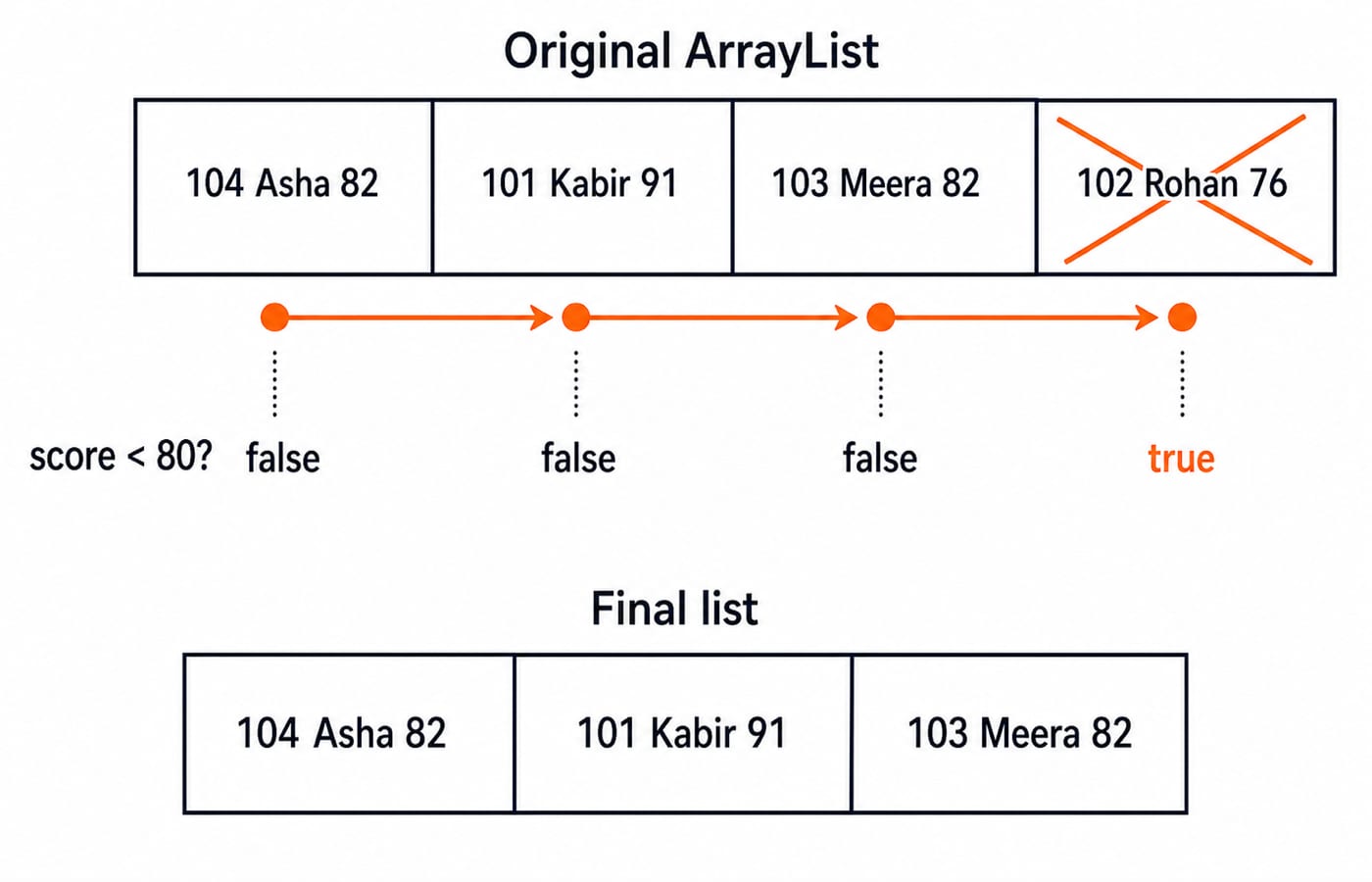
    if (s.score() < 80) {
        it.remove();
    }
}
The values 82, 91 and 82 each fail score < 80. Rohan's 76 passes, so it.remove() removes the last item returned by next(). The final list remains in insertion order:
[Student[id=104, name=Asha, score=82], Student[id=101, name=Kabir, score=91], Student[id=103, name=Meera, score=82]]Calling students.remove(s) while an enhanced for loop is traversing the same ArrayList can trigger ConcurrentModificationException. Iterator.remove() is tied to the last successful next() and cannot be called twice for that element. For a simple bulk condition, students.removeIf(s -> s.score() < 80) is shorter.
Java Comparator example: sort by score, then name, then id
Continue with the three survivors and add this rule to the same program:
Comparator<Student> ranking =
    Comparator.comparingInt(Student::score).reversed()
              .thenComparing(Student::name)
              .thenComparingInt(Student::id);

students.sort(ranking);
students.forEach(s -> System.out.println(
    s.name() + " (" + s.id() + ", " + s.score() + ")"));
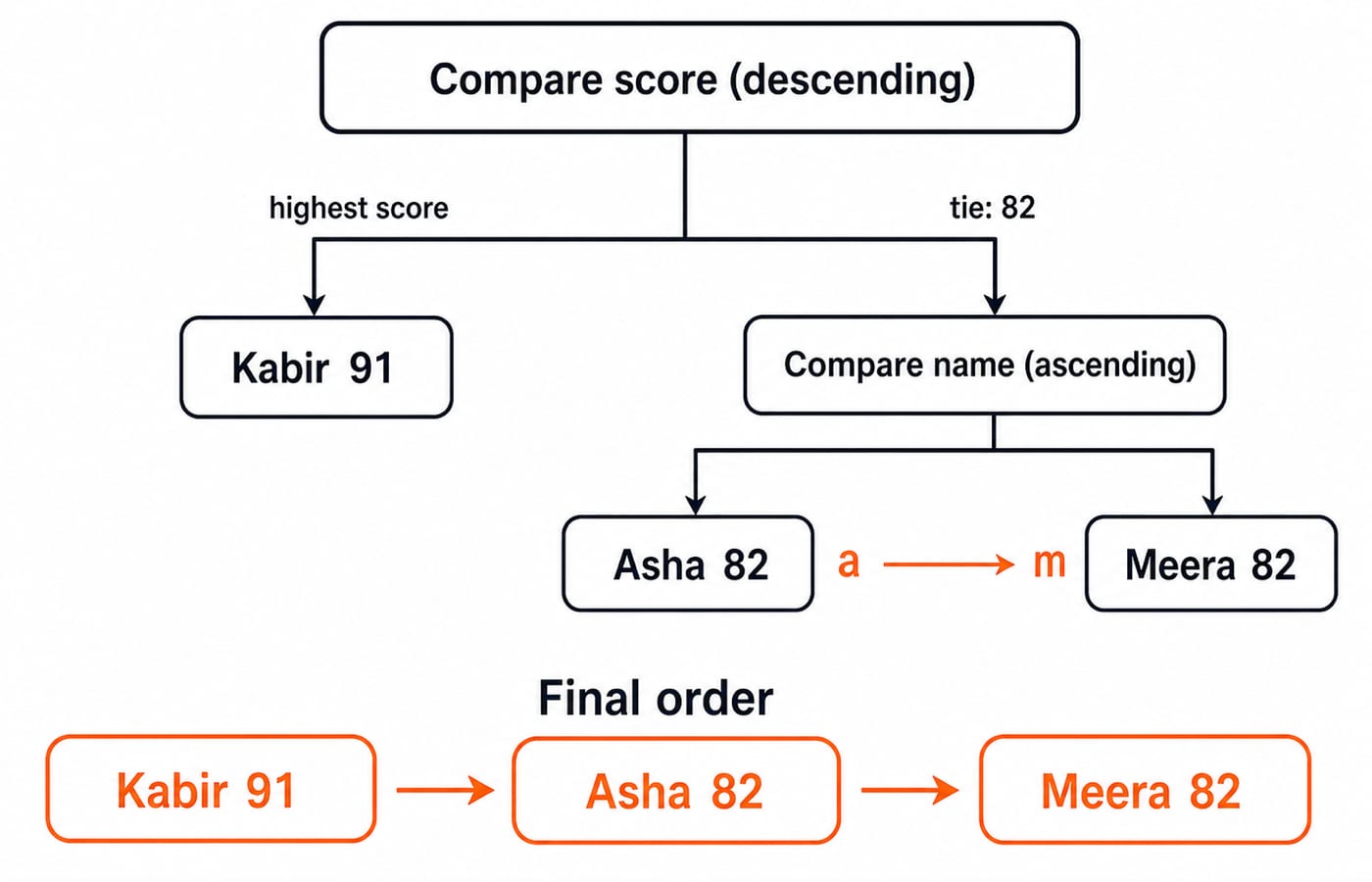
For Kabir 91 versus Asha 82, ascending score order would put 82 first, but reversed() puts 91 first. Asha 82 and Meera 82 tie on score, so name ascending decides the order: "Asha" comes before "Meera". If score and name both match, id is the deterministic final tie-breaker.
Exact output:
Kabir (101, 91)
Asha (104, 82)
Meera (103, 82)
List.sort(ranking) rearranges list elements but changes no Student field. The comparator supplies the order; the sorting algorithm performs the rearrangement. Sorting Algorithms: Complexity and Comparison explains that separation further.
Comparable versus Comparator, and why ties matter in TreeSet
The Student record deliberately does not implement Comparable<Student>. Keeping ranking external lets the same records be sorted later by name, id or score without claiming that one order is universally natural.
There is an important ordered-set trap:
Set<Student> set = new TreeSet<>(Comparator.comparingInt(Student::score));
set.add(new Student(104, "Asha", 82));
set.add(new Student(103, "Meera", 82));
System.out.println(set.size()); // 1
The score-only comparator returns 0, so the set treats the records as equal. Fix the order with comparingInt(Student::score).thenComparing(Student::name).thenComparingInt(Student::id). Asha and Meera then differ at the name step, making the size 2. In TreeSet and TreeMap, comparison equality controls key uniqueness.
Iterator and Comparator traps that break otherwise correct code
Iterator state has exact failure modes. A next() after the fourth record throws NoSuchElementException. For an iterator that supports removal, remove() before any next(), or twice after one next(), throws IllegalStateException. An iterator that does not support removal throws UnsupportedOperationException.
Never compare integer keys with subtraction. For a = 2_147_483_647 and b = -1, mathematical a - b is 2_147_483_648. Java int overflow wraps that to -2_147_483_648, falsely reporting that a < b. Use Integer.compare(a, b) or comparingInt().
Reversal placement also matters. comparingInt(Student::score).reversed().thenComparing(Student::name) means score descending and name ascending. Calling .reversed() after the complete chain reverses both decisions. Use Comparator.nullsLast(...) only when null is a legitimate input, not to hide missing-data confusion.
Java iteration variants and interview-style practice
Use a manual iterator when cursor control or safe removal matters. Enhanced for is clearer for plain traversal, while forEachRemaining() consumes everything left from the current cursor. ListIterator adds bidirectional traversal and in-place list edits; it is not a general replacement for Iterator.
Trace a ListIterator<Integer> over [10, 20, 30]. The first next() returns 10 and moves after it. The second returns 20 and moves after 20. previous() returns 20 and moves before it, then another next() returns 20 again and moves after it. set(25) replaces that last-returned 20. add(27) inserts at the cursor after 25, producing [10, 25, 27, 30].
For practice, sort ["Ravi", "Ananya", "Om", "Isha"] by length ascending, then alphabetically:
Comparator.comparingInt(String::length)
          .thenComparing(Comparator.naturalOrder())
The result is [Om, Isha, Ravi, Ananya]. Common assessment forms ask you to trace iterator state, repair unsafe removal, or build a multi-key comparator. Next, use Binary Trees and Binary Search Trees to move from linear collection traversal to structured tree traversal.
Java Iterator and Comparator: the short version and next step
Use
Iteratorfor cursor-controlled traversal.Use
Iterator.remove()for safe removal during that traversal.Use
Comparablefor one intrinsic order.Use
Comparatorfor external or multi-key orders.
The iterator removes Rohan 76, then the comparator sorts the survivors as Kabir 91, Asha 82, Meera 82. Continue with the Complete Java Course for a structured path through Java fundamentals and collections. If this distinction was all you needed, first rerun the example with score ascending and id descending.
Keep learning
Polymorphism in Java: Overloading, Overriding and Runnable Examples
Learn how Java chooses overloaded methods at compile time and overridden methods at runtime. Trace two complete programs, common traps and practice targets.
Updated 22 Oct 20266 min readJava

Packages and Access Modifiers in Java: Visibility Rules with Runnable Examples
Learn how Java package boundaries change member visibility. Compile a complete example covering public, protected, package-private and private access.
Updated 18 Oct 20265 min readJava
OOP Basics in Java: Classes, Objects and the Four Pillars with Runnable Examples
Connect Java's OOP syntax to design decisions with a complete Account example. Trace two objects through validation, overriding and runtime dispatch to exact output.
Updated 14 Oct 20265 min readJava
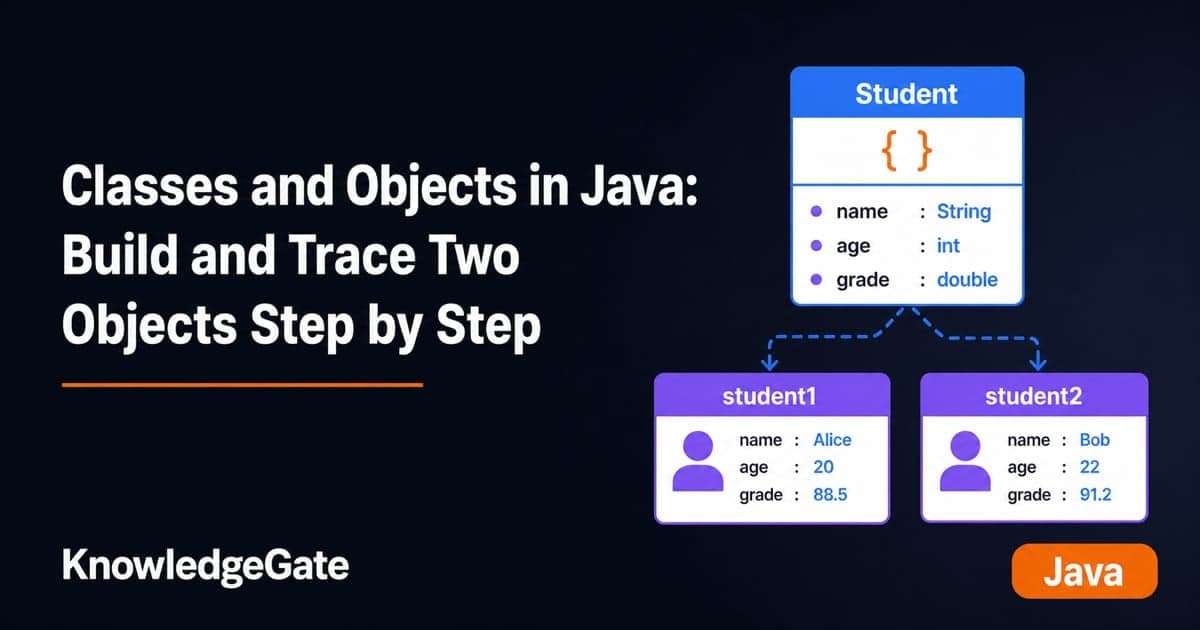
Classes and Objects in Java: Build and Trace Two Objects Step by Step
Build a Java Student class, create two independent objects, and trace fields, methods, aliases, null references, output, and common errors step by step.
Updated 10 Oct 20266 min readJava