File Systems & I/O MCQs: 12 Solved Linux Questions with Explanations
Solve 12 published Linux MCQs with fresh explanations that connect permissions, shell I/O, links, inodes, directories and disk-usage commands.
KnowledgeGate Team
Exam prep & CS education
21 Sep 20268 min read
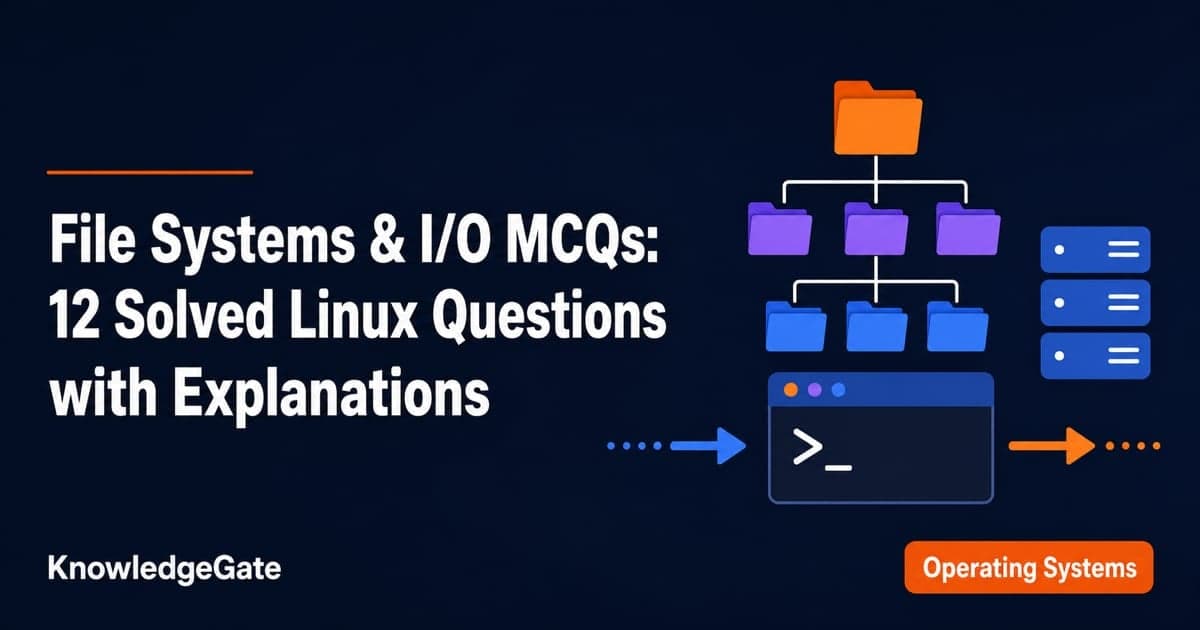
Linux file-system questions often look like command recall, but their distractors mix three boundaries: persistent structures, permission notation, and shell I/O behaviour. Remembering a command name is not enough if you cannot say what an inode stores, what an octal digit grants, or whether a symbol redirects data. Journalling, permissions, device files, redirection, file commands, directories, links, inodes, and disk usage all depend on keeping those boundaries straight. CS Fundamentals for Exams & Placements places this Linux subtopic within the wider exam syllabus. Choose an option and write the reason in one line before reading the explanation. That pause shows whether you know the model or only recognise the command.
1. File systems and I/O: separate stored structures, permissions and streams
Keep these layers separate before you solve:
Layer | Covers | Key cue |
|---|---|---|
File-system structure | Journal, inode, link, directory | How data and names persist |
Permission notation | User, group, others; read= | Decode each octal digit separately |
Shell and device I/O |
| Track a command's input, output or device |
A pathname resolves through directory entries to an inode. The inode holds metadata and block addresses, while the directory entry holds the name. A shell command can read or alter that object without becoming an on-disk structure itself.
For mode 641, split the digits by user class. Owner 6=4+2=rw-, group 4=r--, and others 1=--x, so the symbolic form is rw-r----x. Mode 100 gives owner 1=--x, group 0=---, and others 0=---, so only the owner can execute. Now suppose a regular file inside progs begins at 640, which is rw-r-----. Applying chmod -R a+x progs adds execute for owner, group, and others. The result is 751, or rwxr-x--x. Here -R supplies recursion, while a+x supplies the permission change.
For links, suppose report.txt has inode 4182. A hard link named report-final.txt also points to inode 4182. A symbolic link named report-shortcut has its own inode 7310 and stores a pathname. If report.txt is removed, report-final.txt still reaches inode 4182, while report-shortcut can become dangling.
2. File systems and I/O MCQs 1-3: journalling and permission bits
Question 1
What is journalling in a Linux file system?
A. Process scheduling
B. File saving as a transaction
C. A type of thread
D. An editor
Answer: B. File saving as a transaction.
Journalling logs intended file-system changes before or alongside the main update. After a crash, this record supports recovery to consistency. The other options belong to unrelated layers.
Question 2
Which UNIX/Linux command is used to make all files and sub-directories in the directory “progs” executable by all users ?
A. chmod -R a+x progs
B. chmod -R 222 progs
C. chmod -X a+x progs
D. chmod -X 222 progs
Answer: A. chmod -R a+x progs.
Read it as chmod -R a+x progs. -R recurses, while a+x adds execute to every user class without replacing bits. Mode 222 is write-only, and the shown -X forms lack the recursive flag.
Question 3
In Unix, files can be protected by assigning each one a 9-bit mode called rights bits. Consider these statements:
I. A mode of 641 (octal) means that the owner can read and write the file, members of the owner's group can read it, and other users can execute it only.
II. A mode of 100 (octal) allows the owner to execute the file but prohibits all other access.
Which option is correct?
A. Only I is correct.
B. Only II is correct.
C. Both I and II are correct.
D. Both I and II are incorrect.
Answer: C. Both I and II are correct.
Using read=4, write=2, and execute=1, 641 gives owner rw-, group r--, others --x. Mode 100 gives owner --x, group ---, others ---. Both statements hold.
3. File systems and I/O MCQs 4-6: device files, redirection and content search
Question 4
The linux command “mknod myfifo b 4 16”
A. Will create a character device if the user is root
B. Will create a named pipe FIFO if the user is root
C. Will create a block device if the user is root
D. None of the above
Answer: C. Will create a block device if the user is root.
In mknod NAME TYPE MAJOR MINOR, type b requests a block device, while 4 and 16 are its major and minor numbers. A named pipe would use type p, so C follows.
Q4 solution
Question 5
Which of the following is NOT an input/output redirection symbol that Linux shell uses?
A. <
B. >
C. >>
D. !
Answer: D. !
< redirects input, > redirects output and replaces the destination, and >> appends output. ! has other shell meanings but is not an I/O redirection operator, so D is the exception.
Q5 solution
Question 6
Which of the following Linux commands is/are used to search content from files?
commands:
i) grep
ii) egrep
iii) fgrep
iv) find
v) tail
vi) tr
A. i, ii and iii only
B. ii, iii and iv only
C. v and vi only
D. iv only
Answer: A. i, ii and iii only.
grep, egrep, and fgrep search contents for patterns. find locates entries, tail displays the end of input, and tr translates characters. Thus the content-search set is i, ii, and iii only.
Q6 solution
4. File systems and I/O MCQs 7-9: creating files and reading the directory tree
Question 7
Which of the following commands is/are used to create files in Linux?
Commands:
i) touch
ii) cat
iii) head
iv) finger
A. i, ii and iii only
B. ii, iii and iv only
C. i and ii only
D. i only
Answer: C. i and ii only.
touch notes.txt creates an empty file when needed. cat > notes.txt can create and fill one. head reads input, while finger reports user information. Thus i and ii only is correct.
Q7 solution
Question 8
What does /etc directory contain in Linux operating system?
A. Home directories of the common user
B. System configuration file
C. Miscellaneous data
D. Common program shared by the system and the system administrator
Answer: B. System configuration file.
/etc conventionally holds system-wide configuration files and related directories, so B gives the intended role despite its singular noun. User homes normally sit under /home, while shared program binaries belong elsewhere.
Q8 solution
Question 9
Which Linux command is used to display the current working directory?
A. dir
B. cd
C. pwd
D. ls -l
E. whoami
Answer: C. pwd.
pwd prints the current directory's absolute path. cd changes directory, ls -l and dir list entries, and whoami prints the effective user name. Therefore C matches the request.
Q9 solution
5. File systems and I/O MCQs 10-12: links, inodes and disk usage
Question 10
_____ is a system to make a file or directory visible in multiple parts of the system’s file tree in Linux operating system.
A. Directories
B. Special files
C. Links
D. Sockets
Answer: C. Links.
A link supplies another entry or pathname for reaching an object. Hard links reach the same inode, while symbolic links store a pathname. Directories organise entries and sockets support communication, so C fits.
Q10 solution
Question 11
Which of the following statements about "inode" is false?
A. An inode is a data structure that contains important information pertaining to files within a file system
B. Inode keeps track of how many links exists for a file
C. Soft links have different inode numbers
D. Hard links have different inode numbers
Answer: D. Hard links have different inode numbers.
Hard links are separate entries for the same inode, so they share its number and increase its link count. A symbolic link has its own inode and a pathname payload. D is false.
Q11 solution
Question 12
Which command in Linux is used to estimate and display the disk space usage of files and directories?
A. ls
B. df
C. du
D. top
E. mkdir
Answer: C. du.
du estimates usage by files and directories. Its closest distractor, df, reports mounted file-system capacity. ls lists entries, top shows processes, and mkdir creates a directory.
Q12 solution
6. File systems and I/O: common traps in operations, permissions, content, and storage
Trap | Questions | Corrective cue |
|---|---|---|
Operation versus structure | Q1, Q11 | Separate a logged update from the inode that stores metadata |
Permission digit versus command flag | Q2, Q3 | Decode every octal digit, then read flags independently |
File content versus file location | Q6, Q8, Q9 | Ask whether the command reads contents, paths, or hierarchy |
Object usage versus file-system capacity | Q10, Q11, Q12 | Separate names and inodes from measured storage use |
When a distractor mixes layers, first classify the stem as an on-disk object, permission, shell operator, or command. Eliminate options from other layers. Then expand octal 4/2/1, state the command's input and output, and check for NOT or false.
Use Directories & Structure MCQs: Solved Questions with Explanations for directory models, hard-link bookkeeping, and inode numericals; this set instead tests the boundary between stored structures and everyday Linux commands. Use IPC & Networking MCQs: Solved Questions with Explanations for pipes, signals, networking, and multi-command pipelines; the I/O work here stays with redirection and single-command file operations. File Systems & Allocation MCQs (GATE OS) owns the broader allocation-method and fragmentation treatment, while this set owns Linux permissions, names, inodes, and command behaviour.
7. File systems and I/O: the short version and next practice step
Redo Questions 2, 3, 4, 5, 6, and 11 without looking at the options. You should be able to expand 641, explain -R a+x, identify b in mknod, distinguish ! from redirection, separate grep from find, and state why hard links share an inode. For a sequenced Operating Systems route that places Linux file systems and I/O beside the rest of OS preparation, use GATE Guidance by Sanchit Sir. If you only need this subtopic, follow the linked question solutions above. Permissions describe who can do what, links describe how names reach objects, inodes describe stored metadata, and shell operators describe where a command's bytes come from or go.
Keep learning
Segmentation and Hybrid MCQs: 10 Solved OS Questions with Explanations
Solve ten memory-management MCQs, then check the keyed answers, short reasoning paths, distractor traps, and worked address calculations.
Updated 3 Oct 20267 min readOperating System MCQs
Paging and TLB MCQs: 12 Solved Questions with Step-by-Step Explanations
Solve 12 Paging and TLB MCQs in a sequence that builds from page-table basics to address splits, TLB coverage, timing and fragmentation.
Updated 28 Sep 20268 min readOperating System MCQs
OS Types & Evolution MCQs: 12 Solved Questions with Explanations
Solve 12 published OS Types & Evolution questions. Each answer identifies the clue that separates batch, multiprogramming, time sharing and other OS models.
Updated 25 Sep 20268 min read83 viewsOperating System MCQs

Multilevel Paging MCQs: 12 Solved Questions with Explanations
Solve 10 MCQs and two NATs on multilevel paging. Each answer works through the address bits, table capacity or access-time path that decides the result.
Updated 24 Sep 20268 min readOperating System MCQs