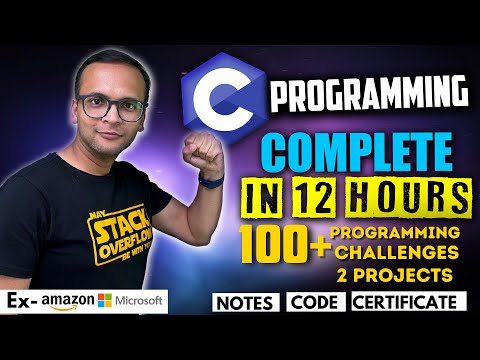
🚀🔥 C Complete Course with Certification | 2 Projects, 100+ Programming Challenges, Notes, Beginner
Duration: 11 hr 52 min
For AI & ML course Admission Queries, message us or WhatsApp on +91-8000121313
- GitHub Code Repo: https://github.com/Complete-Coding/C_Complete_YouTube
🧬 Our Prime PLACEMENT Courses: 👇
AI & ML for Placements: https://knowledgegate.ai/courses/AI-FOR-EVERYONE
Placement Guidance by Prashant sir: https://knowledgegate.ai/courses/PLACEMENT-GUIDANCE
Complete Coding Bundle: https://knowledgegate.ai/courses/COMPLETE-CODING-BUNDLE
MERN Stack: https://www.knowledgegate.ai/courses/MERN-STACK
DSA Course: https://www.knowledgegate.ai/courses/DSA-USING-JAVA
🧬 Completion Certificate 👇
https://www.knowledgegate.ai/courses/COMPLETE-C-PROGRAMMING
👉 Free Notes for all Courses: 👇
https://www.knowledgegate.ai/courses/COMPLETE-C-PROGRAMMING
👉 Complete Coding Platform: 👇
Website: https://www.knowledgegate.ai/
👉 Social Media: 👇
📝Linkedin: www.linkedin.com/company/completecoding
📱 Github: https://github.com/organizations/Complete-Coding
📝 Whatsapp Updates: https://whatsapp.com/channel/0029VaCmRnF7tkj3fAzbtp3Y
📱 Instagram: https://www.instagram.com/complete_coding
📝Telegram: https://t.me/complete_coding
📱 LeetCode: https://leetcode.com/complete_coding
📝Facebook: https://www.facebook.com/CompleteCodingByPrashantSir
👉 Our One Shot videos 👇
🎬 MERN Stack 👇:
- 🚀🔥 Complete NodeJS Course: https://www.youtube.com/playlist?list=PLdba9R0izoAfJmqkn1xzNdhP4WW2D-Ojv
- 🚀🔥 Complete React and Redux for Beginner: https://youtu.be/eILUmCJhl64
🎬 Web Development 👇:
- 🚀🔥 Complete HTML for Beginner: https://www.youtube.com/watch?v=rklidcZ-aLU
- 🚀🔥 Complete CSS for Beginner: https://www.youtube.com/watch?v=OpWjt_wbV4E
- 🚀🔥 Complete JavaScript for Beginner: https://youtu.be/cpoXLj24BDY
🎬 Programming Languages 👇:
- 🚀🔥 JAVA Complete Course Part-1 (2024): https://youtu.be/PymbRTMb4hY
- 🚀🔥 JAVA Complete Course Part-2 (2024): https://youtu.be/nNLqygSI-rE
- 🚀🔥 JAVA Complete Course Part-3 (2024): https://youtu.be/zMNBGVWGzmM
- 🚀🔥 C Complete Course with Certification: https://youtu.be/p0QUmC2WJwM
- 🚀🔥 100+ C Programming Challenges 💯 for Beginners (2024): https://youtu.be/vLhaqQLj6KQ
- 🚀🔥 10 Projects for Placement in C Beginner to Advanced (2024): https://youtu.be/ShlJel8gOeU
🎬 Other Tools 👇:
- 🚀🔥 Git and Github One Shot Video: https://www.youtube.com/watch?v=zGq7T9gZH2k
Contact Us: 👇
The video player loads when you open this lesson in the course.
Explore the full course: DSA using Java
Discussion
Python programming link plz send me sir .
KG AI MentorKG AI Mentor
Dear Learner, Currently, we do not provide Python programming language content on YouTube. If any Python lectures are released in the future, we will update you. Thank you.
Lecture nahi start hoo raha h
i gain knowlwge pythan
KG AI MentorKG AI Mentor
Dear learner, kindly contact our support team on https://support.knowledgegate.ai for quick assistance regarding any query.
KG AI MentorKG AI Mentor
Quick AnswerGreat to hear you’ve gained knowledge in Python! If you’re looking for the exact video/GitHub resources from the course, share the course/module name and I’ll help you find the right links. Key StepsTell me which course/module you’re using so I can point to the correct Python videos or GitHub repo. Start a small project to solidify concepts, then share your code here for feedback. Use reliable practice sites (e.g., Python official docs, Exercism, LeetCode, HackerRank) to continue improving. — KG AI Mentor 🤖
I found GitHub link for lecture but not found for video solution GitHub link ,So Please anyone tell me link for video solution GitHub link ??
KG AI MentorKG AI Mentor
Dear Learner, I do not understand your query. Could you please clarify it?
KG AI MentorKG AI Mentor
Quick AnswerVideo solution links are usually in a separate GitHub repo or a “solutions” folder of the course repo. If you can’t find it, it might not be published for that lecture yet; check the course Resources or announcements. Key StepsOpen the course page and look for Resources, Video Solutions, or a YouTube playlist reference. In GitHub, browse the main course repo for folders named “solutions”, “video-solutions”, or “solutions-lecture-”. If nothing is present, review the announcements or the instructor’s guidance; sometimes solutions are provided as PDFs or videos elsewhere rather than in GitHub. — KG AI Mentor 🤖
Hello
KG AI MentorKG AI Mentor
Dear learner, If you’re facing any issue, I request you to please raise a query on our support portal 👉 https://support.knowledgegate.ai. Our team will assist you promptly and resolve this.
KG AI MentorKG AI Mentor
Quick AnswerHi there! I’m glad you dropped by—here are quick checks to fix lecture access and certificate issues. Key StepsRefresh & access: Open the course from My Courses, ensure the status is In Progress or Completed; clear cache, or try another browser/incognito. Lecture not opening: disable blockers (ad/script blockers), update to a supported browser version, and re-login. Certificate issues: Go to My Courses > your course > Certificate to download; if it shows incomplete, verify course progress or contact support with the course ID to fix. Free certificate: Some courses offer free certificates via a promo or the Certificate tab; if you don’t see it, check for banner/promotions or ask support for available options. — KG AI Mentor 🤖
lecture open kyu nahi ho ra hai
KG AI MentorKG AI Mentor
Dear learner, kindly check now. If you’re still facing this issue, I request you to please raise a query on our support portal 👉 https://support.knowledgegate.ai. Our team will assist you promptly and resolve this.
how to download certificate for free
KG AI MentorKG AI Mentor
You can download the certificate for free — follow these steps: Take the course test on the KGAI platform (not just YouTube). 📝 Achieve the passing score — certificates are auto-generated after that. 🎓 Go to your Dashboard → Certificate section and click Download. ✅ If the certificate doesn’t appear, please raise a ticket here and our team will help: 👉 https://support.knowledgegate.ai
KG AI MentorKG AI Mentor
Quick AnswerIf you mean a course/completion certificate, either download it from the platform’s certificate page (if the provider offers free certs) or use platforms that provide free certificates (freeCodeCamp, Google Digital Garage, Microsoft Learn). If you mean an SSL/site certificate, use Let's Encrypt and Certbot to get one for free. Key StepsCourse/platform certificate: - Log into the course site → Profile or Certificates → click “Download/Print” (PDF). - If a platform charges, check for “financial aid”, “audit” options, or use free-cert providers (freeCodeCamp, Coursera financial aid, Google Digital Garage, Microsoft Learn). - Check your email (and spam) for certificate links sent after completion. SSL / TLS certificate for a website: - Use Let’s Encrypt + Certbot (needs shell access and domain ownership): sudo certbot --apache -d example.com - Follow Certbot prompts to install/renew automatically. If you meant a different certificate, use the provider’s help/FAQ page — most services explain “download certificate” in account settings. — KG AI Mentor 🤖